After pressing the button for at least 5 seconds, the LED on the SmartPlug should start flashing. Does it?
Have you already paired other Zigbee devices with the HP16? If so, which ones? Because if you already paired at least 15 battery operated devices first, then it’s not possible to ad more Zigbee devices. Please check the support article: Creating a stable Zigbee network with Homey Pro
Can you please post a screenshot of the overview in Developer Tools → Zigbee.
Have you done the pairing in close distance to the HP16?

Yes, this one. So there is definitely no problem with too many battery operated devices (EndDevices). But if you’re planning to use more Zigbee devices, please add Zigbee Router first, as it’s mentioned in the support article.
Do the other Zigbee devices work without any problems?
If I understand correctly the plug I am trying to add would be a router.
The other devices work fine. I don’t use them a lot but I see they have a connection. I could try to reset the network if that could help.
@DirkG
Resetting the network through the devloper portal did the trick! Thanks for your help and time
Right, the SmartPlug is a router. Other Zigbee devices, whether routers or end devices, can connect to the Homey Pro through this router. This is not possible with end devices.
Resetting the Zigbee network should not be necessary and should be the very last thing you do. So far you have only added 3 battery powered sensors and maybe only a few flows. But imagine you have 25 Zigbee devices with lots of flows?
Anyway, I’m glad it works now. However, if you have problems adding a new Zigbee device in the future, which I don’t expect for now, please contact Athom support.
I’ve experienced the same problems with the INNR 240 plug where measurements stopped. I had 4 out of 10 devices running on firmware v1.6.22 while the others were running on v1.7.22 and did not have the problem. Luckily I could return them to my wholesaler and get new ones within the 2 year warranty because they did not work due to the bug.
I recently purchased two Innr SP 240 smart plugs to measure power consumption in Homey. The plug firmware is version 1.7.23, and the app firmware is 2.1.38. However, I’ve noticed the energy consumption readings are significantly lower than the actual usage. For example, when connected to a PC consuming at least 200W, the plug only reports 2–3W.
I’ve read reports from other users about the plug not reporting at all, but in my case, it does report, just with very inaccurate values. Re-adding the device and restarting the app didn’t resolve the issue.
I shall email Innr about it.
FWIK they should run the latest firmware.
I have a similar problem. When you plug them out or you have an energy blackout in your house they stop reporting values. You Just need to repair in app. Will try a firmware update in z2m

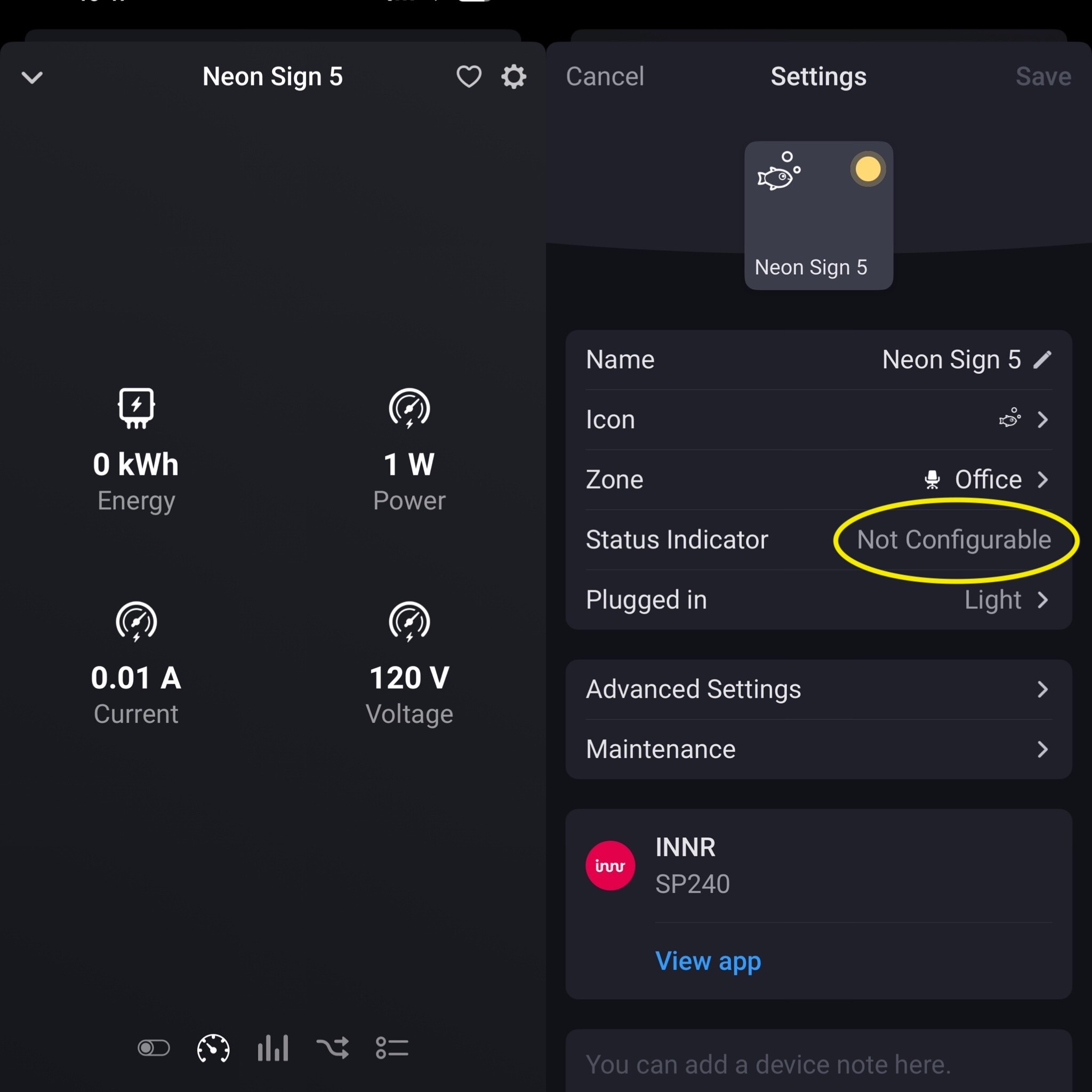
There are a few classes that don’t allow you to change the indicator.
Including that is light (like your image “plugged in: light”), lock and thermostat.
This is hardcoded in Homey, and can’t be changed by the developer.
Sorry but I am confused by your reply. When you say “classes” are you referring to model?. All 5 devices are the same model. SP244. All of them allow you to change “plugged in” field but only 2 allow you to change “status indicator”.
And to add more confusion…checked them this morning and one of the two (Neon Sign 4) that was able to display power usage in “status indicator” no longer displays it and now today is “not configurable”. SMH.


Also it appears they are not reflecting power usage data either now. IDK.

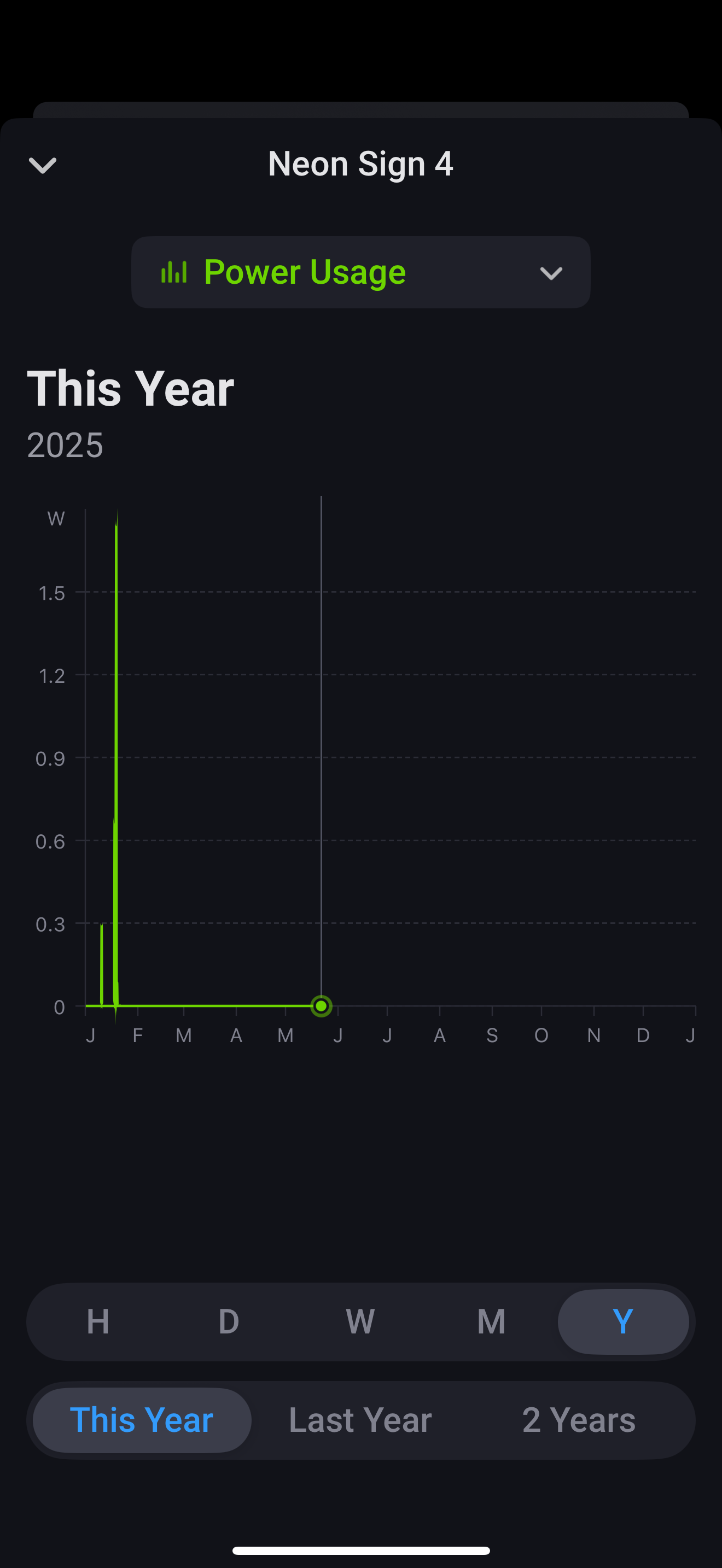
Regarding the missing power measurements, check my earlier post: INNR SP240 smart plug - #50 by SunBeech.
Regarding the indicator: when you set the Plugged in setting to Light, you don’t have the option to change the indicator. It will always be the yellow/grey light on/off symbol.
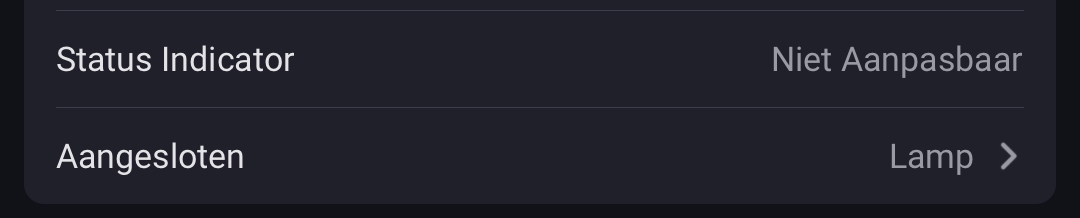
If you set the Plugged in setting to something else (that does not have a fixed indicator, to which @Caseda referred), you are able to choose an indicator. E.g. in this example I connected a washing machine to my SP240 plug (the EU version of the SP244). It allows me to the select the current power consumption as indicator.

Ah. Thanks for help on this. Understand now.
I wanted to give an update on my earlier post regarding some issues with the SP240 plug and firmware updates.
Just to recall the issues were:
-
Power measuring values do not update after unplugging the plug. A re-pair is required in Homey;
-
After every restart of Homey, the ‘Current’ value displayed by Homey is 1000x higher than the actual value. A work-around is to restart the INNR app after Homey has restarted.
According to the INNR support desk the first and possibly second issue would be resolved by a firmware update. The problem is that neither Homey nor INNR’s own bridge support installing firware updates. However, INNR indicated that they are adding this functionality to they own bridge.
I have been in contact with INNR’s support desk over the past year every few months to get an update on the firmware update functionality. Though they keep on indicating that they are working on is, it is still not available. They do offer the option to send the plug(s) to them and they will update them for u via their Home Assistant setup.
I did not choose that option, as I have over 30 of those plugs that also form the backbone of my Zigbee network. Removing them would render my smart home useless.
As such, I chose to buy a SONOFF Zigbee USB dongle, install Zigbee2MQTT (Z2M) on my computer and update the firmware of each the SP240s via Z2M’s Over The Air update functionality. This worked great. All my plugs are now either on firmware version 1.9.29 (for hardware version 1 of the plug) and 1.9.30 (for hardware version 2 of the plug). It take approx. 30 mins to install the update, so you need to be patient  .
.
Are the issues solved in this firmware. Well, yes and no.
The first issue, regarding no power measuring functionality after unplugging the plug, is solved. The second issue, regarding the Current value being displayed 1000x too high is not addressed by the new firmware.
In addition a new/third issue popped up: the cumulative power usage meter (kWh) is now 10x too high. Which also messes up the ‘Top Consumers’ overview in the Energy tab ass well as any flow that depends on this capability. The issue is probably caused by some new attributes reported by the plug in the new firmware, on how to format the values, which are not (yet) interpreted correctly by the INNR app for Homey.
I reported these results back to the INNR support desk. They confirmed the second and third issue. Also they indicated that the developer of the INNR app for Homey is working on fixing this and INNR did receive a new test version (which did not yet fix the issues).
So the wait continues…
INNR published version 2.1.49 of their app for Homey today, which addresses the two issues mentioned in my previous post:
- The ‘Current’ value is 1000x too high, after every restart of Homey, requiring a restart of the INNR app;
- The cumulative power usage meter (kWh) is 10x too high.
I’ve updated an SP-240 using zigbee2mqtt a while a go to the most recent firmware, since then it had no longer the problem of not reporting but instead it started reporting the energy completely wrong. I just looked at it and it seems the update did something as I haven’t touched the device itself

This device has beem the top consumer in the energie dashboard since I added it again after updating the firmware, I will have a look tomorrow to check if this new app version finally fixed it!
Yes, I know. The top consumers overview went completely berserk! That should be fixed now as a result of this update; the kWh values should be 10x smaller now. If I look at your screenshot that seems to be the case.
Yes, good to see it’s fixed.
What I find odd is that an app update should be able to fix the problem with the devices not reporting after a power cycle of the device as that needed a firmware update to get fixed, or did I misinterpret your previous post?
