Hi!
I also have Smart presence installed and it works well for detecting me anyway. It never updates my fiancés presence accordingly. How could that be? Where should I start troubleshooting?
We both have the same settings in Homey and in our iOS phones regarding GPS and connecting automatically to oru home wifi.
Have your mobiles fixed IP-adresses in router (or very long lease time)?
Have your mobiles inactivated private IP-adress?
Hello
I have multiple networks with my router.
1 network for the family, PC, just living.
1 network for all devices (2.4 GHz)
1 network via a FritzBox for the PlayStation
The app works wonderfully when connected to the right network. Is there any way to retrieve this on all networks?
It has to be setup in the router. Nothing Smart Presence app can solve.
oh yes, he assigns a different ip address…
Sorry, I didn’t realise that at all 
Hello, I have upgraded from a HP19 to Hp23 yesterday. Now i can’t get Smart Presence to detect any users. Same Wifi network, fixed ip adresses on every phone. Tried to re-install Smart Presence and added all the users again. Still no detection. Any ideas?
1 Like
Check that you don’t have “Private Wi-Fi address” enabled on the device under wifi. Settings > Wi-Fi > tap the (i) for your Wi-Fi network. Ensure that "Private Wi-Fi address is disabled there.
This feature anonymizes the device MAC address, resulting in the device getting random IP’s from the router.
Hello, sorry for the stupid question: where can I add my smartphone ip address?

If anyone wants to take over this app, please send me a message
1 Like
@balmli Hi Bjørnar. I am using Smart Presence as the only app for presence. Thank you for your major contributions in the past years. Your apps are adding real value and working very efficiently. I also valued your support and responsiveness. 
Hi there, great app. Although I have some devices that seem to be in stealth mode, where they don’t react at all to a tcp connection. You can track them by sending ARP and RARP requests (as all ip devices have to react to that locally). It might be a good idea to add this to the application to make it more solid for devices that don’t react at all to tcp connects, which in the current version will not be seen. A local network scanner like “Net analyzer” in android will do that.
I see there was a homey app supporting this called " Betere Aanwezigheid", which seem to fill this gap with Smart Presence. It is not actively supported for a long time so only working on very outdated software releases as I cannot install it because of that reason.
Hi, I’ve tried any combination in settings (away delay, check interval, stress mode ecc.)for my smartphone, but it continue to switch from “present” to “not present” while I’m home. I also changed wifi settings on my iphone deselecting “private wifi”. Any suggestion? Thank you
How long “Away delay” have you tested? I and my wife have 1500. Yes, it is long time, but it works.
Start with a high value and adjust down until it fails.
Actually I have 800. I will try, thank you!
Is er iemand die mij advies kan geven. Overdag werkt alles goed en als ik van huis ga dan word de camera geactiveerd en als ik thuis kom gedeactiveerd.
Maar zodra wij gaan slapen en ik word overdag wakker dan is hij helemaal van slag en dan word er telkens overgegaan van afwezig en thuis zijn?
De telefoon van mij en mijn vrouw hebben beide een statisch ip adres!

Wie heeft een tip om dit te verhelpen?
Alvast bedankt.
Groet Jerry
Wat voor telefoon heb je?
Mijn Google Pixel 7 blijft netjes aangemeld staan, maar ik zie dat de iPhones van huisgenoten soms afmelden in de nacht.
In de instellingen van de App kun je wat aanpassen waardoor het wellicht beter werkt. Hier de instellingen van een iPhone:

Wij hebben inderdaad allebei een iPhone. Ik zal de instellingen eens overnemen kijken of het daarmee beter is.
Alvast bedankt voor het mee denken.
Groetjes Jerry
Hi everyone
I have an interesting phenomenon:
If my wife and I come home at exactly the same time (timestamp is exactly the same to the second), the presence of both of us is recognized correctly, but the Flow Card “The first household member arrived” is not triggered. If my wife or I come home individually, the Flow Card is triggered correctly for the first person. Is this a bug in the app?
Has anyone experienced similar problems?
I’m using Smart Presence for a long time, however recently some strange behavior started to happen. Both my wife’s and my device start to be ‘away’ and ‘home’ at the same time (differences are a few seconds), while we and the devices are both at home. For example this happened tonight;
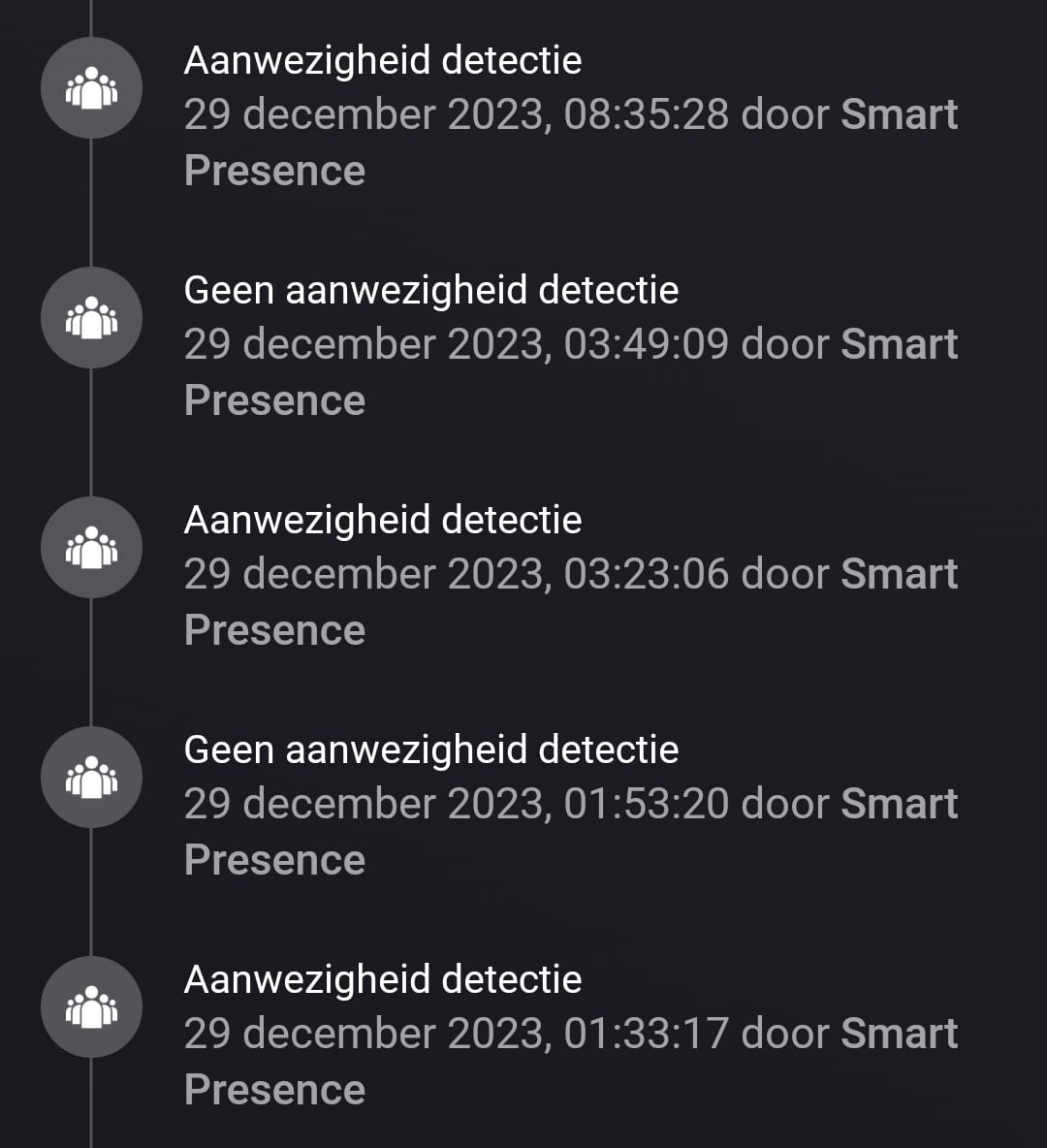
During the time period shown in the screenshot, we were both at home. Yet both our devices showed to be away and come back at the same time (only few second differences).
Before we didn’t have this issue and nothing has changed regarding our network. I’ve also tried changing the settings for one of the devices, but that didn’t result in any better behavior.
Has anyone experienced something similar to this and have you been able to fix it?
Edit: I did make a different topic for it, but someone suggested me to post it here.
