I guess that your “Away delay” setting is near the energy saving timeout on your mobile. I think you should try to increase the “Away delay” with 100 sec.
Important to add to this context is that both my wife’s and my own device leave at the same time and are seen as present at the same time. Usually there is only one or two second difference between us.
Yes, I have seen this and that is why I don’t use it anymore.
I think it has to do with what you use as network.
I have a mesh network and switching between accesspoints seems to log out and login again.
I use life360 now which works really good in my network.
Some phones have powersaving which disables WiFi when not used.
One more thing; have you tried tweaking the settings in smart precense for your devices?
Maybe you have configured too short away-time?
Have you read the instruction how to configure it, in the app?
I do use a Mesh network, but does that still not make it strange that the device of both my wife and myself leave and come back at the same time (only a few second differences)?
I have changed the settings lately on my device, but didn’t change the settings on my wife’s device (which were working until like a month ago). Yet they still leave and come back at the same time.
Then I suggest you to ask this in the Smart Presence forum: [APP][PRO] Smart Presence NEW DEVELOPER NEEDED :-)
The developer most likely will not see this topic.
I also experience the same thing. It works randomly for me too.
@balmli Thank you for this app! I’m relying on it for more than a year now, as not everyone wants to activate their location on their mobile devices in our home.
The app has never let me down, thanks to customizations available.
I’m not a developer, but I hope someone in the community is able to take over from you.
Thanks again 
Hi everyone,
@balmli (thank you !) agreed to transfer Smart Presence app to me, so you may have noticed already in the morning you received already some small update… so far seems to be running fine but the changes were rather marginal and not really intended to push it live to everyone (lesson learned).
But in case of any crashes or app related errors, you are always welcome to send diag. report.
Version 0.8.5 — New maintainer, attempt to prevent some crashes (SQLIte related - not fault of app), fix checkboxes during pairing, fix icon not showing up during pairing process, optimize detection methods, changed some graphics
Even I’m rather maintainer (not a real dev), I did some additional, possibly risky, changes, which you can test now -
Version 0.8.6 — Add last seen as device capability, changed minimal allowed values for Host timeout and Stress timeout (500ms as new minimum to prevent false negatives), improved logging to include device config/timeouts/periods, added warning about randomized MAC
Version 0.8.7 - Attempt to fix crash on missing token
Version 0.8.8 - Last seen formatting according to the user timezone
When/if I see higher number of installations without complains here, I will push it live.
Enjoy.
10 Likes
Thanks to @Sharkys, it is good to know that Smart Presence will be taken care of! 
Thanks to @balmli for all the good work up to now!
4 Likes
Hi there, using the smart pressence here for detecting if laptops are on or off.
Some laptops are in a kind of stealth mode (from a security perspective), so they don’t react to any tcp connect on a port that is closed.
The only way I could detect if they are on the network is via a RARP (ARP/arp scan) request, as that is the minimum a device should listen and react to when on a tcp/ip ethernet network.
A free android app like “Net Analyser” uses this, and than these laptops in stealth mode are showing in my netwerk.
I saw there is another very outdated Homey app “Better Presence”, that seemingly added this funcionality to Smart Presence, but as it is not mainained for a long time it will not work anymore. This uses arpscan as one of its extra functionalities to find “active” devices on the network.
It would be very helpfull if this funcionality could be added into the App. Thanks in advance.
Please let me know if any questions.
Not exactly intended for such use  There are other tools like Net Scan for such purpose, eg. for some kind of monitoring.
Smart Presense is using Net | Node.js v21.6.1 Documentation : The “net” module in Node.js primarily provides a way to create and work with TCP (Transmission Control Protocol) and Unix socket servers and clients. It focuses on networking features related to TCP and Unix sockets and doesn’t directly support functions like RARP (Reverse ARP) or ARP (Address Resolution Protocol) scanning.
Is that tracker requirement correct?
Due Homey security restrictions, this app requires presence app (click here) running on other device (such as Raspberry Pi), to collect presence data.
Not sure if this is still valid but 3rd party tracker installed somewhere is no-go as well as I’m really not 100% sure Homey would be capable of running arp scans just with 3rd party library…
Thanx for your reply Sharky. I understand it is difficult using this library. The net scan homey app won’t provide this possibility eather. It usesd basic tcp connect and ping as far as I can see.
As homey is linux based, I would assume there are possibilities using a linux command like arping, which basically triggers an arprequest and response, coming from the iputils package.
Well just realising “just installing packages” might not be an option.
I also found this, this might help?
NodeJS ARP Request (ping)
https://www.npmjs.com/package/arping
Well still hoping;-)
FYI, pushed TEST to LIVE version, there is about 100 users using it without issues, so I hope it’s OKay for everyone.
Basically, this version add on the device title Last Seen info (eg. for debug, troubleshooting purposes etc.)

0.8.8 - 29. 1. 2024
LastSeen update according to the user timeZone
0.8.7 - 23. 1. 2024
Fixed crash on missing token
0.8.6 - 23. 1. 2024
Add last seen as device capability, changed minimal allowed values for Host timeout and Stress timeout (500ms as new minimum to prevent false negatives), improved logging
1 Like
I can only see presence and not “not presence” in the log, is it possible to get back that in the log?
It is a possibility, because the tile go dark, but the status change does not apear in the log anymore.

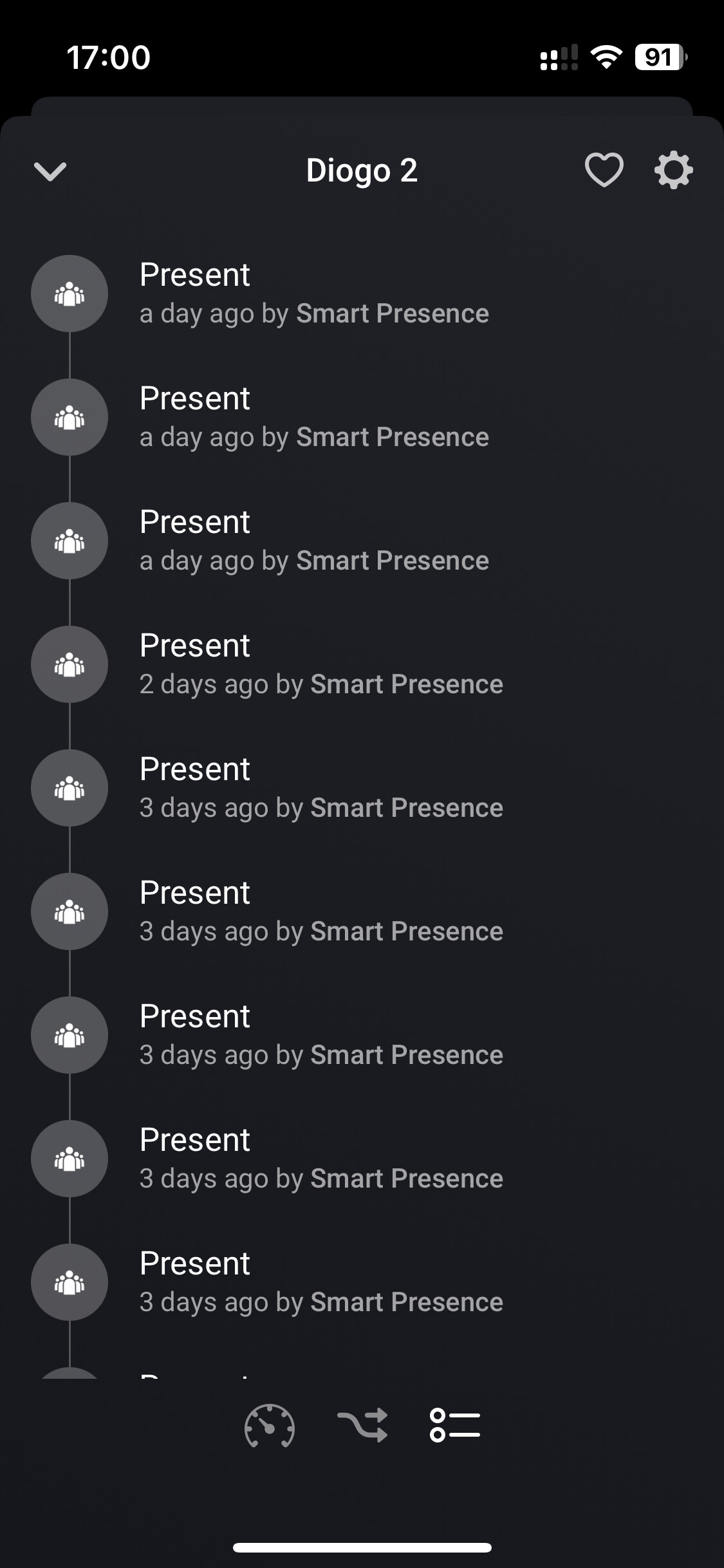
I just updated to latest software on Homey.
I was on 10.0.4
Now it works again, thanks. 
