Did you powercycle Homewizard main unit as well?
Yes, powercycled main unit.
Installed v3.2.7, powercycled Homewizard, restarted Homey (just to be sure). Unfortunately issue still exists
I am seriously lost now. Please share a diagnostic again.
0e12d50f-9eb6-4486-8a6a-7d2adcf45054
I move it to 30seconds as it still time outs
add device: “Windmeter”
HomeWizard Rainmeter Rainmeter has been inited
add device: “Rainmeter”
Fetch request timed out
Fetch request aborted
Fetch request timed out
Fetch request aborted
Fetch request timed out
Fetch request aborted
Fetch request timed out
Fetch request aborted
Fetch request timed out
Fetch request aborted
Fetch request timed out
Fetch request aborted
Fetch request timed out
Fetch request aborted
Fetch request timed out
@Jacco_van_Eck Did you also reset the router and not only the HW and Homey?
Just a question.
Yes, I did. The Homey sees every Homewizard device except for the Energylink. I would say that the connection is fine. Can I try an earlier version of the app. Then we know for sure that it is related to this weeks changes?
Not that easy. Maybe you can try to browse to your Homewizard unit via browser.
http://ip-address/passwd/get-sensors
Am currently on a break with family so wont spend time at all.
It’s frustrating that only you are facing this problem and myself dont have Energylink issues, which hints me to wifi problems.
I found out that for some reason the HW has a new ip number. After changing the ipnr it’s working again.
Thanks for your support and have a nice break with your family!
Thx, can you please verify if the stable version is still ok. I’ve created several test versions just for you that seems now a waste of effort as it was a connectivity problem for sure.
Yes, v3.2.5 is also working fine 
Thanks for confirming that. I can roll back those adjustments so it would not affect other Homewizard legacy users in the future.
Hey Jeroen,
I have a Homey Pro 2023 and I have to restart the Homey to add a new device. Now I see that the values in the app have not been updated in 2~3 days. For both the Watermeter and the Smart meter. Diag rapport:
d4befd18-9101-460a-b7b7-35f709732c51
Wifi strength on both devices according to API:
Watermeter: wifi_strength 70
Slimmemeter: wifi_strength 100
Firmware version:
Slimmemeter: firmware_version “4.14”
Watermeter: firmware_version “2.03”
Hi, please update your homey to RC115 and try again.
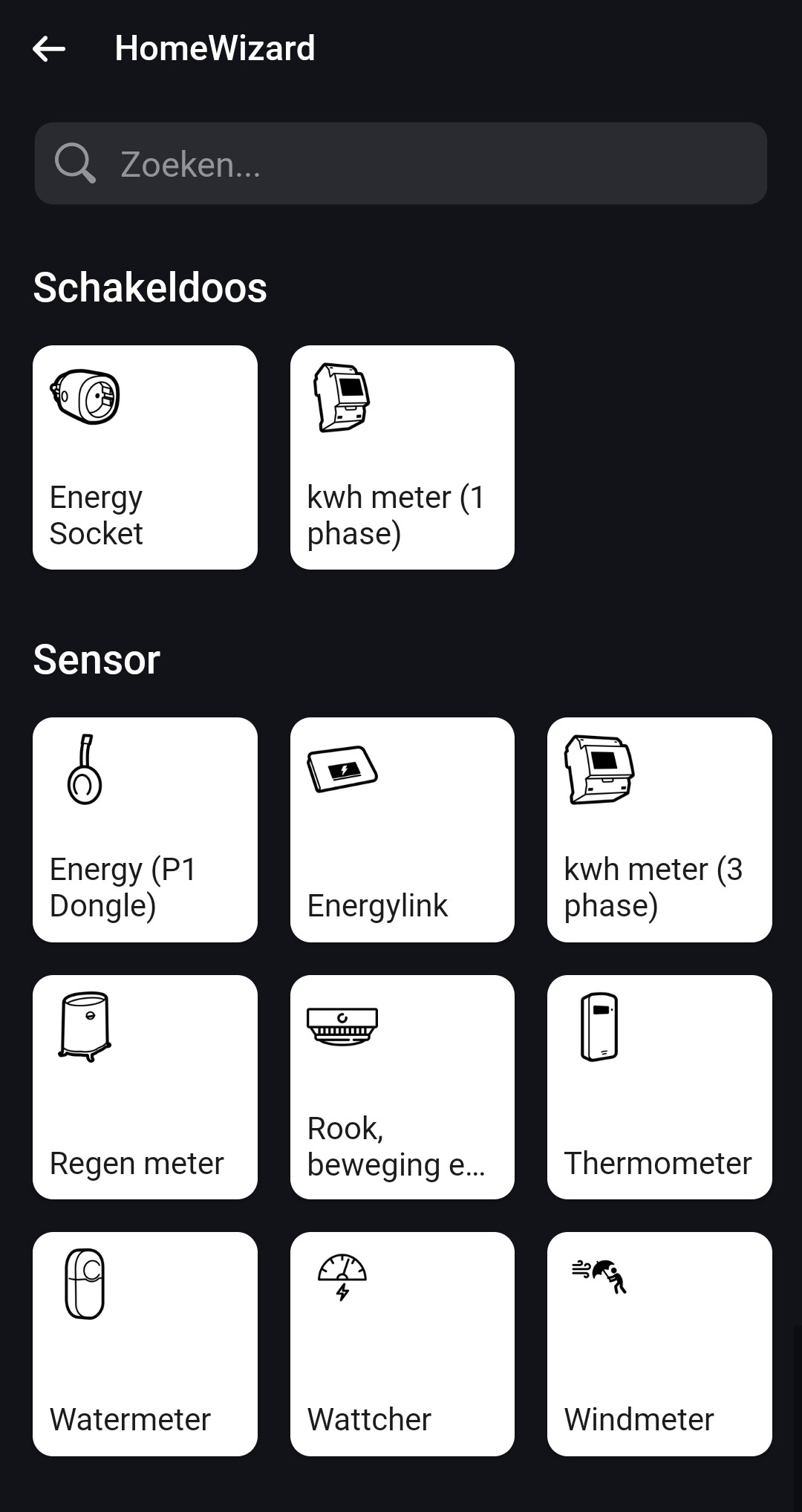
For some reason the 1phase kWh meter is a ‘schakeldoos’ and the 3phase kWh meter a sensor. Can you at least place them in the same group?

Yeah I know, but sadly it has a purpose as a “socket”. Some use it as a tracking usage, others have it as a solar production source. With the class “socket” you can change the purpose of the kwh meter yourself what is “connected” to the “socket”.
Okay but does a 3phase kWh meter have a different purpose than a 1phase kWh meter? They are similar products right, so they should be in the same category and the 3phase should also be a ‘socket’.
Yes can do, never looked at it any further as I dont own these devices. It started with an ask on the sdm230 and stopped there. On the other hand the 3phase is more complicated to classify as I cant differentiate the 3 fases a# the “socket” class then affects all energy phases which isnt true either. So…suggestions?
