Since todays update I have an error on Homewizard Energylink. ‘No energylink data available’.
Press diagnostics for Homewizard Homey app and let me check.
Guys, for those that are on a HP2023 please update to the latest firmware. I am getting RC8 version errors and latest stable is RC110 so a big difference.
3afb5e65-a2de-495f-a78a-1235f9a7aa30
Your homewizard doesnt respond on wifi so check that.
---- stderr ----
FETCH PROBLEM → Error: Failed to fetch after 3 retries.
Retry attempt 2: FetchError: request to http://192.168.2.30/xxxxxxxxx/get-sensors failed, reason: connect EHOSTUNREACH 192.168.2.30:80
Retry attempt 3: FetchError: request to http://192.168.2.30/xxxxxxxxx/get-sensors failed, reason: connect EHOSTUNREACH 192.168.2.30:80
FETCH PROBLEM → Error: Failed to fetch after 3 retries.
[err] 2023-06-15 20:15:54 [ManagerDrivers] [Driver:homewizard] [Device:d57f85ae-a81c-40c9-9cd5-00bc769ca35d] Error: Could not trigger Flow card with id “preset_changed”: Invalid value for token preset. Expected number but got object
at FlowCardTriggerDevice.trigger (/opt/homey-client/system/manager/ManagerApps/AppProcess/node_modules/homey-apps-sdk-v3/lib/FlowCardTriggerDevice.js:1:743)
at HomeWizardDevice.flowTriggerPresetChanged (/drivers/homewizard/device.js:47:34)
at /drivers/homewizard/device.js:93:12
at processTicksAndRejections (node:internal/process/task_queues:96:5)
Retry attempt 1: FetchError: request to http://192.168.2.30/xxxxxxxxx/get-sensors failed, reason: connect EHOSTUNREACH 192.168.2.30:80
Retry attempt 2: FetchError: request to http://192.168.2.30/xxxxxxxxx/get-sensors failed, reason: connect EHOSTUNREACH 192.168.2.30:80
Retry attempt 3: FetchError: request to http://192.168.2.30/xxxxxxxxx/get-sensors failed, reason: connect EHOSTUNREACH 192.168.2.30:80
FETCH PROBLEM → Error: Failed to fetch after 3 retries.
@Ruurd_van_der_Noord thanks again for your paypal donation. 
You mentioned with the donation about solarpanel integration but that is a problem.
The solarpanel information like invertor types/brands is not stored in the P1 module at all.
You mentioned to integrate with Enphase, have you looked at this?
Homewizard energylink connection is fine, I can read all numbers. Homey reports error.
thank you for your suggestion.
RuuRd [POST]
Sorry Jacco, but that error log clearly points that there is a fetch problem and even with 3 retries that fail.
Homewizard and Energylink are connected via 868Mhz. Homey talks via wifi to your Homewizard so perhaps try to restart Homewizard and see if the wifi connection improves.
Hi Jeroen,
I’ve restarted both homewizard and homey. In the homewizard app I can see the energylink and it’s working fine. In the homey app I have an error.
Regards,
Jacco
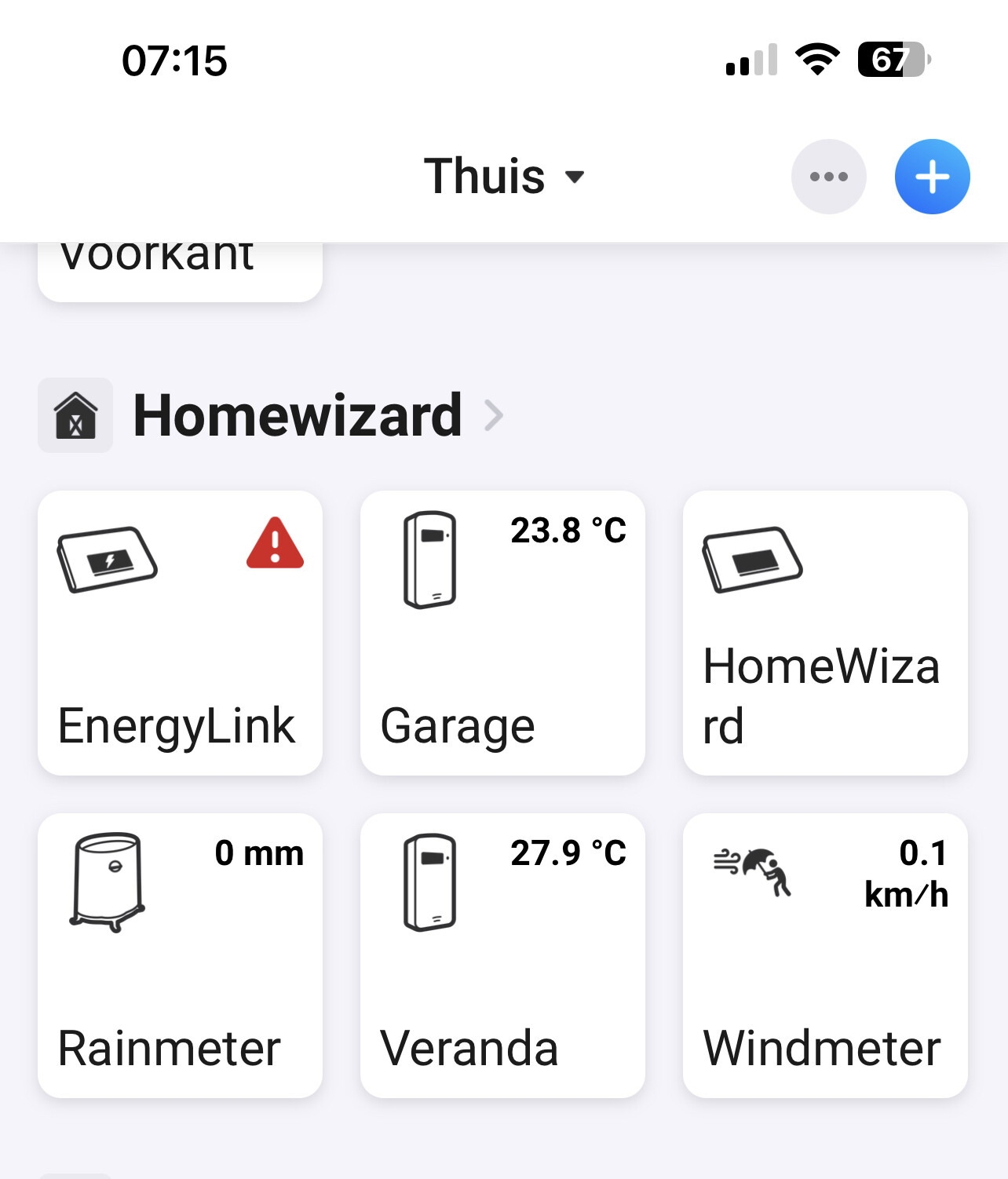
With my HP23 the Energylink is working ok. Version 3.2.5 and Homey firmware 10.0.0-rc115.
Just want to let you know. @Jeroen_Tebbens
Thanks for confirming. I don’t own have the HP2023 so can’t test. My Energylink is ok on a Homey Early 2016. So I can only think of wifi issues that are troubling this.
Please share a diagnostic report again.
4b5ac036-e5b3-4143-b6b4-1c81f17c7f4e
Still retry problems, I will tune down the retries for you as it seems to be a local wifi problem at your setup that is giving problems.
Have to bring kids to school, will build a test version later.
Version 10.0.0 rc110 and Homey app version 7.1.0.1208
Try test version Jacco:
v3.2.6
- Removed retry code for legacy Homewizard (HW wifi chip cant handle extra connections)
Sorry people, the Homewizard legacy wifi chip is…a…pain…to…handle…http…fetch/get. 
Installed v4.2.6 same issue: 87e949dd-9f9f-4ccf-89de-0b6c75d33f41
