The values of the different pfases will be positive (import) or negative (export/production).
Great!
Thanks!
//Mats
Hey @Jeroen_Tebbens, recently some of my HomeWizard devices (on Homey Pro 2023) are no longer updating their data.
I have tried several things, but nothing seems to fully resolve the issue.
- Restarting the HomeWizard app
- Reinstalling the HomeWizard app
- Restarting Homey
- Reconnecting to the network
The strange thing is that the devices are not unavailable in the app, they simply stop transmitting new data.
I can still access the API of all the devices via my browser, so the data is available.
Sometimes some devices do update after a Homey restart (such as the P1 meter, kWh meter, and water meter), but I can no longer get them all to work simultaneously. Previously, this always worked without any problems.
I also tried installing the app via CLI to see if I could find anything in the log, but I can’t really make sense of it either:
─────────────── Logging stdout & stderr ───────────────
[HomeyClient] No listeners for broadcast event: homey:manager:discovery.onDiscoveryResult
[HomeyClient] No listeners for broadcast event: homey:manager:discovery.onDiscoveryResult
[HomeyClient] No listeners for broadcast event: homey:manager:discovery.onDiscoveryResult
HomeWizard app ready!
HomeWizard Heatlink has been inited
HomeWizard Kakusensors has been inited
HomeWizard Windmeter has been inited
HomeWizard Wattcher has been inited
HomeWizard has been inited
HomeWizard EnergyLink has been inited
HomeWizard Thermometer has been inited
HomeWizard Rainmeter has been inited
add device: "HomeWizard"
HomeWizard Rainmeter Regenmeter has been inited
add device: "Regenmeter"
[HomeyClient] Unrecognized message type: undefined
Here’s a Diagnostics Report:
889d2880-5e7e-4fee-84e4-daa9035b4bd5
Details: On my old Homey Pro (2019), all devices are working without any problems.
Sounds like mdns issue in your network.
ondiscovery result is mdns message. So your homeypro2023 doesn’t see devices that report themselves as mdns types. Also the json payload seems to be dodgy….
[log] 2023-04-23 15:27:20 [ManagerDrivers] [Driver:energy] [Device:a4a27135-3d2f-423d-a09a-d0ce75a5f352] URL: http://192.168.x.x:80/api/v1
[log] 2023-04-23 15:27:21 [ManagerDrivers] [Driver:watermeter] [Device:b715fdc6-33f7-48f9-9123-2d9e798cc95c] URL: http://192.168.x.x:80/api/v1

    stderr:
    [HomeyClient] Unrecognized message type: undefined
[HomeyClient] Unrecognized message type: undefined
[HomeyClient] Unrecognized message type: undefined
[HomeyClient] Unrecognized message type: undefined
[HomeyClient] No listeners for broadcast event: homey:manager:discovery.onDiscoveryResult
[HomeyClient] Unrecognized message type: undefined
Hey @Jeroen_Tebbens, THANKS for all the work in relation to the Homey app for Homewizard. Recently I have installed and connected the P1 device. Installation etc. worked in seconds. Usages of the P1 info in the “Insights” functionality works. So far so good.
What would improve the functionality in Homey flows (for me that is) when I could introduce conditions based on the current P1 values. The AND section for the P1 device is empty and it looks that no tags are available. Not sure what is possible and/or how much work is involved but for me that would be a major upgrade. THANKS SO FAR … regards Rob

Hi Jeroen,
Found it…… the tag´s I was looking for…. (sorry for overlooking the obvious)

A big thank you for being so quick with your response…. !!
Are you sure you want to mention your full address, phone number, etc in your message, @Rob_Delpeut?
Probably been added as your mail signture… 
Thanks… was not intended… mail signature to be included here
Turns out it was a firmware bug. Fixed in the latest version. 
Ok, dont have a homeypro2023 so cant tell.
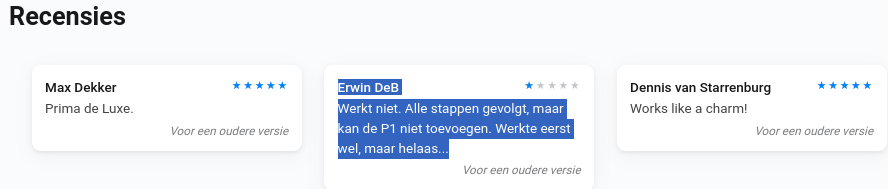
@Erwin_DeB
I’m sorry, users like you make developers, nicely put, “go fishing” and leaving many happy users with an unsupported app in the end.
I’m sure you don’t want that.
Why do you rate the whole app with one star, while you can’t add one device?
And are you aware of how-to’s in the first post of many dedicated app topics, the one you got presented as a link: CONTACT THE DEVELOPER , when you clicked on one star, was that not clear to you?

As you never posted in this Homewizard topic,
why don’t you just ask what your issue can be?
Adding the P1 works fine with many users, so the issue cannot be the app, can it?
So please, read the 1st post of this topic, and just ask here when you still have troubles connecting it. I’m sure your P1 will also connect with some help.
Thanks.
Hi Jeroen,
Many thanks for the lot of work you do to create the Homewizard app.
Yesterday I installed a 3 fase kWh-meter and now I don’t need PvOutput anymore to pull the data for my Homey.
But, as many of us know, the PvOutput website is a very nice website for graphs.
Is it possible to create something that we can upload the data by Homey to PvOutput?
Not sure if this would be a thing for my app but you can already with a web request (POST) logic card from Homey. How it would exactly should look differs per your own requirements.
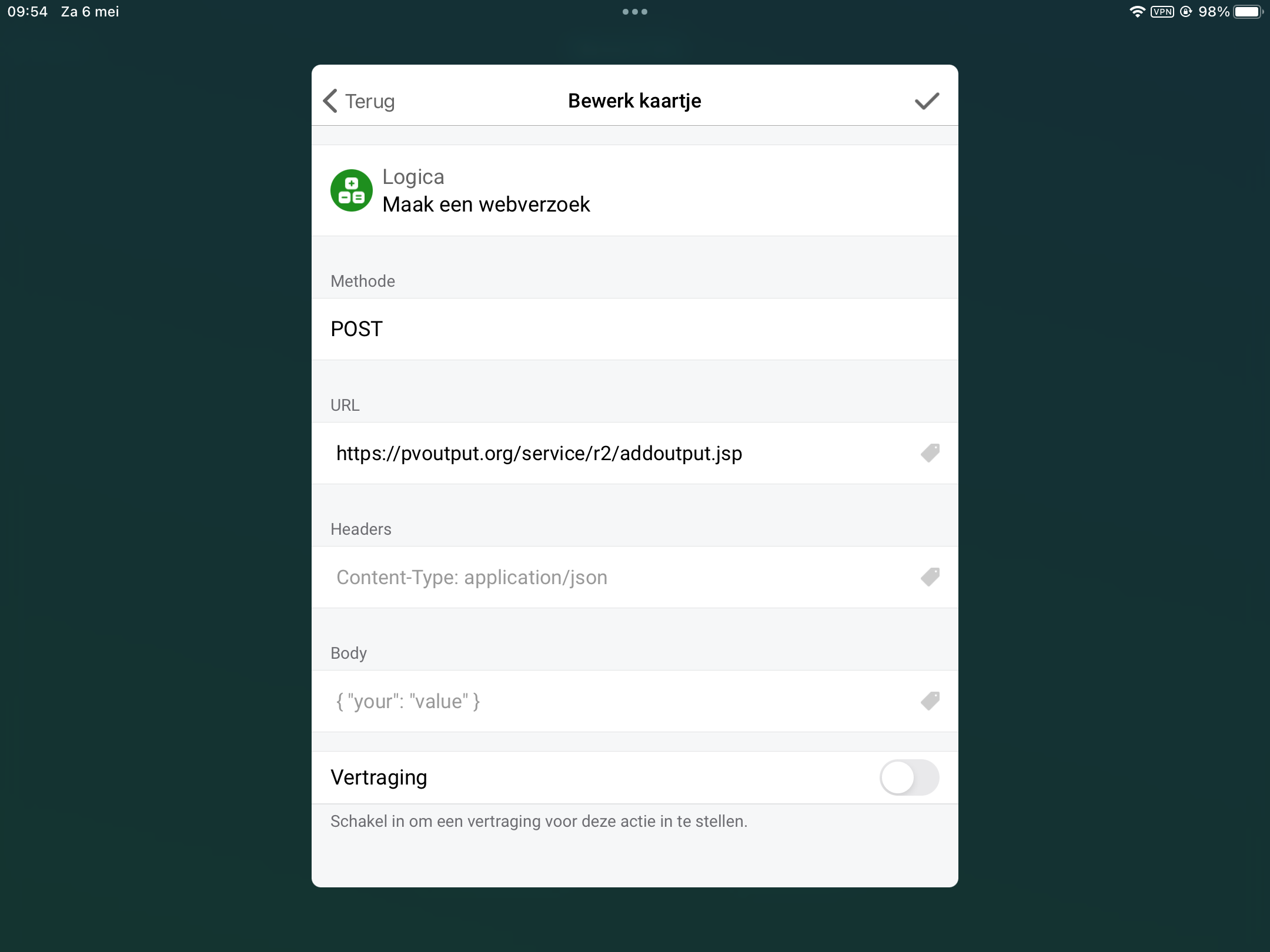
Needed parameters are here:
https://pvoutput.org/help/api_specification.html#add-output-service
Thanks, ik ga een poging wagen.
Vanmiddag weer beide HomeWizard devices niet meer werkend in de app. De getallen bleven de hele middag hetzelfde verder zag ik in discovery app dat geen enkele device zichtbaar was in hwenergy_tcp zichtbaar was. Na uit en in schakelen van beide unit waren ze weer in _hwenergy_tcp groep zichtbaar. Is hier wat aan te doen. De andere WiFi groepen en apparaten blijven gewoon in Discovery zichtbaar.
In de HomeWizard app blijven ze gewoon normaal werken. Dit gebeurt 1 keer in de week.
Then you have mdns (multicast) problem in your network.
If it would be a hardware problem from Homewizard itself, they both be unreachable. I can’t help you further with this.
Points of interest:
- Homey and Homewizard should reside in the same WiFi network.
- Check wifi ssid that multicast is allowed.
- Check wifi ssid that wifi clients can communicate with each other directly.
- If VLANs are used than a mdns repeater/relay (on your internet router/gateway) is a must.
Homey and both devices are on the same wifi network.
Do you send only the request to both units. The Ip-number of both units stay the same.
My app only communicate with the devices that are paired. And per unit its a session by itself (polling based every 10sec). It’s unicast.
Jeroen a strange thing is I dit not got no any warning of the app in homey during the blockade. So the app has no timeout logic in itself.
