That is not your P1 ip…..
 I know , but does not work with my Ip ..
Then your P1 address changed (dhcp? static?) wifi guest? Firewall ? Vlan?
Static ip. But not a problem ,p1 works with latest test version.
Sinds a week or so the P1 is really unstable, and as i read above that wasn’t uncommon. Back then it was an occasional time where no data was produced. A reboot of the Homewizard app in Homey worked like a charm, then.
However since a day or 2 it is even worse. No data wil show, and after a reboot of the app, in Homey Homey, or wifi it wil shortly produce (not always the same time) data again. After which it flatlines (last consumption keeps being reported on the device page and in the graph of the energytab, howerever not in the energy “button” for the P1 that just states “-“ (although it does shows sometimes).. I was delighted to the see version .13 update but it didn’t do the trick.
All sockets, P1, water and gasmeter and display are live on wifi, and reporting data to the regular Homewizard app on my phone and display. Sockets, and water and gasmeters seems to report fine in Homey (regardless of the debug fetch (which reports time-outs on the app settings page..
I’ve:
- Rebooted the Homeywizard app in Homey serveral times
- Rebooted the Homey Pro 2023 multiple times
- Rebooted the WiFi multiple times
- Tried static ip for P1 on WiFi, but homey kept grabbing new IP (as shown in advanced settings of the P1 device). Good to know; dynamic previously didn’t give any issues.
Since no issue with reporting to the Original Homewizard app are occurring I didn’t reconnect the P1 completely.
For more than a year this had worked perfectly fine in Homey; What changed? Is it to do with the update Homewizard made in there app and therefor possible in there servers? Or am i doing something wrong.
Diagnostics report: 779d329e-c313-48a1-838c-9683dd11eddd
Jeroen,
This might be a strange question, but I’ll ask anyway. In the Homewizzard app, you can adjust the brightness of the battery charge level indicator. Is that also possible (or possible) in the Homey app?
Hi,
Yes last week wasn’t great. The latest Daily Gas Usage tracking needed a change (as for some users it didnt reset at night time). That change made the P1 unstable. Sorry. As gas and water (belgium) are tracked by P1 it makes it complex and some dependency in gas kicked in and skipped the energy measurement updates as you might have noticed.
But…this is hobby, free time, I don’t work for Homewizard.
And…I just can’t keep all 19000+ users happy. Should I not implement new features or adjustments that other users ask? If I don’t people complain or express their unhappiness or if change/improve code and break things people are complaining as well (see posts above).
Right, now about your diagnostic report. In short you got some wifi and mDNS issues.
Your watermeter says enough EHOSTUNREACH, TIMEOUT. Homey is unable to reach it or when it does query it the response is not received within 5s hence…timeout.
Further the continued energy mDNS updates hint me that your P1 connection is unstable by itself. Everytime it drops the wifi and reconnects, mDNS broadcast kicks in and restarts the polling as if the session was lost and the driver needs to restart it. Which explains your behavior you experience at this moment.
Your log:
Stack trace

Note: this log has been manually submitted by a user.
    Log ID: 779d329e-c313-48a1-838c-9683dd11eddd

    User Message:
    P1 blijft erg onstabiel, geeft regelmatig geen data of blijft oude vermogen vasthouden.

    stdout:
    2026-01-14T16:46:43.043Z [log] [HomeWizardApp] HomeWizard app ready!
2026-01-14T16:46:43.485Z [log] [ManagerDrivers] [Driver:energy] [Device:b81fe74a-7976-44e7-b22e-1365650aa70f] Discovered device URL: http://192.168.68.118:80/api/v1
2026-01-14T17:18:02.044Z [log] [HomeWizardApp] HomeWizard app ready!
2026-01-14T17:18:02.598Z [log] [ManagerDrivers] [Driver:energy] [Device:b81fe74a-7976-44e7-b22e-1365650aa70f] Discovered device URL: http://192.168.68.118:80/api/v1
2026-01-14T17:24:43.938Z [log] [HomeWizardApp] HomeWizard app ready!
2026-01-14T17:24:44.460Z [log] [ManagerDrivers] [Driver:energy] [Device:b81fe74a-7976-44e7-b22e-1365650aa70f] Discovered device URL: http://192.168.68.118:80/api/v1
2026-01-14T17:33:08.227Z [log] [ManagerDrivers] [Driver:energy] [Device:b81fe74a-7976-44e7-b22e-1365650aa70f] URL restored: http://192.168.68.118:80/api/v1
2026-01-14T17:33:08.229Z [log] [ManagerDrivers] [Driver:energy] [Device:b81fe74a-7976-44e7-b22e-1365650aa70f] URL restored: http://192.168.68.118:80/api/v1
2026-01-14T19:26:38.692Z [log] [ManagerDrivers] [Driver:energy] [Device:b81fe74a-7976-44e7-b22e-1365650aa70f] Settings updated [ 'polling_interval' ]
2026-01-14T19:30:08.002Z [log] [ManagerDrivers] [Driver:energy] [Device:b81fe74a-7976-44e7-b22e-1365650aa70f] URL restored: http://192.168.68.118:80/api/v1
2026-01-14T19:30:08.005Z [log] [ManagerDrivers] [Driver:energy] [Device:b81fe74a-7976-44e7-b22e-1365650aa70f] URL restored: http://192.168.68.118:80/api/v1
2026-01-14T19:32:38.826Z [log] [HomeWizardApp] HomeWizard app ready!
2026-01-14T19:32:39.265Z [log] [ManagerDrivers] [Driver:energy] [Device:b81fe74a-7976-44e7-b22e-1365650aa70f] Discovered device URL: http://192.168.68.118:80/api/v1
2026-01-14T20:04:03.513Z [log] [ManagerDrivers] [Driver:energy] [Device:b81fe74a-7976-44e7-b22e-1365650aa70f] URL restored: http://192.168.68.118:80/api/v1
2026-01-14T20:04:03.517Z [log] [ManagerDrivers] [Driver:energy] [Device:b81fe74a-7976-44e7-b22e-1365650aa70f] URL restored: http://192.168.68.118:80/api/v1
2026-01-14T21:22:48.193Z [log] [ManagerDrivers] [Driver:energy] [Device:b81fe74a-7976-44e7-b22e-1365650aa70f] URL restored: http://192.168.68.118:80/api/v1
2026-01-14T21:22:48.196Z [log] [ManagerDrivers] [Driver:energy] [Device:b81fe74a-7976-44e7-b22e-1365650aa70f] URL restored: http://192.168.68.118:80/api/v1
2026-01-14T21:37:47.349Z [log] [ManagerDrivers] [Driver:energy] [Device:b81fe74a-7976-44e7-b22e-1365650aa70f] URL updated: http://192.168.68.114:80/api/v1
2026-01-14T21:37:47.498Z [log] [ManagerDrivers] [Driver:energy] [Device:b81fe74a-7976-44e7-b22e-1365650aa70f] URL restored: http://192.168.68.114:80/api/v1
2026-01-14T21:37:47.499Z [log] [ManagerDrivers] [Driver:energy] [Device:b81fe74a-7976-44e7-b22e-1365650aa70f] URL updated: http://192.168.68.114:80/api/v1
2026-01-14T21:37:47.618Z [log] [ManagerDrivers] [Driver:energy] [Device:b81fe74a-7976-44e7-b22e-1365650aa70f] URL restored: http://192.168.68.114:80/api/v1
2026-01-14T21:37:47.856Z [log] [ManagerDrivers] [Driver:energy] [Device:b81fe74a-7976-44e7-b22e-1365650aa70f] URL restored: http://192.168.68.114:80/api/v1
2026-01-14T21:37:47.856Z [log] [ManagerDrivers] [Driver:energy] [Device:b81fe74a-7976-44e7-b22e-1365650aa70f] URL restored: http://192.168.68.114:80/api/v1
2026-01-14T21:37:47.941Z [log] [ManagerDrivers] [Driver:energy] [Device:b81fe74a-7976-44e7-b22e-1365650aa70f] Energy - Updating settings url from http://192.168.68.118:80/api/v1 → http://192.168.68.114:80/api/v1
2026-01-14T21:57:24.864Z [log] [ManagerDrivers] [Driver:energy] [Device:b81fe74a-7976-44e7-b22e-1365650aa70f] Settings updated [ 'polling_interval', 'phase_capacity', 'url' ]
2026-01-14T21:57:35.221Z [log] [ManagerDrivers] [Driver:energy] [Device:b81fe74a-7976-44e7-b22e-1365650aa70f] Energy - Updating settings url from http://192.168.68.118:80/api/v1 → http://192.168.68.114:80/api/v1
2026-01-14T21:58:31.173Z [log] [ManagerDrivers] [Driver:energy] [Device:b81fe74a-7976-44e7-b22e-1365650aa70f] URL restored: http://192.168.68.114:80/api/v1
2026-01-14T21:58:31.175Z [log] [ManagerDrivers] [Driver:energy] [Device:b81fe74a-7976-44e7-b22e-1365650aa70f] URL restored: http://192.168.68.114:80/api/v1
2026-01-14T21:58:32.307Z [log] [ManagerDrivers] [Driver:energy] [Device:b81fe74a-7976-44e7-b22e-1365650aa70f] URL restored: http://192.168.68.114:80/api/v1
2026-01-14T21:58:32.309Z [log] [ManagerDrivers] [Driver:energy] [Device:b81fe74a-7976-44e7-b22e-1365650aa70f] URL restored: http://192.168.68.114:80/api/v1
2026-01-14T23:16:35.928Z [log] [ManagerDrivers] [Driver:energy] [Device:b81fe74a-7976-44e7-b22e-1365650aa70f] URL restored: http://192.168.68.114:80/api/v1
2026-01-14T23:16:35.931Z [log] [ManagerDrivers] [Driver:energy] [Device:b81fe74a-7976-44e7-b22e-1365650aa70f] URL restored: http://192.168.68.114:80/api/v1
2026-01-14T23:43:12.836Z [log] [ManagerDrivers] [Driver:energy] [Device:b81fe74a-7976-44e7-b22e-1365650aa70f] URL restored: http://192.168.68.114:80/api/v1
2026-01-14T23:43:12.840Z [log] [ManagerDrivers] [Driver:energy] [Device:b81fe74a-7976-44e7-b22e-1365650aa70f] URL restored: http://192.168.68.114:80/api/v1
2026-01-15T00:10:20.869Z [log] [ManagerDrivers] [Driver:energy] [Device:b81fe74a-7976-44e7-b22e-1365650aa70f] URL restored: http://192.168.68.114:80/api/v1
2026-01-15T00:10:20.876Z [log] [ManagerDrivers] [Driver:energy] [Device:b81fe74a-7976-44e7-b22e-1365650aa70f] URL restored: http://192.168.68.114:80/api/v1
2026-01-15T00:34:04.634Z [log] [ManagerDrivers] [Driver:energy] [Device:b81fe74a-7976-44e7-b22e-1365650aa70f] URL restored: http://192.168.68.114:80/api/v1
2026-01-15T00:34:04.639Z [log] [ManagerDrivers] [Driver:energy] [Device:b81fe74a-7976-44e7-b22e-1365650aa70f] URL restored: http://192.168.68.114:80/api/v1
2026-01-15T01:20:03.168Z [log] [ManagerDrivers] [Driver:energy] [Device:b81fe74a-7976-44e7-b22e-1365650aa70f] URL restored: http://192.168.68.114:80/api/v1
2026-01-15T01:20:03.170Z [log] [ManagerDrivers] [Driver:energy] [Device:b81fe74a-7976-44e7-b22e-1365650aa70f] URL restored: http://192.168.68.114:80/api/v1
2026-01-15T02:54:06.550Z [log] [ManagerDrivers] [Driver:energy] [Device:b81fe74a-7976-44e7-b22e-1365650aa70f] URL restored: http://192.168.68.114:80/api/v1
2026-01-15T02:54:06.552Z [log] [ManagerDrivers] [Driver:energy] [Device:b81fe74a-7976-44e7-b22e-1365650aa70f] URL restored: http://192.168.68.114:80/api/v1
2026-01-15T03:55:40.268Z [log] [ManagerDrivers] [Driver:energy] [Device:b81fe74a-7976-44e7-b22e-1365650aa70f] URL restored: http://192.168.68.114:80/api/v1
2026-01-15T03:55:40.270Z [log] [ManagerDrivers] [Driver:energy] [Device:b81fe74a-7976-44e7-b22e-1365650aa70f] URL restored: http://192.168.68.114:80/api/v1
2026-01-15T04:09:17.283Z [log] [ManagerDrivers] [Driver:energy] [Device:b81fe74a-7976-44e7-b22e-1365650aa70f] URL restored: http://192.168.68.114:80/api/v1
2026-01-15T04:09:17.285Z [log] [ManagerDrivers] [Driver:energy] [Device:b81fe74a-7976-44e7-b22e-1365650aa70f] URL restored: http://192.168.68.114:80/api/v1
2026-01-15T04:16:35.782Z [log] [ManagerDrivers] [Driver:energy] [Device:b81fe74a-7976-44e7-b22e-1365650aa70f] URL restored: http://192.168.68.114:80/api/v1
2026-01-15T04:16:35.785Z [log] [ManagerDrivers] [Driver:energy] [Device:b81fe74a-7976-44e7-b22e-1365650aa70f] URL restored: http://192.168.68.114:80/api/v1
2026-01-15T04:23:30.697Z [log] [ManagerDrivers] [Driver:energy] [Device:b81fe74a-7976-44e7-b22e-1365650aa70f] URL restored: http://192.168.68.114:80/api/v1
2026-01-15T04:23:30.700Z [log] [ManagerDrivers] [Driver:energy] [Device:b81fe74a-7976-44e7-b22e-1365650aa70f] URL restored: http://192.168.68.114:80/api/v1
2026-01-15T05:54:57.390Z [log] [HomeWizardApp] HomeWizard app ready!
2026-01-15T05:54:57.877Z [log] [ManagerDrivers] [Driver:energy] [Device:b81fe74a-7976-44e7-b22e-1365650aa70f] Discovered device URL: http://192.168.68.114:80/api/v1

    stderr:
      errno: 'EHOSTUNREACH',
  code: 'EHOSTUNREACH'
}
2026-01-15T04:41:26.871Z [err] [ManagerDrivers] [Driver:watermeter] [Device:4732c6de-a641-4472-96cc-aea0cadc04c3] Polling failed: FetchError: request to http://192.168.68.119/api/v1/data failed, reason: connect EHOSTUNREACH 192.168.68.119:80
    at ClientRequest.<anonymous> (/app/node_modules/node-fetch/lib/index.js:1501:11)
    at ClientRequest.emit (node:events:519:28)
    at emitErrorEvent (node:_http_client:107:11)
    at Socket.socketErrorListener (node:_http_client:574:5)
    at Socket.emit (node:events:519:28)
    at emitErrorNT (node:internal/streams/destroy:170:8)
    at emitErrorCloseNT (node:internal/streams/destroy:129:3)
    at process.processTicksAndRejections (node:internal/process/task_queues:90:21) {
  type: 'system',
  errno: 'EHOSTUNREACH',
  code: 'EHOSTUNREACH'
}
2026-01-15T04:41:36.847Z [err] [ManagerDrivers] [Driver:watermeter] [Device:4732c6de-a641-4472-96cc-aea0cadc04c3] Polling failed: FetchError: request to http://192.168.68.119/api/v1/data failed, reason: connect EHOSTUNREACH 192.168.68.119:80
    at ClientRequest.<anonymous> (/app/node_modules/node-fetch/lib/index.js:1501:11)
    at ClientRequest.emit (node:events:519:28)
    at emitErrorEvent (node:_http_client:107:11)
    at Socket.socketErrorListener (node:_http_client:574:5)
    at Socket.emit (node:events:519:28)
    at emitErrorNT (node:internal/streams/destroy:170:8)
    at emitErrorCloseNT (node:internal/streams/destroy:129:3)
    at process.processTicksAndRejections (node:internal/process/task_queues:90:21) {
  type: 'system',
  errno: 'EHOSTUNREACH',
  code: 'EHOSTUNREACH'
}
2026-01-15T04:46:59.409Z [err] [ManagerDrivers] [Driver:watermeter] [Device:4732c6de-a641-4472-96cc-aea0cadc04c3] Polling failed: Error: TIMEOUT
    at Timeout._onTimeout (/app/drivers/watermeter/device.js:15:16)
    at listOnTimeout (node:internal/timers:588:17)
    at process.processTimers (node:internal/timers:523:7)
2026-01-15T04:55:10.184Z [err] [ManagerDrivers] [Driver:watermeter] [Device:4732c6de-a641-4472-96cc-aea0cadc04c3] Polling failed: Error: TIMEOUT
    at Timeout._onTimeout (/app/drivers/watermeter/device.js:15:16)
    at listOnTimeout (node:internal/timers:588:17)
    at process.processTimers (node:internal/timers:523:7)
2026-01-15T05:13:02.297Z [err] [ManagerDrivers] [Driver:watermeter] [Device:4732c6de-a641-4472-96cc-aea0cadc04c3] Polling failed: Error: TIMEOUT
    at Timeout._onTimeout (/app/drivers/watermeter/device.js:15:16)
    at listOnTimeout (node:internal/timers:588:17)
    at process.processTimers (node:internal/timers:523:7)
2026-01-15T05:27:13.775Z [err] [ManagerDrivers] [Driver:watermeter] [Device:4732c6de-a641-4472-96cc-aea0cadc04c3] Polling failed: Error: TIMEOUT
    at Timeout._onTimeout (/app/drivers/watermeter/device.js:15:16)
    at listOnTimeout (node:internal/timers:588:17)
    at process.processTimers (node:internal/timers:523:7)
2026-01-15T05:27:23.754Z [err] [ManagerDrivers] [Driver:watermeter] [Device:4732c6de-a641-4472-96cc-aea0cadc04c3] Polling failed: Error: TIMEOUT
    at Timeout._onTimeout (/app/drivers/watermeter/device.js:15:16)
    at listOnTimeout (node:internal/timers:588:17)
    at process.processTimers (node:internal/timers:523:7)
2026-01-15T05:27:33.796Z [err] [ManagerDrivers] [Driver:watermeter] [Device:4732c6de-a641-4472-96cc-aea0cadc04c3] Polling failed: Error: TIMEOUT
    at Timeout._onTimeout (/app/drivers/watermeter/device.js:15:16)
    at listOnTimeout (node:internal/timers:588:17)
    at process.processTimers (node:internal/timers:523:7)
2026-01-15T05:27:43.808Z [err] [ManagerDrivers] [Driver:watermeter] [Device:4732c6de-a641-4472-96cc-aea0cadc04c3] Polling failed: Error: TIMEOUT
    at Timeout._onTimeout (/app/drivers/watermeter/device.js:15:16)
    at listOnTimeout (node:internal/timers:588:17)
    at process.processTimers (node:internal/timers:523:7)
2026-01-15T05:27:50.969Z [err] [ManagerDrivers] [Driver:watermeter] [Device:4732c6de-a641-4472-96cc-aea0cadc04c3] Polling failed: FetchError: request to http://192.168.68.119/api/v1/data failed, reason: connect EHOSTUNREACH 192.168.68.119:80
    at ClientRequest.<anonymous> (/app/node_modules/node-fetch/lib/index.js:1501:11)
    at ClientRequest.emit (node:events:519:28)
    at emitErrorEvent (node:_http_client:107:11)
    at Socket.socketErrorListener (node:_http_client:574:5)
    at Socket.emit (node:events:519:28)
    at emitErrorNT (node:internal/streams/destroy:170:8)
    at emitErrorCloseNT (node:internal/streams/destroy:129:3)
    at process.processTicksAndRejections (node:internal/process/task_queues:90:21) {
  type: 'system',
  errno: 'EHOSTUNREACH',
  code: 'EHOSTUNREACH'
}
2026-01-15T05:28:01.555Z [err] [ManagerDrivers] [Driver:watermeter] [Device:4732c6de-a641-4472-96cc-aea0cadc04c3] Polling failed: FetchError: request to http://192.168.68.119/api/v1/data failed, reason: connect EHOSTUNREACH 192.168.68.119:80
    at ClientRequest.<anonymous> (/app/node_modules/node-fetch/lib/index.js:1501:11)
    at ClientRequest.emit (node:events:519:28)
    at emitErrorEvent (node:_http_client:107:11)
    at Socket.socketErrorListener (node:_http_client:574:5)
    at Socket.emit (node:events:519:28)
    at emitErrorNT (node:internal/streams/destroy:170:8)
    at emitErrorCloseNT (node:internal/streams/destroy:129:3)
    at process.processTicksAndRejections (node:internal/process/task_queues:90:21) {
  type: 'system',
  errno: 'EHOSTUNREACH',
  code: 'EHOSTUNREACH'
}
2026-01-15T05:28:11.627Z [err] [ManagerDrivers] [Driver:watermeter] [Device:4732c6de-a641-4472-96cc-aea0cadc04c3] Polling failed: FetchError: request to http://192.168.68.119/api/v1/data failed, reason: connect EHOSTUNREACH 192.168.68.119:80
    at ClientRequest.<anonymous> (/app/node_modules/node-fetch/lib/index.js:1501:11)
    at ClientRequest.emit (node:events:519:28)
    at emitErrorEvent (node:_http_client:107:11)
    at Socket.socketErrorListener (node:_http_client:574:5)
    at Socket.emit (node:events:519:28)
    at emitErrorNT (node:internal/streams/destroy:170:8)
    at emitErrorCloseNT (node:internal/streams/destroy:129:3)
    at process.processTicksAndRejections (node:internal/process/task_queues:90:21) {
  type: 'system',
  errno: 'EHOSTUNREACH',
  code: 'EHOSTUNREACH'
}
2026-01-15T05:30:34.039Z [err] [ManagerDrivers] [Driver:watermeter] [Device:4732c6de-a641-4472-96cc-aea0cadc04c3] Polling failed: Error: TIMEOUT
    at Timeout._onTimeout (/app/drivers/watermeter/device.js:15:16)
    at listOnTimeout (node:internal/timers:588:17)
    at process.processTimers (node:internal/timers:523:7)
I haven’t come across this capability in the plugin battery API (yet).
It seems only applicable for Energy Socket (apiv1) at this moment.
Maybe ask Homewizard if they can add this in their API?
hi Jeroen,
Laat me je in elk geval weten dat ik 100% begrijp dat het je hobby is, en excuus als mijn bericht anders over kwam! Homey moet het immers hebben van enthousiastelingen zoals jij en die moeten we koesteren.
Ik ga toch eens aan de gang met je melding mbt wifi. Misschien toch eens opnieuw linken.
Ps. gek genoeg gaat het nu al de hele ochtend goed.
Met vriendelijke groet,
Danny de Ruiter
Pff, the app scared me this morning. My battery was on the fritz (it felt like, it was before), but I think it’s the daily counters. I submitted a report 79cd7274-2a86-4ce8-b445-ef5f35b81338.
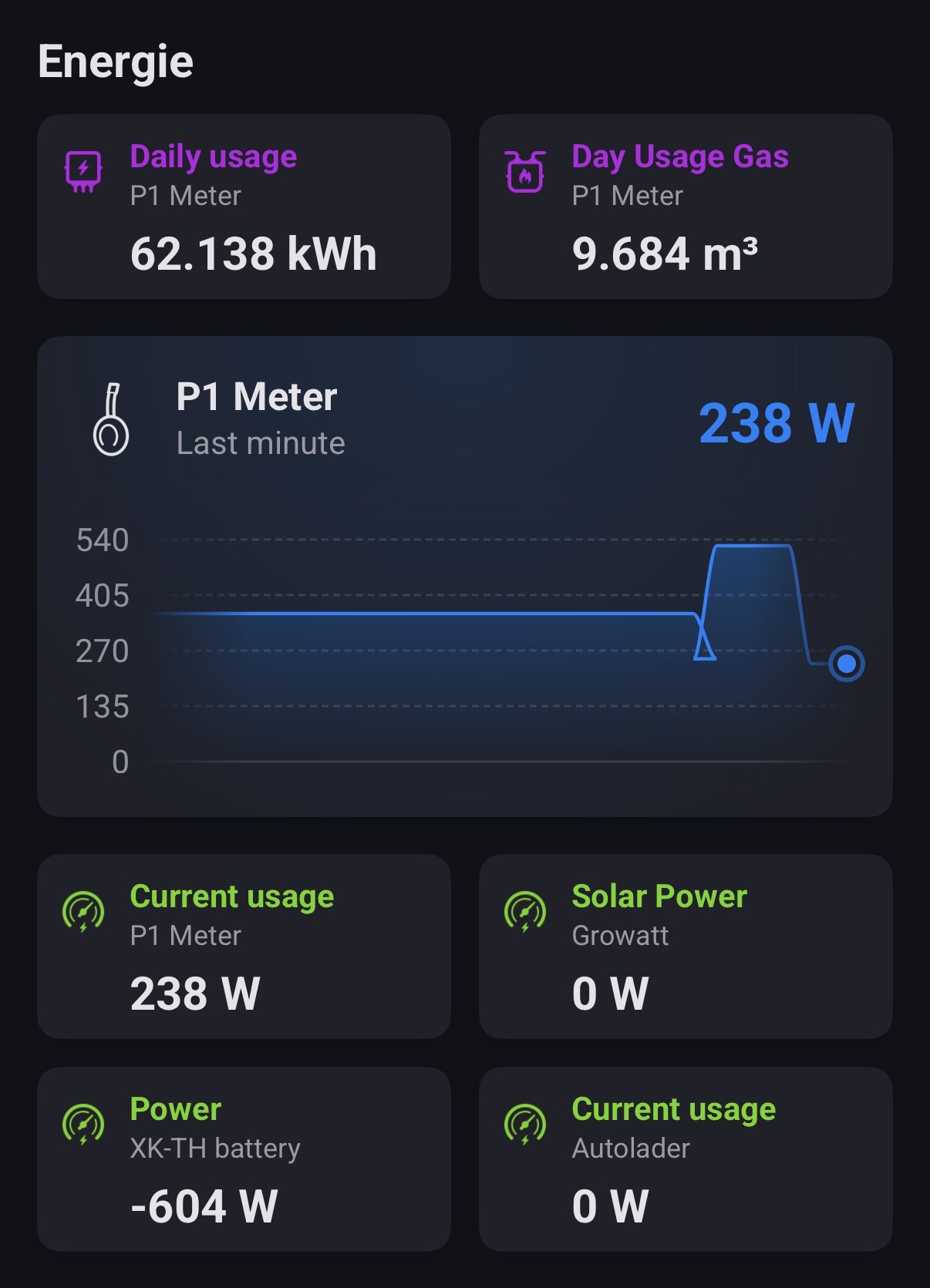
As everyone already mentioned. There is no need to stress, it’s a hobby for you but also me and as a fellow homey app developer I know what it’s like.
question 2: have you reached out to HW as you are actually doing their job? 
PS just noticed, the graph is also … having a day. 
-
Yes, I see it doesnt work as expected (again). Same result here myself.
-
What do you mean with doing their job? I do have contact on new API improvements & features.
Should be sorted in v3.11.3 (just pushed as test/beta)
Hi Jeroen,
Thank you very much for all the time you spend on the HomeWizard app!
I just got a Homey Pro, so I’m still exploring everything.
I have a HomeWizard P1 meter and a plug-in battery. It works well in the HomeWizard app.
Because I also have a Smappee charging station, I want to set the HomeWizard battery to “charging only mode” instead of “zero mode” while charging the car.
However, I am unable to do so. The following modes do work:
- zero mode
- standby mode
- full charge mode
The “charging only” and “discharging only” modes do not work. When I set one of these modes and then check the status in the P1 meter settings, it is always “zero mode”.
My question is whether this is a problem with HomeWizard itself or whether there is an error in the app?
Thanks in advance.
Eric
Then your P1 hasnt got the latest firmware 6.0304.
This is mandatory for these new features.
I upgraded it this morning to this version, but the issue stays.
And your battery is 1.0503?
And are using polling mode or websocket mode for your P1?
Battery is 1.0406. If I try to update it, it says that it has the most recent firmware.
Very strange.
For the P1, I use the default setting ‘polling mode’.
Try websocket mode for P1 apiv2 (ie disable polling). Might be a problem with polling mode upon setting the battery mode.
That seems to be the solution. I changed the P1 meter to webscoket mode. After setting the battery to ‘charging only’, the status is now correct in the advanced setting of the P1 meter.
I will do a live test when the weather gets better and we have some sun.
Thank you very much Jeroen!
