Yeah as expected. I didn’t build in a toggle but you can tweak the A in your settings.

Hello,
I know there are a few people in this thread that have Unifi networking gear and have had issues with the mDNS settings and this app. Can someone please share the specific settings that need to be changed?
AFAIK, I have enabled all of the mDNS settings on my network and am still running into issues. Rebooting the app or Homey fixes it temporarily, which aligns with the experience outlined in this thread related to poor mDNS connectivity.
Attached are some screenshots of my Unifi console settings:
Any ideas or suggestions on what I should change?

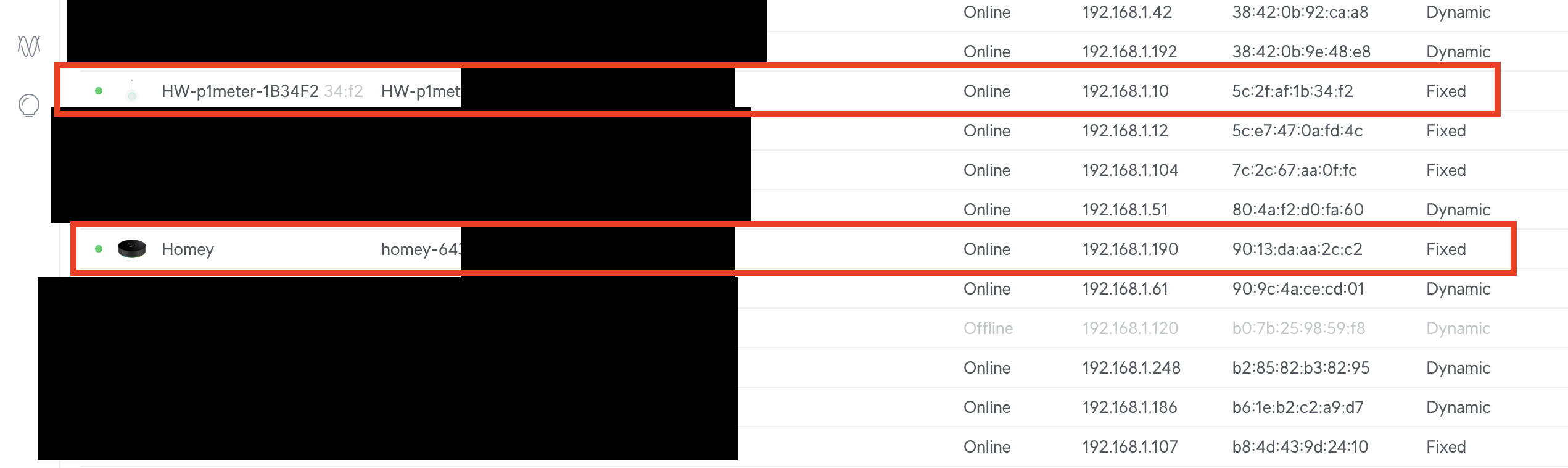

More take away tips. mDNS uses .local as internal domain so if you use internal dhcp override it with something else like .lan

Other tip on this is lock your P1 device to AP that is closest (best reception).
I have a “meterkast” AP that locked my P1, watermeter and kwh meter as they are situated there. I experienced mdns issues before where those devices started wandering.
Thanks for the tips. I only have one access point currently, but I locked it anyway. My AP is also in the meterkast about half a meter from the P1, so I don’t think it’s signal related.
I just restarted Homey, so it’s going to show as connected, but I’ll report back tomorrow evening and report my findings.
When you face the problems again, see if you can find the devices with the mdns browser/ discovery tool mentioned in the first post in this topic. That should hint if you face mdns issues with your HW devices or its Homey connection related.
Sorry, had a busy week. Indeed, the next day it wasn’t working again, so I downloaded the app and seem to be able to discover the device fine…
What is the next step? My Homey has also just been generally buggy recently which is unfortunate so I think I’m going to go back to the stable channel and abandon the beta channel in the devtools.

Edit: I also created a diagnostic report. Should have a couple of days of data in it: 54bd14a1-d5dd-4eda-943d-17d05bdcd0b9
@Daron I think Jeroen is on vacation. Try this as described in the first message. _hwenergy._tcp
Did you mean to add something else in your message? I’m not sure I know what you mean. I can see the P1 meter in the 3rd party mDNS app while connected to the same wifi network.
I just reset my Homey Pro to factory defaults and restored a backup since I disabled developer mode. So far, the P1 meter is reporting okay, but it’s only been an hour. I’ll report back!
I replied to your diagnostic report (I get those as emails so hence I am cautioned). Homey seems more of the problem maker here. See if you can improve the wifi reception of it.
Gotcha. That actually makes a lot of sense. I had the Homey in my living room about 4m from the meterkast and the signal in the Ubiquiti dashboard was “good” but not “excellent”. When I factory reset it, I had to move it closer to get the wifi to even connect!
This is unfortunate since now my zwave mesh probably won’t perform as well now (why I had it in the living room to begin with…) but at least I can add another device to help with the zwave mesh.
I’ll report back if I see it disconnected again.
Yeah either extra AP in the living room or another zwave router device to improve the zwave mesh.

Button is for making your device blink to “identify” itself which device you are working with. More of a gimmick but more useful for sockets on understand which socket you are working with (press the identify and the socket will blink its green led ring)
I also see it has a code error in some will fix after my holiday break.
Ah, that makes sense. I’m only using the P1 device, so that’s why I was wondering.
Enjoy your vacation!
Regards, Dick
Hi,
I connect a battery (marstek) with a homewizard smartplug. I can see it at the energytab as a battery  It would be nice to see the charge and uncharge info. Now i only see the charge info.
When i read:
By default the meter_power capability of the smart plug will be used to determine the energy charged by the battery. Additionally, for the charged and discharged energy to be registered separately by Homey, smart plug drivers must include the meterPowerImportedCapability and meterPowerExportedCapability energy properties (see Home batteries)
From:
Is it possible to include this for the battery setting of the homewizard smartplug of your app? Or have i change something?
Thanks!
Ehm yes that is something on my end. But are you sure want a Marstek behind a socket? Did you check the load (Watt) that can go in and out is supported?
I know the Homewizard Plugin Battery has a micro-inverter that is limited to 800Watt but know the Marstek has a different one that can go higher. But if maxed does that go over the sustained load the socket can handle? Peak is 3680watt for socket but sustained is something like 2700watt to avoid overheating.
Thank you for your reply and your further questions. The Marstek can handle a maximum of 2500 watts, which means it remains within the specified maximum load: max. 3680W (16A), continuous load: 2760W (12A) of the Homewizard Energy Socket.
Ok just to be sure you are not creating a potential overheating risk. I am currently on a holiday break but will add the socket code when I return.

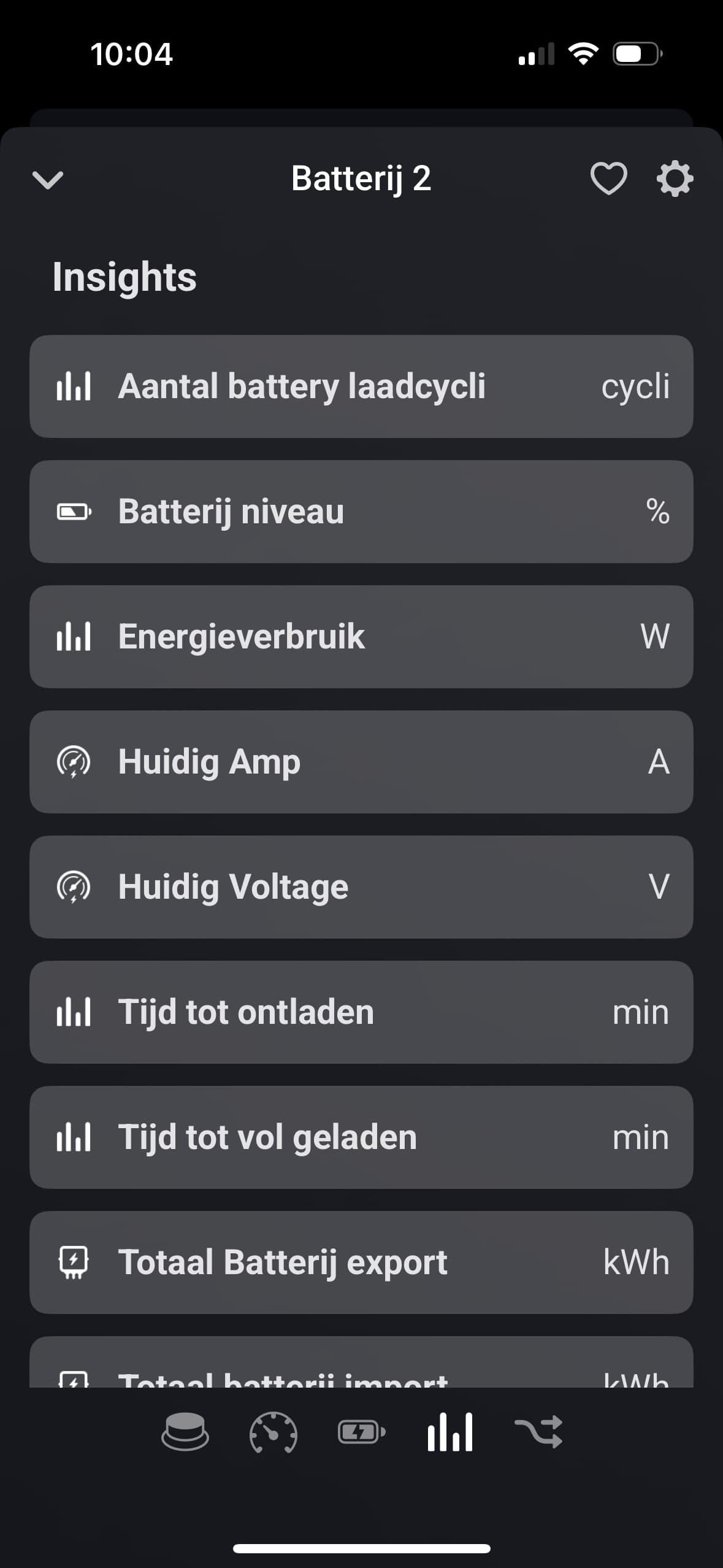
Well they should be the same so question what capability name is missing. Could you check tools website and drill down to your 2 batteries and compare? Might be that a in between update app messed it up.
Check devices in menu and search your batteries.
