Hi, I migrated from the Homey Pro early 2019 to the new Homey Pro 2023. Everything was running fine and my Homewizard P1 was showing up in the energy tab. But it suddenly lost connection and restarting your app solved it for a while. But had to do it a couple of times per day. So I removed the device and your app and reinstalled it. I then added the P1 again, couldn’t add v2API so I took the ‘standard’ one. It shows up in Devices and can see all the current power etc. But It doesn’t show up in the energy tab anymore. Even toggling the “Excluded fro energy” to Yes and then No again, doesn’t solve it. Am I doing something wrong?
Homey Pro (Early 2023) v12.4.5
Homewizard P1 app v3.6.32 (even tried with v3.6.6)
Homewizard P1 meter v5.1903
Sorry Energy tab is Athom’s section. If you can see the P1 as a device and its capabilities then this app does its job. The mandatory code for energy tab is there so it should show up.
Perhaps try to logout / login Homey app?
As I expected, nothing in the log. This is an Athom problem. Raise a support ticket with them.
You got all the settings there so why it doesnt show up in Energy tab is beyond me.
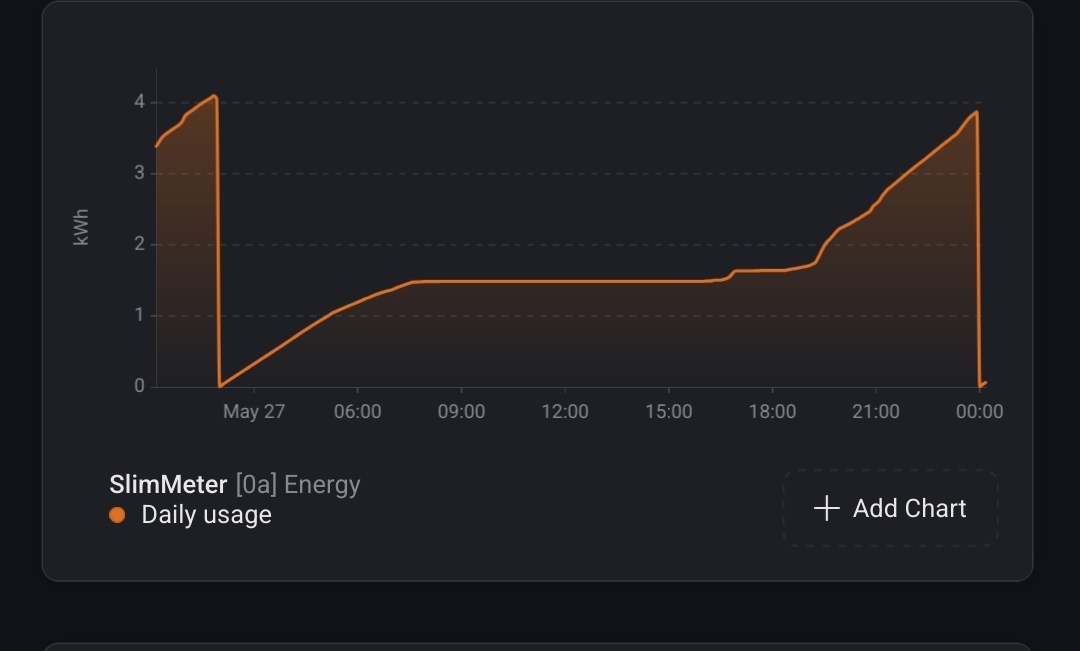
Jeroen, maybe I misunderstand the “Daily usage” value, but:
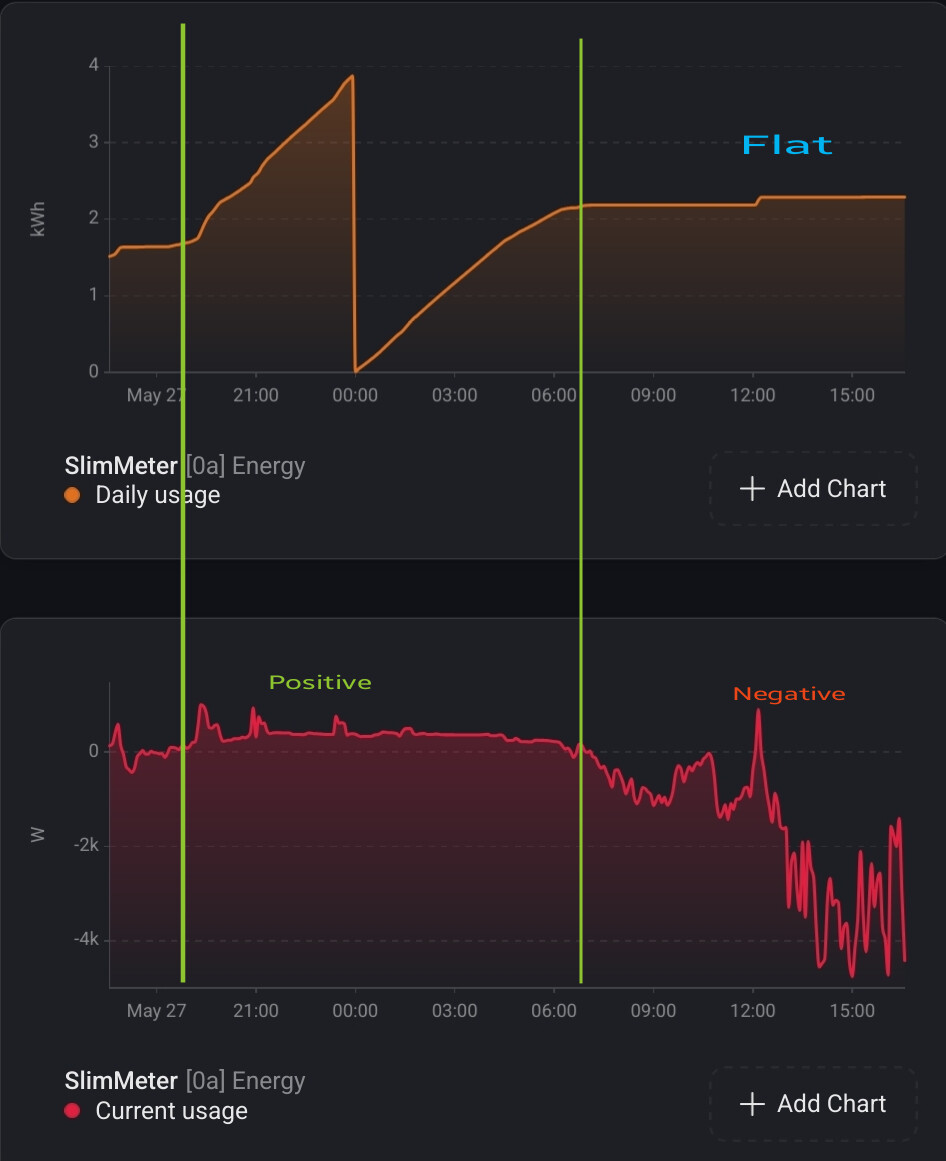
any idea why “Daily usage” isn’t increasing during the period in which the solar production is higher than the home usage?
(My home uses 0.4kW every hour in general).
The graph is flat when “curent usage” is negative:
Daily usage is the aggregated usage so import-export (meter_power).
I can add another without export but I dont have access to your solar power generation to cover the gap between export and internal usage.
Well, I thought you had found some clever way to calculate the real daily usage of my home, by using the current usage in addition to the exported & imported energy.
But indeed you’ll need to have access to the solar power / energy values as well
The energy tab should calculate it I guess?Only I don’t use it.
I’ll have a go at it with a virtual device.
Correct, I need your overall solar, deduct the exported kwh and add imported. But your P1 doesn’t track it all. The internal usage stays behind your smart meter.
What is the difference in a 3f kWh meter between if current power less than & if power less than? (Als Huidige vermogen kleiner wordt dan & Als vermogen kleiner wordt dan?