Yes, you should be able to add it. When logging in you should be seeing it as one of the devices that needs authorizing.
Martin Verbeek
Yes, you should be able to add it. When logging in you should be seeing it as one of the devices that needs authorizing.
Martin Verbeek
I can not see more. I can find 5. I have 4 Google nest cam battery outside and a Google doorbell battery and a Google nest inside on power. maybe it’s my doorbell I can not find? It says surveillance on the 5 I have in the app. Is the doorbell called doorbell ord surveillance also?
Doorbell should be found as Doorbell, battery or non battery. The others should be found as Camera battery or non battery.
In this release of the app I show the room name, which is not good enough, in the next version I will take the label as well.
If you could do a add device and select camera, wait a few seconds and then go to the app log, it should say how many cameras it has found…
Martin Verbeek
Thanks 
can anybody point me to a cause of this error, comin right after choosing devices with access to Homey:
“Token cannot be refreshed”
This happens in Edge
I get this error in chrome:
{“success”:false,“message”:“Invalid Token: undefined”}
Probably the same
I have checked my callback https://callback.athom.com/oauth2/callback in Authorised redirect URls
Can you provide a little more info.
If this a new install, did the setup go alright, what devices are you adding, anything that might pin it down a bit.
Also could you send me the app log that is happening around this problem
Martin Verbeek
Thank you Martin for taking your time
Everything is going as described in this tutorial, right until callback URl
I have chosen my devices, nest doorbell battery and a nest cam battery, both new devices.
My google account are able to create project, i already made a couple of projects for allowing HA access to these cameras, so i was not asked for any payment.
I’m not sure if it can mess up the token if i have multiple google accounts and i have to choose which account to choose from when ever i visit google?
This is the case from my computer (tried from both Edge and Chrome), but also from my Android Samsung device.
This is a snippet from the in App configuration on the phone:
2022-02-06 15:59:10 [Driver:camera] Pair Session Disconnected
2022-02-06 15:59:07 [dbg] [NestOAuth2Client] [c:default] [s:2ba2b15c-19f0-4a28-8053-bd9c50b4d067] Initialized
2022-02-06 15:58:26 [dbg] [NestOAuth2Client] [c:default] [s:a99034eb-df9e-437c-aef7-3965871fd1d1] Got authorization URL: Sign in - Google Accounts
2022-02-06 15:58:25 [dbg] [NestOAuth2Client] [c:default] [s:a99034eb-df9e-437c-aef7-3965871fd1d1] Initialized
2022-02-06 15:58:09 settings enableDebug true
2022-02-06 15:39:53 [Driver:doorbell] Pair Session Disconnected
2022-02-06 15:04:10 [Driver:camera] onPairListDevices()
2022-02-06 15:03:20 [Driver:camera] Pair Session Disconnected
2022-02-06 15:01:31 [Driver:camera] Pair Session Disconnected
(node:20274) [DEP0018] DeprecationWarning: Unhandled promise rejections are deprecated. In the future, promise rejections that are not handled will terminate the Node.js process with a non-zero exit code.
(node:20274) UnhandledPromiseRejectionWarning: Unhandled promise rejection. This error originated either by throwing inside of an async function without a catch block, or by rejecting a promise which was not handled with .catch(). To terminate the node process on unhandled promise rejection, use the CLI flag --unhandled-rejections=strict (see Command-line options | Node.js v17.4.0 Documentation
Where are you authorizing? During add device? If so can you do a logout and login in the app setup. I noticed sometimes it does not work correctly during add device.
Martin Verbeek
Maybe you can add a second set of oauth credentials to the project. Set these in the app and add the clientid to the SDM project as well.
Martin Verbeek
yes, during add device, i’m authorizing
i will add another set of credentials and see if helps, thanks
no, same thing happens
Google lists both cameras and i can choose all permissions
Next i get another google confirmation page, allowing access for athom.com, when i click Next on this page i get the error:
{“success”:false,“message”:“Invalid Token: undefined”}
this is my log from phone when doing the same procedure from Android, note i’m not getting any error from phone app, it just stops waiting for confirmation i think
2022-02-06 17:03:50 [dbg] [NestOAuth2Client] [c:default] [s:215b3d49-b0d8-4dc4-830b-0021d10de39e] Initialized
2022-02-06 17:03:42 [Driver:camera] Pair Session Disconnected
2022-02-06 17:03:35 [Driver:camera] Pair Session Disconnected
2022-02-06 17:03:04 [dbg] [NestOAuth2Client] [c:default] [s:e4435261-e5c1-4ab5-8d13-130843222713] Initialized
2022-02-06 17:02:28 [dbg] [NestOAuth2Client] [c:default] [s:a9debd82-577e-4c08-9ec7-b4243e50d99f] Got authorization URL: Sign in - Google Accounts
2022-02-06 17:02:27 [dbg] [NestOAuth2Client] [c:default] [s:a9debd82-577e-4c08-9ec7-b4243e50d99f] Initialized
2022-02-06 16:58:03 [dbg] [NestOAuth2Client] [c:default] [s:ea0bfd42-c75e-43ca-8eab-3ef106a27994] Initialized
2022-02-06 16:57:36 [Driver:camera] Pair Session Disconnected
2022-02-06 16:57:18 [dbg] [NestOAuth2Client] [c:default] [s:ea24b21e-b3e0-49df-a08a-821ea82d0dca] Initialized
2022-02-06 16:56:43 [dbg] [NestOAuth2Client] [c:default] [s:d69d08b5-d714-490b-8bc0-e6fab5509bb0] Initialized
edit:
I’m not allowed to put more than 2 links in a post, since i’m a new user, i can’t show the full log
Don’t authorize during device add, use the login in the app setup…
Martin Verbeek
Will check it out tomorrow. Thanks let you know asap…
Martin Verbeek
i cannot choose not to authorize
when clicking “add device”, choosing Google Nest SDM , i get a new box telling me “Please use Google Nest credentials to logon”
When i click logon i get this message:
“Can’t link to Homey
To enable Homey, make sure that you’ve migrated your Nest Account to Google.”
on this page i can choose another google account (the one i’ve created the project with) and i get authorized and now i can choose which cameras to give access to.
My problem is, i’m using a g-suite account for primary use (e-mail), g-suite accounts cannot be used with Google Nest cameras, so i have to choose another account during the process.
recorded a video showing the steps from phone, when video ends nothing happens during authorization.
I got it working now. I think it was some session mismatch between your app and Google.
After a restart of app and logging out of all my google account on pc’s and phones it succeeded
Thank you
Thanks for letting me know! Have fun
Martin Verbeek
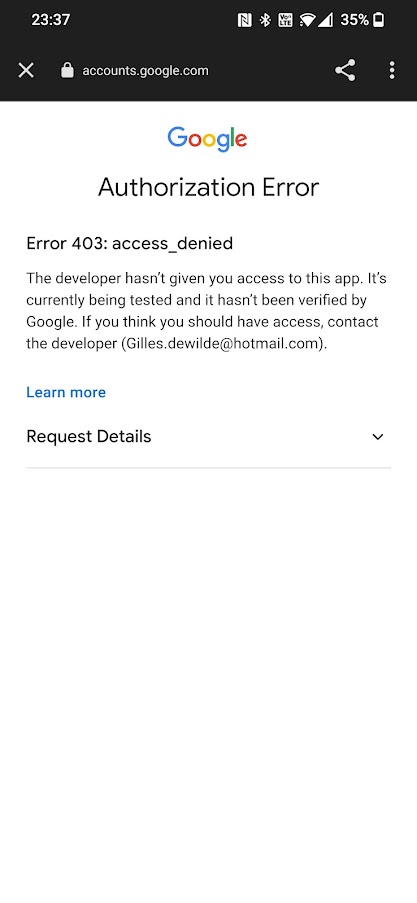
When creating the conscent page did you put the app into production?
Thanks alot, apparantly I didn’t.