@Jeroen_Tebbens
I have sinds today the homewizzard batterij.
Wil this support to at the future?
Yes, if can find a way to get the v2 api bearer token working in my code. I dont have the battery and lack the funding to buy one.
If i need things todo for you?
Hi all, the homewizard app chrashes all the time sins tonight. When I start the app it looks to work but it gives no new data and after a minute or so it chraches again. Are ther more users with the same problem and have maybe an solution?
Just for reference: I just checked my Homey Pro 2023 running the Homewizard app and everything is working normal.
Thanks, maybe I’m the only one and do I have a problem somewhere. In the Homewizard app everything works fine. I think I remove the app and install it again.
Did the app actually crash, or do you see a red triangle on the device tile?
These are different things.
Because the red triangle means Homey can’t find your HW dongle.
Please read post # 1 of this thread on how to fix it.
Its a red triangle. Thanks I didn’t know. It worked fine for more then a year.
After a Homey restart it works fine again. Thanks for your help.
BETA/TEST
v3.4.1
- P1 APIv2 dongle support
- Plugin battery support (untested as I don’t have one)
Before you try to add/pair P1 or Plugin Battery there is a 30s time window to press the button on the P1 or Battery and then pair it.
This still needs fine tuning in the pairing screens so it can be that you have to try it a few times.
I’d love to test for you. I received the battery 2 days ago. Can you let me know how to get the BETA installed on Homey? I’ll get that tested today 
Probably a matter of cloning the repository, npm install and homey app install?
EDIT:
Ok, done that, worked like a charm, had it attached in 2 times (first time failed somehow). The attach screen is blank for some reason though.
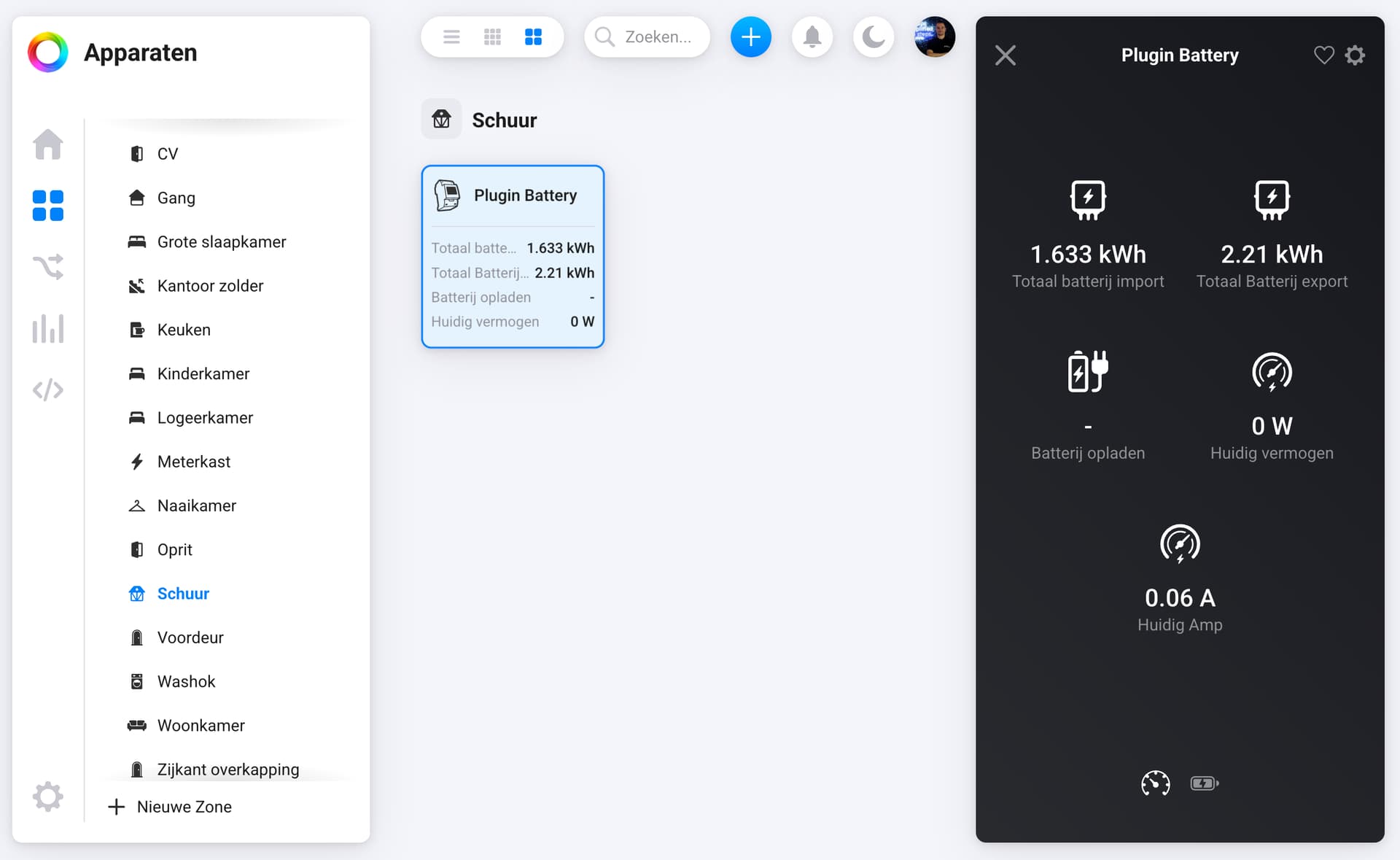
I will monitor today (as hopefully there will be some sun) as the battery charges if they values are correct and displayed.
Yeah pairing isnt right yet (timing issues during button press and the app driver kicking in). Also the icon is not matching of course as this is a rush job for me.
But good to see it added and you have some values. As said I dont have the battery so basically did this the “blackbox way”.
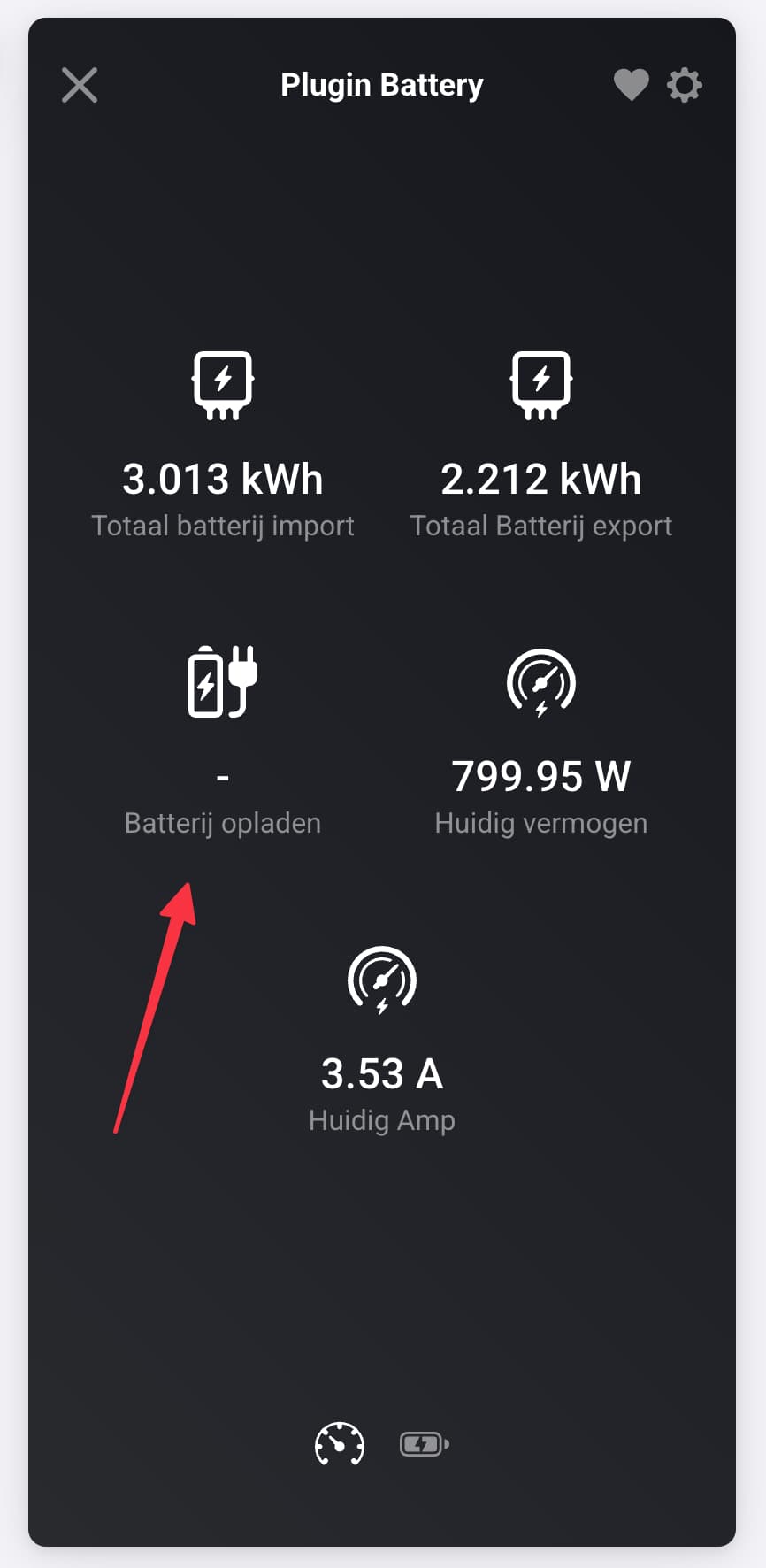
Yeah I’ve noticed that one. But the API doesn’t have a matching value for that.
It is part of the basic Homey battery model but I don’t have a matching entry from the Battery itself that it is charging or not.
Does it show up properly in the Energy Dashboard (Beta one)?
No, just installed the homey testflight BETA, it does not show up there. I tried to adjust the energy (tab) overview as well, it’s not listed anywhere.
The matching value issue, I’m not sure if you can implement custom logic for that? If the current current is above 0, it means it’s charging. If its < 0 it means its discharging. Not a big deal though, you can clearly see it’s charging already.
That might be a way yes.
Working on some improvements so will share new beta version later today.
Ok version v3.4.2 in beta/test. Hope this is better.
@ Erik Datema thank you for your donation, very much appreciated 

Ah nice! Yes I did add the cycles as custom value. And the state of the battery based on watts positive or negative. I am only hoping in it will show up on the Energy Dashboard.
Still struggling with the pairing. I tested with the P1 here but running up and down the stairs to test is a challenge.

Yeah was going through the beta Energy topic and I think it is still under development (so not showing yet). Ok will see when there is a new update.
I’ve checked the mandatory class (battery) and HomeBattery = true in the properties which are both set so will see.
Anyway, have fun with it for now and let me know what is missing or goes wrong so I can add it to my to do list.
