Please try v3.10.7
I added extra checks for SDM230 p1 mode on timeout issues.
Yep, thats ‘s fix! Thank you very much!
Good, thanks for confirming, sorry for the trouble.
No need for sorry, thats what happens when developing something good!
Installed 3.10.6 and no reaction on pushing the p1 dongle button. Next installeren 3.10.4 with diagnostics report f76ebe16-907b-46dd-9c86-c36fbdb6b5cb. Will now look for 3.10.7.
Installed version 3.10.7 and lost after several minutes comm between homey and p1 dongle and p1 dongle and batteries. 2301341e-b102-440e-ab1f-b4f9b7d6d402
Which firmware js your P1 dongle. As pressing the button seems to toggle your wifi and getting timeouts on polling.
2026-01-11T14:04:30.471Z [log] [ManagerDrivers] [Driver:energy_v2] [Device:8f4e522b-ff69-487d-b37e-b4ed41bf8aa3] 📡 Device seen again — IP unchanged (192.168.2.117)
2026-01-11T14:04:30.472Z [log] [ManagerDrivers] [Driver:energy_v2] [Device:8f4e522b-ff69-487d-b37e-b4ed41bf8aa3] 📡 Device seen again — IP unchanged (192.168.2.117)
2026-01-11T14:04:30.483Z [log] [ManagerDrivers] [Driver:energy_v2] [Device:8f4e522b-ff69-487d-b37e-b4ed41bf8aa3] 📡 Device seen again — IP unchanged (192.168.2.117)
2026-01-11T14:04:30.484Z [log] [ManagerDrivers] [Driver:energy_v2] [Device:8f4e522b-ff69-487d-b37e-b4ed41bf8aa3] 📡 Device seen again — IP unchanged (192.168.2.117)
2026-01-11T14:04:30.987Z [log] [ManagerDrivers] [Driver:energy_v2] [Device:8f4e522b-ff69-487d-b37e-b4ed41bf8aa3] 🔁 LastSeen: polling active — skipping WS reconnect

    stderr:
    2026-01-11T13:56:15.048Z [err] [ManagerDrivers] [Driver:energy_v2] [Device:8f4e522b-ff69-487d-b37e-b4ed41bf8aa3] Polling error: TIMEOUT
2026-01-11T14:02:25.422Z [err] [ManagerDrivers] [Driver:energy_v2] [Device:8f4e522b-ff69-487d-b37e-b4ed41bf8aa3] Polling error: TIMEOUT
2026-01-11T14:02:45.430Z [err] [ManagerDrivers] [Driver:energy_v2] [Device:8f4e522b-ff69-487d-b37e-b4ed41bf8aa3] Polling error: TIMEOUT
2026-01-11T14:02:52.147Z [err] [ManagerDrivers] [Driver:energy_v2] [Device:8f4e522b-ff69-487d-b37e-b4ed41bf8aa3] Polling error: request to https://192.168.2.117/api/measurement failed, reason: read ECONNRESET
2026-01-11T14:03:05.449Z [err] [ManagerDrivers] [Driver:energy_v2] [Device:8f4e522b-ff69-487d-b37e-b4ed41bf8aa3] Polling error: TIMEOUT
2026-01-11T14:03:15.484Z [err] [ManagerDrivers] [Driver:energy_v2] [Device:8f4e522b-ff69-487d-b37e-b4ed41bf8aa3] Polling error: TIMEOUT
2026-01-11T14:03:25.477Z [err] [ManagerDrivers] [Driver:energy_v2] [Device:8f4e522b-ff69-487d-b37e-b4ed41bf8aa3] Polling error: TIMEOUT
Hi Jeroen,
I have two different solar systems which are both installed on two different phases.
It would be nice if I could upload the data per phase to PvOutput. Now only the total production (Vermogen) is possible.
On PvOutput.org I’ve two systems with a lot of data from many years.
I would be very grateful.
What Homewizard device are you referring to? As I think it isn’t an easy task. There is no per phase tracking kWh measurement only total.
Thanks for your reply.
I’m referring to the 3 phase kWh-meter.
You’re right, they have only a total measuring.
But, what’s the difference between Huidig Vermogen and Huidig Gebruik F1? They’re both in Watt.
That should be a split of all phases. In your case F2 and F3 are solar so 0 watt. Else total will be a sum of all phases together.
I can try total per phase but there is one caveat….it isn’t a perfect match as if Homey loses connection with your SDM630 you will miss datapoints and there less kWh to track.
Hi Jeroen, the dongle has 6.0206, no new updates available, WiFi 100%. I have it for several years and received a new one yesterday. Not home now so i will install it tomorrow and keep you informed.
Ok, not sure how much time I can spend this week. Very busy migration project that I have to manage.
 after rebooting Homey it works again.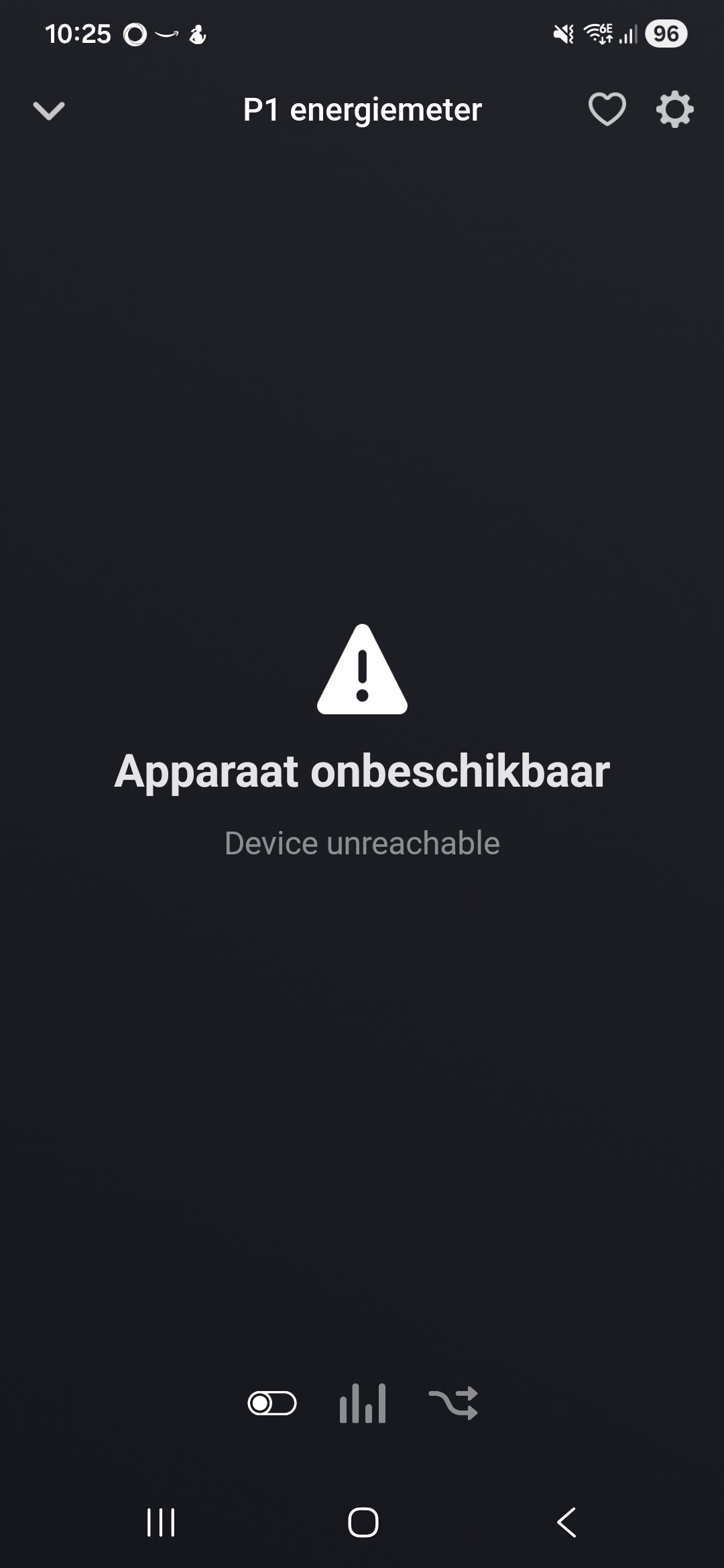
Version v3.10.7 is pushed. This should work.
You can check the Homewizard for Homey application settings and then the Debug Fetch tab what is going on.
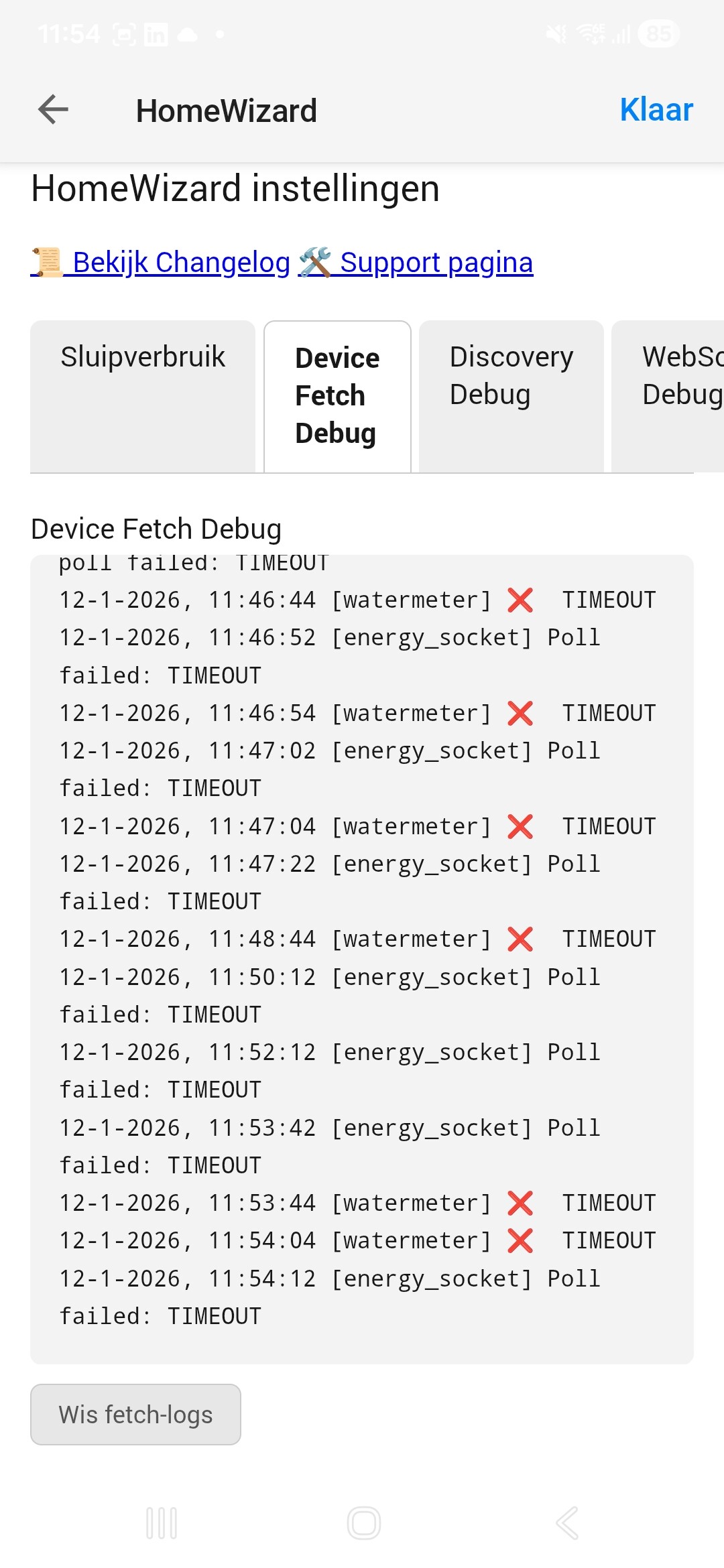

I see a lot of timeouts spread over several devices.
Perhaps your Homey has connectivity issues?
Both your watermeter and energy_socket struggle but if that is related to Homey or your watermeter and socket I cant tell. Anyway, keep an eye on that “Device Fetch Debug” to see if it is incidental timeout or very often.
Hi Jeroen, good news, i have received a new p1 Dongle (I believe version G) and replaced my old version C. Installed your app 3.10.7 from the Appstore and was happy to see actual data receiving. Next installed my 3 batteries, 3 fase kWh meter from the heat pump and the water meter. All works and is updating both in Homey and in the HomeWizzard app. Thanks for your excellent app and I will buy you a drink.
Thanks for your donation 
Hi Jeroen.
I’ve checked the wifi and there was one Homey app (Twinkly app) that was screaming over the wifi channel to search for the disconnected Twinkly device.
for now the problem is solved by switching off the Twinkly app.
Thanx for the help.
