
I have only G4 at home.
How does this work exactly, can I connect for example a device to apple home and also connect it to homey simultaneously?
Check the first post.
I have the basic functionality running for homekit over Thread. Still a few things to solve but getting there. I can operate my Nanoleaf

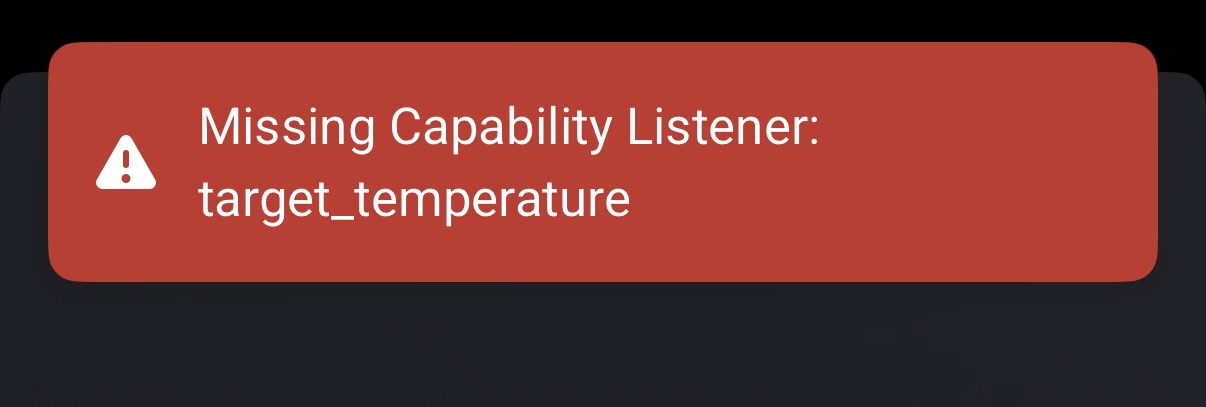
Ny Aqara fp2 also stopped working after the update
dfc17e63-f5bd-4222-9d33-b21c615f6413
Same here, both FP2 stopped working 
Same error notice
Working again, thank you for that very quick help! Great app! (great developper  )
)
Hi, I’m running the newest app version 2.0.10 and I can no longer pair my two new FP2 sensors. I’ve paired 2 already in my home which are still functional, however I can’t seem to pair either of the newest ones I just bought. I followed the steps above:
- add to Aqara
- Paired to Apple home
- Set up zones
- Remove from Apple home
- Try to add in Homey
Currently it just says it can’t find a device and the logs show an empty array after checking for pairable devices. This pairing was working as recently as Sunday night before the latest update.
Follow up on my post above, looks like I needed to update the Firmware on my new sensors to 1.3.2 from 1.2.8 in order for them to show up. My previous two sensors are still on 1.2.8 and still seem to work fine so I’m guessing something changed in the way the device announces itself on the network perhaps??
FP2 are sometimes very rapid with stopping the homekit service
Hello,i have 2 Fp2 sensors,they always worked fine but since 3-4 days i have to restart the app every 30mns otherwise the device doesn’t update the status.I try to restart Homey box ,unplug the sensors,install the test version but always the same problem…
If someone can help me,thanks a lot
09e4cd17-96d3-417c-8542-476178e70b50
Got a lot errors in the log.
Hi
I have an Homey Pro (2023) that was running fine.
Until HomeKit did update from version 2.0.3 to future versions.
After those updates.
First time after the 2.0.3 update. I was not able to turn on/off the SG Smart devices
Homey Pro did return “listener controller missing”. Did wait 3 days to see if it was solved automatically. But no. Then I did delete HomeKit Controller. Install it again. And now I am not able to find my SG Smart hub.
Any suggestions ??
when you delete the app, the devices are still paired to the controller. So when you search for new devices they will not appear as the flag paired has been set on these devices. Most devices have a network settings (NOT factory reset) function, this will remove the network settings and homekit settings, you probably have to add them to the vendor app again.
Try with test version after that 2.0.14
Hi Martin
Did not help. I am still not able to detect sg smart hub.
undefined2026-01-22T20:15:41.335Z [log] pairing found devices: [
{
name: ‘VELUX gateway’,
data: { fullName: ‘VELUX gateway._hap._tcp.local’ },
store: { namedService: [Object] },
icon: ‘/cat-2.svg’
}
]
x getMDNSPairableDevices checking bridged accessories for VELUX gateway._hap._tcp.local
x getMDNSPairableDevices checking bridged accessories for Gateway SG._hap._tcp.local
2026-01-22T20:15:41.331Z [log] getMDNSPairableDevices for tcp [
{
completedParts: [ ‘PTR’, ‘SRV’, ‘TXT’, ‘A’ ],
name: ‘VELUX gateway’,
rinfo: {
address: ‘10.50.0.71’,
family: ‘IPv4’,
port: 5353,
size: 254,
interface: ‘wlan0’
},
aid: ‘1’,
lastSeen: 1769112926383,
fullName: ‘VELUX gateway._hap._tcp.local’,
host: ‘VELUX gateway.local’,
service: {
name: ‘VELUX gateway._hap._tcp.local’,
type: ‘SRV’,
ttl: 10,
class: ‘IN’,
flush: false,
data: [Object]
},
port: 5001,
txt: {
‘c#’: 9,
‘s#’: 1,
ff: 1,
sf: 1,
pv: ‘1.1’,
md: ‘VELUX Gateway\x00’,
id: ‘F7:84:AC:47:A0:3C’,
na_tkn: ‘efdc3313fb0f’,
ci: 2,
sh: ‘/QB+fg==’,
aid: 1,
class: ‘other’,
availableToPair: true,
pairMethod: 1
},
bridge: true,
bridgeAccessories: {},
icon: ‘/cat-2.svg’,
addresses: [ [Object], [Object], [Object] ],
initialEmitDone: true
}
] [
{
completedParts: [ ‘PTR’, ‘SRV’, ‘TXT’, ‘A’ ],
name: ‘Gateway SG’,
rinfo: {
address: ‘10.50.0.203’,
family: ‘IPv4’,
port: 5353,
size: 230,
interface: ‘wlan0’
},
aid: ‘1’,
lastSeen: 1769112926311,
fullName: ‘Gateway SG._hap._tcp.local’,
host: ‘Android.local’,
service: {
name: ‘Gateway SG._hap._tcp.local’,
type: ‘SRV’,
ttl: 10,
class: ‘IN’,
flush: false,
data: [Object]
},
port: 65432,
txt: {
‘c#’: 3,
ff: 2,
id: ‘77:02:EC:E3:2C:A5’,
md: ‘SG Smart Gateway’,
pv: ‘1.1’,
‘s#’: 5033,
sf: 0,
ci: 2,
sh: ‘canc5g==’,
aid: 1,
class: ‘other’,
availableToPair: false,
pairMethod: 0
},
bridge: true,
bridgeAccessories: {},
icon: ‘/cat-2.svg’,
addresses: [ [Object] ],
initialEmitDone: true
},
{
completedParts: [ ‘PTR’, ‘SRV’, ‘TXT’, ‘A’ ],
name: ‘VELUX gateway’,
rinfo: {
address: ‘10.50.0.71’,
family: ‘IPv4’,
port: 5353,
size: 254,
interface: ‘wlan0’
},
aid: ‘1’,
lastSeen: 1769112926383,
fullName: ‘VELUX gateway._hap._tcp.local’,
host: ‘VELUX gateway.local’,
service: {
name: ‘VELUX gateway._hap._tcp.local’,
type: ‘SRV’,
ttl: 10,
class: ‘IN’,
flush: false,
data: [Object]
},
port: 5001,
txt: {
‘c#’: 9,
‘s#’: 1,
ff: 1,
sf: 1,
pv: ‘1.1’,
md: ‘VELUX Gateway\x00’,
id: ‘F7:84:AC:47:A0:3C’,
na_tkn: ‘efdc3313fb0f’,
ci: 2,
sh: ‘/QB+fg==’,
aid: 1,
class: ‘other’,
availableToPair: true,
pairMethod: 1
},
bridge: true,
bridgeAccessories: {},
icon: ‘/cat-2.svg’,
addresses: [ [Object], [Object], [Object] ],
initialEmitDone: true
}
]
2026-01-22T20:15:26.299Z [log] Initial ServiceUp emit for VELUX gateway._hap._tcp.local
2026-01-22T20:15:26.282Z [log] Detected Bridge accessory: VELUX gateway._hap._tcp.local
2026-01-22T20:15:26.129Z [log] Initial ServiceUp emit for Gateway SG._hap._tcp.local
2026-01-22T20:15:26.090Z [log] Detected Bridge accessory: Gateway SG._hap._tcp.local
2026-01-22T20:15:26.063Z [log] MDNS Scanner ready and querying for _hap._tcp/_udp.local services.
2026-01-22T20:15:26.016Z [log] Homey IP addresses detected as [ ‘127.0.0.1’, ‘10.50.0.202’ ]
2026-01-22T20:15:26.003Z [log] [ManagerDrivers] [Driver:hapIP] checkPairData remaining pairData:
2026-01-22T20:15:26.003Z [log] [ManagerDrivers] [Driver:hapIP] checkPairData pairedDevices:
2026-01-22T20:15:26.002Z [log] [ManagerDrivers] [Driver:hapIP] hapIP driver has been initialized
2026-01-22T20:15:25.961Z [log] [MyApp] Homekit Controller 2.0.14 has been initialized
2026-01-22T20:15:25.948Z [log] Starting MDNS Scanner
2026-01-22T20:15:25.948Z [log] capturing stderr
2026-01-22T20:15:25.944Z [log] capturing stdout
De gateway is unavailable to pair
availableToPair: false
Dat betekent dat de gateway nog steeds denkt verbonden te zijn met een controller.
Hi Martin
That did do it  Thanks for that
But i am not able to see the status of the light
Missing indicator on the icon.
Regardless
Finn
