My Homey is, by far, the most unstable device in my network. It often, for no apparent reason, drops its Ethernet connection which then never recovers. Since I don’t use Homey for anything, it can easily take a week or longer before I actually notice this (typically when I need to run the homey CLI tool, which starts spouting that my Homey is offline, even though it does still have a working WiFi connection).
RobertK., not to dispute your value experience, but just to indicate that the rule “it will never work from wifi” is not true either …
I have Homey connected wireless to my home network, without a glitch since I have it (3/4 yr)
I have the ethernet connector available just in case, but never felt to need to wire it up.
I have to say, I use 2 professional Wifi access points (Netgear WAX630) to cover my home.
Well, for me the Homey 2019 works pretty stable on WiFi. So I think it’s a network issue on your side then. Do you have multiple APs (f.e. in a mesh system also uses multiple nodes/repeaters)? Which WiFi standard is your network? Mine is WiFi 7 (Zyxel NWA110BE, single AP) but it worked fine on my previous AP (Aruba Instant On AP11) with WiFi 5 as well.
The most unstable devices on my network are an ESP8266 NodeMCU and the SwitchBot Hub Mini, these constantly drop offline and then come back online several seconds later (in the Nebula logs it mentions the disconnect reason “STA Timeout”).
It’s the Ethernet connection that keeps failing. WiFi is okay. Homey is connected to the same switch that serves 5 or so other devices, and those have no issues. So it’s not a network issue.
But Homey’s online/offline detection is broken (and has been for years): when the Ethernet connection drops, Homey itself falls back to using WiFi (which works), but it doesn’t tell Homey’s cloud servers about it. So when the app (mobile or web) tries to connect to Homey, it tries using the Ethernet IP address, which (obviously) fails, and it concludes that my Homey is offline. And Homey knows the Ethernet connection is gone, because ethernetConnected is set to false.
I have about a dozen ESP32’s and ESP8266’s doing various things, and all of them are super stable. I guess it’s a network issue on your side 
Oh so it’s Ethernet related? My Homey doesn’t support it, so I can’t test that.
I think it’s related to interference actually. I live in a very dense environment with tons of WiFi networks nearby. I also have other devices which drop out from time to time (also with “STA Timeout”) but not as often as these 2. I also had to set my AP to a static channel, I put it on a static channel for 2.4 and a DFS channel for 5 Ghz (all those cheap ISP routers nearby don’t support DFS, so I have the channel to myself).


(The one on ch. 36 is a test network with another router)
There are also 102 Bluetooth devices nearby, and more than 10 Zigbee networks. I guess it’s impossible to get good WiFi 2.4Ghz here
Shall we keep on topic here guys 
Hi Abe, offtopic indeed, but I need to post this:
when is Athom going to share some info on how they think the offline bug can be fixed once and for all? I’m reading posts about this bug for almost 6y now. Really.
I’m using Homeys as of 2020, my conclusion for my setup is:
When (an) app(s) are misbehaving by using too much RAM, Homey becomes unreachable for the web/mobile app.
To me it seems the network part isn’t protected from that, and temporary errors or even stops working during these excessive RAM usages.
It occurs on both Pro 2019’s & Pro 2026.
When my apps are not acting up, there’s no “Homey seems to be offline” or “Homey is unreachable” errors at all.
Thanks, your input really is appreciated.
What exact offline bug? Please elaborate
I think @Peter_Kawa is referring to situations like this one: Homey vaak offline - #24 by Louis_Holtus. Also check the subsequent posts, especially the one by @robertklep, that includes details on what might be the cause or a contributing factor (in addition to the behavior @Peter_Kawa is describing).
This is just one example of serveral similar posts on this forum.
“Homey offline” is a frequently appearing new post / topic, Abe.
I also can’t imagine Support not receiving many requests about it.

I was not referring to the “Homey was offline” notification system, this one
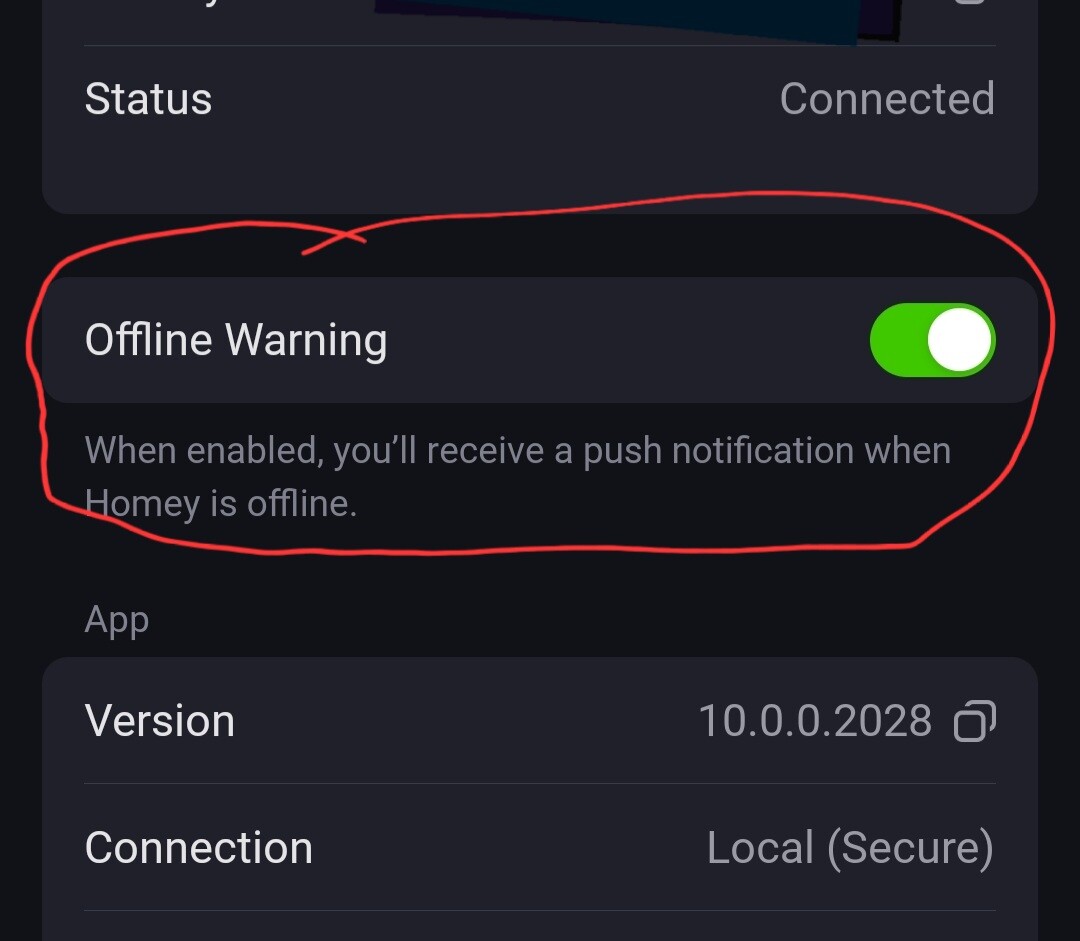
The system and it’s malfunctioning as investigated and explained by Robert
https://community.homey.app/t/homey-vaak-offline/143094/28
this seems to be a related, but separate bug imho;
I was referring to:
The dreadful popups in de mobile & web app:
- “Homey seems to be offline”
- “Homey is unreachable”
but, in most cases Homey is online and everything works as should! Only the apps seem to have lost track of Homey (= a bug).
Often tapping “Retry” a few, or many, times makes it find Homey again.
The reproducable bug when Homey temporary dissappears from the network: “misbehaving” apps using over 80MB RAM (Pro 2019), or over 160? MB (pro 2026).
I’m aware of the Pro 23/26 RAM monitoring tools, which kills such apps, but it’s not bullet proof yet.
Also on my LAN my 3 Homeys are the only devices which can have unreliable (W)LAN connection.
I’ve around 80 network devices with their IP binded to MAC.
I can only really speak from experience here, but the situation you describe is something we most often see with Homey connected to a mesh Wi-Fi network. What typically happens is that Homey starts roaming between different access points, causing a brief interruption in connectivity during the handoff. Since Homey usually maintains multiple long-lived, continuous connections both locally and through the cloud, even a short interruption can sometimes cause issues.
I ran into this myself when I first started using my Homey Pro (Early 2023). It was positioned relatively close to the Nest Wifi Pro unit in my living room, but for some reason it kept roaming between that access point and the one in my bedroom. I wasn’t able to force it to stay connected to a single access point, so I eventually switched to the Ethernet Adapter, which completely resolved the problem.
That said, every network is different, and there can be hundreds of variables at play, so it’s difficult to say with certainty that this is what’s happening.
Just to be sure, I’ll also check with our mobile app team to see exactly how the app establishes and maintains its connection to Homey.
Many devices maintain permanent connections to either cloud or local services, and many devices have no issues with mesh networks (also because WiFi roaming, when done fast enough, will not cause TCP connections to be dropped). It just seems that Homey is exceptionally sensitive to it, and those issues get exacerbated by not always reconnecting properly.
It’s possible to disable roaming on RPi’s, which could also be an option that Homey could offer to users that experience these issues.
Losing connection or getting „Homey seems to be offline“ happens frequently to me with the android app when outside. Have the feeling a slow connection might be one of the reasons.
That’s to be expected if you’re outside and in places with less then ideal cell reception. The main issue here is that people that are at home, on their home WiFi, also often get this message while they can still see their Homey being active on the network.
I try not to use the app too much, but it happens to me multiple times a week to be honest and I have to refresh the app to get things working.
When I go outside my WiFi range and switch to cellular, it often causes the connection to drop fully and I need to force close relaunch the app. I think I’ll just block all communications for my phone (on main LAN) to the Homey (on IoT). Hopefully that will solve this (since it will force the server connection, which means that there are no local<->cloud switching needed anymore).
I am currently travelling and have to use any (slow) WiFi I can get to check my home‘s status.
I have to close and reopen the App 10 times or more until it at least loads partially - while at the same time my Sharptools dashboards and the Home Assistant Companion App load flawlessly and even YouTube streams without a Problem.
So, that is not to be expected!
Had opened a ticket with Athom but other that them letting me send in logs and even a screencast the outcome was nil.
This is when developers create apps sitting behind their gigabit networks and never use their own app under real life conditions… But as we all know, thorrow QA never was Athom‘ s strongest domain.
So does the app say Homey is offline, or does it just load very slowly?
Both randomly. It is mostly unable to load all or only some of the widgets of the start Page. - Without even providing at least a button to manually reload the widgets that did not load.
Homey is definitely not offline, when this happens. The App has only tremendous problems with slow connections. External dashboards like Sharptools or even the Homey web app (except for flows) will load reliably at the same place and time in the same WiFi.
Maybe try clearing your notifications…
