If you press TEST button (careful not to press by error REMOVE), if the device is alive and routing correctly, Unreachable shall disappear.
Best is to remove those to ensure stable network (valid in normal scenarios  )
)
If you press TEST button (careful not to press by error REMOVE), if the device is alive and routing correctly, Unreachable shall disappear.
Best is to remove those to ensure stable network (valid in normal scenarios )
I understand.
The unreachable nodes are most of the time battery nodes, which only communicate when the device itself wants to. The ‘spant’ node is a RGBW Fibaro module, which also changes to reachable after a while. The ones with the previous route change when Homey is on for a longer period, but it doesn’t change the error. So, it’s just the first few minutes.
The other devices behave the same. In total the RX is high on about 20 devices. But again, the log shows the true problem I believe. The RX is high because Homey counts the same message 30 times. Homey 2019 counts it only once. I don’t believe the devices itself suddenly start sending the same message 30 times because of the Homey Pro 2023.
Yes, my whole house runs on Homey so I can’t turn it on for more than a day if it’s not working.
Ah yes I probably misused the word uptime there. I was mentally excluding firmware updates! I have been running the latest stable RC (133 I think) for the past few days now.
And yes nodes 58 and 173 are in high traffic areas. Not sure whether they are that high traffic but not sure there’s any way of knowing?
One thing I’m not clear on is whether the Tx and Rx are counted here from Homey’s point of view or from the device’s point of view. So for example is the Rx number counting commands received by the device from Homey or by Homey from the device?
One node in my setup that I cannot explain in my head is node 34 which is a single relay. It has no reason to send anything to Homey other than to confirm status changes and it’s not switched all that often and yet is has a very high number in the Rx column.
RX is what Homey ‘thinks’ it receives.
Here is mine. All of my Zwave devices. 47 total. I have put up yesterday the Sensative Stripguards. Even more errors. Only Multisensors, Stripguards and Qubino Shutters.
Also my previous post was removed by the admin. Which was non-offensive to anyone, just stating the facts. Very democratic. Rather than apologize and ensure the customer that a solution is on the way (as the support is lacking of answering) you are being silenced.
Thanks. In that case in my setup the only device which has inexplicably high Rx is node 34. The other nodes with high RX for me are those that either are set to report fairly frequently or are polled every 30s or are in high traffic areas. So maybe I have been lucky not to have many of the devices that for some reason appear to Hp2023 to be chatty?
You might have slightly different issue, because except of chatty devices, I see way too many Tx errors.
Try removing Unknown nodes first (there is button to remove those only) and restart
If it doesn’t help, try to remove batteries from multisensors - Nodes 34,35,36 and 42 - reboot - does your network still complain ? If not, I pasted above that Multisensors have options to report in less intervals - so try to check settings (after reboot and without those chatty ones) for eg. Nodes 12,13,14 - check/save settings and then, if everything is OKay, put back batteries to Node 34 - check/ update settings, put batteries to 35 … etc. - I think it’s clear.
Again, that’s something I would be trying myself first, might be not a solution at all. But it should not break anything
Have you tried maybe to cut it from power, as we already mentioned it here ? Sometimes also my Fibaro ZWAVE devices misbehaves and the only way I was able to fix them, was to cut the power off. Happened both on HP19 and naturally on HP23 even some more problems - but those are unrelated to current topic
All those suggestions here, however sincere, shouldn’t be necessary. My setup was working near-perfect with Homey Pro 2019. The only issue I had was that Homey sometimes was unreachable due to WiFi issues, therefor ordered the 2023 with ethernet adapter.
I had zero Z-Wave issues with Pro 2019. Zero issues with traffic. And now I have to reboot, update my devices, power down my whole house, change adapters, remove chatty devices and lower report times?
It’s a Homey 2023 Z-Wave issue, it should be solved. They should not release this thing publicly in two weeks.
It ain’t broke so I’m not going to try to ‘fix’ it. I’m not seeing any actual issues with this device or my system as a whole. I’m just trying to add comparative data to see if it gives any clues or rules out any theories for others facing the too much traffic errors. My reason for pointing that node out here was it seems to be the one device in my setup which is clearly seeing massively higher Rx figures than would be expected. Maybe the fact that I have only one such device in my system is why I’ve been lucky to not see issues overall.
OK guys, good luck to you then ! Going to subscribe off this thread, it looks like you would like to keep discussing without actually bringing anything new to the table
I don’t think that’s the case. I believe some of us have done everything possible to fix or improve it ourselves and it might be frustrating to keep hearing it’s the devices or the intervals while it all works well on the HP2019. You have to understand that point of view too. Also, nobody seems to ‘care’ for the log which (I think) shows the real issue. A device cannot send 30 of the same messages within one second. It would be out of battery (if applicable) within a few days, if it’s even possible.
Help is appreciated, but also try to trust users that have tried and tried to explain it all. I really would not know what else to tell or show you.
Just to add; it’s also not really fair to say this because one or two people don’t act or answer the way you’d expect. There are also people who do put out the effort each time, like myself and some others. And yes, we all want it to be solved. I’m still trying to turn it on each week and see what I can do. When you have invested big time in your Z-Wave network and buy a new Homey the frustration is high.
Thanks for your suggestions Sharkys. I appreciate them.
I will put all Multisensors on usb cable tomorrow let’s see if that will change on anything.
Furthermore I wait for the “solid release”, after that I start more mitigation because I think until then things can change multiple times.
I am not a programmer, nor a home automation specialist. I run 3 businesses and have 3 small kids. If I sit down with Homey to try to solve the issues it takes away days from my life, not something I wish for anybody.
I went with this product because it was advertised as plug and play and that it works with multiple protocols. At the current state of this product this is clearly false advertising. Fingers crossed it will change from August.
Down below on the page there is a button to remove all unknown nodes.
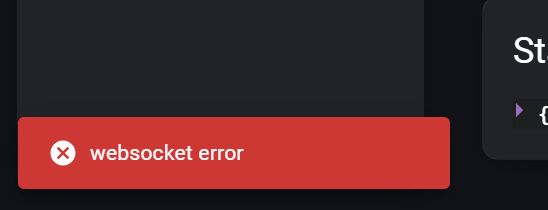
When I try to do that I get this error: