I removed my aeotec sensor earlier, but the problem still came back.
In my perspective, this issue appears to be connected to the Fibaro Wall Plug, potentially in relation to the Aeotec multisensor.
The problem with the Z-Wave error first emerged in RC.122, coinciding with my attempt to integrate Fibaro Wall Plugs for energy monitoring. I have 22 Fibaro Wall Plugs.
In the past weeks I have experimented with removing the Aeotec multisensor and Fibaro Wall Plugs. The multisensor removal hurt the most because a big part of my home automation relies on that. I found that when I removed 4 Fibaro Wall Plugs the system remained stable for over 3 days (Homey uptime). When I added the Fibaro Wall Plug again, the rx values (both the Fibaro Wall Plugs and the Aeotec multisensor) went crazy again in the Homey dev tools (within the hour).
Had created Homey restart rules every few hours to mitigate.
I also contacted Homey support but no solution available, only some troubleshoot tips with the Homey Dev tools and some tips on saving parameters (frequently saving) so that values are received on the devices themselves. Problem seems to be related to the zwave chip.
I read the Fibaro Wall Plug manual chapter on parameters and now somewhat understand them better. I changed the standard setting from 30, 15, 80 temporarily to 120, 100, 50. Disabled high prio power report.
Adjusted parameters:

This seems to work for me now. No need to restart the Homey anymore and still good insight in energy usage. This is a temporary fix and when Homey has fixed the issue I will reevaluate these settings
Rx values now stay “low” below 1.000. In the past over 100.000!
Finally, I can now continue expanding the system further and built smart automations. The reason for buying the Homey Pro.
I do not have any Fibaro or Aeotec products. On the devices I do have I already changed those values to no avail.
my homey has updated its aeotec app to 3.9.7.
I have removed the aeotec devices and re added them.
straight away got the too much wave traffic error again.
I have disables the aeotec app and effectively those devices and things seem stable again.
However, its only a couple of hours since I did that, so I will monitor it and feed back.
still doesn’t work
Aeotec is not the problem. I have no Aeotec devices in my zwave mesh
Just received a confirmation from Athom support that this is now a known issue with the 2023 homey pro and they are working on a fix.
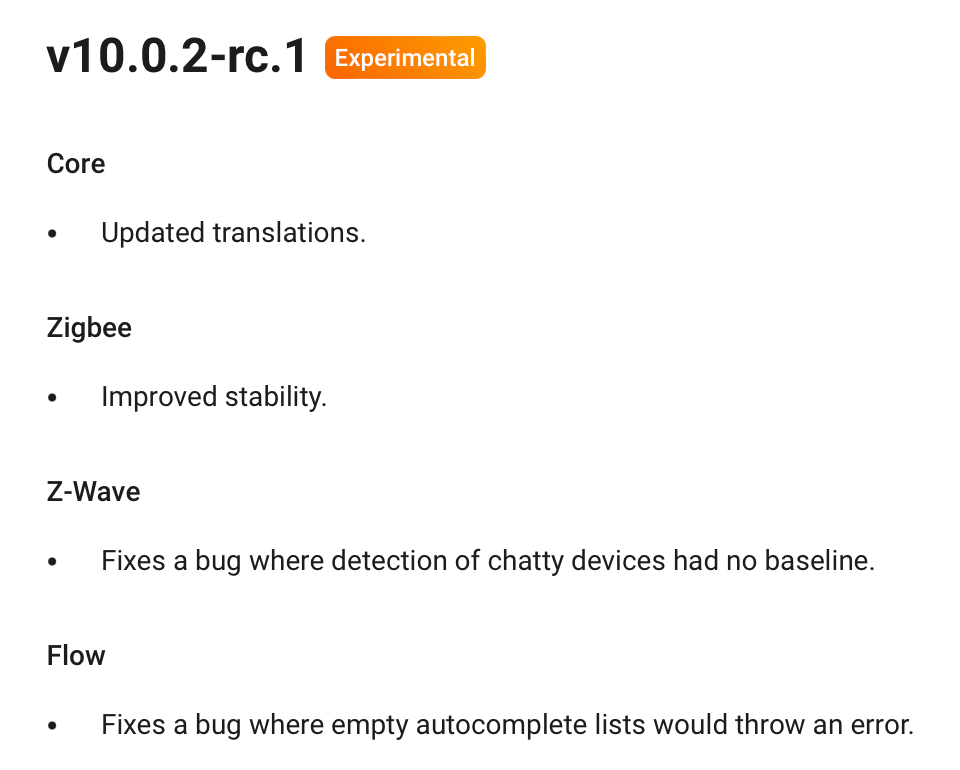
Good to see Z-Wave is worked on! Curious if this fixes/improves the issue since I recall that this is a different function.
For me the known Z-Wave Problem with this version (v10.0.2-rc1) is not fixed.
For me also the known Z-Wave Problem with this version (v10.0.2-rc1) is not fixed 
Error still happening here, have not been able to use all my Z-Wave (which is almost all my switches) for the last 24 hours now.
New update still not solved the problem
For sale ! 1 off little used Homey Pro 2023.
For use as a paperweight only, totally useless, worthless bit of plastic !
The last update has stuffed my system, nothing worked last night after several restarts to try and get it to work. Lights would not respond, hot water not coming on, lights that were not easy to switch off have been on all night, others have been unplugged.
Wife nearly threw it against the wall last night.
I have been patient as it was in Beta mode, but it is in full release now, (which it shouldn’t be) and getting worse. This is not fit for purpose.
Time to send it back, Old Homey going back on until I find an alternative.
Completely with you here.
Mine seems to be working at the moment, but ive been here before.
It lulls me into a false sense of security and then just stops working.
Hopefully it will be resolved soon.
Some additional findings - I’ve about 120 MCOHome switch nodes (including the multichannel ones) and about 16 Dooya tubular motor nodes. What I’ve noticed is if I disable either app (meaning MCOhome enabled and Dooya disabled, or MCOHome disabled and Dooya enabled) and restart the Homey, the Z-Wave network works almost immediately upon reboot and remains quite stable. However, if both apps are enabled at the same time when I reboot the Homey, I get the too much traffic error and it can take hours (if at all) before the network is ready.
During change of one Paramter Yesterday on a Aeotec-Smart-Switch ZW075 my Z-Wave was going Crazy.
So i tryed this Settings (111-113 = 3000) again with the Switch > Doesn’t makes something better. Have had contact with Aeotec-Support and got these settings:
Parameter 80 = 2 (report basic report)
Parameter 90 = 1 (enable threshold reporting)
Parameter 91 = 5 (report on change of +/- 5W)
Parameter 92 = 1 (report on change of +/- 1%)
Parameter 101 = 4 (report watt)
Parameter 102 = 8 (report kWh)
Parameter 103 = Disabled
Parameter 111 = 3 (only with threshold enabled to keep it from reporting too often)
Parameter 112 = 3600 (report kWh every 60 minutes or 1 hour)
Parameter 113 = 600 (should be disabled by default, otherwise 600)
With this Paramters Z-Wave is going to work, but sometimes got the Message that there is too much Traffic.
Played around with the given Parameters and have at the moment this settings:
Parameter 80 = 2
Parameter 90 = 1
Parameter 91 = 5
Parameter 92 = 3
Parameter 101 = 4
Parameter 102 = 8
Parameter 103 = Disabled
Parameter 111 = 30
Parameter 112 = 3600
Parameter 113 = 600
During the last Hours all works fine.
Update: HP23 with v10.0.0-rc.118
I got the same issue yesterday, reported to support and got an explanation on how to locate chatty devices in the Homey Developer Tools.
But what is the threshold for a chatty device? The Rx column shows everything from 3000 to 187000, so no doubt the latter is “chatty”, but what about those with 30000-40000? Not sure what time period this is counting for? Is it 40000 in the last hour, since last reboot…?
Seems all my thermostats are in the 20000-50000 range.
Here is the message I got from support:
Thank you for reaching out to our support.
Currently we are aware that there are some issues regarding the adding of Z-wave devices. These issues are caused by devices that send a high amount of messages through the Z-wave network, resulting in time-outs or a complete failure of the network.
If you receive error notifications when trying to pair or control a Z-wave device, please try the following steps.
Check in Homey Developer Tools (Homey Developer Tools) if there are any devices(nodes) that have an exceedingly high amount of message send compared to other devices (Rx column).
Change the reporting settings of nodes with the exceedingly high amount of messages. To do so, please open the Homey app and open the Devices page. Long-press on the device tile of the device which might be causing the issue in the Z-wave network, click on the gear icon (top right corner of the screen) to open the settings menu, and select advanced settings. Here you can change the reporting settings for the device. You can either increase the interval time or turn off reporting all together. Please do this for all devices with a high Rx value.
Remove Homey Pro from the power for at least 10 minutes to make sure all parts are fully powered down. Afterwards, plug Homey Pro back into power and let it rest for about 10 minutes before opening the app and performing any actions with Homey Pro.
Wait for 30-60 minutes and check in Homey Developer Tools if the repaired nodes have a normal amount of messages (Rx column), compared to other devices in the Z-wave network. If a device still shows a high Rx value, please temporarily remove this device from the Z-wave network.
Temporarily remove a device for the network is not ideal of course, but the Z-wave network stays unstable if a device keeps sending a high amount of messages through the network. Removing the device is for now a solution to keep the Z-wave network up-and-running for the other Z-wave devices.
Development is working hard on a fix for this issue, unfortunately it’s not clear when a fix can be found and deployed in a firmware release. Please keep a keen eye on the Homey Pro Changelog (Homey Pro (Early 2023) Changelog | Homey) to see which updates are released.
Has anyone tried upgrading to v10.0.2.-rc.1 (experimental)?
I guess support would have suggested that already though, if they knew it would help.
@CyberSponk I also have the option to adjust reporting settings on my Heatit termostats, but not sure what to set them to. Will just have to play around with them I guess. Would also have been great if I could have adjusted the default settings on all of them in one place of course, but I guess that’s a job for the app developer…
Also: In Homey Developer Tools → Z-wave Nodes, there is a table with numbers in it. Tx queued, Tx sent, Tx Error, Rx, etc. Does anyone know what these columns mean? Rx is supposed to be messages or requests I guess, and Tx error will indicate which amount is problematic, but during what time period is this data for? Since last boot? Last week? Last 24 hours? Anyone know?

My current thermostats settings (that will need adjusting):

I have got 10.0.2-rc1 running, even worse !
The fact that Athom’s response to torkiji above is talking about making devices changes, makes me believe that they do not really understand the issue.
My 2016 Homey worked well, just a bit slow and short on memory, but never had any problem with chatty devices, my Homey Pro 2023 has major issues despite not one single thing changing on the devices side of the system.
I can switch back to the 2016 unit and all is fine.
