No, will look at it. When I receive an event from it I can build it.
Hi @ObelixNL, do you think it is possible to create a card to change the selected ringtone for a G4 Doorbell?
Hi There
Just downloaded that app and successfully logged in  Unfortunately, once i try to add any Device (UniFi OS, Cam), it endlessly spinns and don’t find my G6 Instant Cam connected to my Cloud Gateway Fiber.
Are those Devices not yet supported or is there any other Problem which on my side?
Thanks in advance and all the best from Switzerland

First, thanks for all the work, great app. I have two questions:
- When will the new sensors be supported? Ie entry sensor, motion sensor etc.
- Will they still work via Webhook or also via the new API, so they can be embedded in the Homey system more natively?
I am looking to exchange al my sensors from Zigbee to SuperLink, and then use them in Homey to create an alarm system.
Thanks in advance.
@ObelixNL Seeing the same issues. Had my cameras/doorbell added already but noticed one of my flows weren’t triggering when someone rang the G4 Doorbell. Verified my credentials then deleted the G4 Doorbell to re-add it. Unfortunately i can’t add any camera or doorbell. When i e.g. select G4 Doorbell its stuck spinning. Tested with both 1.8.3 and latest test version.
One more Question - managed to get my Cam working now (it just needed about an hour or so with no further action from my side).
When my Cam detects a Face (which is saved in the Unifi-App), i’d like to be able to use that name as a variable. Actually i can only select the % of recognition for ANY Face or the type (human, face, car, and so on).
Usecase would be (similar to a working one with Eufy Cams): Cam detects a known person → Sonos say’s something like “Lena is in the garden” where “Lena” should be the variable.

Hi,
Thanks to all the great answers in this thread, no matter how minor, I’ve managed to get this all working without a problem.
I have one question, that I think might be a feature request.
I have a G3 reader as an exit unlock trigger on a door lock. Homey sees the G3 reader as a device without issue. I want to create a flow so that at night when the hand wave on the reader is triggered I can set all the lights to turn off after a slight delay. Currently however there are only trigger cards forthe “then” flow for the reader. Would it be possible at some stage in the future to add a “when” trigger to the flow for the G3 reader?
edit Ok , I’m a dope. Ignore all I’ve written above. I just created the flow I needed by putting everything I needed after the ‘then’ g3 card. I’m new to flows. All good.
Thanks,
Joel
Do you have also UniFi network App installed? If yes, both an unique user? What is the websocket status on the settings page?
Unifi reader only works with an Unifi Hub and the Hub has an relay to unlock an 12V lock. You don’t need Homey for this.
Thanks for the reply, I’m just trying to save a little.
Hi,
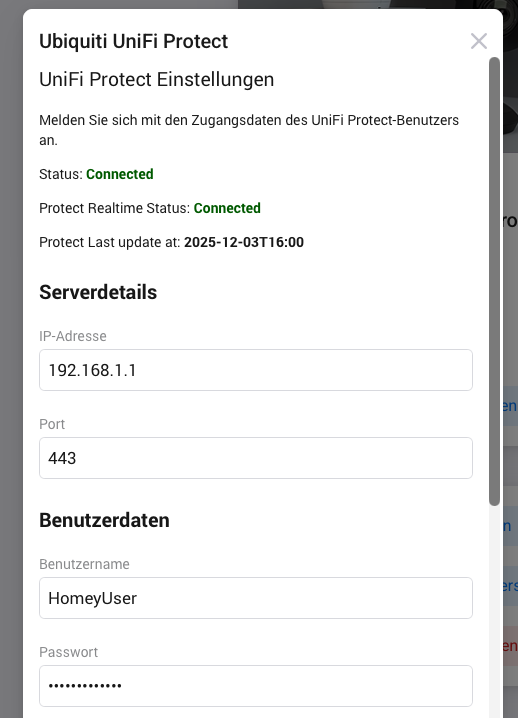
Just started with the Homey Pro last week and overall it’s all working good. However I seem to have an issue with UniFi Protect: I was able to get it al working by creating a local user in UniFi. But somehow a day later it stopped working, testing the connection from the app results in invalid data. I even reset the password, but doesn’t help. Only solution was to create a new local user in UniFi and then it worked again for a day or two.
I saw somewhere that the password shoud have 32 characters, so that’s what I’m testing now. Can it be something else perhaps?
Kr,
Mario
Hi,
seems like I still have this issue, cannot open live stream on my G4 Doorbell. As I understand this should be fixed in 1.8.2? I’m running app version 1.8.3.
Update: Never mind, forget this question, I had to enable rtsps, as staed in a earlier post. It’s working now.

Thanks for getting back to me. Just checked yesterday evening and was able to add all Protect devices again with v1.8.3. But yes i am using a unique user for Homebridge and Homey integrations with admin access to Protect. The webhook status was/is "Connected” on both even when i was unable to add devices. Haven’t messed with it since i posted so no idea what changed.
Any Ideas on how to solve this (missing?) but useful function?
Does anyone recognize the following problem: Homey Unifi Protect displays images on the computer but not on the iPhone? If so, how can I fix it?
Stream of still picture?
I have a fairly extensive Unifi setup here, including Protect for a bunch of cameras. And floodlights. I just added one of the floodlights, and it seems to work just fine, but each time (on the webapp) it throws an error

It’s a similar error on the app (Android on Pixel 9 Pro XL) v9.6.5.1845

I promptly remembered I had set up the Homey/HAOS user as View only in Unifi. I’ll have to see about allowing some specific Manage permissions.

But, even as a View Only role, Homey is still able to turn it on/off …
Wasn’t sure where to post this
