[APP][Pro] Ubiquiti UniFi Protect

Hello!

(HP23 & 20+ cameras on protect 5.0.45 UNVR PRO)

Thank you for your work and updates.

IMO feedback 1.6.15:

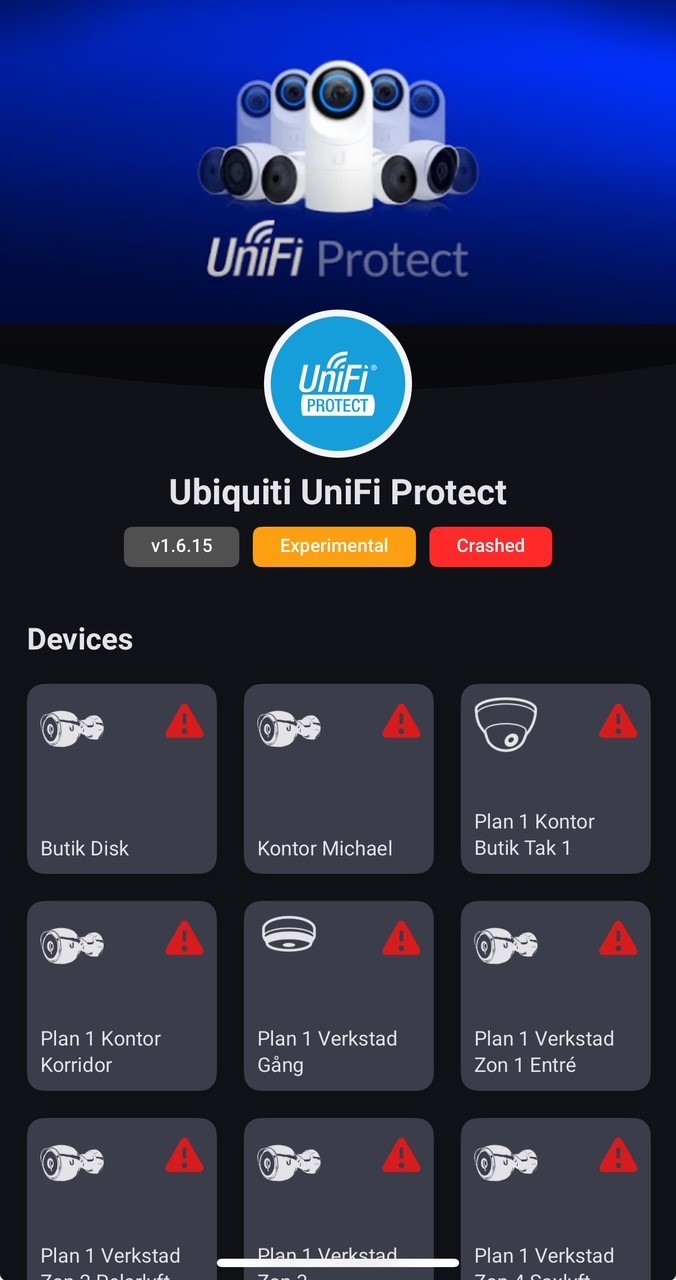
  • Crashes frequently (most of the time)
  • Report: f6523ade-1f8f-48c5-9e09-6ce122fa6cc1
  • No smart detection triggers
  • Yesterday triggers were pouring in on some version (.12? My timeline is full)

On 1.6.15 the date/time on motion detection is correct again, as well as on smart detection.

So only thing not working (for me) is the flow trigger on smart detection. This was working in 1.6.13.

Thanks for all your efforts :pray:

Found it! 1.6.16 is uploaded now!

1 Like

1.6.16 No crash yet… CHECK.
and…
Smart detect trigger(s) on event start!!!
:love_letter: :cupid: :gift_heart: :sparkling_heart: :heartpulse:

  • Man that trigger is instantaneous… Wow. Spot on!
  • Shoots in pairs for me on my test camera (G5 Dome)
  • Sometimes one in the pair is “unknown” sometimes it just looks like a dupe
  • When the “unknown” is present in the pair sometimes its first and sometimes last…hmm

What a great gift for the weekend. Many thanks and have a good one!

3 Likes

Same for me! Getting smart detection events from cameras again! Nice work.

Yep, all working again. Thanks!

@ObelixNL installed 1.6.16 and smart detections are directly working again! Many thanks for the good work, very happy with it! Thanks for the effort you put in the app!

Just curious, can you explain what made that the smart detections were incoming on the camera details, but didn’t trigger the smart detection flow starter?

Hi, thank you for a very great app!

I an update, the resolution has changed, no longer able to provide 2048 as resolution. Can you tell what the current max resolutions is? No info on the card and I am not able to figure it out. I guess it is intended. Just curios. Thank you and keep up the good work.

Installed the experimental version yesterday and everything is finally working! Well done @ObelixNL - you’re awesome :sunglasses:

Hi, does anyone else have issues with images from camera?

This flow results in an empty image. Anyone else is experiencing this? Running Homey 12.1.2

Yeah, twice today actually.

What version of homey are you using and can you share a screenshot of your flow maybe?
Restarting Homey did not do the job.

Running the V1.6.16 of the app and Homey version 12.1.2.

Screenshot of my very simple flow.

Please use the width from the camera resolution and try again. And disable the option ‘use camera image’

Yes this was the problem, sometimes I get directly a detection type and sometimes I get it a second later. This is how Unifi works.

I have debugged lots of messages from protect and because I had only a doorbell I had to walk al lot of times outside ( the neighbours must be thinking :wink: )

2 Likes

Is it possible to have the Status LED added as a control object (flow ‘Then’), its great to be able to turn these on/off as required for both nighttime lighting impact, and also for the doorbell to indicate where to press, looks pretty simple as its just running a PATCH against the camera object of
{“ledSettings”:{“isEnabled”:false}} or {“ledSettings”:{“isEnabled”:true}}

Hi, this is a bit technical.

This is my flow:

I have an app, where I can debug the input/args:

After “hitting” this resource in a browser, it says:
{“error”:“Could not fetch snapshot image.”,“error_description”:“Could not fetch snapshot image.”,“stack”:“Error: Could not fetch snapshot image.\n at Remote Process\n”,“statusCode”:null,“statusName”:“Error”}

@ObelixNL when using the width of the camera (google says: 4MP 2688 x 1512 (16:9))
This is in an advanced flow, so was thinking that you might have introduced a max-value for this one.

App updated yesterday evening
Smart detection flow seems to have started working again

G4 Doorbell pro now has support (Early access) for fingerprint scanning :grinning:
Working with @ObelixNL to get this in for testing so you can use it in Homey!

1 Like

1.6.17 has support for fingerprints, you can download it at Ubiquiti UniFi Protect | Homey

4 Likes