[APP][Pro] Homewizard 🧙‍♂️

Hello Jeroen,

I’m experiencing an issue with HomeWizard devices and Homey SHS. My Homey Pro 2023 has no problem discovering the devices, and scanning my network with the mDNS app also finds them without any issues. However, whenever I scan for devices using SHS, I get the message “No new devices could be found.”

For now, I’ve linked the devices via HomeyLink so I can continue using them, but I’d prefer to have them connected directly. I also tried removing the devices from my Homey Pro, but that didn’t help.

What devices are you referring to?

Supid me :face_with_hand_over_mouth: !

A have a P1-meter, a water meter sensor and a single phase KwH-meter.

v3.9.26 (test/beta)

  • Wsmanager optimize
  • Homewizard legacy custom polling
  • Driver.js (apiv2) log fix (this.log undefined)
  • Thermometer rollback (name index matching doesnt work as expected)
  • Homewizard legacy → node-fetch and not the fetchQueue utility (bad user experience feedback)
  • Baseload (sluipverbruik) improvement (fridge/freezer should not be flagged as invalid )
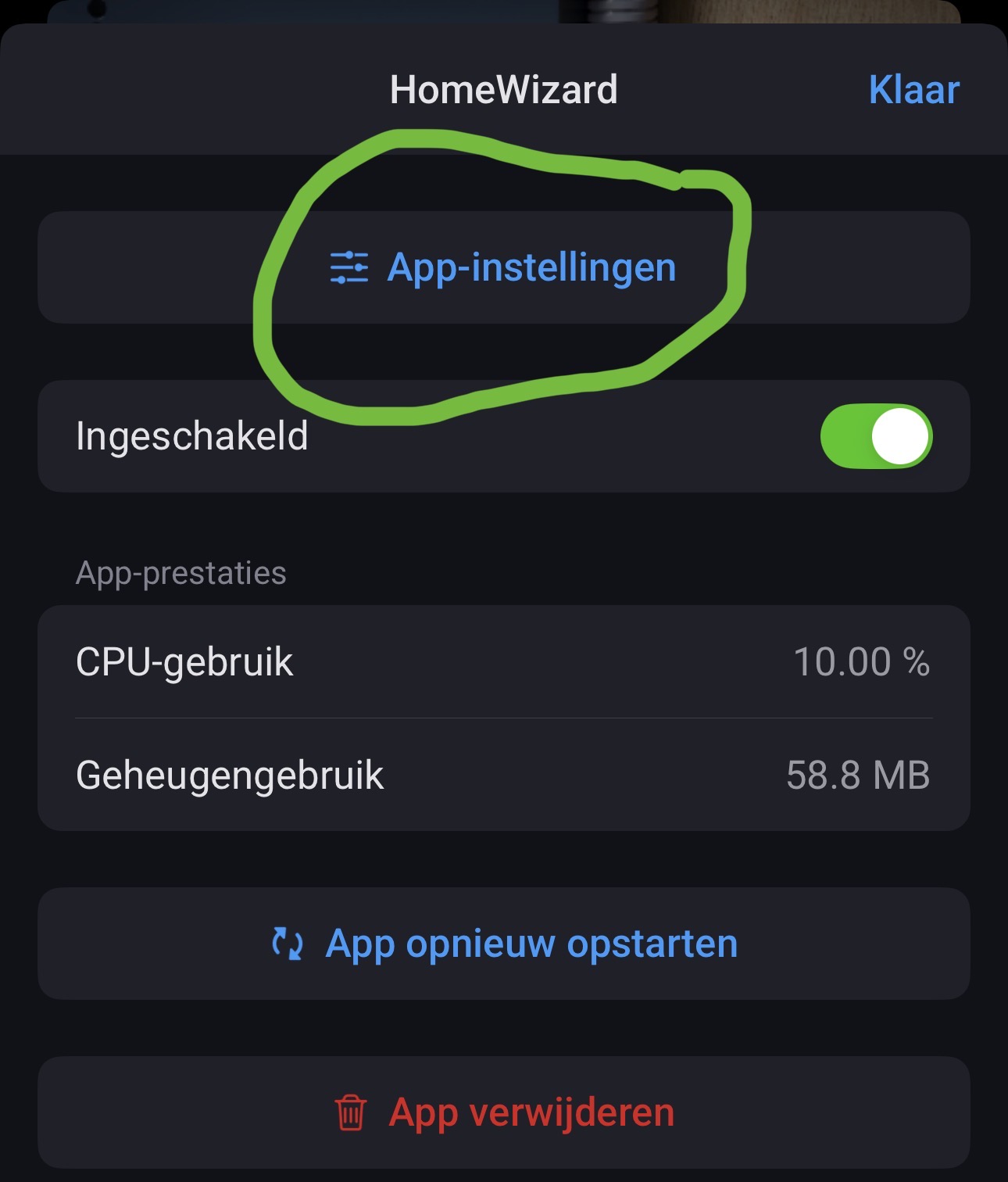
  • Homewizard app setting page with log or debug information for discovery, fetch failures, websocket problems and baseload samples
  • Bugfix: Homewizard.poll (legacy unit)

Now you can check the logs yourself for mDNS discovery or fetch (timeouts), devices not responding etc.

Well that sounds like wifi / mDNS problems. See first post in this topic the steps you can do.

Not too bold or too enthusiastic I would say, thanks for adding :+1:t3::heart_hands:

Thank you for your repy.

I find this very strange as my phone on wifi has no issue discovering the devices over mDNS with the app mDNS discovery and the Homey Pro neighter.

Greetings,

Then it’s a multicast configuration problem in your wifi settings accesspoints and or router.

I’m struggling on finding to pinpoint the culprit as my multicast settings seem to be correct.

my network (vlan) is configured:

my trunk ports are configured to route traffic:

My wifi isn’t blocking anything neither:

Nothing in my network has issues, as the mDNS discovery and HOMEY Pro proofs, only the Homey SHS running on my Truenas has issues.

First portion stating mDNS for truenas.

https://support.homey.app/hc/en-us/articles/23981543357596-How-to-install-Homey-Self-Hosted-Server-on-TrueNAS

Thank you for thinking allong but I followed these instructions while installing the server and dissabled this option from the start as instructed:

Ok then please check:

  • Are both your Homey Pro and Truenas(SHS) in the same vlan?
  • Another issue is the .local domain used for mDNS. Not sure if you use a local dns or domain.
  • Further is your Truenas using the same dns as your Homey?
    Could be that you put static dns in your Truenas that is different.
  • Is there a truenas app/plugin/package as a firewall?
  • Both are in the same vlan
  • Don’t use a local domain > I do have the option to specify “local” if I want.
  • Both use the DGW as primary DNS
  • I don’t think so, unless NGINX-proxy-manager would count

Then I am out of options or suggestions. Using proxmox myself which is fine, but dont own a Truenas system. So I suggest to tap into the Truenas users on this forum if they have ideas why discovery fails.

I will investigate more tomorrow if I can. Thanks for the help so far and have a good new years eve!

Hi, Since the 24 December update of the homeward app on my homey 2023 the home wizard energy link is unavailable. missing now the data of the energy link. can still reach the energyling via the Homeward app. directly. can someone help me?

Drop me a diagnostic report please.

@Jeroen_Tebbens Out of curiosity, I disabled my NGINX instance and my mDNS discovery started working :thinking: .

I’ve now turned NGINX back on, and mDNS discovery is still working. I also had some Google TV devices that weren’t being picked up before but, strangely enough, they are now visible as well.

Thank you for thinking along and guiding me toward a solution!

Greetings,
Rudy

1 Like

Whoa that is great news for 2026 :+1:t2:
Yes mDNS can be picky and complex but it makes discovery so much easier (if/when) it works.

Thanks for sharing your solution to your SHS challenge. Be sure to drop this in the related SHS topic for Truenas as it’s a key thing to make SHS work on it.

1 Like

Since a few days I’m getting messages about invalid base load on my timeline.

My ‘real’ base load is between 400 and 600W according to insights.