Ok will check tomorrow. A bit strange, my 1 phase kwh doesnt error.
try v3.6.69 (test) hope it gives more a clue what goes wrong.
Still the same error, unfortunately.
Maybe there is something you can see in the diagnostics:
6d5f531e-3bdf-41c8-921a-1f2e013170a7
Ok found it, pushing v3.6.70 to test now
Awesome, it works again! 
Thanks for the quick fix!
No problem, thanks for testing & confirmation
test/beta v3.6.71
- Finetuning polling and capability during init phase of various drivers
- Bugfix SDM230 solar capability error
- Added estimate kwh measurement for plugin battery
- Homewizard Legacy getStatus error handling (device unreachable problem / crash)
EDIT: now live
@Jeroen_Tebbens FYI. After update,
(These 2 devices are made with the same 3-phase kWh meter.)
(I’m going to restart Homey now)

Sorry those 2 are from the Power by the Hour app, what do you expect from me here?
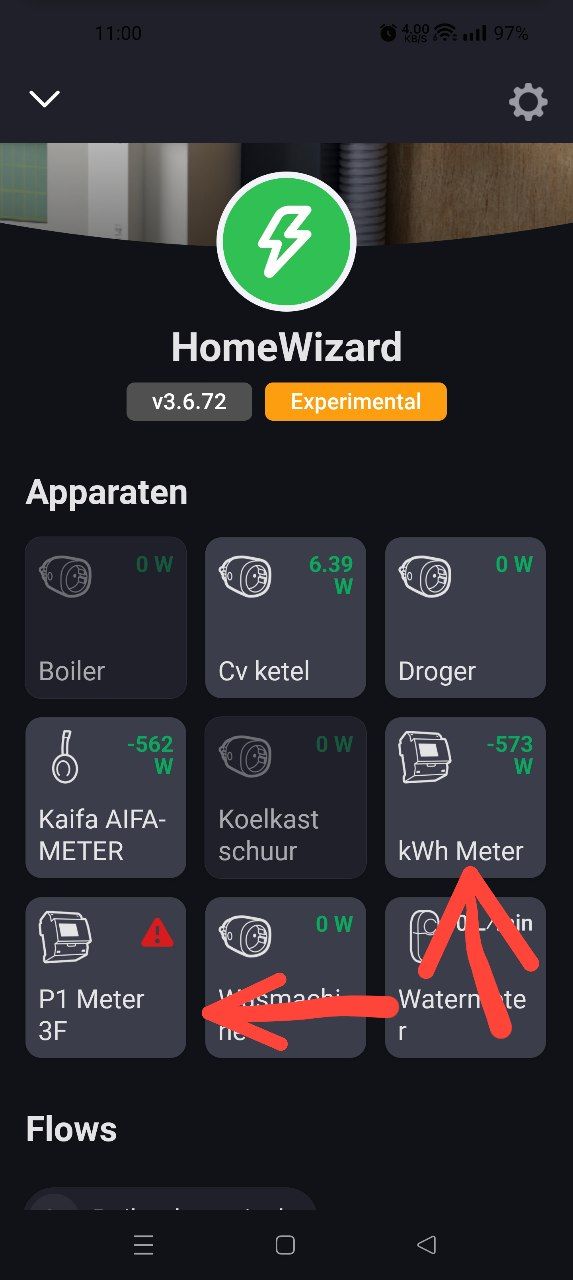
You added your kWh meter as a P1 mode and kWH solo?
I am sorry Tom, you are not clear here.
Yes, The same meter. P1 polls for 1 sec and the other for 5 sec.
Might be the polling is to short and Homey receives timeouts. Drop me a diagnostic report to confirm.
fb78a7df-c9a2-4b0d-a701-32e3b6538df4
I dont see your SDM630, seems a mDNS problem. Get the access point it connects to rebooted or the kWh (SDM630):
As I dont see your SDM630 being init:
2025-10-01T08:57:57.222Z [log] [ManagerDrivers] [Driver:energy] [Device:9bfcce79-8e4d-4701-a451-db292f4c35fb] Discovered device URL: http://192.168.68.x
2025-10-01T08:57:57.518Z [log] [ManagerDrivers] [Driver:watermeter] [Device:ee9e9c3d-d279-43b1-8ca4-cebe14dc42be] URL: http://192.168.68.x
2025-10-01T08:57:57.521Z [log] [ManagerDrivers] [Driver:energy_socket] [Device:4aba2897-be9a-4bef-8a38-0d5ff9cfc3dc] URL: http://192.168.68.x
2025-10-01T08:57:57.534Z [log] [ManagerDrivers] [Driver:energy_socket] [Device:4be9b4c6-b047-446e-a5b3-2d11f9030f25] URL: http://192.168.68.x
2025-10-01T08:57:57.537Z [log] [ManagerDrivers] [Driver:energy_socket] [Device:657448ac-577a-4d72-aea0-7bc5a49ecfeb] URL: http://192.168.68.x
2025-10-01T08:57:57.537Z [log] [ManagerDrivers] [Driver:energy_socket] [Device:b6fbc1aa-c5a0-478d-8e5b-6d48d54f5637] URL: http://192.168.68.x
2025-10-01T08:57:57.537Z [log] [ManagerDrivers] [Driver:energy_socket] [Device:c028e56b-ce82-4ac7-978e-7a12c755662a] URL: http://192.168.68.x
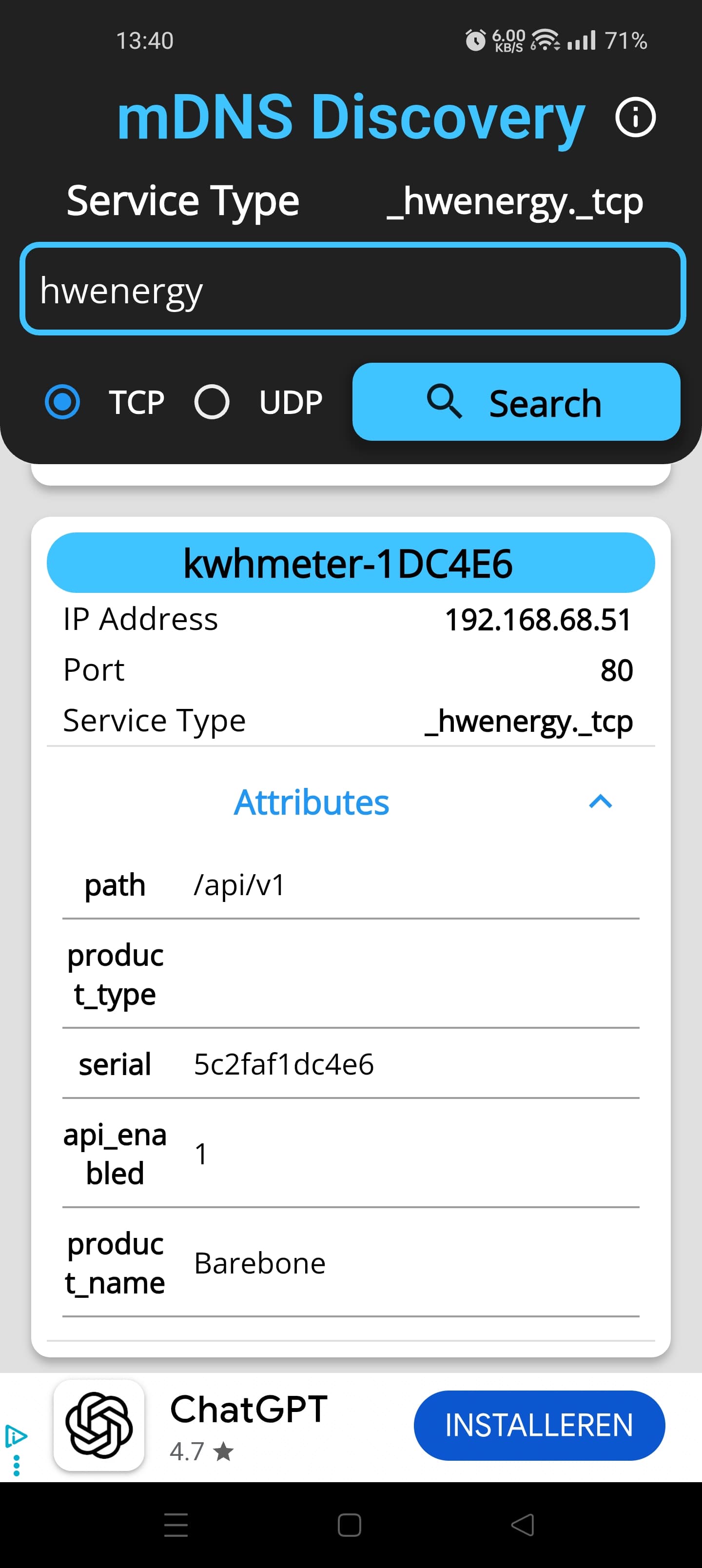
I build in a fallback for P1 if mDNS fails, so guess it works. 
@Jeroen_Tebbens goodmorning my HWE KWH3 doenst show up anymore, and after trying to delete, he cant seem to find it anymore.
Alreaddy did a homey update, youre app update. checked at homewizzard if the device needed update. so im stuck :s.
Hi, please check first post in this topic. Your problem you describe is clearly a mDNS/wifi issue.
Reboot you accesspoint(s) that connect your Homey and kwh meter.
I just restarted my whole systhem ap’s and router but it dindnt work.
I also saw u need to use a fixed ip? i always used dhcp, worked fine for me.
Could this be a big problem? it is also the only one that stopt workeing, the rest is working fine.
