Only wifi based transports, so no thread
Hi Martin, thanks for all the work so far!
I have issues with my FP2 as well. You guide works well, with a few retries and paitence. After pairing to my Homey Pro, no zones are there i only get «Not Used». Aqara works well.
Here’s my log, hope you’re able to help. I am running 1.4.9 and the FP2 is running 1.3.1

Logs
undefined2025-05-31T19:34:49.151Z [log] [MyApp] cpu warning
2025-05-31T19:34:44.695Z [log] [ManagerDrivers] [Driver:hapIP] getDeviceFromFQDN No Device found HomePodSensor 272171._hap._tcp.local
2025-05-31T19:34:44.694Z [log] [ManagerDrivers] [Driver:hapIP] UP for HomePodSensor 272171._hap._tcp.local service count is 3
2025-05-31T19:34:44.582Z [log] [ManagerDrivers] [Driver:hapIP] getDeviceFromFQDN No Device found HomeKitty 9E29._hap._tcp.local
2025-05-31T19:34:44.580Z [log] [ManagerDrivers] [Driver:hapIP] UP for HomeKitty 9E29._hap._tcp.local service count is 2
2025-05-31T19:34:44.575Z [log] [ManagerDrivers] [Driver:hapIP] getDeviceFromFQDN No Device found Scrypted 5A99._hap._tcp.local
2025-05-31T19:34:44.567Z [log] [ManagerDrivers] [Driver:hapIP] UP for Scrypted 5A99._hap._tcp.local service count is 1
2025-05-31T19:34:44.545Z [log] [ManagerDrivers] [Driver:hapIP] discoveredHapBonjour Devices Ready start browsing your network
2025-05-31T19:34:44.531Z [log] [ManagerDrivers] [Driver:hapIP] discoverDevicesBonjour
2025-05-31T19:34:39.689Z [err] _requestClear Socket error 10.0.1.201 57977 ECONNREFUSED
2025-05-31T19:34:39.686Z [err] _open Socket onError 10.0.1.201 57977 ECONNREFUSED
2025-05-31T19:34:39.587Z [log] [ManagerDrivers] [Driver:hapIP] [Device:064066e5-0dad-4188-8837-2d81e8c94609] Presence-Sensor-FP2-21DA initialized
2025-05-31T19:34:39.584Z [log] [ManagerDrivers] [Driver:hapIP] [Device:064066e5-0dad-4188-8837-2d81e8c94609] Presence-Sensor-FP2-21DA setupConnection for 38:61:98:AC:C2:22 on 10.0.1.201:57977, existing client false
2025-05-31T19:34:39.580Z [log] [ManagerDrivers] [Driver:hapIP] addActiveDevice Presence-Sensor-FP2-21DA._hap._tcp.local 38:61:98:AC:C2:22
2025-05-31T19:34:39.530Z [log] [ManagerDrivers] [Driver:hapIP] hapIP driver has been initialized
2025-05-31T19:34:39.157Z [log] [MyApp] Homekit Controller 1.4.9 has been initialized
2025-05-31T19:34:39.156Z [log] capturing stderr
2025-05-31T19:34:39.155Z [log] capturing stdout
2025-05-31T19:34:37.894Z [log] [MyApp] app unload called ```
I have some instabilities too, and need to restart HomeKit Controller a few times thoughout the day. Any body else with similar issues/solution?
Not many instability reports since last release. Can you pull the power on the FP2 and back on? Is the device unavailable in Homey with a message?
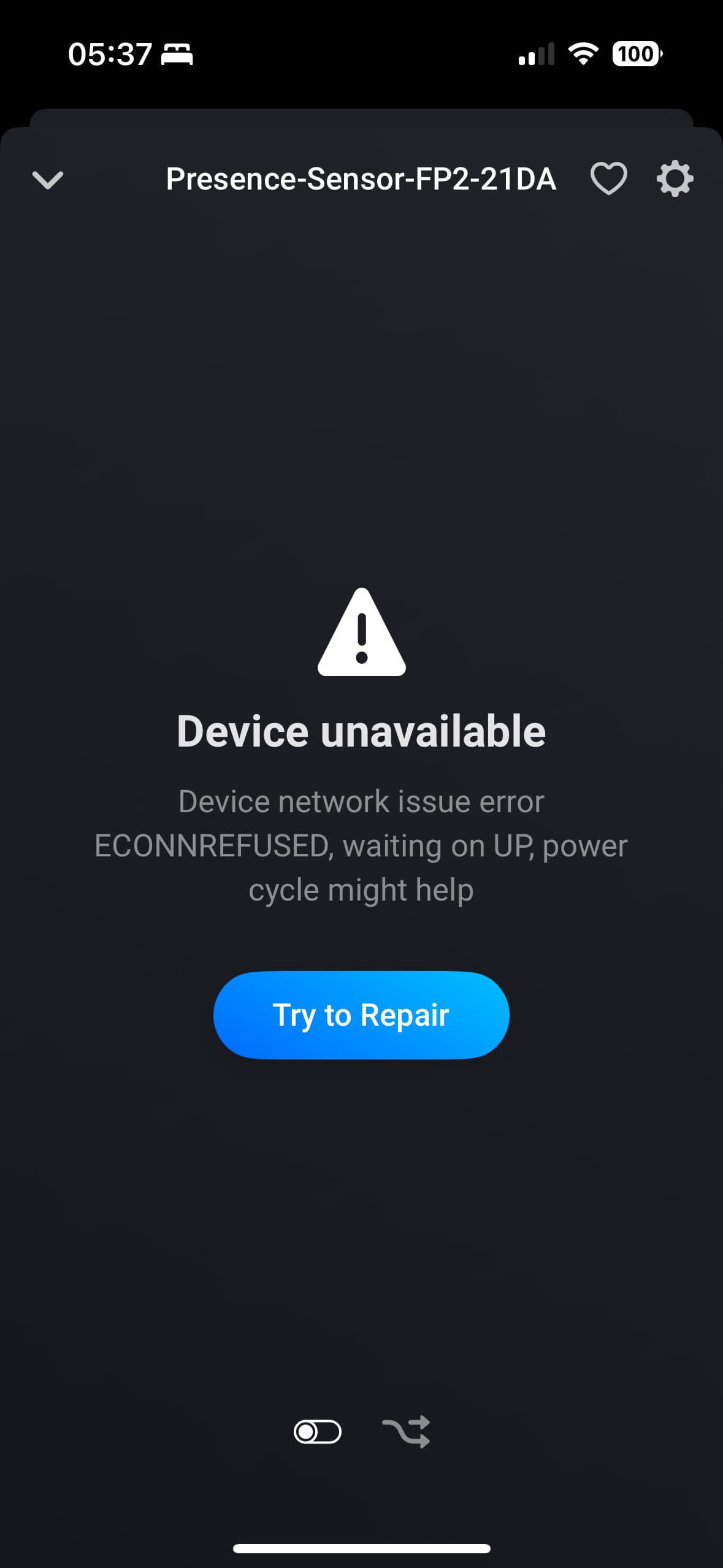
I found the issue, i think this must have been an edge case.
I resolved it by connecting it back to homekit and syncing names from the Aqara app to Homekit, then remove from Homekit and repair with Homey - hope some of you can benefit from my hours of searching and trying..!
Hello! I’m fairly new to all of this home automation stuff, but I’m trying to learn!
I have had my fp2 sensor successfully connected to my homey for a week now but only today did i try to add flow cards to the setup. When adding the cards pertaining to zones , and trying to select room or zone, i get the error message “cannot read properties of undefined (reading 'tolowercase)”
Does anyone have any idea of what i am doing wrong, or what i can do to fix this?
I was planing on using the sensor to detect if someone had gone to bed (asleep) or out of bed (awake) but if i cant use the designated zones to differentiate between people I’m going back to DIYing a sensor myself 
Problem in the code. Can you do again what you did and do a diagnostic report in the app settings.
Here you go :
49e6dd85-d2cc-4fe8-b477-9676ef996ed9
Hello! Your app is the only one I’ve found that allowed me to add my Ring Alarm Pro in Homey Pro, so thank you for that! The issue I’m having is with the Then card for Setting the alarm states. Disarmed and Armed work perfectly, but Partially armed (labeled as Home in the Home App) does not work. Diagnostic report is 15cf38c0-047e-4e39-b97d-1261acab22b7
Thank you!
Update to 1.4.10, that should fix it
Wow! Thanks for the quick response! Unfortunately everything went south after the .10 update. The app disappeared and I have red exclamation marks on all of the devices.
Disregard. After some time, I tried the install again and the issue is resolved. Thanks again for looking into this so quickly!
Another issue has come up. In devices, for the Ring alarm where you select the state that you want to change shows disarmed, but the next page that shows the current state, it shows ‘stay arm’, when it should say disarmed. This issue caused a couple flows to malfunction.
Diagnostics report:
fb6cef13-0946-44c1-afe8-db760b3bbd06
I cannot get my FP2 to connect via the HomeKit Controller.
I have factory reset multiple times and uninstalled the HomeKit Controller.
The message I keep getting is “onPair device no longer available, power cycle DEVICE and try again”.
I’ve also tried to connect the device via an iPhone to HomeKit on IOS and this works but not Homey.
I have the same problem
Same.
This is super weird…. 3 persons in a row that have the same issue 
Just tried to connect one of mine, as there has been a firmware upgrade to the FP2. No issues pairing the device.
Can you provide a bit more info?
Is this a new device?
did you reset it and not delete it from Homey upfront?
Where you able to enter the PIN and hit OKAY only once? some hit OKAY more than once impatiently 
If not the above, can you go to the app settings, configure and PM met the log,
I am able to pair, but after that it behaves strange. Looking into it.
I’ve sent you a PM with the log.
The device is not new - previously paired to Home Assistant Homekit controller.
After trying multiple factory resets and trying to pair with Homey I tried connecting to homekit on an apple iPhone which worked instantly.
Then removed from iPhone - Factory reset and still in the same position.
The device is found and I can input the code - hit okay ‘once’ and the error message comes up.
