Curious if you were able to find anything in my report, that shows why is till getting emails?
@Michel_van_Lier , i was on holiday so not really active. But new update coming soon
New app update ( TEST: 1.9.2):
Changelog:
NEW:
1: NoneFIXES:
1: FIX: persist backoff and trust tokens across restarts, stop futile sign-ins
2: FIX: fewer retries when Apple has blocked an account + explain how to unblock it
3: FIX: distance in km and miles no longer refreshes while the device sits still
 If you find any issues, send a diagnostic report
Note: Before sending a report make sure to reproduce the issue so the issue will be visible in the report
Via Homey Mobile app:
More - apps - Apple Findmy - settings wheel right top - send diagnostic report (put your email in the input field to make it easier)
Via Homey Webapp:
Settings wheel bottom left - Select Apple Findmy - Click on send diagnostic report
You can install this version by clicking the link above and press install (do not remove the app, only press install)
Don’t want to be part of a test version? Install the live version → Find My | Homey
Find My 1.9.1 — those Apple login emails
A few of you have been getting batches of “your Apple Account was used to sign in” emails. Found the cause, fixed in 1.9.1.
Whenever something went wrong on the network (a short internet drop, a DNS hiccup, an app restart) the app read it as an expired session and did a full sign-in. Every one of those is a new login alert from Apple. During an outage that meant hundreds in a day, and enough in a row made Apple block the account entirely.
1.9.1 stores the session and reuses it, only signs in when there is genuinely no other way back, and backs off instead of hammering. In testing a 48-hour internet outage went from ~576 sign-ins down to 1.
After updating, expect an email when you first add an account, one roughly every couple of months when Apple’s token expires, and one after a password change. Anything beyond that, please tell me — and include the times on the emails. That tells me exactly where they’re coming from.
If Apple already blocked your account: the app won’t make it worse now, but you still need to reset your Apple Account password and confirm the recent sign-ins were yours. Your devices will show that message until you do.
Also fixed: thanks @Dennis_H74 — km and miles showed “just updated” while meters sat unchanged. GPS jitter moves the location by centimetres every poll and only the meters value was being rounded before saving. All three round consistently now.
Tip: a polling interval above 1 hour lets Apple drop the session between polls. 1 hour or less keeps it alive.
I can not 100% what it is i did or had … but i had my account “blocked”. However … i did NOT have to change my PW in the end
I can not recall exactly what i had to do anymore .. but changing my PW was not the solution. It was more something like click to RE-activate my account or something like that
Not sure we talk on the same .. but wanted to mention
@Dennis_H74 hmm maybe it cooled down at some point.
Location miles, km should be good now
Yes think the Mi Km is working out now 
I have previously, on one occasion my account got locked, tried to login to the iCloud website and was informed it was locked… then offered a link to follow to reactivate my account. It just asked me to confirm my password and then asked me to confirm via Face ID on my iPhone that I was me, and that I was only using iCloud according to their T’s & C’s and not a bot. No password reset was required.
The other time my account got locked after I had a broadband outage, I did have to reset my password.
I think it depends on their security rules and how your lockout was triggered, different criteria results in different remedial action.
Yes i recall … it went like that and did not have to reset the PW .. only RE-activate
Hi Martijn,
Since I installed Test version 1.9.2 I have been getting the dreaded iCloud login emails every 15 minutes-ish
I have tried restarting the app, to no avail. I can try restarting my Homey when I get home 
Diagnostic Report ID: b1b2a788-ad37-4341-875f-35243962f519
It was solid prior to this update, wasn’t getting the emails.
I do not have them ( none with my wife either ) not a single one. !
did u try login icloud ? That solved for me in the past.
Perhaps there is some logic in the login on icloud.com we are missing or something because with every update is happening to one and not for others somehow ?
I’ve gone back to the Live version 1.8.0 and will wait and see what happens… if no more emails then it’s gotta be something with Test version 1.9.2… if still get emails then my iCloud account is FUBAR and I need to figure out what’s happened, as it doesn’t appear locked as I can login to the website no problem… first thing I tried.
Weird stuff .. not consistent at all .. i am on 1.9.2 als … not one email and working like a charm.
And previously i had the mails while others did not
I have been testing all Martijn’s new test versions for a while now, ever since I started having problems with iCloud login emails… and in all that time I have been trying to figure out what their triggers are on the iCloud servers to cause account lockouts etc… but I haven’t been able to decent any sane or rational patterns to it… Apple just gonna Apple, and to hell with users 
I have just checked again, and I could log in to my iCloud account via a web browser using the same username and password no problem, account is definitely not locked… but even on the Live version 1.8.0 I am still getting the ICloud login emails. I have tried restarting the app, and I have tried restarting my Homey Pro, to no avail. And when I previously tested version 1.8.0 I didn’t get the email problem… no rhyme or reason to it, just Apple spamming the  outta me cos they feel like it I guess


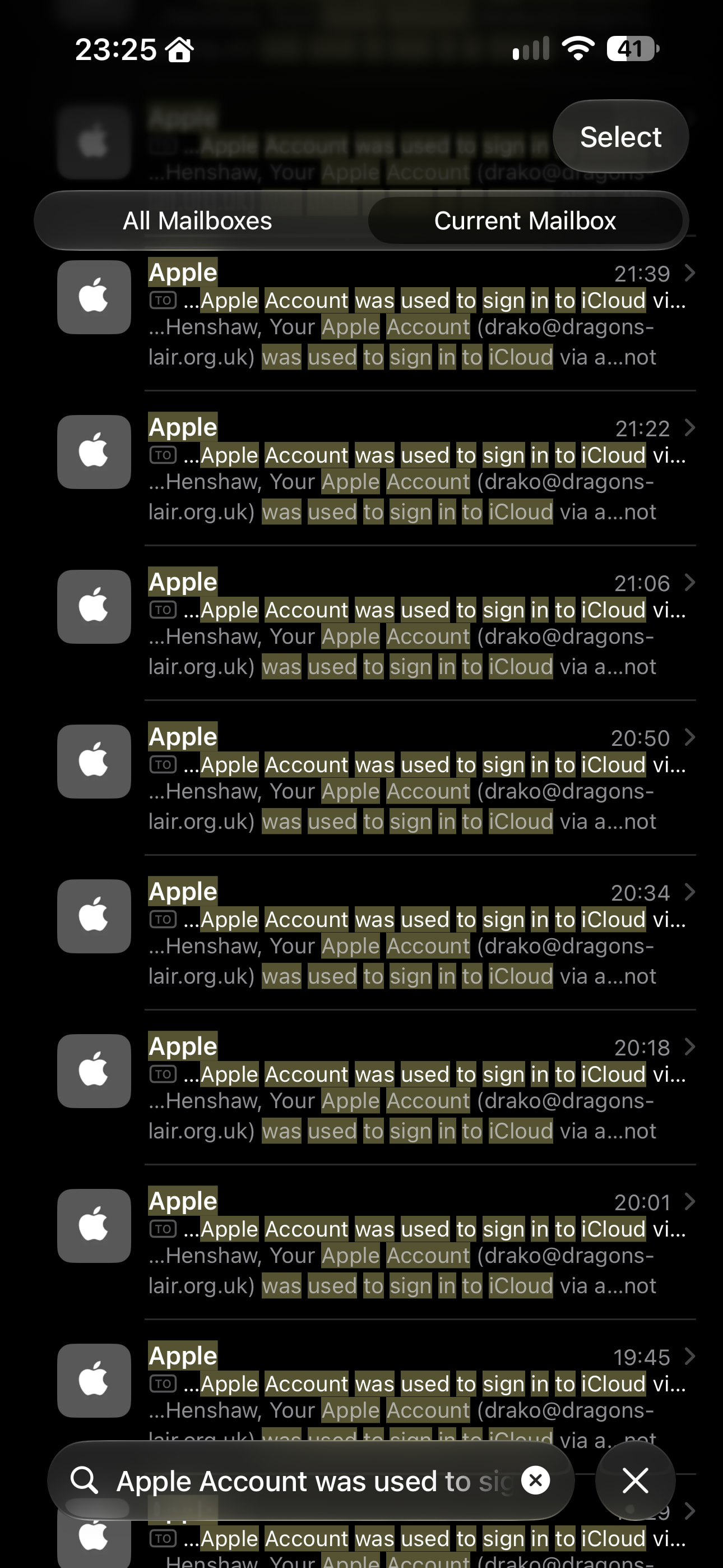

And why in the native iOS Mail app are the icons for Apple’s own emails different  The mind boggles at their (lack of) logic Ho hum, never mind ‘eh!
EDIT: I’ve just gone back to version 1.9.2 and to hell with Apple if they want to play silly devils let ‘em… I’m getting a bit fed up with their BS recently… stupid things like my email checks all 5 of my mailboxes every 30 minutes… but if there’s 20 emails I don’t need a pop-up notification with sound effects for each individual sodding email, and swiping them off the screen doesn’t stop it they just keep going… it used to just download them all and give one pop-up notification saying 20 new emails, that made far more sense and was far less annoying  Stupid is as stupid does I guess. I’ve had iPhones since the very first one… but the rate they are going I’m gonna jump ship soon, they just keep getting worse
Found the cause of the Apple login emails
Correction to my earlier post: this wasn’t Apple’s behaviour, it was a bug in the app. Fix is written and tested, release follows.
iCloud hands the app a session, answers exactly one request with it, then rejects the next. The app read that one successful request as “session is healthy” and forgot it had just signed in — so the next rejection looked like a brand new problem, and the answer to that is to sign in immediately. Every refresh. Each sign-in is a real login, hence an email.
Both safeguards were disabled by the same mistake: the back-off was reset to its first step each time, and the circuit breaker counted failures with the counter that had just been cleared, so it never tripped.
Measured on the real refresh loop, 24 hours at a 15-minute interval: 95 sign-ins before, 6 after.
Why it looked random: it depends on whether iCloud serves a request before rejecting it, which varies per account and per day. Same version, different behaviour.
The detail that cracked it was @Drako74 pointing out his account was not locked — icloud.com let him in with the same password while the emails kept arriving. That ruled out a lockout and pointed at sign-ins that were succeeding. Wouldn’t have found it otherwise, so thanks.
new version soon!
Great to hear
@Drako74 now u can apologise to apple 
Naaahhh… they’re still irking me with stupid changes like a notification for each and every single email, rather than just you have 20 new messages… and not being able to swipe away a bunch of notifications when you’re busy doing something else… and assorted other dumbassery. Pack it in Apple and behave  ha ha ha
New app update ( TEST: 1.9.3):
Changelog:
NEW:
1: NoneFIXES:
1: FIX: persist backoff and trust tokens across restarts, stop futile sign-ins
2: FIX: fewer retries when Apple has blocked an account + explain how to unblock it
3: FIX: distance in km and miles no longer refreshes while the device sits still
4: FIX: repeated Apple login emails - a rejected session no longer earns a new sign-in every refresh
If you find any issues, send a diagnostic report
More - apps - Apple Findmy - settings wheel right top - send diagnostic report (put your email in the input field to make it easier)
Settings wheel bottom left - Select Apple Findmy - Click on send diagnostic report
You can install this version by clicking the link above and press install (do not remove the app, only press install)
I installed 1.9.3 and was able to add my own apple ID´s devices. But when i try to add my wifes account and devices i get the following message:
“Error: Your Apple ID requires a terms and conditions update. Please login on Find Devices - Apple iCloud and accept the updated terms and conditions.”
I can log on to Find Devices - Apple iCloud in any web browser and can´t se any agreements to accept on her account.
Any clues how to get it working?
I am tired of helping her to find her phone in the house so i need to have a search button for her =)
