@Dennis_H74 updated to 1.5.2
I saw in your latest log that there was a duplicated findmy instance, made a fix for that. hopefully that resolves the email issue.
Let me know if everything is working again 
Oh and it might be a good idea to login to Find Devices - Apple iCloud to make sure everything works, saw some failed auth requests aswell. Trying that page should solve the unauthenticated issue
Sorry but its not updating
Best example battery … only the value after install 1.5.2 is showing ( 31 % - 7 minutes ago )
The actual battery now is 30%
8ecd9b35-39cb-4a1a-a46a-10df8242a293
-edit- … when i go back to 1.3.5 all is updating normally
@Dennis_H74 updated to 1.5.4
Sorry … still no update whatsoever with 1.5.4
Perhaps go back to 1.35 and remove the duplicate instances only … and see whats happening then with the mails ?
@Dennis_H74 what do you mean with that?
Please send a diagnostic report
Edit: it’s not that easy to go back and remove the duplicate instances that was already done in 1.4.0 and that didn’t work for you. Probably there’s a small bug right now, so if you send the report again I can check 
Hi martijn
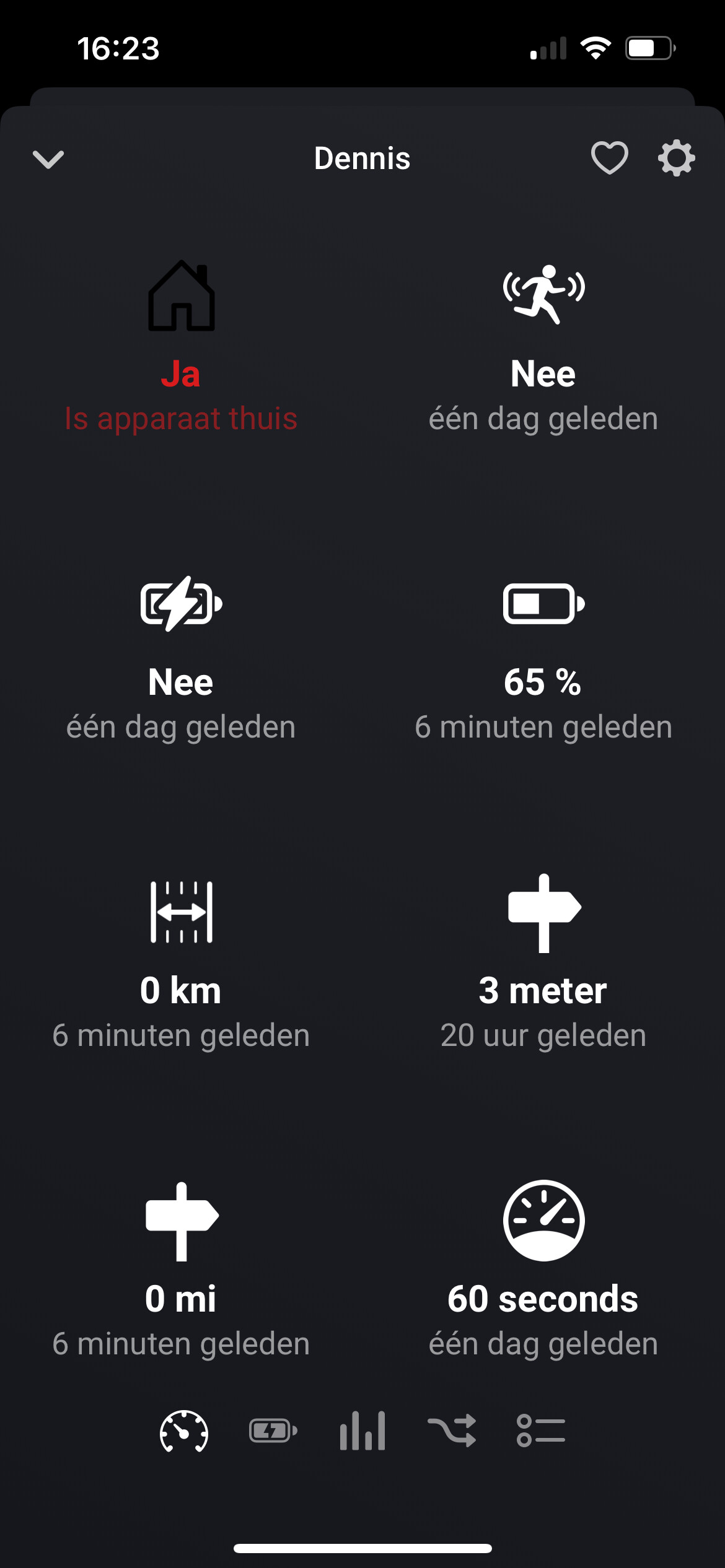
No updates ( see screenshot )
224eac92-27bc-4b9d-a870-36f303d29889
@Dennis_H74 found the issue with not updating devices and also made some fixes to enforce IPV4. Please check release below:
New app update ( TEST: 1.5.5):
 TIP:
TIP:
Read the FAQ → [APP][Pro] Apple Find My - #4 by martijnpoppen
Changelog:
NEW
1. None
FIXES
1. FIX: FindMy to ESM
2. FIX: duplicate instances
3. FIX: auth decyrption (possibly causing extra logins)
4. FIX: add IPV4 enforce for better API results
5. FIX: refresh instance when error occurs
6. FIX: devices not updating properly after introducing point 5
If you find any issues, send a report via the mobile homey app
More - apps - Find My - settings wheel right top - send diagnostic report (put your email in the input field to make it easier)
@martijnpoppen
Not updating ( just a few settings after initial install … see screenshot )
My battery is 64% … screenshot shows its not updating
d211ce0e-f44c-462b-865d-5316a845ee1d
@Dennis_H74 in the log i do see the updates?
Also I have it running half day right now, works perfectly:
Hi Martijn
Not sure if there was a delay or something
Looks like its working 
Will let you know if i get emails
Thanks for all your time and quick response!!!
Hey,
Nice 
I have it running the half the day and got 0 emails
He Martijn
No mails at all … updating both phones perfectly… giving notifications arriving at locations
Also on the test flight version
Again thanks for all your time !
Hey @Dennis_H74
Awesome! Was expecting that already
Nice
Let’s monitor it a bit and then I can move it to Live
Will check in with you later today to verify
@Dennis_H74 everything still working as should? 
New app update ( LIVE: 1.5.5):
TIP:
Read the FAQ → [APP][Pro] Apple Find My - #4 by martijnpoppen
Changelog:
NEW
1. None
FIXES
1. FIX: FindMy to ESM
2. FIX: duplicate instances
3. FIX: auth decyrption (possibly causing extra logins)
4. FIX: add IPV4 enforce for better API results
5. FIX: refresh instance when error occurs
6. FIX: devices not updating properly after introducing point 5
If you find any issues, send a report via the mobile homey app
More - apps - Find My - settings wheel right top - send diagnostic report (put your email in the input field to make it easier)
@Dennis_H74 Amazing
I think this also bricked the pairing mode. Also checking other apps now which tend to fail sometimes 
New app update ( LIVE: 1.5.6):
TIP:
Read the FAQ → [APP][Pro] Apple Find My - #4 by martijnpoppen
Changelog:
NEW
1. None
FIXES
1. FIX: authentication issues
If you find any issues, send a report via the mobile homey app
More - apps - Find My - settings wheel right top - send diagnostic report (put your email in the input field to make it easier)
Hello,
I am currently running into the problem that after logging in, it cannot find the equipment. (see picture below)
I repported a issue: 6e4940f7-44c6-4d49-b7be-5b7cc1676440
Could you take a look at it?
Kind regards,
Dylan