I hope Athom will find us a solution.
I don’t want to reinstall all my devices and reprogram all my flows (with the risk of it crashing again).
Trust is broken until we have a solid solution.
I got an initial word back from Athom. The issue has been forwarded to the developers.
They asked me to perform the following procedure to obtain extra info:
- Factory reset the HP26;
- Clean start of the HP26 and have the device update its internal software;
- Factory reset;
- Restore backup;
- Create diagnostic report after 10 mins + provide Zigbee overview from the Developer Tools.
So the wait continues.
I also checked what would happen if I reset the HP26 (so a fresh install, without a restore) and tried to pair the same Zigbee device I was not able to add after a restore. This worked. So it looks like something in the restore of a back-up is causing or contributing to the issue.
I also received this message… If anyone wants to do what they’re asking, I’m too tired for that. I’ve spent so much time on this problem that I just don’t have the energy anymore.
But the worst part of all this is that my wife doesn’t want to hear anything about home automation anymore… it’s practically a punishment for me!!
In any case, considering everything that’s been said here, it’s definitely a system restore in Homey 2026 that’s causing these malfunctions.
One thing is certain now, if Athom tells us that we have to start from scratch and reprogram all the devices and flows, I will start from scratch but not with Athom equipments.
I understand your frustration. Let’s first wait what Athom comes up with and give them a chance to fix this.
Keep in mind that there are still options left to prevent you from fully starting from scratch:
- Since the issue relates to Zigbee only, you we still be able to restore your backup and then reset the Zigbee network in Homey. Effectively removing all Zigbee devices, but keeping everything else (other device types, flows, variables, apps, etc.).
- Then you would have to re-pair all zigbee devices.
- Your flows that contain Zigbee devices will be broken, but there is a fix. This topic describes how you can update the old device references with the new one automat based on an script: [HOW-TO][Pro][Cloud] - Tool to FIX (advanced) flows after removing and re-adding devices - #246 by martijnpoppen. You would need to gather all the current device ID’s (on your old Homey) and the new ones (on the new Homey, after re-pairing every device).
Yes, this still requires manual effort, but it’s better than starting from scratch.
By the way: should you start from scratch, then you also have the option to export flows (from your old Homey) and import them (into your new Homey). Check this topic: Web App ALT + Context Menu: Export/Import Flows. You would then still need to update the device IDs as indicated above.
So starting fully from scratch would not be the most likely scenario given these options. Let’s hope for a proper fix though.
Have the same issue
My frient smoke detectors are losing the temp update 14 days ago.
That’s related when I’m going to use the new HP26
Tried to repair ding working delete smoke detectors but now I can re add them and I get this message
Other zigbee devices working fine en zigbee network is also looking fine
When adding a smart plug als that is working
Only frient smoke detector I can’t add so now all my smoke detectors I can’t use then for now screenshot is the message in Dutch Can’t connect something went wrong try again later
I’m having the same problem here: Sonoff SB Mini switches are losing connection. I’m still running Homey (2019) with a few lamps, the rest have been migrated…
Two Sonof ZBMINIL2 switches that were working stopped working last night.
They are now in addition to the other Zigbee devices that are no longer recognized by Homey !!!
And i can’t repair all my Smart ZigBee Socket NOUS A1Z (6 devices)
They work for 20 seconds then lose the connection.
I’m worried about what will happen next 
Today I received also a fp300 but also that one infant connect to my hp26
Hopefully a fix is coming soon
Hmm…
I’ve restored a Pro 2019 backup to my Pro 2026, it didn’t have any zigbee devices.
Next, I tried to add an Aqara Roller Shade Driver E1 as first zigbee device, supported by the Aqara app.
- It got recognised right away, but the pairing process timed out (I pushed the pair button every other 2s)
- I repeated the pair procedure, but Homey immediately notified me with “Device already added”.
- That turned out to be the case, but when operating it, I got the dreaded time-out notification. It didn’t respond to any command
To compare: Pairing it with zigbee2mqtt, it took 10s to add, and it responded to any command right away 
What I don’t know is,
Is this “just normal Homey zigbee behaviour”, or is zigbee malfunctioning on certain / any / many Pro 2026’s?
(I guess it’s not an Aqara app issue)
With my previous Pro 2026, a Sonoff push button paired and functioned right away…
Certainly not. Also, my experience is that, when I start with a fresh Homey Pro 2026 (so without restoring a back-up), pairing and controlling Zigbee devices works.
However, when you start off with a restored back-up, you seem to run into such Zigbee issues. The commonality in the cases in this topic seems to be the restored back-up.
Since you don’t have (many) Zigbee devices connected directly to your Homey Pro 2026 (SE  ) you might want to give a Zigbee reset a try and then pair the Zigbee devices again.
Having the same issues after restoring back-ups.
Came from an early 2019 to a 2023 Pro. All Aqara Zigbee devices migrated unsuccessfully.
Multiple repair options failed. I have chosen to reset my Zigbee network and re-add all Aqara devices, which was very challenging (Read here
After realizing a 2026 Pro was also available i’ve decided to return my 2023 Pro and i bought the 2026 Pro
I have restored a 2023 Pro back-up to my 2026 Pro. I did not see any red warning triangles but the Aqara devices did not respond. On the Developer page i can see the devices. Pings are successful, but i do not know what that means (no knowledge of Zigbee networks).
After successfully repairing my B1 Curtain motor it left the Zigbee network after 10 seconds. Removing the Aqara Curtain motor and re-add it as a new device has a similar outcome. It even leaves the network while renaming the device after it has been added.
So i again decided to reset the Zigbee network and it gets channel 25 assigned (like the previous configurations). 2.4 GHz is on channel 1. I’ve noticed that not all Aqara devices can be added (door sensors can’t seem to pair and adding remote switches is unpredictable. Some remote switches succeed, other won’t pair).
There seem to be a lot of users who have done a lot of effort to fix this. I accidentally stumbled into this topic and i am really trying to understand how Athom have completely missed this.
Yes, complaining doesn’t change anything, raising a ticket is the best remedy. Choosing Homey means being co-dependent of individual developers and a strong community. I know the drill, using Homey since 2019.
But in the end i’ve spent €400 (a 2nd purchase) for an update which isn’t fully functional. I guess keep smiling through the pain….
How could I not think of that minding my own issues  . Thanks!
I needed to reset zigbee for 4 times until I finally could successfully add a Sonoff button, and the aforementioned Aqara shade driver.
An Aqara switch that wasn’t working suddenly started working last night as if by magic… and this morning it’s not working anymore 
Please, everyone needs to create a support ticket with Athom so they realize the seriousness of the situation !
Guys, i think i have found a work-around. With Homey sometimes the unimaginable provides a solution and is thinking outside the box necessary even if you are questioning your own sanity. This is for Aqara devices only. (if you can’t handle sarcasm then please skip this story!) 
Precautions
- Make sure you’ve had breakfast and coffee
- Make sure you have 3 hours of spare time (more spare time is advised)
- Make sure you’re home alone, cause this will take up more patience than ever (at least make sure your wife is not at home)
Tips
- The smaller the device, the more difficult it is to pair this device
- Low battery power makes pairing more difficult. Make sure you have new spare batteries to increase your pairing success-rate
- In between i restarted the Aqara app now and then. Not sure if or why it may help. Keep thinking outside the box, people!
- The pairing process takes as long as it gets. 11 out of 10 times Homey said it is taking too long
Steps
Reset your Zigbee network
Yes, this is what you would like to prevent, but this will open the door to little succes and get rid of some of that frustration
Add all of your Aqara devices (yes, again)
- Start with powered devices or devices with bigger batteries first. For me this were 2 Curtain Motors B1 (succes rate for pairing 1 out of 1)
- Then start with remote (large; double or single) switches. These pair like roulette. Sometimes it pairs at once, sometimes after 10 attempts. What is helpful is, after successful pairing, use these paired switches and push the hell out of them while pairing a new remote switch. Don’t ask me why, but this improved pairing (success-rate for pairing 1 out of 10)
- The Mini Switches are more difficult. During pairing i was pressing the sh*t out of all my paired devices (people who know the meme of that old man playing his organ will know). This increased my pairing success-rate from 1 out of 30 to 1 out of 20
- The real pain comes with door sensors and temperature sensors. Despite pressing the hell out of all paired devices (IF you would like to involve your spouse then this will be the only moment) this won’t increase the success-rate unfortunately. If you like the Wheel of Fortune then this is the funniest part of the pairing process
I have managed to re-add 11 devices as new devices (even temperature and door sensors) but i gave up on the last door sensor. I might have drained all of the batteries due to the excessive pressing of buttons
THIS IS INSANE! 
UPDATE
I’ve managed to add the last door sensor and mini switch after improving my pressing-all-of-the-devices-at-once setup. Total of 13 items have been re-added as new devices. Please refer to the image below
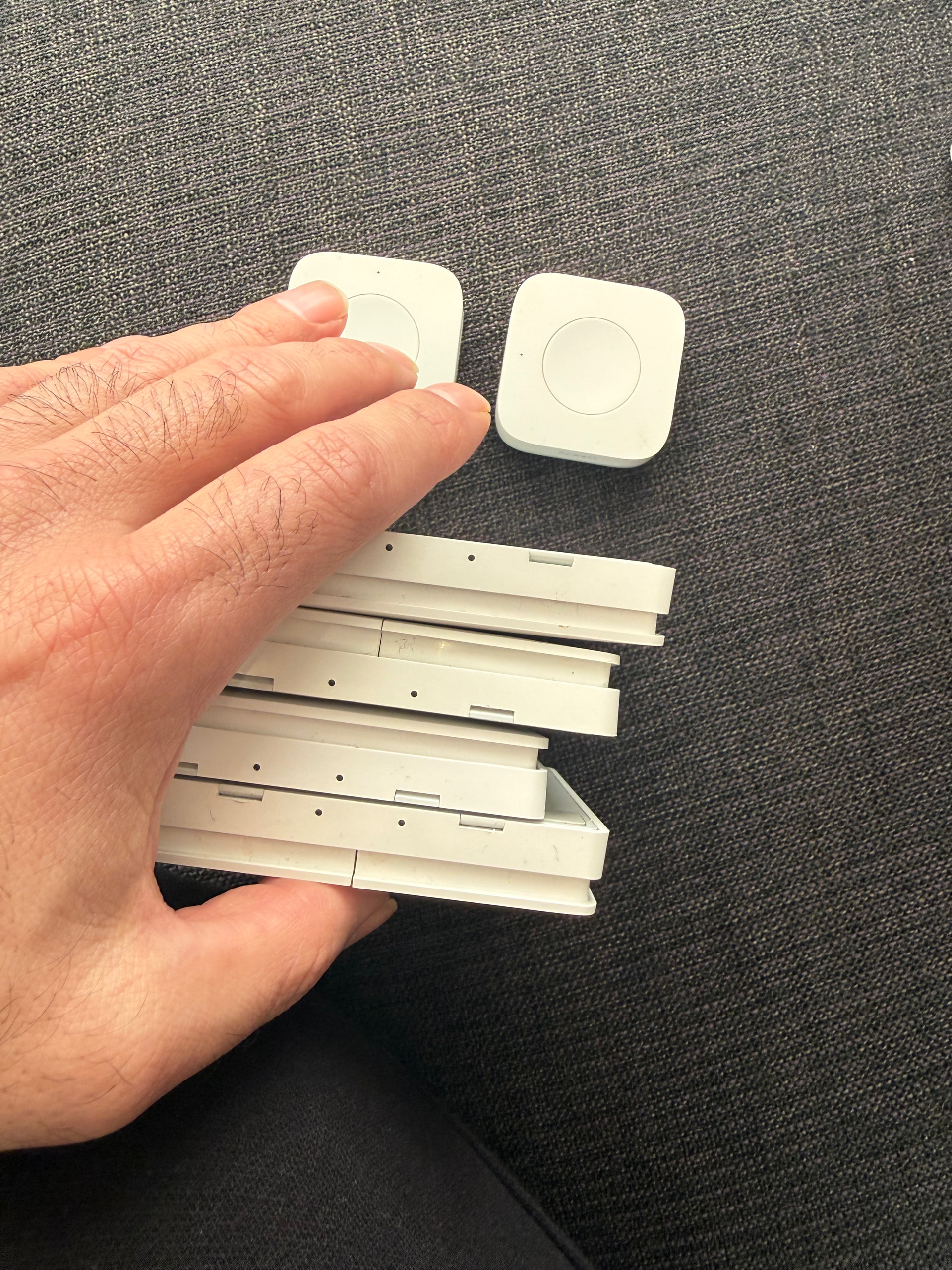
It’s a joke, it’s not funny !
Please… don’t you get what this means?
I also migrated from early23 to early26 via backup. Except for one INNR Lightstripe, all Zigbee devices worked and continue to do so today.
However, I did find one error. Until now, I had connected all my Hues via Bridge 2. I had wanted to switch for a long time and control the components without Homey’s bridge. The dimmer switches were no problem. But I failed with the Hue white and colour Ambiance. I tried two of them. They could only be registered directly next to Homey, but stopped working at a distance of 2 metres. With Homey early23, directly controlling the Hues was no problem. I am now back to using the Hue Bridge.
I am no longer sure whether only the CM4 module with 4 MB was installed or whether there were other changes ?
No joke, i managed to add all of my devices! I wanted to write off my frustration also!
Did you miss the disclaimer @Peter_Kawa is referring to? I’m not a troll!
You can dislike my post, but it isn’t made up

After a reset of your Zigbee network  .
.
Which reconfirms the issue: migrating an existing Zigbee-network through a backup/restore causes issues. Resetting the Zigbee network/starting fresh allows you to pair devices.
Resetting doesn’t entirely cover this. Did you at least acknowledge (and read) the pain i went through!? 
This is not how Homey should work… The amount of effort that was put into adding the Aqara devices is out of this world, insane the least…
I begin to think my sarcasm is totally misread. It took me a complete afternoon to add all of the devices. I really had to keep pressing all of the remote switches simultaneously to improve the pairing process, which still was based on roulette.
This doesn’t sound like your average Homey activity.
I created a ticket already but did not want to wait for an outcome. This really looks like an issue with the 2026 Pro, not an issue as result of the end-user
Some background info, i’m an 2018 ‘experienced’ user. Not a newbee (with all respect to newbees of course  )
)
