I tried to install the qubino Driver Wire application which is not supported by Homey by the manual Cli installation method…
downloading and installing node-v22.13.0-x64.msi
download from github of the modified app: GitHub - iamnague/com.qubino-filpilote: Support for modules ZMNHJD1 and ZMNHUD1 under Homey => FilPilote.zip
unzip the app files => c:\com.qubino-filpilote-main
launching node.js prompt
npm install -g homey
homey login (Login + password Ok)
c:
cd c:\com.qubino-filpilote-main
npm install homey-zwavedriver
homey app run
When I run the last line it gives me an error message:
I tried to install Docker and try to launch it…
It installs a whole bunch of Maj Pearl dependencies… with error messages…
And at the end when activating Docker it tells me that there is no virtual machine running
it is necessary to install all these files in order to be able to activate qubino-filpilote???
Hi all, I’m struggling with installing my changed Tuya Zigbee app (Originally from Johan Bentz).
I’ve added 3 new device’s by adding the codes from it to the existing devices and now I was ready to install the new version through CLI but whatever I try i’m receiving error’s see screenshot where it say’s running npm install what I did before with the command “npm install -g homey” and also once without the -g argument.
Someone of you got an idea what’s going wrong here.
I’ve just run npm install from the command line and tried to install the app again but I receive the same error message NPM Install.
I haven’t got a clue what’s going wrong


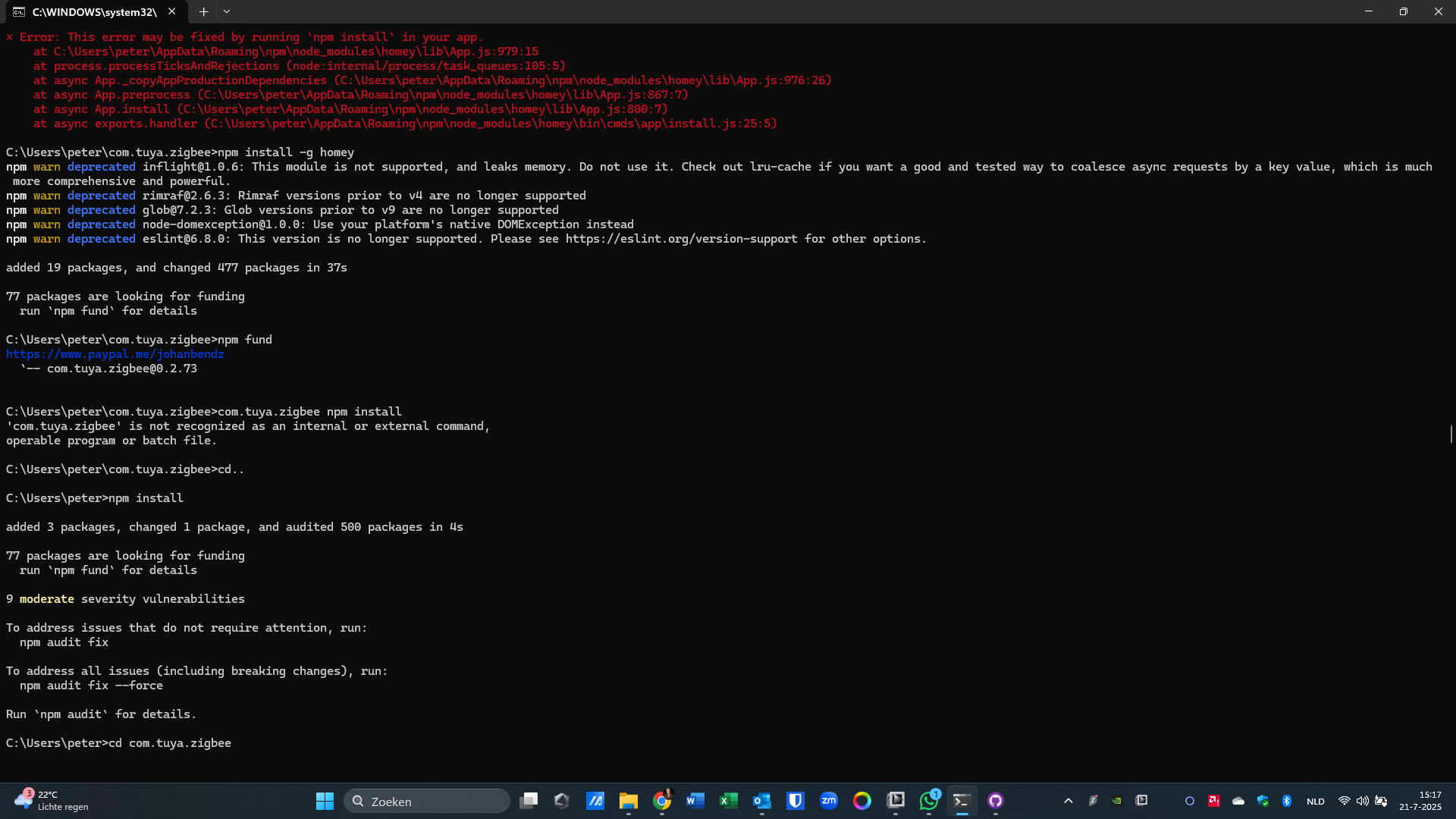
 .
.