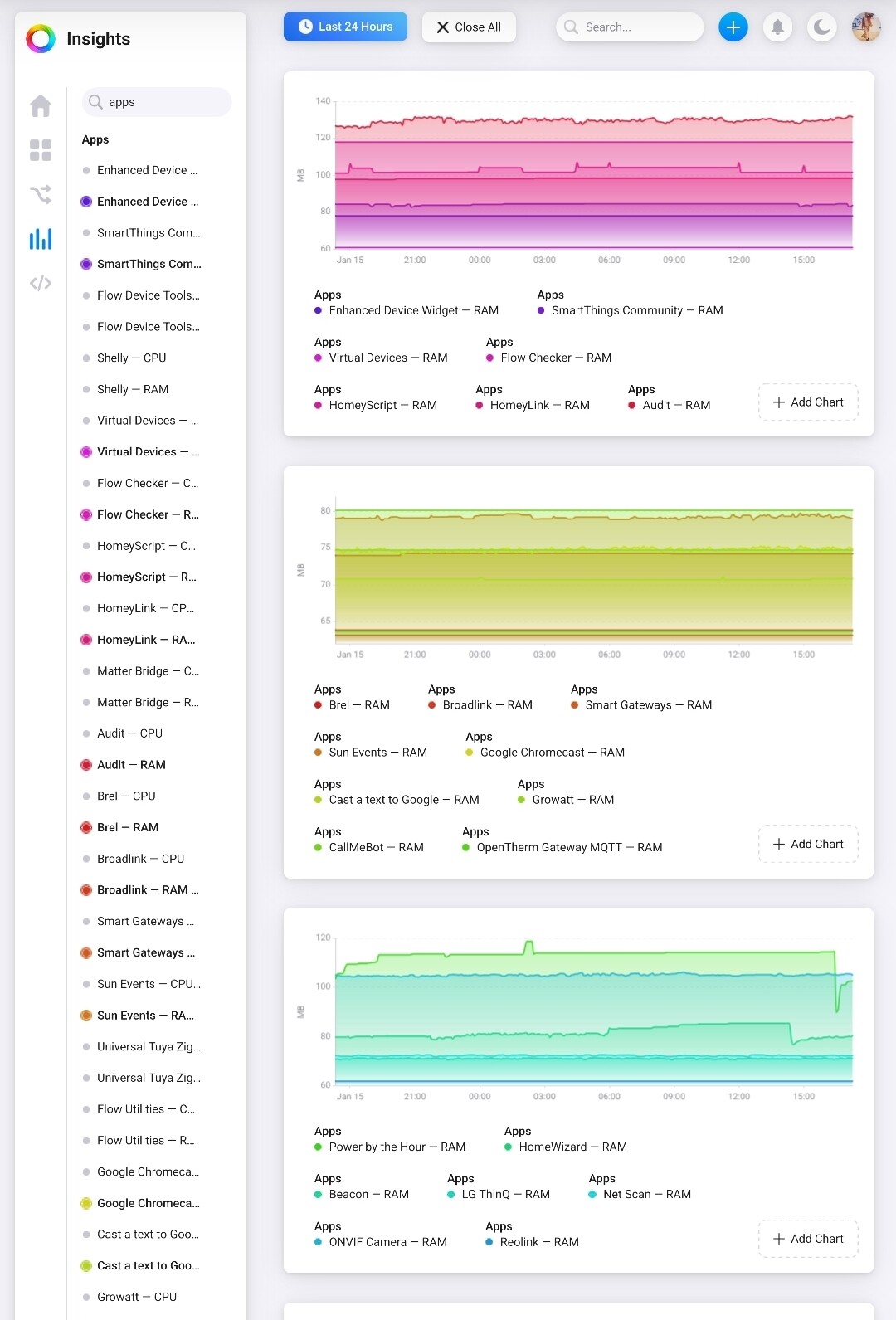
To get straight to the point: it’s poor memory cleanup management by Athom in the context of backups. Free memory drops a bit after backups and takes too long to recover.
The result: Homey crashes (red ring), no automatic reboot, no logs or timeline entries (there are no tools to help diagnose problems anyway), and it’s difficult to debug (the error sometimes occurs immediately, sometimes with a delay). I have around 60 apps installed, and often only 300–500 MB of RAM is left – but it should still run stably, what Homey normally does.
Support responds very slowly and has not made any changes so far (like we all know it), even though the issue has been reported multiple times (for over two years!). That alone says a lot about the direction Homey is heading.
Very simple possible improvements are just not being implemented: optional (switch for users?) reboot before or after backups, automatic memory cleanup immediately after backups, pre warning when memory gets low, short notices in the timeline or logs for users instead of blind crashes.
My current workaround: I now only create backups manually and restart Homey before and after each backup. That way, I can avoid the issue.
But this is sad, man. Such a great system, such a spirit of athom and where are we going now…?
I am experiencing exactly the same. Have been trying to disable some of the apps I have had problems with before, but no luck. I will now try to disable automatic backup to see if that helps. Thanks!
Maybe you can tell how often that happens and if there is a pattern. Could you also take a look at the memory right after a reboot and again after a few hours?
What often helps is restoring from a backup — do you have one from before the bug started to occur?
I would activate Support with a debug number after the stall asap because that takes a little time..
I have noticed similar reboots too causing homey go offline and after a few days of monitoring I can see the memory filling up by circa 200 MB every night. Everything seems to point to issues with memory usage caused by backups or its processes.
I have disabled the backups and unsubscribed from them, it is better to just do a manual backup to usb anyway.
Don’t think I will update to the release candidate, waiting for Athom to come up with a stable.
In my case the memory drain is still going on even though I am left in the dark now cause Homey does not even report when it goes restarting. The only clue I have is the uptime, which shows that it must have rebooted…
Homey gives you the option in the settings to send you a push notification to let you know whether it’s reachable or not. You can also use a flow card to send yourself, for example via push or WhatsApp, the current time so you can see when it rebooted.
This doesn’t fix the root problem, of course, but it might help with diagnosing it because you can check the timeline more easily to see what the last actions were.
Yeah, I am aware, but I was hoping the checkbox for “notify when Homey is offline” would actually work. For now, at least the crash&reboot routine happens sometime during the night, which makes it somewhat tolerable. I think I will report it to Athom once I’m back home though.
Any more success with finding a solution to this? I am still struggling with the same issue. I’m at 12.10.0
I also tried changing to another power source, but it did not help.
After a full restart, it usually takes a day or two before the problems start again, so maybe that is an indications that it might be a memory issue building up over time…?
I’ve kept Homey on version 12.9.0 for now, since it was supposed to fix the memory leak issue. It didn’t really solve the problem, but at least Homey doesn’t go fully offline anymore. I do see the uptime resetting every couple of days (soft resets, maybe), but it doesn’t seem to affect anything.
There are definitely still memory issues, and the worst part is that Athom doesn’t seem to be doing anything about it. Instead, they just released the HP2026 with double the RAM… Oh, well, looks like upgrading to a Raspberry module with more memory is the best option…