Unfortunately it doesn’t work for me on the touch displays either. It seems that it currently only works with devices including biometrics and not yet with the PIN. Is it planned to unlock the kiosk mode with a PIN?
After setting screen lock pin, it worked.
Hi @Emile,
Many users want to lock a specific dash on a user’s phone or tablet (kids, (grand)dad, housekeeping etc). In those situations using the FaceID/Fingerprint/Pincode of the device cannot be used.
Is it possible to lock it with a custom pin in the future?
Thanks in advance.
Whilst using Android Homey Client 9.0.4 and Fully Single App Kiosk (leveraging MQTT from HA for battery management) with Samsung Tablet using new Dashboards, the app becomes sluggish after 24 hours. Currently testing 9.0.5. Any others using Fully Single App Kiosk with success?
No problem here on Samsung tablet with fully and Homey in kiosk mode. Sometimes I have a white screen in Homey but then I just restart my tablet and Homey is working again.
Thanks for your reply @Iktjilp that is good to here. A couple of questions,
- What model of Samsung Tablet you using and OS version (Android, UI)?
- Are you using MQTT to control this device remotely. I have been using HA to measure battery life.
Thanks
- List item
I’m using a Galaxy Tab A9+ running Android 14 With One UI 6.1.
For battery monitoring I use Fully Kiosk and have a Datavista widget to show it on my main dashboard. My tablet is always connected to the power source but I have the setting of battery protection to maximum so it stops charging when 80 % has been reached.
I use the cam to detect movement and then my screen turns of after 15 seconds when Fully Kiosk doesn’t detect motion. I use the version of Fully Kiosk downloaded from the website of Fully kiosk and not the Play store because the version of the store can have issues with this feature. This works almost perfect for me. The only problem I have is when my tv with Ambilight is playing and the Ambilight turns on my screen. Maybe I need to tweak the setting of Fully Kiosk a little to solve this.
Anyone experiencing any stability issues with last couple of Homey.app Android releases and Fully Kiosk Single App?
Posted also on Dashboard Channel : Homey Dashboards — Megathread - #1214 by PJ-AU
I’m using Fully when I’m entering the tablet area and it turns on, it turns off when I leave the area (using a FP2). This works perfect. However I have my Homey Dash also in Kiosk mode (also works fine). But somehow it often turns to the Fully home page or setting page and does not show the Homey Dash, the I have to press the Homey app on the tablet again and everything is fine. Any solution or setting I could change in Fully?
I have a tablet with a Homey dashboard to control put house. I would like it to turn the tablet’s screen off when there is no activity in the house - and turn it on again when there is activity.
As far as I understand from the discussions here the best solution would be to install Fully Kiosk on the tablet - and control it via a Homey flow.
Some of you say that you use the Fully Kiosk Browser, - but isn’t that only for web pages? I guess I need to use the Fully Kiosk Single App in order to control my tablet - or am I wrong?
As far as I understand I will also have to pay a subscription of $1.18 per month, since I need the “advanced version” of the app in order to turn screen on/off. Again: have I understood this correctly?
Use this app
He still needs Fully browser on the tablet.
It can use the tablet’s front cam to determine motion on it’s own.
With Dashboard Controller it’s possible to use a Homey motion sensor to control the tablet’s (running Fully) screen.
Fully Browser is called a browser, but it has very extended functionality, like starting apps, and controlling the device it runs on.


Fully Kiosk Single app might be a bit easier to configure, idk.
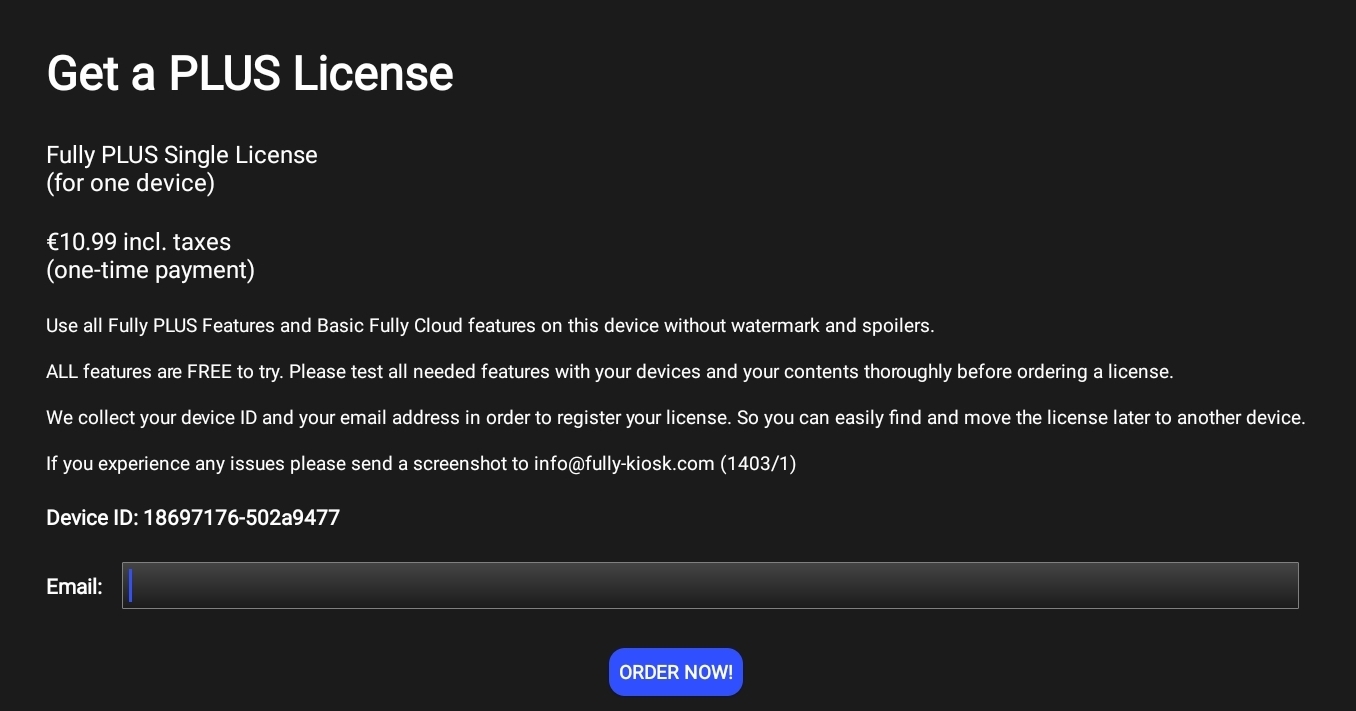
It works without license, but then it shows 2 big watermarks.
License is a one time purchase btw:
Motion activated screen settings:

Thank you, @Peter_Kawa !
I am a bit reluctant to letting it use the tablet camera (which I have blocked), for privacy reasons. So I thought more in the direction of using the active/unactive functionality in Homey, and making a Homey flow activate/deactivate the screen of the tablet. The motion detectors which I have integrated in Homey have no filming ability, so it feels safer in a way.
But then it seems that I need the Fully Cloud Advanced Features? … Which seems require a subscription? I must say I am a bit confused about the different licences of Fully Kiosk (cloud/plus/advanced), so my understanding might be wrong


Hi @jco!
I have a one time purchase plus-license of Fully Kiosk (on a Samsung A9+ tablet) and I can use Homey via the Dashboard Controller-app to turn the screen on or off, so I don’t believe you need an advanced subscription for doing that. But that is something you would easy find out if you just give it a try.
Thank you, @Niclas ! Then I will definitely try
Hi!
I have been running a Tab A9 as a panel for dashboard with Fully kiosk. I control the charging from homey and works like a charm. The Fully motion detection from camera woks great in daylight but poorly in the dark. The problem I have not been able to solve is that the tablet loose the connection to homey every night even though the IP-adress is fixed in the router. Never any problem to reconnect but it is annoying that I need to do this. Have you guys experienced this and found any solutions. I did not understand if the Netscan solved this issue or if it even was the same kind of problem and exactly what kind of flow I have to set up to keep the tablet connected with Homey?
Hi!
I tried to use Fully Kiosk on my Samsung Tablet, in combination with Dashboard Controller, but I cant get them to work. Could you please explain to me how to get them both working?
You’ll find instructions in the 1st post of the app topic (like many apps have)
https://community.homey.app/t/app-pro-dashboard-controller/35761
You can find links to these app topics the app store.
Goodmorning Peter! Thank you sooo much for this page. I honestly was not able to find the right instructions. Thankfully this will help me a lot! 
