@Frank_de_Bruin many thx for your kind donation. Much appreciated! 

version 4.5.0 is ready for testing: Youless and Enelogic App for Homey | Homey
- Added Homey total imported/exported energy capability.
- Minor fixes
This new release prepares the app for new Homey Energy functionality.
I have the LS120, but in the energydashboard the water use isn’t showing anything.
Is this perhaps not working yet or a bug?
Did you select ‘main meter’ behavior in the device settings?
Some week ago i did change it to “main meter”. There was a Homey update yesterday and so Homey did a restart, and now it works  . So apparently if when changing that setting you need to restart the app/reboot homey.
Perhaps I have a dumb newbee question. Why is Youless not supported on Homey Cloud?
Because YouLess only has a local tcp/ip interface. Homey Cloud cannot work with local interfaces.
Thanks for your fast reply!
Does anybody know how to include the watermetervalues measured by youless ls120 in the energy tab of homey?
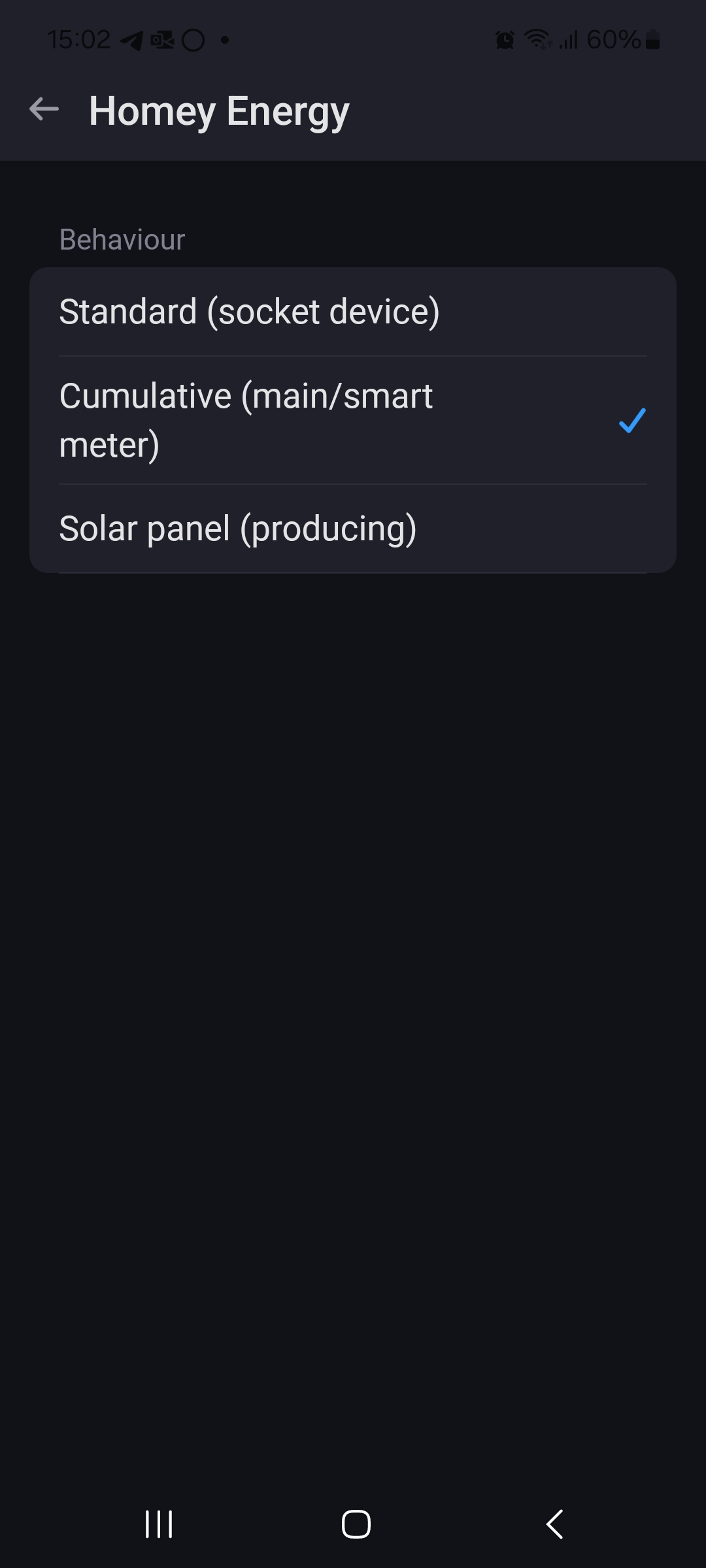

Hi sorry but can’t find the advanced settings 


Ah yes. That is the old optical driver. That doesnt work with Homey Energy. Only watermeter through the S0 interface does.
Ok, that’s clear. Maybe I’ll switch to the S0 interface in the future. Don’t see any purpose in doing it right now. Thanks for the swift response and clarification.


Add a device as ‘LS120 S0’ and select water meter during pair.
Note: It’s not possible to migrate the historic insights.
Version 4.6.0 is ready for testing: Youless and Enelogic | Homey
- Fixed migration hang
- Fixed disappearing 3-phase capabilities
- Fixed flow trigger bugs
- Fixed Enelogic P1 settings bug
- Raised compatibility to Homey >=12.9.0
