Thanks a lot for the great app development for a great product.
I’m interested in using the UniFi G4 instant as baby monitor and to do this properly, sound detection is critically important. I’d like to use alerts based on either sound detection or the crying baby alert. Preferably I’d use something to start timer when first time crying is detected. If after 5 minutes the baby is still crying and crying baby alert or sound is detected, I’d like to be alerted. To avoid constantly going upstairs to check after every single cry.
My question, is this achievable based on the ‘audio type is detected’ card?
And if so, is the UniFi G4 instant capable of achieving this?
Thanks a lot for the help!
PS. First tried Eufy to achieve this but I sadly enough couldn’t make this work stable
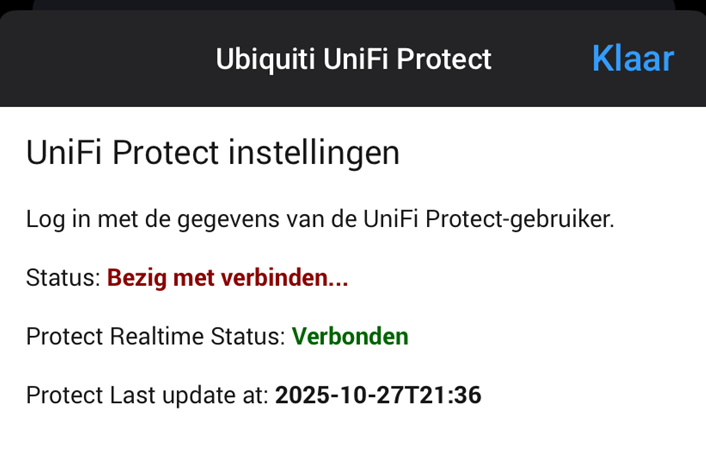
I am still having issues that after a couple of days the app stop working, I settings I get this screen, after a restart of the app it works again for a couple of days
The user is a different user then in unifi network app, and the network app doesn’t have this issue
I have a G4 Doorbell installed at my gate. The gate lock is controlled by a Zigbee relay, but visitors can’t hear any sound when the gate unlocks. I would like to play a short TTS message or MP3 file through the G4 Doorbell speaker to let them know the gate is open. As far as I can tell, this is not currently possible in the app. Is there any way to add a feature or API command to play a sound through the doorbell speaker, for example “Play [Sound] through Doorbell”?
I’ve just installed an UNVR Instant with a G5 Turret camera. Everything works fine, just the RTSP stream seems to fail.
I’ve enabled the stream sharing in Unifi Protect for the camera, when I go into Homey towards the app, the stream connects and I hear audio, but there it stops. I don’t see video at all.
For me restarting works perfect. Connects immediately after restart again and works fine.
I made a webhook in UniFi protect for system update, and made a flow that the protect homey app will restart. Just waiting for an update of UniFi protect, to verify that this solution works.
I tried setting up the Ubiquiti Unifi Protect Homey-App…
For this, I created a local-only user and configured the homey-app with this credentials. Before, using the Unifi network app I created an API-key.
The appˋs settings accepted this credentials and I was able to to add my protect cameras as new devices.
But, later I wanted to add the access reader pro and the door hub, which were offered by the homey-app, which was refused with the error message shown in the screenshot… the accepted API-key was not created by the Unifi protect-app, but instead by the unifi network app as described before.
Blebbens, why so impatient? You’re posting your question on a community forum where many people help others in their free time. If you’d like faster support, you can get paid assistance from several Homey partners. Be kind to each other and respect all the volunteers on this forum.
Your error message means that your user doesn’t have the correct permissions. Did you create the API key in UniFi Access under UniFi Access → Settings → API Token?
The API key was created by the network app, as described before. It was accepted by the app, I was able to add devices like the cameras… but adding the door hub was refused with the error message above.