I managed to get the IP address by pinging the FQDN of the adoption URL.
This works in the app.
It’s probably a dynamic address so it can change at any time. I only have to keep this up to date manually until there is a solution. (unless there is a way to do this automatically)
Ubiquiti has a version for the API ready. I don’t know how stable this is of course.
If you need anyone to help you test this, you can sign me up
could you explain me how I can find this local address from my dream router? I’m also not able to connect to my dream router from the app (I’ve already created a local user)
Use different account for Protect and Unifi… Have similar issue, turns out that I send too many requests to the unifi, and resulting in user temporary lock…
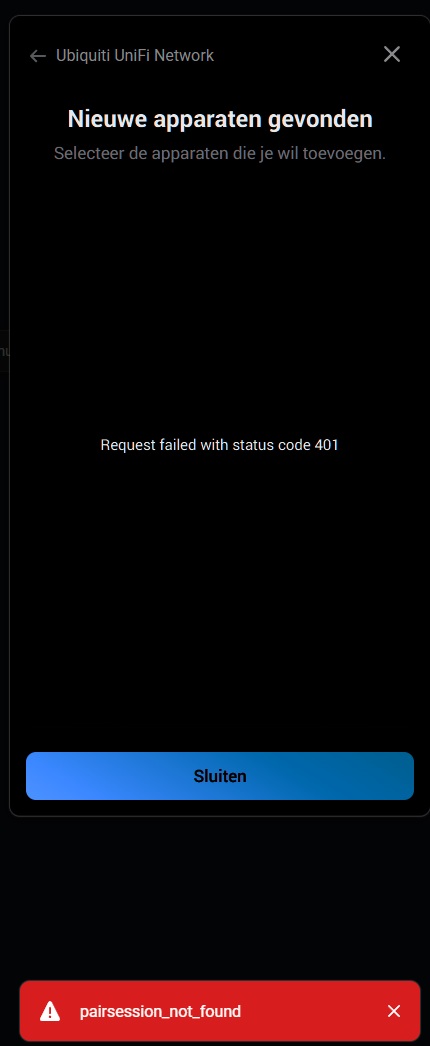
When I connect the app, it works fine and shows ‘connected.’ However, when I close that screen and go to ‘add devices,’ regardless of whether it’s wireless or wired, I get the error message
You must use separate accounts for each app/integration ( Unifi Network and Unifi Protect must an separate account for Homey integration ). You must give the user full permissions because some functionality uses the patch / update endpoints.
I was experiencing the exact same issues you have.
When my Homey Pro updated to the latest version, 12.4.1, on April 3rd, both my Ubiquiti UniFi Network (v2.4.2) and Protect (v1.7.6) apps stopped working.
I ended up having to create a new user account on my Ubiquiti Dream Machine, which I then in turn used for the integration.
I use the same account for both apps, and I have assigned full access to network but only view access to protect, and both apps are working again.
Feature/request to have a wifi client to reconnect. I seek a way to have a very old wifi3 device to reconnect. Where it is connected to UniFi AP but it doesn’t respond to ping. But when I log in to UniFi app on my mobile and force reconnect this resolves. So in a way to make this reconnect from Homey would be great.
My Cloud Key Gen 1 recently died, so I switched to a UCG Ultra. I was connecting directly to 192.168.1.10:8443, but that is not working anymore. How can I setup this app?
@ObelixNL thanks for this app! I have one question, would it also be possible to add controlling POE+ ports (enabling/disabling/restarting POE+) for POE switches in flows?
been using this app for a good week or so and for the most part i’m loving it. so thank you so much for this app.
tried a few when cards and i suspect that its too much for the app as it crashes. thats with enable application flows ticked or unticked. not sure what it exactly does as i havent found any info on it here. i cant remember what when card it was as i was just playing around with it.
is there any info on the application flows checkbox? whether it helps to have it on or not depending on whats been configured.
what isnt working for me currently is when using a disconnected ‘when’ card and after that i use a disconnected with ‘and’ card. ive used both the name of my access point and the mac address and still equals to true even though the last access point i disconnected from doesnt match. Am i using the and card wrong for disconnected with?
on anther note for some reason when i installed the app its on version 2.4.2. the latest version is showing 2.4.5. is there something wrong? i tried to install the app again and does nothing. i suspect it should have updated as checking the release notes for versions above 2.42 there is one about autocomplete accesspoints which i’m defintely having an issue with.
Same issue. I have separate accounts which are both Super User and say connected but still get 401 error. It stopped working a few weeks back, so wondering if UniFi patch related. Any thoughts?