YW, Ernst.
If it’s the actual URL: 182 should be 192

You are right!
With that IP I get to a page asking for credentials, and after entering them, I get a live stream!
So, the Reolink side seems to work.
Shit happens  , but at least now we know the stream is ok.
Mike, can you view the stream @ Dashboard using the “Cam” widget?
I can see the app has registered the video listener, so that’s a good start as it has detected that it’s got the capability.
Could you clear the log and then open the camera device in Homey so it tries to show the video stream, then send the log.
Note: By trying to show the stream it should report the URL and this could expose your username and password in the log, so if you are not happy about sending that, copy the content, replace the credentials with stars and then send the result to me via PM.
I have found that some cameras return the encrypted credentials in the URL reported by ONVIF, while others I have to inject them into the URL (rtsp://username:password@host). Its possible that there could be other methods that are required that I have seen yet.
Edit: I find the easiest way is to view the log in the web app while using the mobile app for the device view.
Hi, I hope you’re doing well.
I’ve finally moved into my new house, so I can now properly test the camera. I installed the beta version, but the live image looks different from the original — it’s missing the black borders at the top and bottom. I also noticed a bug: when I’m in full screen mode and rotate the phone to landscape, the app crashes.
Thank you for all the work you’ve been doing over the past few months — the live feature is an amazing addition.
If you need any more information, please let me know.
The app just passes the RTSP URL to the phone app and has no control over the way it looks.
The full screen crash is a bug in the Homey phone app that I mentioned a few posts back, so waiting on Athom to fix that.
I have just published a new test version that should fix the multiple Flow triggers when a camera spams the events. The Flow will now only trigger if the state has changed.
Log send Adrian!
I have it and as far as I can see the URL being used is fine, so I’m not sure why it’s not appearing in Homey.
Do you see any errors after a few minutes?
Some questions get answered by themselves 
Trying to add an Hikvision Rtsp but the app says socket hang up. What am I doing wrong?
Thanks!
That basically means that Homey can’t reach the camera.
Make sure the camera has ONVIF enabled plus HTTP and RTSP.
Make sure that Homey is on the same network as the camera.
Ensure your router is not blocking communications between the camera and Homey.
Can you reach the camera using a web browser?
My CloudEdge doorbell send the wrong URL link to the app for the ONVIF. It send channel 101 at the end, but needs to be 102.
How can I change the live stream (and snapshot) url? I tried in the below setting, but seems like the app is still using the original link with 101 when looking in the log file. By using the 101, the stream is not working. Thanks!

This is what the log is saying:
Log ID: 2025-09-30T01:06:46.009Z
App version 2.0.57
1:6:46.009: Setting Live video stream to rtsp://10.0.1.193:8554/Streaming/Channels/101
1:6:46.010: Setting Live video stream to rtsp://admin:xxxxx@10.0.1.193:8554/Streaming/Channels/101
So it seems to ignore my overwrite to channel 102
ATM I haven’t got any override for the RTSP url.
The url for the snapshot should start with http as Homey can’t decode the RTSP stream, so that won’t work for the snapshot.
Could you restart the app with the log set to Full and then send it once it has started up?
rtsp://username:password@192.168.0.2:554/
If I use this it work flawlessly.
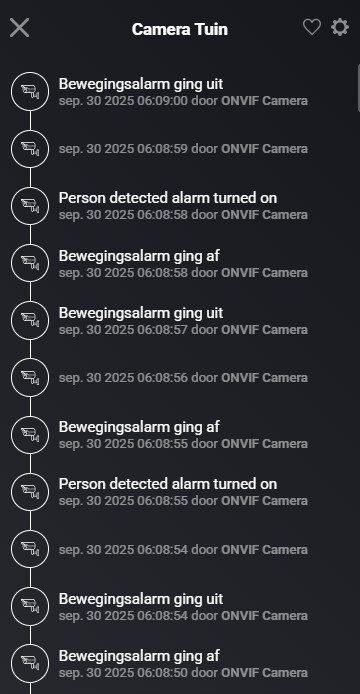
Thanks Adrian, then this is the issue for me, I need to be able to change the rtsp to 102 at the end. No plans to include that functionality in the future?
just sent the log to you, but tested with vla and synology surveillance and changing to 102 works for both. So it’s not your app, it’s the doorbell which is sending wrong information.
Could be that the camera uses a codec that the Homey app doesn’t support.
@Eternity in VLC, can you open the Media Information window (on macOS, it’s under “Window > Media Information”), then select the Codec Details tab, then make a screenshot of the details and post it here.
Yeah, just to confirm, I only have widget options for motion event and snapshot. I haven’t tried the experimental homey version - too many changes in flows and setups for the time being and I don’t want to introduce more variability right now.
