I have published a new test version as I wonder if somehow you interval settings has ended up as a string instead of a number. The new version does an explicit conversion each time it is fetched from the settings to see if that helps.
I also notice you still got a cpuwarn event. Could you check the Insights for the app CPU usage under the Apps section, and if possible post an image on here.
Okay, thank you. I updated to this version now. Here is a screen dump of the app CPU usage, if that is what u mean. Please see the attachment (the mobile application is used in a Dutch language setting though).
Ps. When I change the interval time to 65 seconds and saves then it keeps that way, just for your notice.
New log sent with newest test version installed.
Now the http error is gone, but it writes “wrong value”
Hi all.
This is just to let you know that I have the same issue with 5s constantly being added to the polling intervall setting.- I am on version 2.0.28. Is there anything I can contribute to solve that issue?
Great! The test version is now obviously adding 5 to a number instead of “5” to a string… 
The polling intervall, however, self adjusted up to 65 seconds and still the CPU load is almost constantly (with some occasional drops) at 10%, which seems comparatively high to me.
With the high polling intervall, that was automatically set, I am afraid to miss quite some events (e.g. from motion sensors). - Is there any chance to get the CPU load down and thus the polling intervall as well?
Can you enable the Log, capture a few minutes of data and send the log. I have about 8 devices via the app and it hardly uses any CPU.
CPU load has apparently increased with every device added.
There are currently about 35 devices on my SmartThings hub.
With the current test version it looks like this:
Hi,
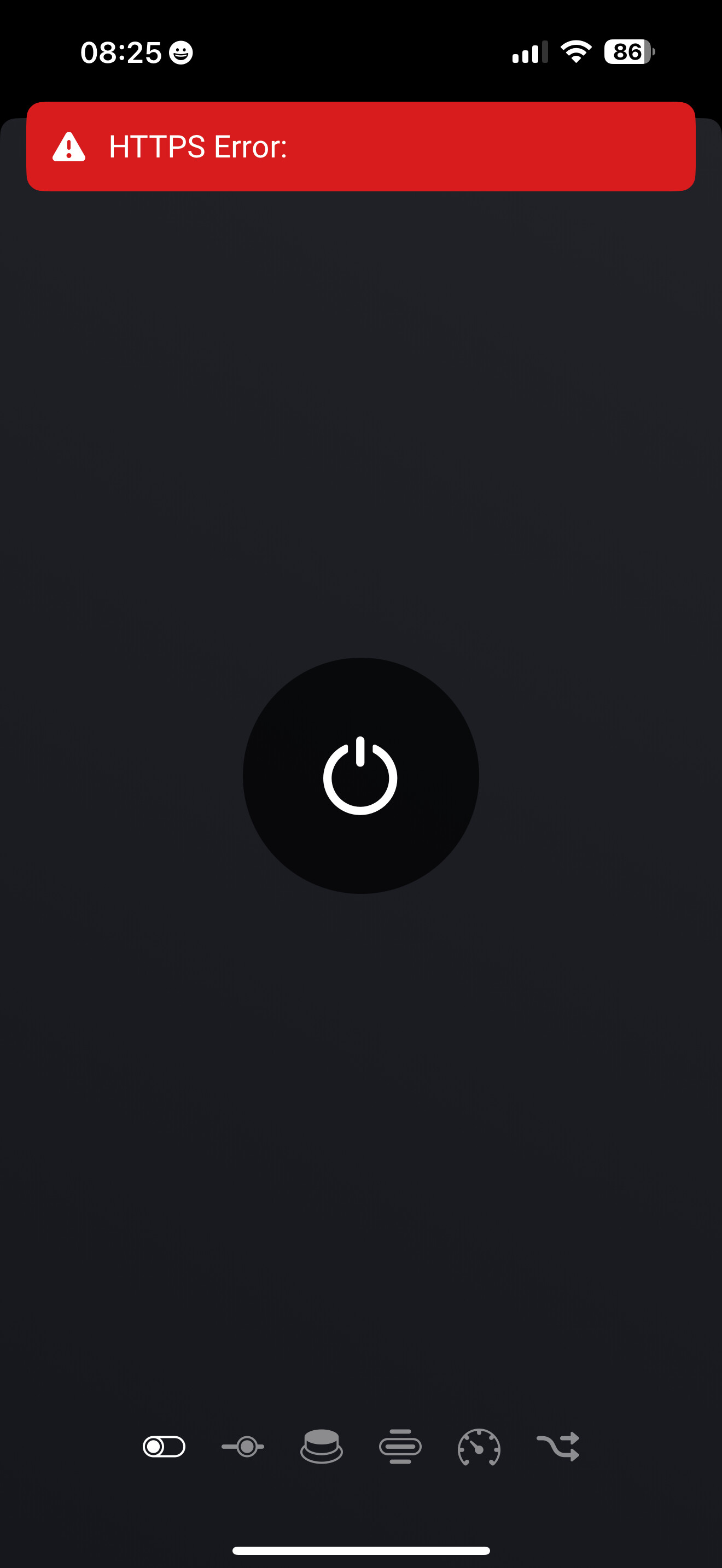
I have installed the app, generated the token, installed my TV on HP and when trying to switch it on I get this:
What have I done wrong?
EDIT: when I have switched on my TV with its proprietary remote, than the app (Adrian’s) controls start to work, my perception is that for some reason the tv itself goes off line independently on the app I use. Not sure if I can handle this from App/Homey level…
Any kind suggestion would be highly appreciated, many thanks.
J
Could you enable the Log, then Try to turn on the TV and then send the Log. I will check if any clues about the issue are in there.
Thank you Adrian, I feel like I am over using your kindness.
I have done it, however so far (since +/- 5 hrs, after turning on TV with its remote) the app works OK.
I will check in the morning after TV has been off for a while and if the problem persist I will send you the log again and let you knw.
Many thanks again, J.
As suspected this morning the error came, I have sent the log. Best and thanks for letting me know if there is any solution for this… J.
The error being reported by SmartThings is HTTPS Error: 409: which in theory means the command conflicts with another command.
Did you have anything else sending commands at the same time?
I have this TV on my HA synced from Homey via MQTT Hub, but not using it at the same time.
I have my dashboard in HA that is why. Would that interfere? I can get rid of the TV from being broadcasted to HA and delete it from there and try again if that is of any help?
J.
I wouldn’t have thought HA would be an issue.
Can you switch it on using SmartThings directly.?
Hi @Adrian_Rockall Thank you for creating this app. I’m looking at adding more devices from SmartThings to Homey but I want to do this gradually.
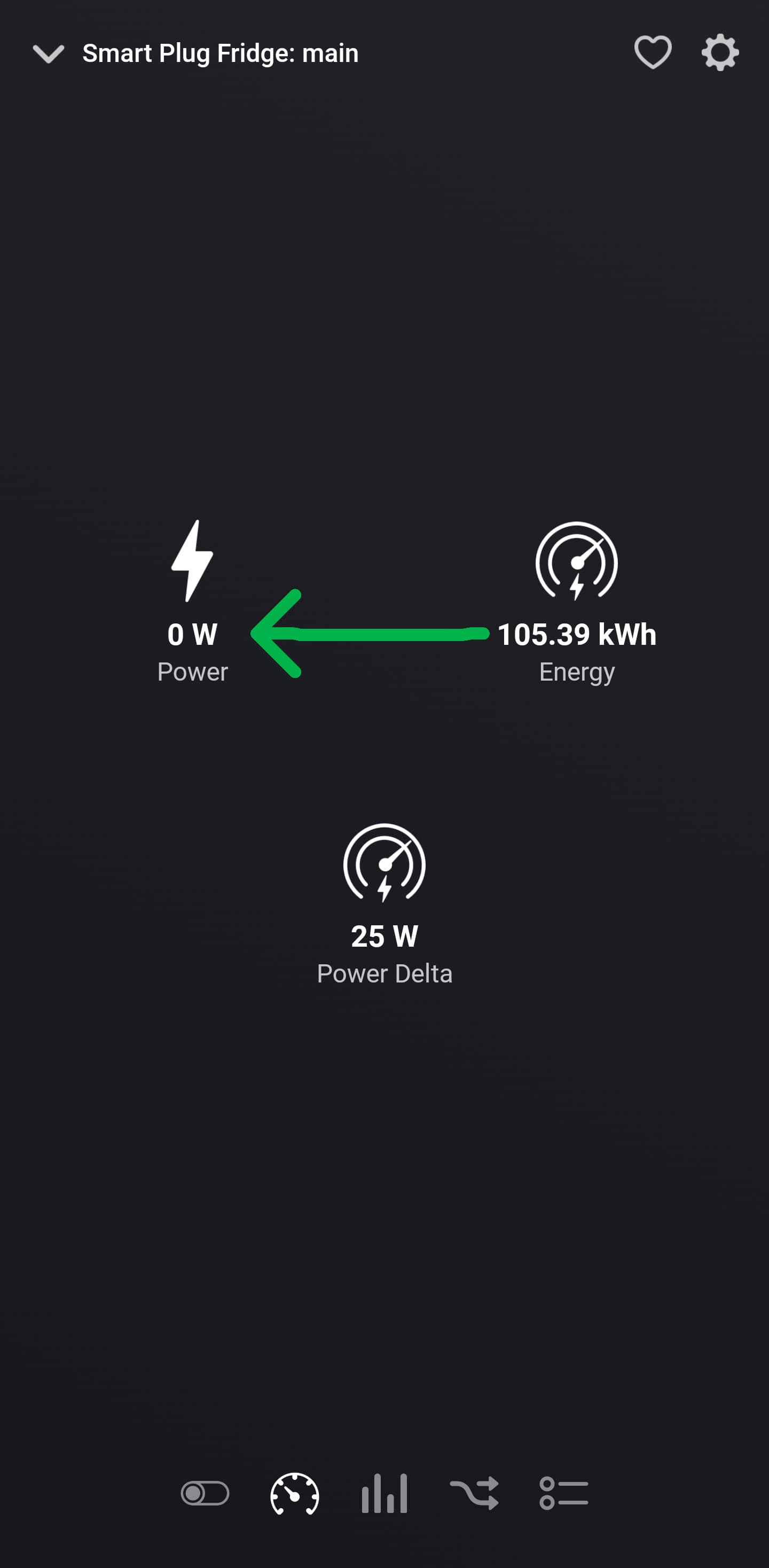
One thing that I believe is not correctly reported is regarding energy monitoring with Smart Plugs from Tapo (P110M).
I created a log where you could see the device capabilities and powerConsumption and I sent it to you.
The value of 105,39 (watt) should be under power rather than under Energy: (kWh)
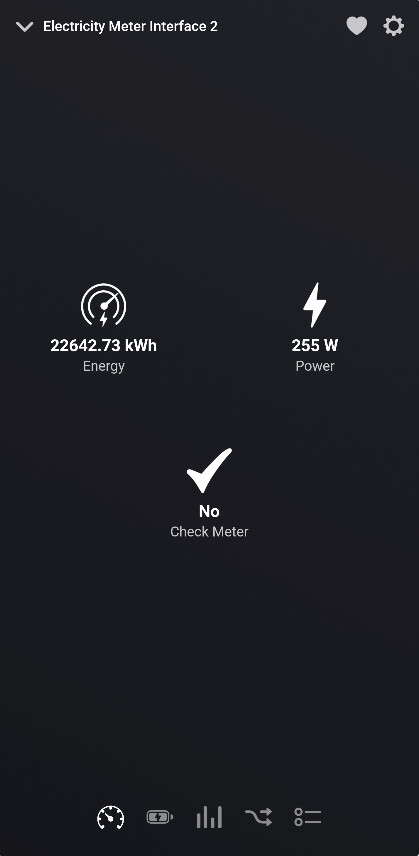
Similar to the electricity meter from Frient that monitor the energy for the entire house:
Power: is the current usage in Watt
Energy: is the accumulated energy in kWh
By doing so, I believe it will:
- have accurate reading. Currently the 105,39kWh is 1000 times higher than expected value because Energy is in kWh
- also report correctly in the Energy tile at the very top which currently show a value of 0:
Also, I’m not sure what is the Power Delta showing 25W as I could not change this anywhere (Homey, SmartThings or even Tapo App).
I have never done it, but yes, I tried just now and it worked.
My observation is that homey app works perfectly ok however if the tv is switched off for longer time I just need to start it with its proprietary remote (otherwise the app gets the error as I have sent in the morning), after this it just work as a charm. This is why I was suspecting that it is more on the tv side but it is just suspection, I have no data to confirm that.
Jurek Chlebowski
I am inclined to think the same. May be the TV goes into a sleep mode and switches off it’s Internet after a while.
Maybe, tomorrow morning, try using SmartThings to switch the TV on before anything else. As the Homey app is working through SmartThings it should be the same.
I was thinking about exactly the same thing, will do it tomorow and let you know. I do appreciate your time spent on this, shall you be in PL at certain a point I owe you a beer, many thanks Adrian!
J.