Sorry i am new to Homey and have a Home Pro device and a homey bridge, i am trying to integrate the meross application and have it installed. But i dont see a way to Integrate the cloud API devices, and i am really struggling with trying to pull a device directly in via matter as it just stays scanning and never finds the device after i scan the QR code.
How easy is it to pull in the cloud devices from Meross? is that possible? after that i will look at the Matter supported methods
Are you trying to connect the devices to the same network as your Homey Pro (2026)? Also, is your phone connected to that same network? All three need to be on the same network for the setup to work.
The same applies to Homey Pro (Early 2023); it works in exactly the same way.
You can also try setting up the devices on Wi-Fi first using the Meross mobile app, and then adding them to Homey afterward.
This app currently supports only Matter-enabled Meross devices, and I recommend connecting your devices via Matter whenever possible. Make sure the device is in pairing mode when you are trying to connect via the QR code.
Support for the Meross MQTT and Local HTTP APIs is currently in development and will be released in the near future.
Thanks Abe. Appreciate the help. From what I understand and research this week it seems that I need to put any matter devices on hold for now and stick to zigbee, which I have tried hours trying to connect too by changing settings, resetting etc but still pairs ok and then just falls off the connection. I’ll have a search on the forum to see if I can get any zigbee tips. Just so gutted as my 2023 was working perfectly.
Hey Abe, Honestly, although Im relatively new in the world of HP, I have seriously tried everything. I’ve sent back the Meross plugs because they would just not work with the new 2026…….
I have bought 4 Sonoff Zigbee plugs….. can’t get these to work either. they Pair ok, and 3 seconds later, drop off and then get a red triangle notification….. this happens again and again and again……
I have Aqara light switches that were all working fine in 2023 HP…… now can’t connect them to anything despite trying again and again.
Not great and I’m so upset that I just didn’t wait longer for this to be sorted out.
From my understanding, the key difference between Homey Pro 2023 and Homey Pro 2026 is that Zigbee network management is now fully hidden from the user.
On the 2023 model it was possible to view and remove unavailable or orphaned Zigbee devices, whereas on the 2026 model there is no way for the user to inspect or clean up the Zigbee network after a migration or failed pairing.
I believe this change is causing the pairing timeouts, “device already added” errors, and instability I am experiencing with Zigbee devices after migrating from 2023 to 2026.
Would I be right in saying, if I got a refund on my 2026 and bought another 2023, Im hoping all of these issues would be resolved or would at least be easier to fix?
If I’m informed well, a Pro 2026 is “just” a Pro 2023 with doubled RAM, but I didn’t check the specs. Apparently it uses newer hardware with some slight differences.
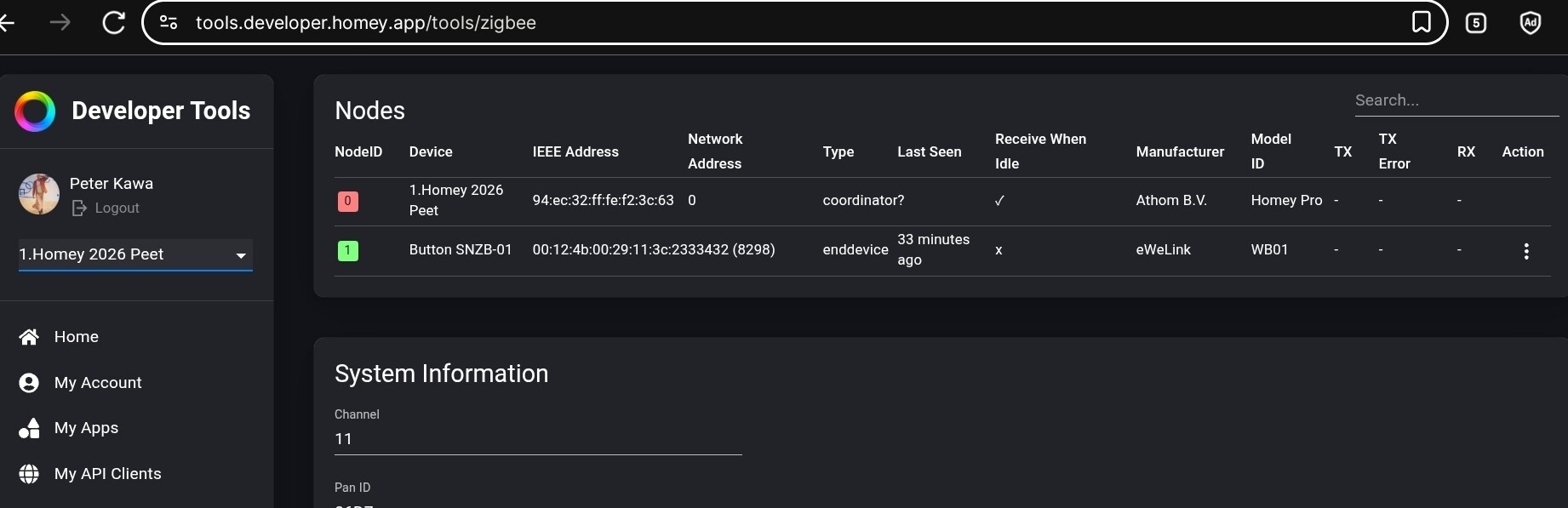
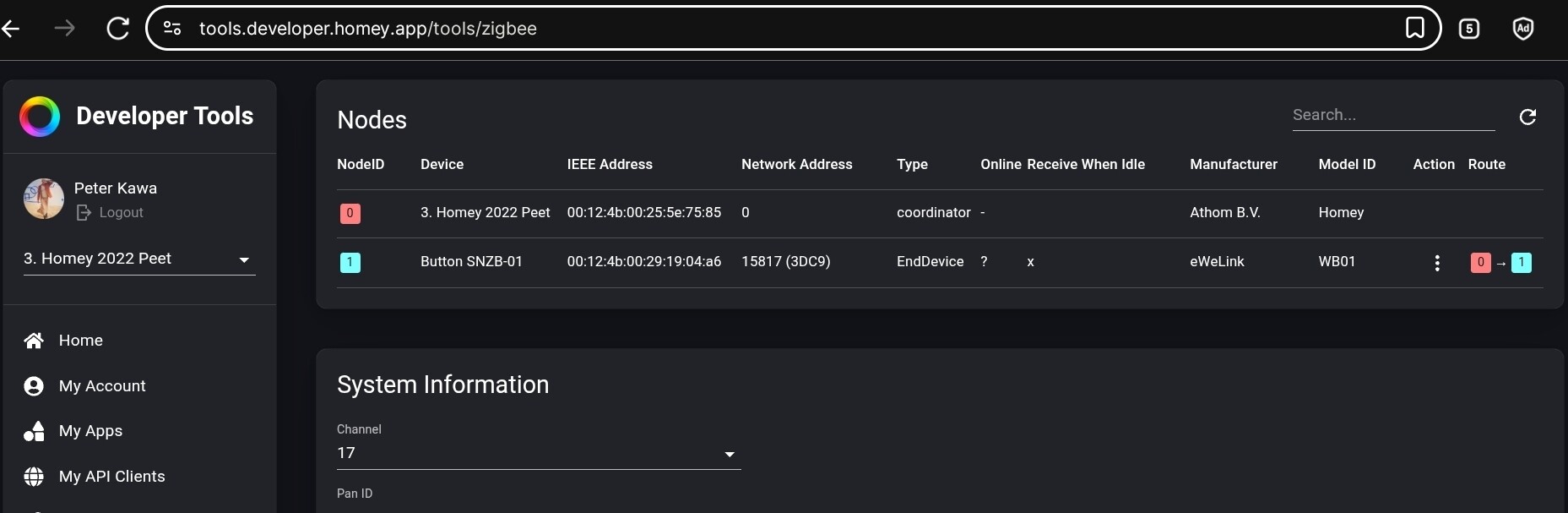
It’s true there’s some zigbee differences between the Homey 2016-2019 series and Pro 2023/2026, I’ll show you the screenshots below
After countless attempts, I successfully connected my Meross MS600 sensor to the Homey Bridge running on SHS (Synology). The key to avoiding the persistent freezing issue—experienced previously by me and many others—is to first delete all traces of the sensor from iOS device settings (Settings → General → Matter Accessories).
Recommended Steps
Ensure both your iOS device and the MS600 are connected to the same 2.4 GHz Wi-Fi network.
Pair the device initially via the official Meross app, then add it to Homey SHS on Synology.
This works if both MS600 and iPhone are on the same 2.4 GHz network, but if iPhone is on 5 GHz WiFi, It always freezes.
Interested to hear your experience with the MS605 sensor. Considering one for my bathroom but having doubts with various heat sources (including a large infrared heated mirror) that might create interference.