Thanks for the additional displays. The on-grid power value now matches the power displayed in the Marstek app.
I removed the battery, but I’m not able to add it again 
Removed the app, restarted Homey, installed the app again… no luck. The battery is online 
Any other idea to fix this?
The only things that worked for me in those cases is a reset of the battery using BLE tool. This will shortly interrupt the supply and reset the communication module. No other settings are affected. Within a minute after reset the battery will start communicating again.
I have installed the app on my HomeyPro. I could connect the battery with Homey. It appears to work, but after 1-2 minutes, the battery loses the CT connection. I use the CT002 from Marstek.
When I remove the Marstek app from homey, everything works normally again.
Tried to reinstall, same problem after 1-2 minutes.
Is there something wrong? Or does it not work with the CT002?
Hmmm… it seems the communication module of the battery does not like to share. I noticed a stop in communication when I open the app (for a while). I can’t find any details from Marstek on these issues; so I guess they don’t work at the same time? Do you have a V2 or V3?
Any others having the same problem with a CT002 or CT003?
Same here, (CT003)
Communication stopped after a few minutes and my 2 Venus batteries went to standby.
After disabling the api on the batteries and a hard reset the communication was good again.
For now removed app en devices in Home, at a later moment I will try again.
07d91ac8-6558-4a6a-aef4-0eb95eeab1cd
After the Marstek API would crash after one to two hours and only work again after restarting the device, I got version 154 BMS 216 from Marstek. After installation, the decimal places changed. However, the API seems to be running more stable. I’ve included a diagnostic report.
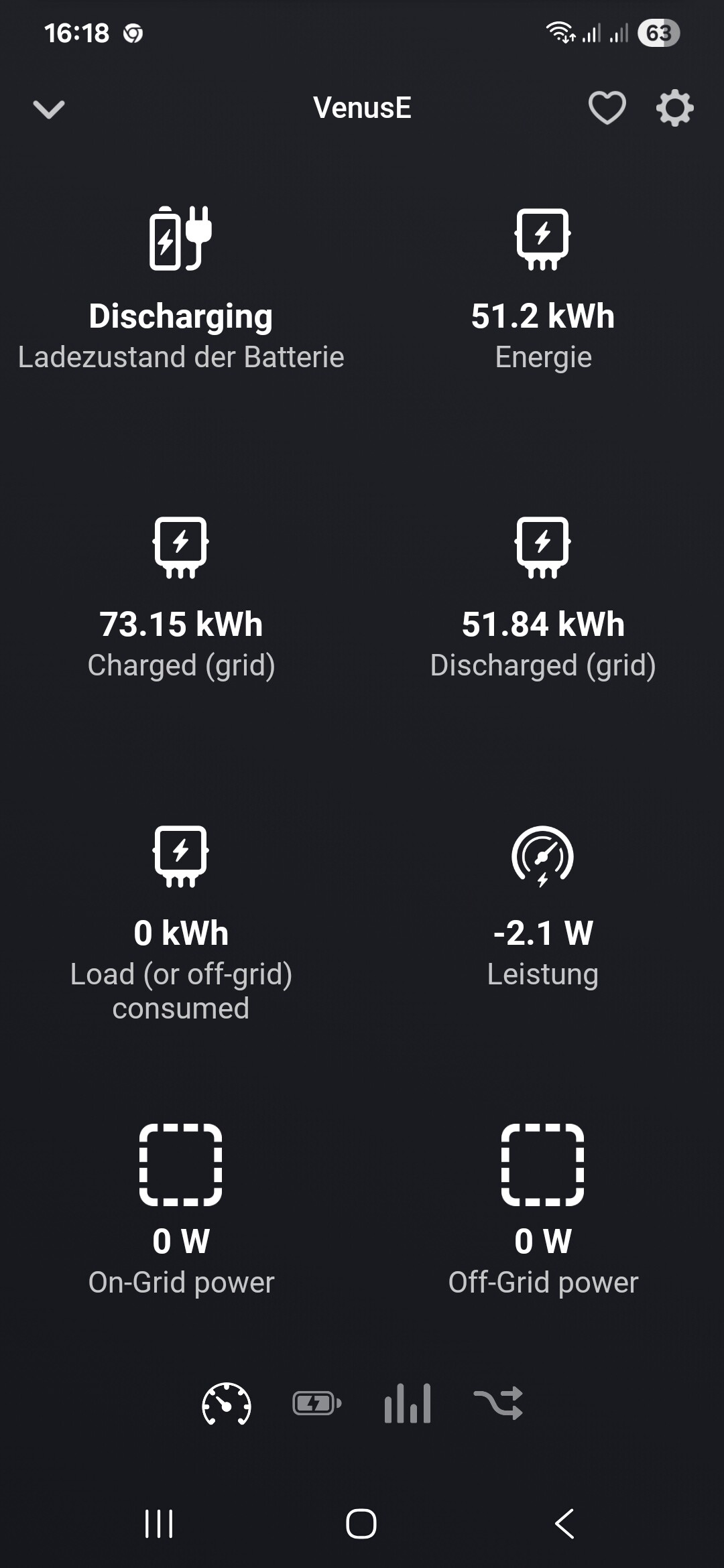
Interresting! So 154 has different multipliers in the JSON data. Unfortunately those are not documented; so it seems I need to create a switch so that correct multipliers are used for different version😔. Are there any values in your screenshot (other than Energie) you think are not correctly displayed?
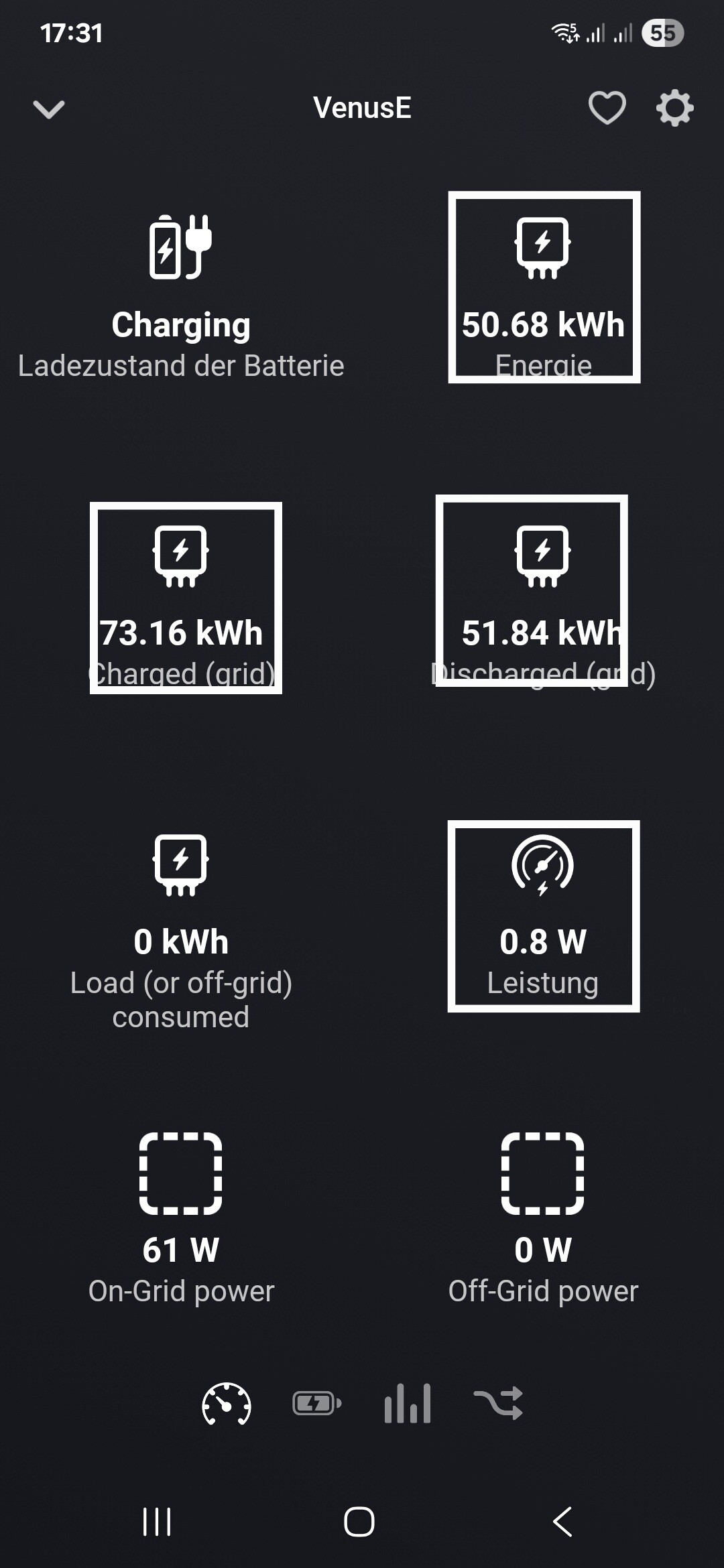

I have a V2
I’ve released a new TEST version v0.6.1 with different multipliers for firmware version 154 than 153. Can you please check if they are now correctly displayed? Note that v0.6.0 also has some other changes.
@eniewold  heb je al een oplossing gevonden om de bluethooth tool te omzeilen?
Top, versie 0.6.1 geeft nu al de langste doorlopende verbinding met mijn batterij tot nu toe. Fingers crossed, zou die auto-reconnect het probleem van de verloren verbinding nu oplossen?!
heb jij een of twee accus?
Ik heb er 1.
Unfortunately the reconnect does not solve this problem. Yesterday communication stopped on my setup after just a few hours without any errors…
The reconnect functionality solves Homey network connection interruptions.
I’m seriously interested in this battery, but I’m looking for a way to pause it while my car is charging. I can’t find an app or anything like that that would allow me to do this. This app is called “Monitor, control and automate your Marstek home battery.” Is it true that it’s only monitoring for now? I don’t see any “then” cards, only “if” and “and” cards. I really want the battery, but I want it to pause while my car is charging and turn back on when it’s fully charged. Is it true that this isn’t possible yet? I’ll have to keep looking for an alternative if this is not possible yet.
Hi Rick, the Marstek API has currently very limited commands for controlling the battery. Additionally, the API currently has communication issues. There are no flow cards for sending commands (yet). You can check their API documentation for more details (Marstek API v1.0. There is only a ES.SetMode method, that might be useful? documentation is a bit limited so it will take some time to figure everything out…
Hmm, yes, that does seem to be what I’m looking for. A Flowcard will need to be created where you can choose from the four available options: “Auto”; “AI”; “Manual”; “Passive.” Of course, the remaining issue is the need to maintain a stable connection between Homey and the battery. Reading this topic, I think that’s the biggest issue right now. And specific you need to have the time and inclination to develop this functionality. It’s the deal-breaker for me right now, why I’m not buying this battery yet. Given the responses in the Homewizzard and sessy topics, that’s also a reason many people are opting for those specific batteries. But they’re so much more expensive that I’d rather wait until someone comes up with a good solution that works natively fro roughly the same price as the Marstek.
Hopefully Marstek is also reading along, so they are more eager to improve things…
