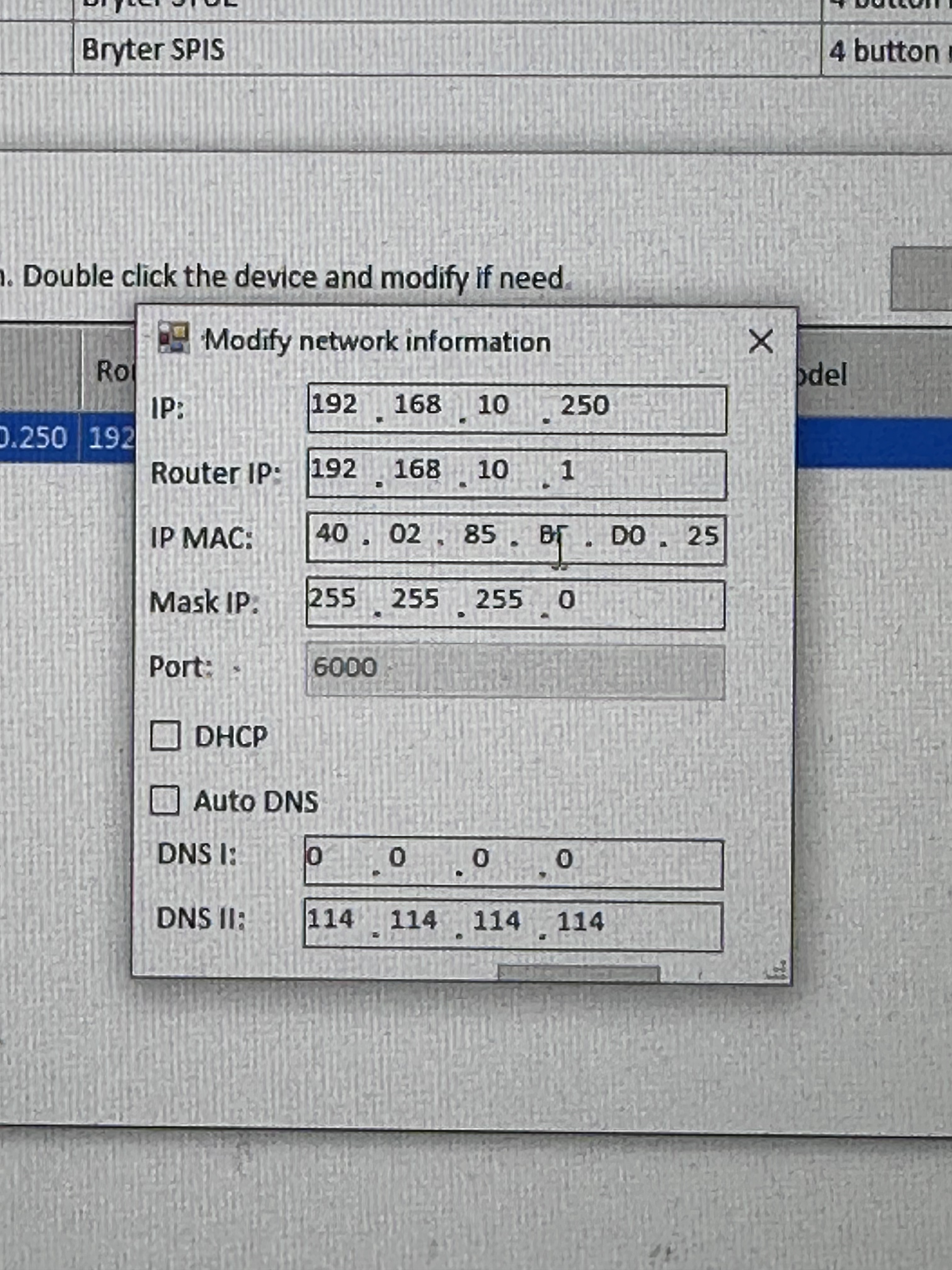
Hi, trying to set up my buspro towards homey now and can’t seem to connect. Homey is connected directly to the broadcast by the way. Is that bad? The buspro had its original 192.168.10.250 ip, but I dried to change it to the range of my WiFi. 10.0.0.x. -That didn’t help.
What would be the next course of action do you recommend?
@Birk_Nygaard The important thing here is that your HDL Gateway and the Homey is on the same subnet. So if your homey has an 10.0.0.x-address and the subnet mask is 255.255.255.0, then the HDL gateway needs to have a the 10.0.0.x-address as well. E.g 10.0.0.250 for HDL and 10.0.0.249 for Homey. Then you configure the HDL app on Homey to point to your HDL gateway.
Homey probably gets it with DHCP from your router. If it is a 10.0.0.x-address, it would be very surprising if it is anything else than 255.255.255.0, meaning everything from 10.0.0.1 to 10.0.0.254 is in the same subnet.
I see the mix-up now. The IP-subnet and the HDL subnet is not the same thing. All devices on the HDL bus has a subnet address as well as an address (both are numbers). The HDL subnet is usually just “1”, but some people have more devices than fits in one subnet and adds more subnets. You’ll recognize this from your HDL app also when you set up devices.
Unless you have a firewall between your HDL IP-gateway and the Homey, I don’t think the broadcast is blocked.
Ok, the Broadcast (HDL_V05.34U_2022/03/30) is listed as on subnet 1 in “HDL Buspro Setup Tool”. It’s 10.0.0.250, on 255.255.255.0. Same as my listing in the Homey app. Tried enabling DHCP, but that didn’t help. Ethernetadapter from homey is connected directly to the Broadcast and the Homey is connected to the wifi.
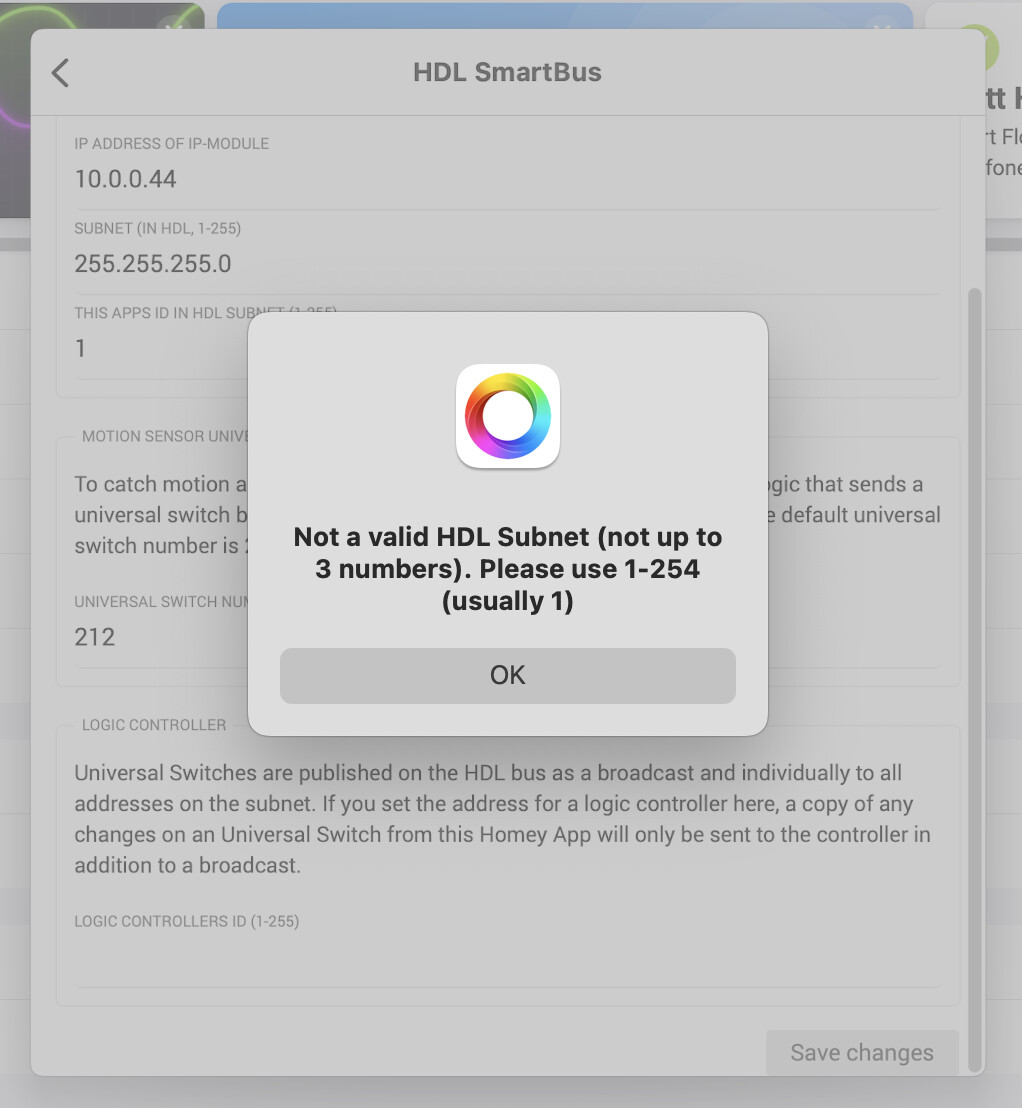
Aha! I set the Subnet wrong! Like you pointed out. Restarting…
“this apps ID in HDL subnet” is the Device ID column next to Subnet ID in HDL bus-to Setup Tool? (it is set to 0, so that might be a problem since 1-255 is the only accepted) Device ID 1 did not help.
Does this indeed indicate that it is not connected? Or would this show not connected even if the app was connected?
Sorry for posting this in the same post, but I’m not allowed to post a new post.
Can I have ruined the adapter when I plugged it the wrong way at start?
-“Warning: Do not plug the short end cable directly in Homey Pro! The lights on the Homey Pro Ethernet Adapter will blink but there will be no connection!”
Silly question: I read that the requirement for this to work is an IP module. Will it not be possible if I only have a DMX controller (which have an IP and ethernet socket which I just to connect to)?
A small follow-up: it worked without an IP module.
Most of it works great and the project is fantastic. However, some of the functionality I have just given up (sending UV logic from buttons on DLP’s to Homey), but it could be my system.
My 8i1 multisensor relays (status) was working earlier, but is not working anymore. Are anyone else experiencing the same? Worked fine for a long periode, but the last month status is only updated seldomly. I have tried to delete the multisensor and add it again.
I have the same challenge with the 12i1 Mulitsensor lux measurement (works sometimes)…
Slow reply from me now - not much time to handle this project (I have switched jobs, computers, traveled with work, Christmas is coming up, etc.).
@Eivind_Bo I might get to look at the multisensor relays during Christmas, but no promises.
@Birk_Nygaard “This apps ID in HDL subnet” is any available address in your HDL subnet. Just an ID between 1 and 255 that is not taken by any other equipment. And yes - your ethernet is not connected. You probably want to put a switch in between, but this is a question for regular IT-support, not this channel.
@Fredrik_Meyer-Lampe No such behavior on my side as far as I know, but I’m not using the lux for anything.
Thanks. Figured out a lot since last post. In deed: The switch did the trick. Running pretty stable now and your app is great. A little buggy at times, combining with the HDL-setup. I wish there was a possibility to dim up and down on the selected scene, but I guess I could work around it somehow. Also if I could find the cabled switch-panels on homey, they would also become more usable.
Hi!
Thank you for a great upgrade to my HDL smartbus system
I have added my dimming units, but are not able to add my 4 channel relay (16A). The model is SB-DN-R0416. Do I need to do something special to add this in comparison to the dimming units?



 and the project is fantastic. However, some of the functionality I have just given up (sending UV logic from buttons on DLP’s to Homey), but it could be my system.
