[APP][Pro] Eufy Security

Yeah so they made home-management

It’s a new feature for device sharing.
Normally you had family and guests.

Now you have:

  • residents
  • shared devices.

So multiple use cases.

  • You invite somebody of your house in yours. For example wife, kids etc
  • You share your devices with somebody else. For example if you don’t want that person to be part of your home.

So with this change you can have multiple homes with multiple cameras. The old API calls don’t support this. So have to check what they did. :confused:

But indeed. I have to wait. I cant check it yet. Tried many things already. I hope i can fix it. Otherwise we have a problem

1 Like

It’s working properly with the new version! Thanks :grin::+1:

1 Like

For now I don’t see in what way this change improves the user experience.

How is your relation with Eufy? I’m sure Eufy knows about your marvelous Homey app and in what way you and your app improve the use of Eufy devices by Honey users. Does Eufy shares information about the way things work with you, are they interested in what you develop, does somebody at Euft contacts you, and so on.

Alright Will put it live soon !

Really short and simple answer.

No relation or contact at all.
It looks like they don’t want to work together with Athom

@martijnpoppen That would be great! I would like to direct the camera to a certain position if something is triggered. Maybe it is possible to pan the camera for x seconds clockwise so it will reach its maximum position and then go x secs ccw to reach the desired position. The question is how accurate this is.

1 Like

@dene30 I’ll do some testing tomorrow. When i have something i’ll let you know

New app update (test: 2.27.0):

Changelog:
1. FIX: wrong device channel when setting snooze mode
2. FIX: full effect mode notifications
3. NEW: add PTZ for indoor pan_tilt camera
4. NEW: ADD PTZ to Floodlight camera

@dene30 So I checked and it worked pretty good from Homey. :stuck_out_tongue:

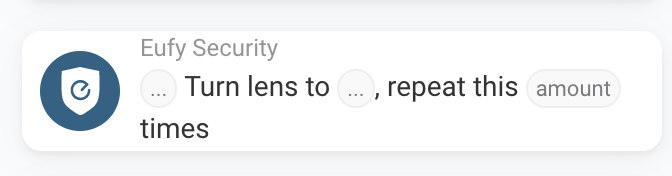
The PTZ works in steps. The maximum steps seem to be 90. So from start to the other side will be turn Left and repeat 90 times


@kilofox I know you have a Floodlight with pan and tilt.
I made a fix for that. So the 360 flowcard should be working now.
Do you want to test this? :slight_smile:

1 Like

With 2.27.2 installed it is still not working. When I start my Test-Flow Homey is giving me a red triangle and the camera ist not turning. :grimacing:

Oh that’s interesting. Red triangle means error. So i can fix that :stuck_out_tongue:

Can you send me a report?

You can do that via the mobile Homey app

More - apps - Eufy Security - settings wheel right top - send diagnostic report

Done :sunglasses:

New app update (test: 2.27.4):

Changelog:
1. FIX: wrong device channel when setting snooze mode
2. FIX: full effect mode notifications
3. NEW: add PTZ for indoor pan_tilt camera
4. NEW: ADD PTZ to Floodlight camera
5. FIX: unresponsive API url.

@kilofox The Eufy api didn’t respond on your Homey. I saw this multiple times last days. Probably because of the changes Eufy is making. I made a small change which uses a different API url. This should allow you to use the flowcard :+1:

Hi Martijn,
I’ve tried the latest test version since upgrading Eufy to v4. Whilst the cameras appear to be connected to Homey I am unable to get live video feeds. Is this what I should expect due to their changes, or should I re-add the cameras perhaps ?
Thanks!

Hey @degreecy

What do you mean with live video feeds?
Are you using the stream flow card?

Ah maybe I have lost my memory. Was just trying to check if they are working ok. I did think when you went into the device and clicked the video icon it streamed the video.

@degreecy Do you mean in the device tab in Homey?

Homey doesn’t allow video streaming

See FAQ Q3

It would be helpful If you can explain what you mean with some screenshots.

I have still the red triangle when I start the flow. :woozy_face:

@kilofox if you click the red triangle it will show you the error. Can you check that? :slight_smile:

„actorID is not defined“

Thanks. I think my memory did fail me. With the door bird I can view a live snapshot I think I thought Eufy cameras did the same.