The API currently doesn’t support triggering the alarm manually so there is no way to implement it in Homey either.
Sorry for the rollercoaster feeling. But it started to work from it’s own again. Didn’t do any other actions and don’t need to. Thanks 
Hi,
I am using a Shelly Plus 1 to open and close my garage door. Configured the Shelly as push button (1 sec) and changed SW input to disconnected, so I can see the status of my door.
Working perfectly in the Shelly app, including the status symbol.
In Homey I can start flows with the status, but I can’t get it onto the device screen (like a status symbol when the lights are on or off. How can I manage this? (or is it a Homey thing)

Basically yes.
@Phuturist hello. I have three shelly EM that monitor the power adsorbtion of my home and than several flows that harmonize the use of the current of the different devices considering the max load possible of my account. I’ve noticed that the update frequency of the power consumption given by the shelly EM in homey has been strongly reduced. Now it updates every few tens of seconds, in the past I had the feeling that the frequency was much higher. Is that true?
Follow the troubleshooting guide from the first post.
Thanks for the fast feedback. I found the problem and solved it. It was ColoT peer wrong.
Hi Phuturist! I’ve seen that for the Shelly 3EM device, phase 1 in Homey finally mentions the total Power given, i.e. the sum of the Power from phase 1, phase 2 and phase 3. This is very good news. However, the Power of phase 1 is called “Power” and the total Power of the three phases - also mentioned under the device of phase 1 in Homey - is also called “Power”, which is not ideal and can lead to confusion. Would it be possible to call the second ‘Power’ data on phase 1 ‘Total Power’ for better clarity? Thank you very much
Hi
I have a Shelly 1 Plus to control my garage door.
But i cant add it to Homey, then i get the fault message under.
The Shelly is updated, or it cant find any new firmware, so i guess its updated.
Its not a battery powered device, so thats not the fault.
Outbound websocket, i dont know what that is.
Its not a network issue, because i have a mesh network with my own router/extender in the garage.
Can anybody help me?

I find it on the wifi network.
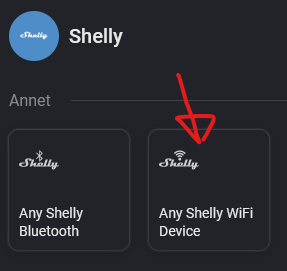

First post of the thread, Troubleshooting your setup, item 4.
Thank you, i will check it out when i come home.
Another question:
- My device is always offline when im outside wifi range. What is the reason for that?
I have tried to enable the cloud thing, but it seems it always turns itself off again.
Still bad configuration?

I don’t know if you can use both Shelly Cloud and Homey local access.
I dont use Homey local acess now since its not working.
In that case you should find a Shelly-specific forum, this is for Homey only.
1 Like
In what way is it not working for you, seems to work fine
Device is always offline when im not at my wifi
Do you have cloud access enabled? If device marked as offline when you are not on same local network as it that suggests that it is not
If you are on your home wifi can you access your shelly device homepage? Using its local URL
I have my 3 Shelly 1 incorporated into Homey using their local URL so Homey local access is working as long as you followed the pairing instructions
My experience would be that for Shelly 1 at least, you can have both local and cloud access

Just noticed something. On the shelly 1 the ColoT peer address is correct for my local Homey and Homey is able to control the Shelly no problem. In the Homey Shelly app it has the Shelly 1 device IP correct but the username field is populated with an old Homey IP address. This doesn’t seem to matter but does/should it?
Hi
Tried to factory reset the Shelly plus 1 now. Added it to the wifi network. Tried to connect to the cloud, only says “Connecting”.
With the Shelly smart control i tried to add it through wifi devices. I find it, but when i click save, it fails.
“shelly failed to add the device”
I downloaded the cloud app again, and added it through there, that works. Its now added, but the connection only says “pending”…
God im tired of this now…

