I can not see my Shelly 1 plus to add to my account. I red stuff about it on this blog but can not find the correct steps. Something about a channel and decimals. After 30 min of scrolling I am forced to ask it again. Sorry for that. The Shelly’s are shown in the own app.
When I put them on cloud on it works. But after certain time (the Shelly app) tells me that these Shelly’s are offline and pop up online after a few secondes but the cloud setting is back to disabled.
What do I need to do? I think that that solution is also the solution to add them to my homey.
I,m trying to add a new shelly motion sensor in to Homey Pro 2019. In the shelly app everthing works fine . the sensor has teh latest firmware installed. I’m using direct ip adres. when trying to add the senso to homey the shelly app finds the sensor. I select the sensor click on continue and then nothing hapens the screen stays on New devices found. and that for at least an hour and the app stops responding.
I;m doing nothig different as i did before. please help
Hi, pretty sure you‘ve been asked a few times: is it possible to add the info about „percentage closed“ (100%: fully open; 0%: fully closed) to a shelly 2.5 roller shutter‘s tile as a kind of status info? Brgds
No, I don’t use Homey myself. But you this is basic understanding of how Homey (and all smarthome controllers in general) work and not really related to the Shelly app. You should read the manual first.
Or perhaps someone else is willing to explain these basics to you.
A small tip, your flow should start with the ”temperature has changed" trigger card. There is a token on the card with the changed value allowing you to interact with and perform the action you want (which is still not clear to me).
I’m definitely not a big Homey Pro expert, but I’ve done a lot of Flows already.
If I encounter these difficulties, don’t you think it depends – also – on who designed the Shelly application for Homey Pro?
It would have been enough to add to the 4 Cards for “Shelly H&T” another 2 Cards such as:
Detects the temperature
Detects humidity
This would have made life easier for many Homey Pro users!
I am disabled and I type every letter, spaces included, holding a marker between my teeth; and therefore I find it quite difficult to write, moreover, in a language that I don’t know very well…
I will still follow your advice: I will ask for help through another topic.
However, I will put the link to your advice so that the members of the Forum do not advise me to address me at You (as would be logical), to this [APP][Pro&Cloud] Shelly.
You’ll certainly share a Homey with other people, but a Shelly App Technician certainly wouldn’t have crashed the system if he had created a Flow, taken screenshots and then deleted that same Flow; do not you think?!
I really think you are still missing the basis understanding on how this works. Flows are triggered by an event like a change in temperature. So there is a trigger card to start a flow. It’s not an action you can use to start something, hence there is no action card. These flow cards are added automatically by Homey for standard capabilities and it’s not specific to the Shelly app.
So I disagree that a lot of users would have found this easier. But if you really think it is, you should address Athom as they created this flow logic and these default flow cards, not me as app developer (even if you seem to think so).
And I’m sorry to hear about your disability but this does not effect how this works.
You’re not usually so reserved. Please help him with his problem. Unfortunately, English is not my mother tongue and I didn’t pay much attention to foreign languages at school, otherwise I would take on the job immediately.
I always feel addressed when people need help. Especially for people with handicap, Homey’s help is very important ! @Carlo_Filippo_Follis, please open a new thread and ask your question there again.
Temperature and humidity and their changes are recognized by Homey automatically. So there is no need to create flows for this.
The question is: What do you want to achieve?
Because I have absolutely no idea what you want to achieve, sorry.
As @Undertaker already suggested, please open a new thread, because I guess also that your question is not related to the Shelly app.


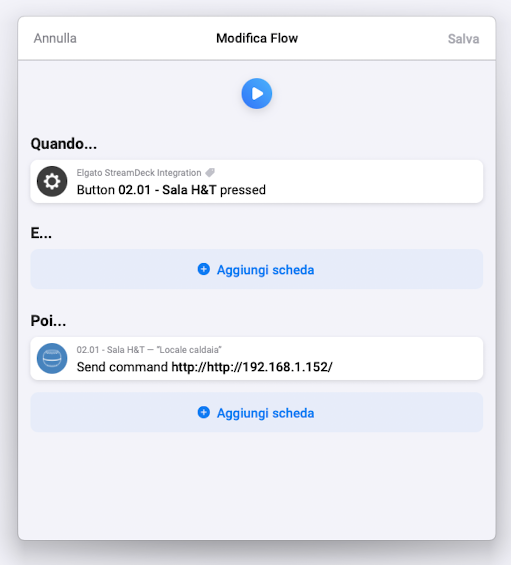
 You’re not usually so reserved. Please help him with his problem. Unfortunately, English is not my mother tongue and I didn’t pay much attention to foreign languages at school, otherwise I would take on the job immediately.