Hello,
Can w100 be used as a climate controller, as it is its primary purpose? I have homey pro, but I cant seem to find this device in Homey Aqara app.
Tried the test version but fail to install W100. It looks for Zigbee connection but does not pick up de zigbee/thread divice. Installing it as matter device works, but only as a sensor.
Installing as a matter device works and the W100 can be used as a temp and humid sensor. Also the the buttons can be used. What is missing is the capability to set a target temperature with the buttons and to show that on the display. The “Relax Aqara” app probably does not solve this and has no added value. (I hope I’m wrong here)
I have a Philips outdoor sensor that gives me the temperature outside and I get it into Homey and, among other things, displayed on my mobile phone via HomeKit. I bought a w100 with the desire to display the outdoor temperature on the screen for the secondary sensor. I don’t have an Aquara hub. Is it possible to program this function in?
I had almost given up on this project… I couldn’t figure out how to get the thermostat mode working so the temperature could be controlled directly from the device buttons. But I decided to give it one last shot, and I’m really glad I did!
The test version now includes thermostat mode, letting you control the desired temperature from the device itself.
After update W100 is working pretty nice, thank you for your work!
One question, W100 is supporting to turn AC On or Off by pushing middle-button three seconds (LCD will indicate “ - - “)… Would it be possible to add same feature in the flow-cards?
And how about showing 2nd sensor temperature and humidity values at the bottom part of LCD, is this feature coming in the future versions..?
Edit: Turning device Off is already implemented, my mistake… It’s Off state in thermostat mode.
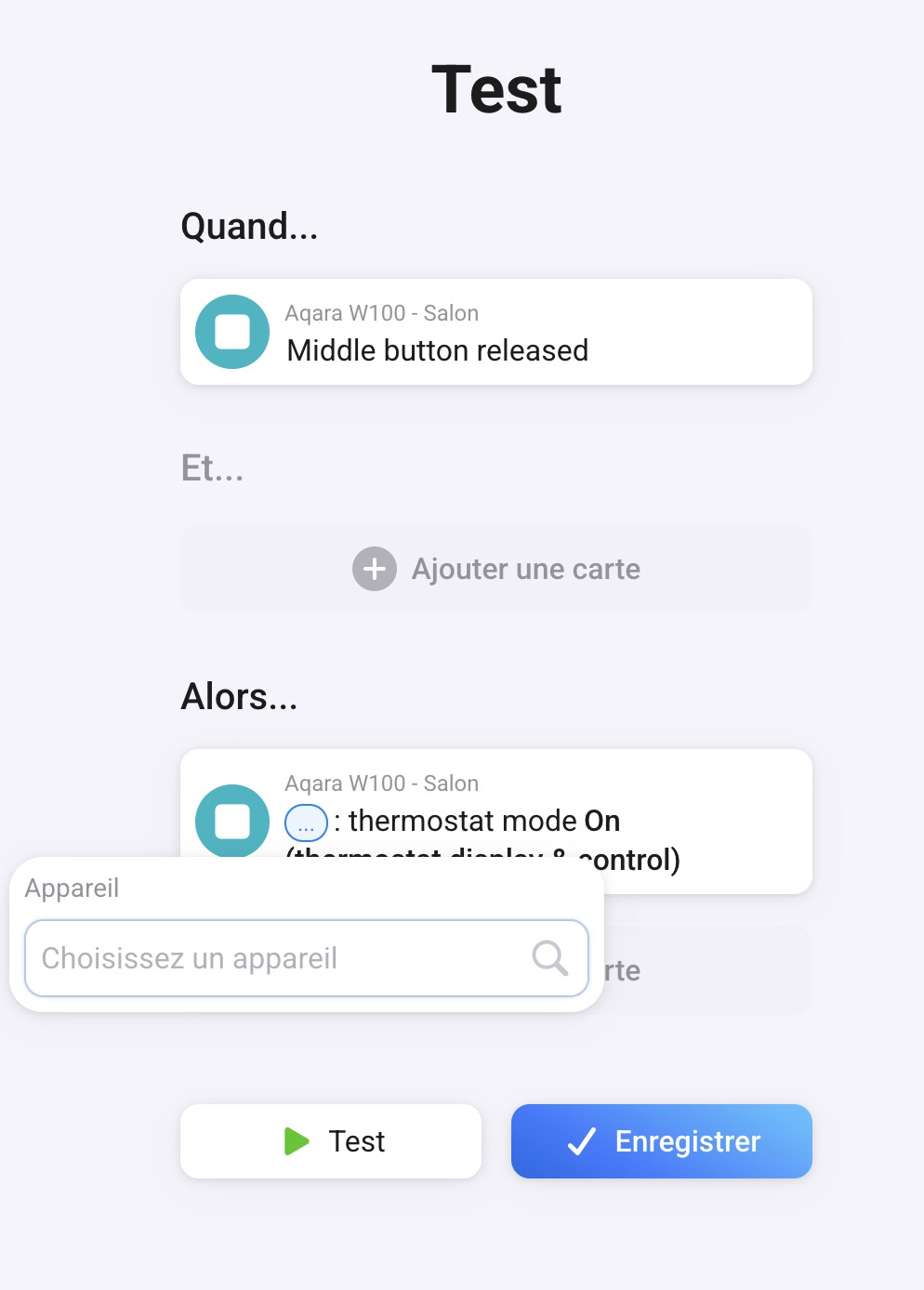
I can’t seem to set up the flow to configure the W100 in thermostat mode; there’s nothing in the “Device” list that’s required on the card to set the mode. Am I the only one who’s missing something here?
I will not be updating or bringing new features for this app as my app gets blocked by Homey team that reviews apps as there is apparently a official Aqara app. And even if that app is missing the features of this app I’m not allowed to submit updates anymore. And honestly this was a fun project not something that is worth the hassle
However, the app as it is works and will be up until Homey decides to take it down.
Regarding the automation for the app, this is how i have done it. (easy way)
if the current temp is bellow desired temp then turn my radiator on with desired temp + 5 degrees.
if the current temp is above desired temp then turn my radiators off to away mode.
Run the logic every time the temp changes.
However as i have multiple radiators in multiple zones (kitchen, living room, bedroom etc) and i have multiple radiators i have the entire logic in a Homey script that loops all the radiators in each zone instead of having to configure them one by one. this as i have different target temperatures for day and night.
But it might be possible they now let certain same brand apps “dry out” by blocking the update possibilities by the publishing devs…
But why do that to apps which provide for extra functionality and or support for (still) unsupported devices?
We all know it can take a very long time for new(ish) devices to get supported by an (official) app… @Doekse Any background info on this matter (no not Matter )?
Alternative:
You always can offer your app to Homey Pro users, when you share or publish it somewhere (f.i. at Github/Bitbucket), bypassing the app store:
We can install apps by using the CLI method.
This takes a bit of effort from the user, but we can use your app that way.
Hi @Relax_swe, am I correct in understanding that your app just adds support for the W100?
What I can do is put you in touch with the developer of the official Aqara app to explore what’s possible.
Ultimately, our goal is to avoid having multiple apps for the same brand whenever it makes sense to consolidate everything into a single app.
Regarding the examples you shared, @Peter_Kawa: for brands like Yale, it’s actually not a single company behind the brand. Different entities own and operate different product lines across various regions. For brands like Tuya and Sonoff, the split is typically between cloud, local, and Zigbee implementations. We evaluate these situations on a case-by-case basis.
Somehow I understand that there should be only one app, it would make things easier. But like now, official Aqara app still lacks support for W100, so without @Relax_swe support, we are in situation where there are no functionality for W100, after months… Not nice approach, I think.
Athom, should you then also put some pressure on developers or is your target to leave us without any support, even when someone have ability to create alternative app, like now with W100..?
That’s important info there, but it’s not mentioned in the first post of the Aqara app topic,
nor is it mentioned @ app store > all links point to the aforementioned app topic: