@Dennis_H74 I think it has something to do with how the traffic flows trough the homey app and the device you’re trying it on. But not sure about that. I hope Athom can help me out here 
Hi Martijn
Question … i want to give my family a notification when i arrive at work … or leave work.
How to arange ?
I see an AND command where a radius / lat / lon can be entered.
Can you create a card that has the same with IF ??
So IF my phone arrives within a location THEN a notification is send ?
I am not sure how to do the same with the current flowcards
Also i noticed i can not reverse the card.
So i arrive at the location … how can i sent a notification when my phone leaves ?
Hey Dennis
I would suggest to use this IF card: Afstand van Home(y) veranderd
and then use the AND card with the location.
There’s not really a way currently to do this is in a IF card.
About the reverse of the card, i’ll add that
Hi Martijn … thats something i was thinking about ( distance from homey ) … but wil it then not be giving notifications when i move around in the work radius ?
If the card is possible as an “and” … why would it not be possible to as an IF ? I mean the coords are read …. A radius also works in the “and” card
If i use an advanced flow and i test-start from that radius card … it basically does the same as an IF card right ?
Just for my knowledge and learning
Thanks for the reverse 
Depends on the radius ofcourse, but you can set that in the card.
To make the trigger card work, each change in latitude or longitude needs to be checked using the Haversine formula, which will determine when the trigger should activate.
However, in a flow like this:
> IF the time is 20:00
> AND the device is within a certain radius (in meters) of the given latitude and longitude
> THEN send a notification
In this scenario, the Haversine formula only runs when the IF condition (time) is met, meaning it calculates the distance once. This is done intentionally to minimize memory usage, as constantly calculating the radius would be resource-intensive.
This setup is common in most Homey apps to optimize performance.
That said, it will be possible and if this get requested by more people i will consider to put it in.
New app update ( TEST: 1.3.5):
TIP:
Read the FAQ → [APP][Pro] Apple Find My - #4 by martijnpoppen
Changelog:
NEW
1. NoneFIXES
1. ADD: invert to location conditions card
If you find any issues, send a report via the mobile homey app
More - apps - Find My - settings wheel right top - send diagnostic report (put your email in the input field to make it easier)
Super !
Thanks for explaining and your time !
I suppose a 30 sec interval could do to reduce load ? i see distance from homes also changes every minute i think . And the home location itself is checked at an interval also i suppose ?
I am now testing with yes/no variables and see if that works. Its a lot of cards though for a “simple” location based message
So i hope in the future the IF leave / arrive on a location ( lat/long wil do ) wil be possible.
Most apps use it. Like the default presence in homey … ( also checking if a phone leaves the home location at an interval ).
The big advantage of your app is that you can set custom locations using the lot/long.
I think if those locations behave like the default homey interval … the data will be ok.
BUT i am just thinking out loud !
Again thanks for your time and work on this !
Hi Martijn,
Is there a way to set the server request interval and location tracking per device?
Thanks.
Hey @Joris_Vandamme
No the request is to all devices
Same as the find my on web
Hello . As I have read, the implementation of AirTags or other objects from Find My is not possible. Do you plan to implement this in the future? Best regards, Uwe.
Hey @Uwe_Nitschke
Only possible if apple add it to icloud.com. As shown in FAQ Q2: [APP][Pro] Apple Find My - #4 by martijnpoppen
Hi … since last testflight update ( 9.0.0. 1584 ) i get bombarded with apple mails about logins. Think at least 30 today
Before the update only when rebooting or restarting app.
Can this be fixed or changed ?
@Dennis_H74 not sure how you want me to change this. This is Apple sending you emails not me
Please see the FAQ Q4 [APP][Pro] Apple Find My - #4 by martijnpoppen
Also I can’t really help on TestFlight builds. If I have to support all RC software that would be way too much
Hi Martijn. I am aware you are not sending apple mails.
But as you faq states : it tries to use the same sessions.
Before the latest update it looks like a session was days. After the update the session looks to be 30 minutes or seomething
I do not want to get my apple account blocked due to inappropriate use or suspicious logings 
Not sure if this can cause that.
@Dennis_H74 but for this app nothing has changed. It’s only a homey app update
Can you send me a diagnostic report?
I don’t expect I can fix something here, but I like to check it
Hi martijn
aa5ca112-e18e-4e8d-878e-554c841edbcf
It now is checking every 5 mins checking may inbox 
@Dennis_H74 can you try a repair of the device?
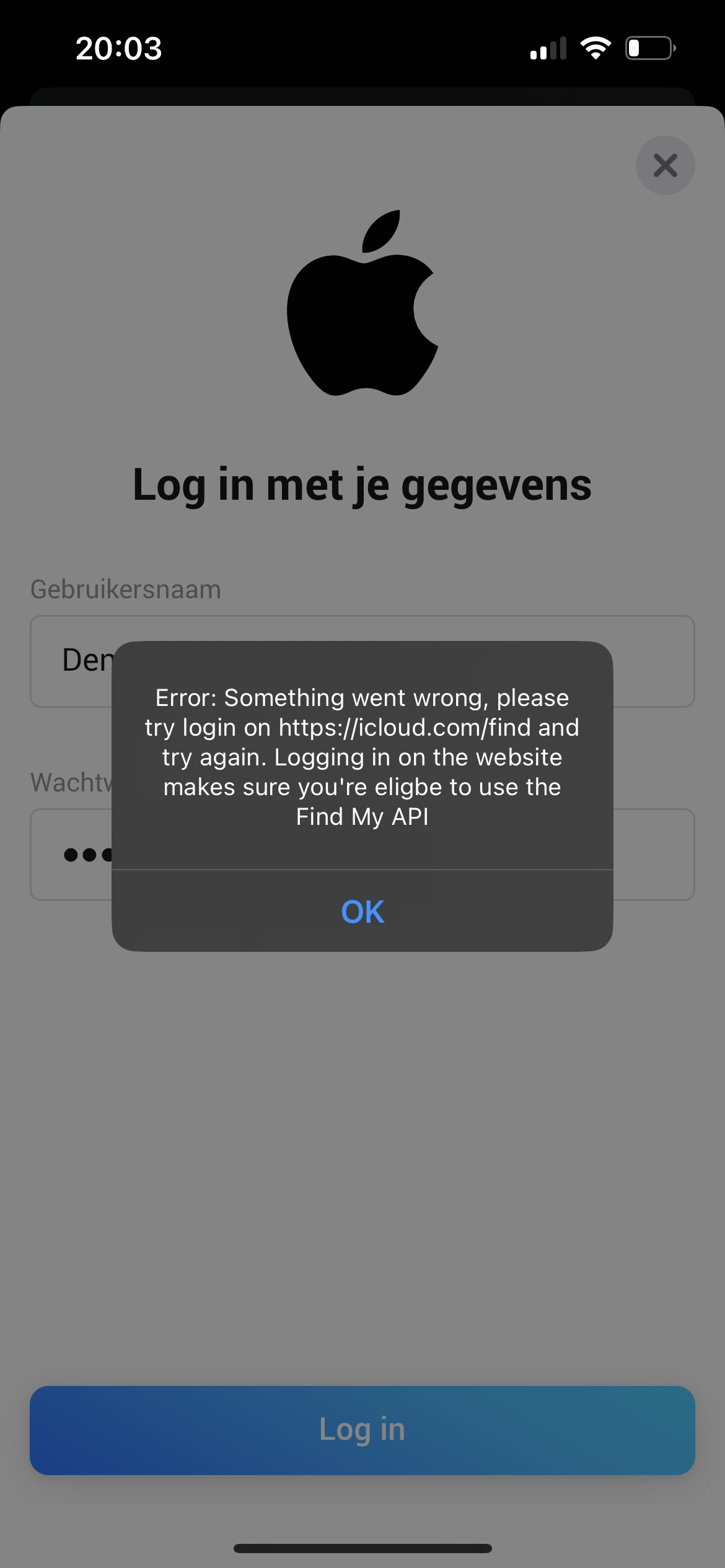
@Dennis_H74 can you try on a different device? Like a laptop with homey webapp
This sometimes happens and I can’t explain why
Aha …. Think i gave that tip earlier 
Forgot all about it … sorry
Will try again tomorrow
By the way … since the failed repair … no more emails … but can be coincidence ( will let u know )
