You have support for all 3 buttons with different triggers (number of presses, press and release, short and long press, logic function with changes, greater, smaller with temperature. humidity and battery and you get sensors´ temperature and humidity having a thread over matter connection (using Homeys thread border router)
Zigbee connection is not recognized by Homey and Aqara app.
Support for external sensors and fans (like it’s possible with Aqara zigbee hub) not (yet).
Hopefully we will get it
Hello, so I bought a few “Aqara Single Switch Module T1 (With Neutral)” which I want to control some floodlights via Homey and motion detectors. But in the app there is no card for “Any/S0 button has been pressed” like there is for the “Dual relay module T2”. How come? Is it possible to get such a button? Otherwise I’m going to have to replace a few relays.
Is your problem with zigbee solved in the meantime? Or any smoother results with the matterconnection? I’m looking to replace all my aqara temp sensors becausse i need a display in certain rooms.
I am having troubles with my Aqara hub E1. I have two E1’s and one is working flawlessly, while the other keeps disconnecting. After connecting the device again via Matter, it disconnects again some time after. Why is that?
Does that one hub disconnect from wifi, or does it only disconnects Matter?
The E1 can malfunction as well (killing Matter), why do you think Homey is the issue? (I’m just troubleshooting, not judging).
Does the E1 hub use Matter-over-wifi or Matter-over-Thread?
If it’s Thread, make sure wifi 2.4GHz signals interfere as little as possible.
OK, that still doesn’t say Matter of that particular E1 is still functional.
From what I read the other E1 is free from errors with Matter @ Homey?
If Homey’s Matter has issues, I would presume none of the paired Matter device works anymore, not a number of devices.
At Aqara’s products site I found it uses Matter-over-Thread. This means a possible cause can be 2.4GHz wifi interference.
The best way to reduce the chance of interference is to fix the 2.4GHz wifi channel to preferrably 1 or 6.
Next, reset zigbee/Thread (it uses the sane chip), Homey selects the best zigbee/Thread channel available.
Resetting means: every related device gets removed, you’ll have to add them again and fix your flows.
.
When every wifi device is running fine, it shouldn’t matter.
Does anyone know when will the Aqara sd-S01D Smoke Dectector finally be supported? The exact same version from Xiaomi is supported but does not work with the Aqara version.
I’m using an Aqara Hub M3, and it’s working fine. However, the connection is through Matter, not directly via Zigbee. I’ll test it again using Zigbee to compare the results.
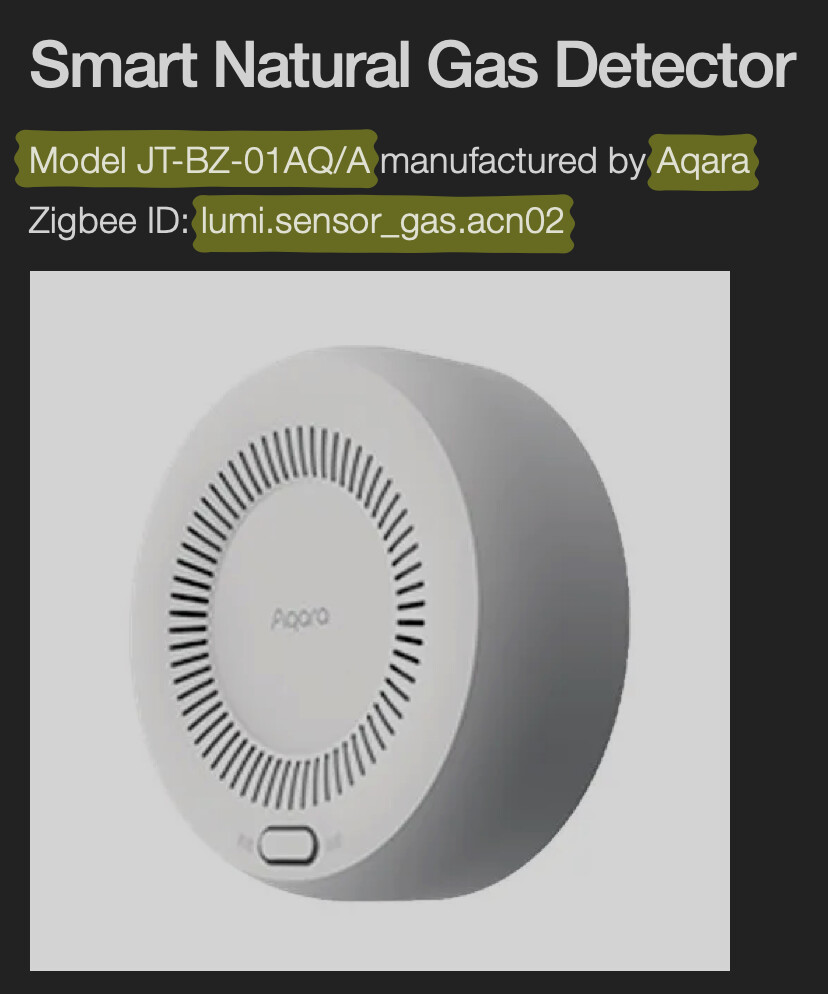
So to ensure that the Aqara Smart Natural Gas Detector is also supported, a corresponding device driver with the Zigbee ID lumi.sensor_gas.acn02 would need to be added to the Aqara app.
It’s not relevant where you bought it, or that it looks the same as a device that is already supported. With Homey, each model needs to be explicitly supported by an app, and in this case, it’s not.
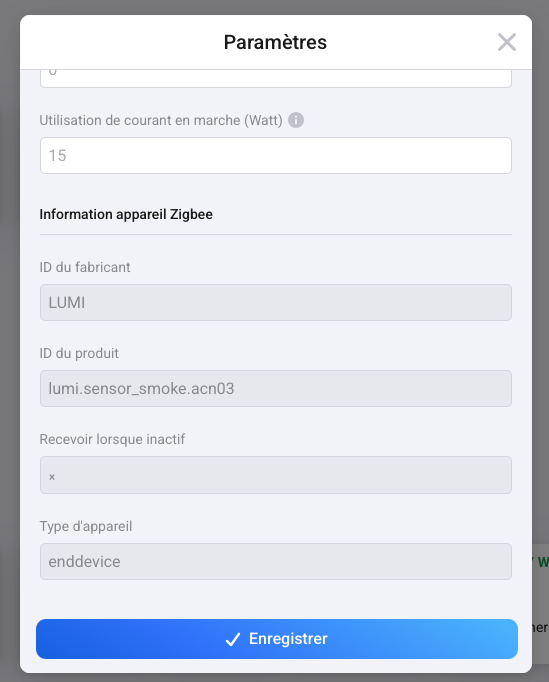
You can scroll back to the first post in this thread for a list of supported devices and their internal ID (“ID du produit” in your “Paramètres” screenshot).