Is that option perhaps available in the web app, when you right click the device tile?
Are you planning to add Aqara SD-S01D Zigbee Smoke Sensor?
I’m having problems with the H1 Double Wireless Switch. Every time the Homey Pro gets an update, I have to re-pair the switch to the Homey. Can anyone help me? Thanks in advance, and greetings from Tiel.
No, not available…
Do you perhaps have an older model than the current Homey Pro 2023?
If so so, the maintenance/repair option might not be available in your case. See also:
Yes I have indeed the homey pro from 2019. What are the options to fix this? It’s very annoying…
You could reach out to Athom for support, via Support | Homey .
Also, there is this script available that replaces the old with new device IDs in flows after removing/re-pairing the device: [HOW-TO][Pro][Cloud] - Tool to FIX (advanced) flows after removing and re-adding devices .
I don’t personally have experience with it, but I see that other community members have and were able to fix their flows.
I’ve 4 units of Aqara curtain controller B1, lost controll since 2-3 days ago. Rebooted HP23 and restarted Aqara apps does not help.
Tried repair each each controller B1 using the app, after successfully repair 3rd Controller B1, the 4th unit controller b1 suddenly back to life again.
Tedious of climbing ladder to access it  at the ceiling. Once fall… probably my last day to use homey again.
+1 for this request!
With a Pro 2019 you can re-pair devices just fine, but just don’t remove them first.
This procedure doesn’t break any flows:
Add a new device
Select Aqara app
Select matching sensor
Start pair mode
Push the actual pair button on the sensor itself
App says: “sensor is already paired” (which is fine)
Restart Aqara app
Done.
hello,
did you find a way to get it working?
greatings qawsedrf57
Hello homeys,
I have a probably stupid question. Is it possible to add an aqara zigbee device to homey AND to the aqara hub, so they exist and are functional on both … ? Hopefully i am clear and you have a stratightforward answer 
The straightforward answer is “no”, at least not with Zigbee. You might be able to connect it to the hub using Zigbee, and if the hub supports Matter, it might be possible to then import it into Homey.
My Aqara Zigbee smoke detector didn’t work with the app.
Model ID: lumi.sensor_smoke.acn03
Manufacturer Name: LUMI
Hi. I have been having trouble installing the Aqara app on Homey Pro 23. Following advice on another thread I have now successfully installed it by disabling IPv6 on my EERO meshed network Gateway. I understand this issue is being worked on and in the meantime I presume I need to keep IPv6 disabled.
You’d better also inform Athom on this matter via Support | Homey, as I believe they (tried to) fixed IPv6 issues in a previous firmware. If there is still an issue related to IPv6 they should be made aware of that.
Hi,
Many thanks. I have now done so.
Any news on when the w100 thermostat is going to be added to the app?
Did you read the first post of this topic? 
I was wondering if you could make this feature available, I have soooo many flows with the countdown counter app in it (door sensors / motion sensors)… I see this feature as a good alternative, now I see it only on battery level for x period, but want a door open for 30 minutes in a flow:


New in Flow: Sustained Values & Multi-Select
Homey Flow just got two new features to help you create smarter, more precise automations. You can now check if a value holds over time and choose multiple options in a single Flow card.
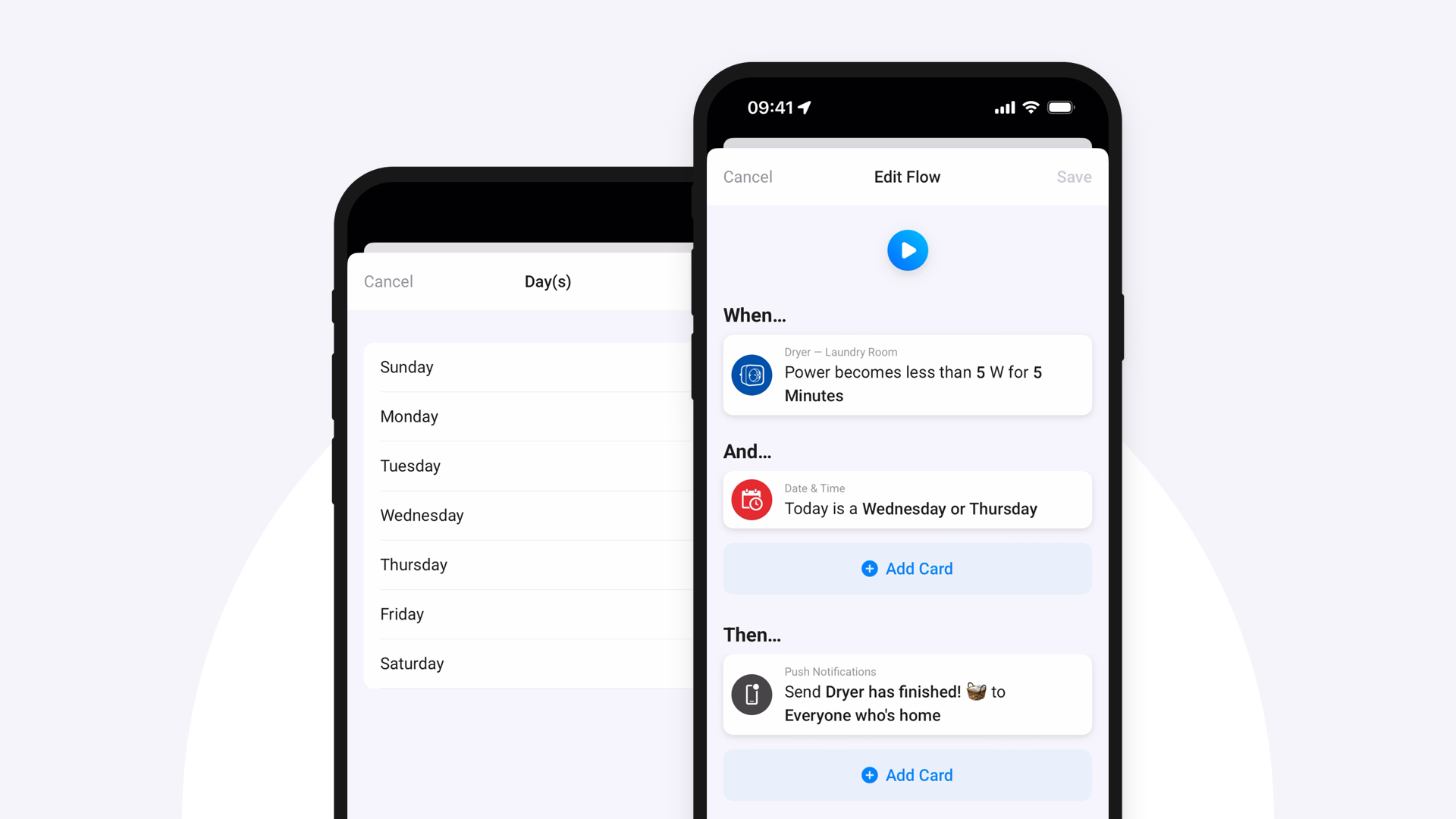
Flow cards for sustained values
Sometimes you want to wait and see if a condition really holds. Therefore, you can now pick two new When cards for devices with numerical values, like power, temperature, or humidity:
- When [Capability] becomes greater than [Value] for seconds or minutes
- When [Capability] becomes less than [Value] for seconds or minutes
This lets you create Flows that respond only when a value stays above or below a threshold for a set time. It’s useful for acting on lasting changes rather than brief spikes or dips.
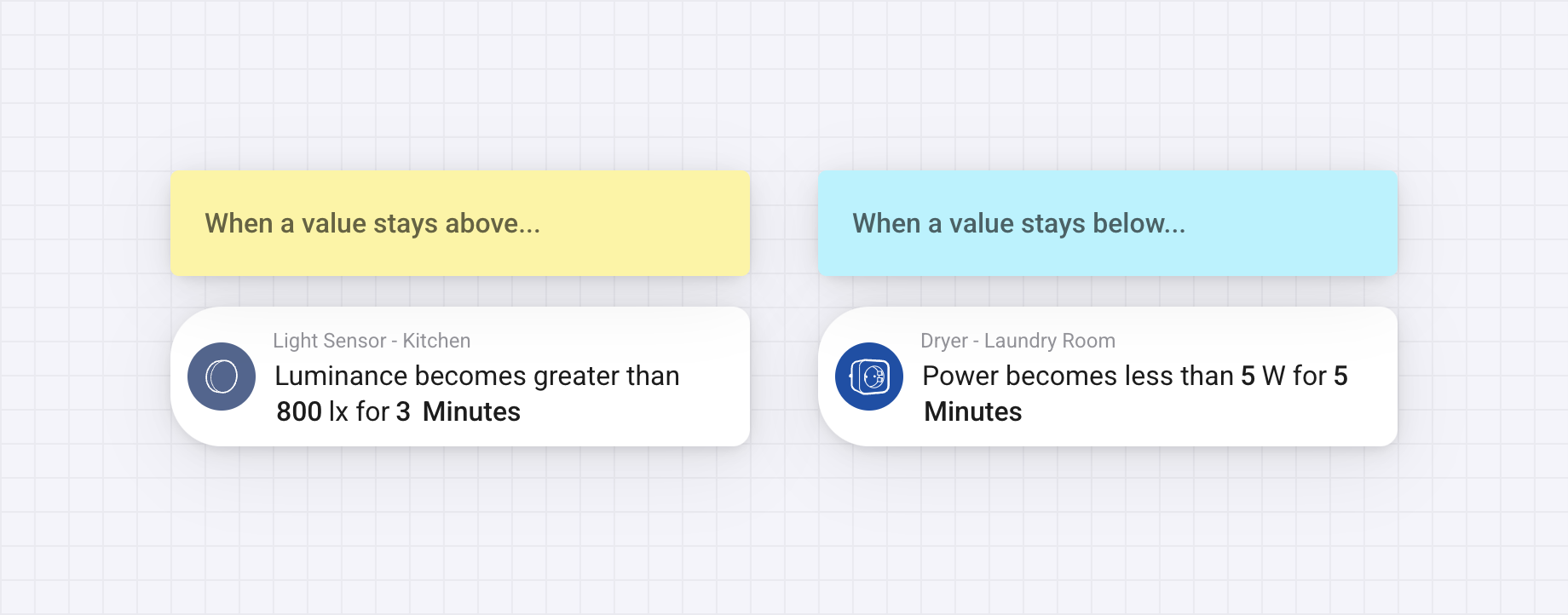
Start a Flow if a value holds over time
