I did check the first post, but unfortunately the GitHub links are no longer working, and you’re right — the T1 vibration sensor isn’t listed there. I also searched through the forum posts and saw that there were several issues with T1 sensors around version 1.8, about a year and a half ago.
However, I noticed that many other T1 devices are now supported, and there hasn’t been much mention of the T1 vibration sensor (VB-S01D) in the last few hundred comments, except for a similar request asking for support of this exact model. The older discussions (from half a year or more ago, and several releases back) don’t seem very relevant anymore.
If there’s any recent update on support for the Aqara Vibration Sensor T1 (VB-S01D), I’d really appreciate it if you could share it with me or the community. Thanks!
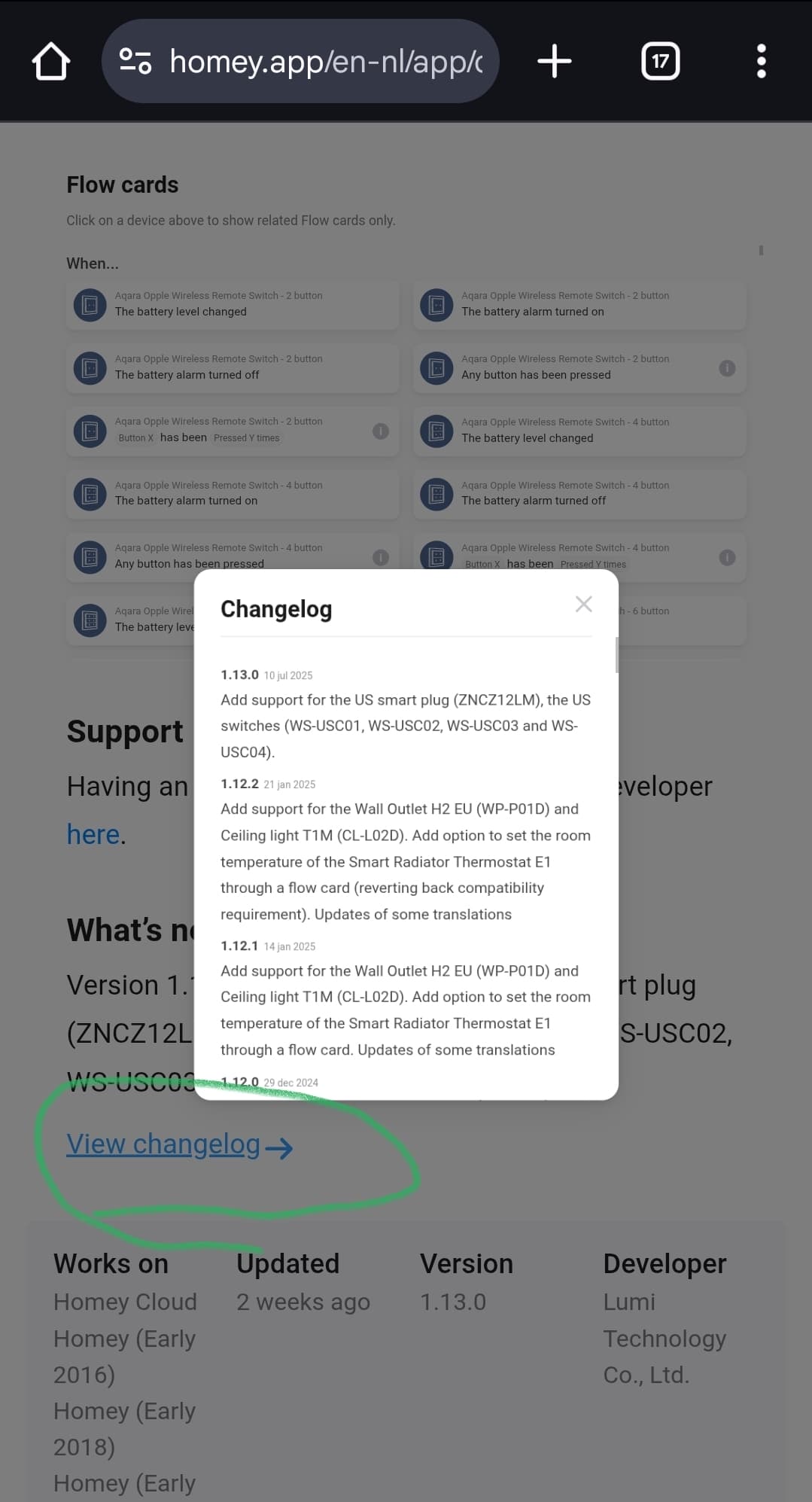
You can monitor the changelog @ homey.app store. This can’t be auto-monitored afaik, but you can check it everytime the Aqara app gets updated (should be mentioned at the timeline).
This also seems more recent / accurate compared to the lising in post 1 of this topic!
Zigbee can be a pain in the ass. It’s “sort of a standard" manufacturers can bend to their own likings (Aqara and Tuya tend to do that for example).
Wifi 2.4GHz signals can ruin your zigbee mesh.
Some brands/devices don’t mix @ Homey, like Aqara & Ikea lights. Note this problem is non-existent @ zigbee2mqtt
When you’re lucky, it just works. When not:
.
You can reset zigbee only, no need to reset Homey. But, you’ll have to pair all zigbee devices again. Flows can be repaired with this cool script by Martijn
.
Unfortunately Homey zigbee is quite a black box compared to the aforementioned zigbee2mqtt alternative.
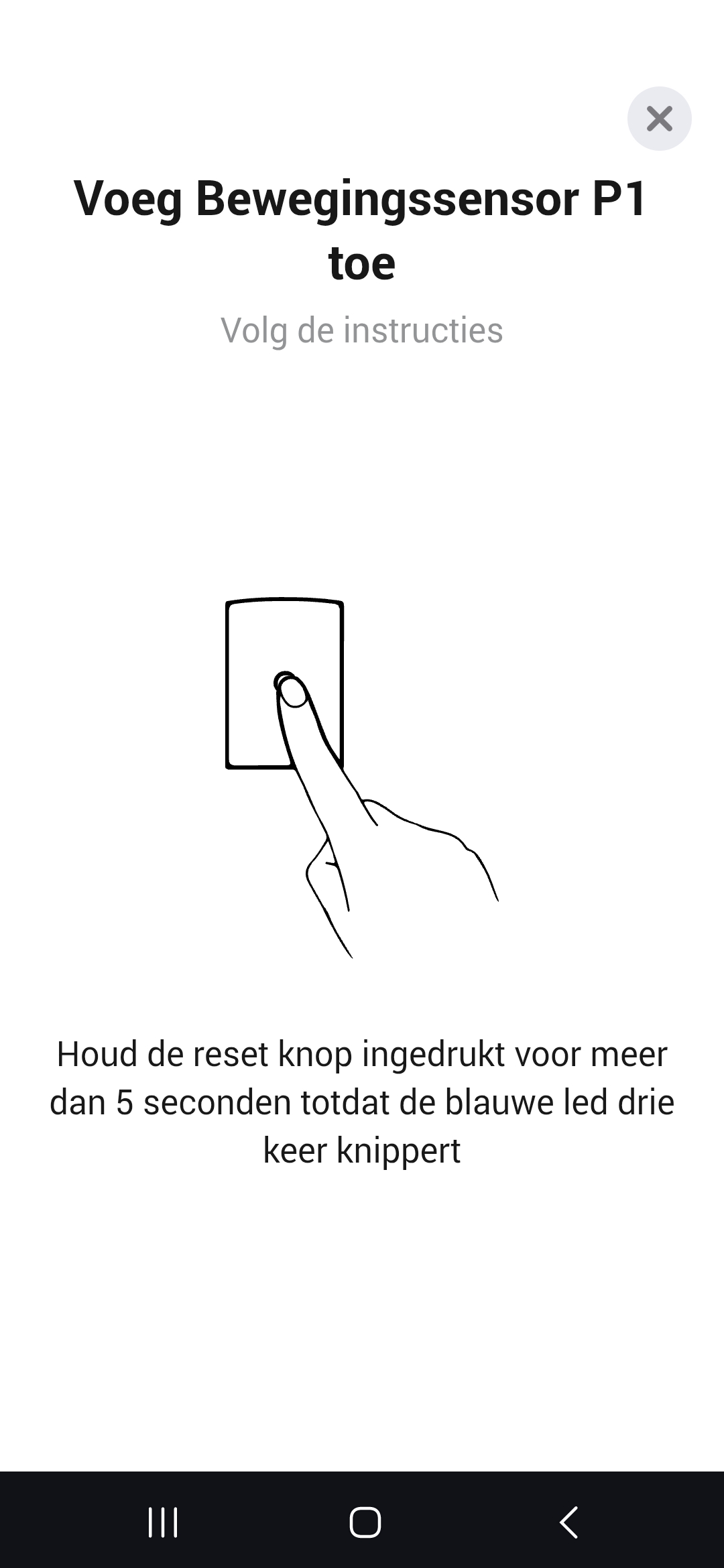
when you do what is in the descripton nothing happens.
if i try the same action with my old homey pro 19 with the same sensor it wil connect.
i have one old motion sensor(not p1) and that one connect without a problem with homey 23.
but the two P1 sensor i could not migrate to the 2023 and the two brand new out of box P1 are showing the same symtone as mentiond above.
Hello. So I have a door sensor and a dual relay T2 that went offline 2 days ago, almost simultaneously. None of the devices are pingable. They’re both located in my garage and range hasn’t been a issue before. I have 4 Aqara wall plugs that are working without problems.. What could be the issue? Did homey’s last update f it up?
I’m posting my problem in this section because the Github link you mention does not lead to an exsiting page (404 error) for me.
I have found a problem in the experimental “BLE-advertenties”.
I have 2 MiFlora’s. It took me weeks to find the problem.
When I activate the BLE option my CPU usage increases from about 20% to 60% and higer over a couple of days. This eventualy results in Zigbee errors and my homey hanging itself.
Reboot helps, but only for a few days. I eventually found this app causing the problem, the BLE option to be exact.
I used the Sysinternals app to keep track of last minute usage, because the info “CPU-gebruik“ in the app itself is always reporting “0“
I made some diagnostic reports. I hope these help you finding and fixing the problem.
Before starting BLE (no problem)
6bcbc740-f0e8-48cd-a94c-5af83fc4f5aa
Some time after starting BLE (60+% CPU usage)
8b9f5ecb-30e4-4fbd-9b31-44e097ecc2d2
After disableing BLE, after some time CPU usage returns to normal.
f68f0cfe-951c-4e67-a0fe-e5b7abbe9f9c
For battery powered devices, you have to ‘wake them up’ by pressing the pair button every few secs and then start pinging it during the button pressing
Yes I know but still they both went offline. I’ve repaired them both but they’re suddenly really unstable and only working partially.. could it be something to do with homey’s newest update? I don’t know when I installed it, but I think it was some days ago..
Any updates to when we can get official support? Or anyone that has successfully found a workaround (without involving an Aqara hub?)I am still having issues connecting H2 to Homey.
I recently installed an Aqara T2, but it only shows one energy sensor that’s bound to one of the switches. Is it possible to get the energy sensor for each switch?
Hi, for some strange reason all my 3 my motion sensors are not responding any more, happend all at the same time. Same similar for switches. Touching once the pairing button didn’t help.
Only option is ro remove the devices and pair again, but now I need to atthem manually in all my flows, taking alot of time!
How can I avoid this since it very annoying. Some apps have a repair button in settings.
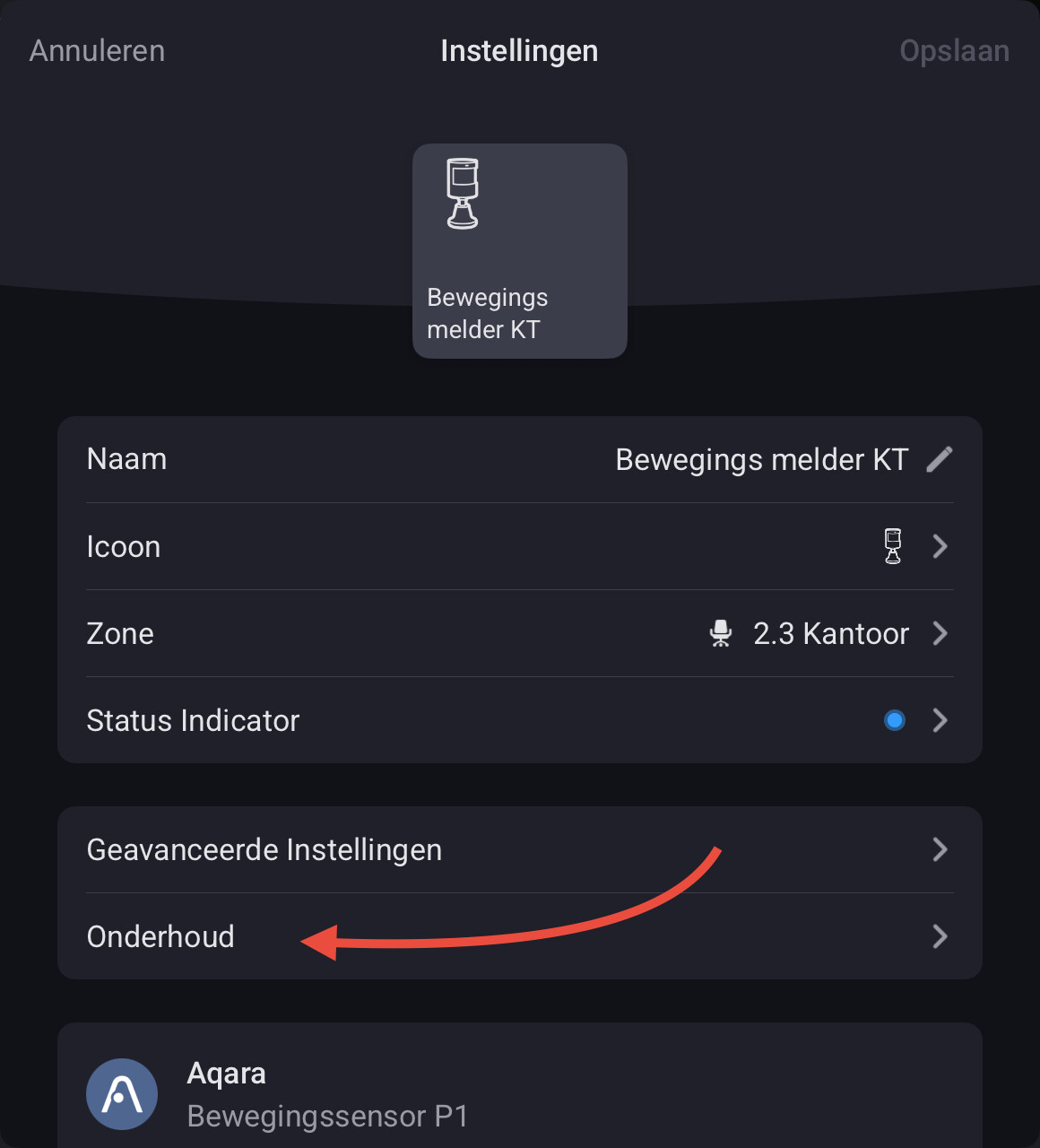
I am not sure which motion sensors you have, but my Aqara P1 motion sensors have a repair option under ‘Maintenance’ in the device tile’s settings. It will re-pair the device while keeping its current device ID, so that you don’t have to update your flows.