I can’t get the Aqara E1 Door & Window sensors to add to my Homey Pro (2023) except as unknown Zigbee devices. I previously have added 9 of the same door & window sensors with no problems as well as a couple other Aqara devices. But I recently purchased 3 more of the same product and can’t get them to pair correctly. I even tried pairing as T1, but obviously that didn’t work either since that is not the correct model. I tried restarting the Aqara Homey Pro app and add, but that also failed to pair correctly as an Aqara sensor, but as unknown Zigbee device. I submitted a log report. (Also, I tried contacting you via the guthub link, but that went to a 404 page.
85b2ba5e-4e38-4aef-847a-86e65a4ed2b3
I have had the same issue the last 3 days 
Please be so kind as to add the “Aqara Vibration Sensor T1” (model VB-S01D). It does not seem to be recognized in the app at the moment. Thank you!
Bought Aqara hub 2. For the device there was firmware update from 0.0.0_1432 to 0.0.0_1530
This seems to have solved my issues.
Thnx for your response
yeah that was exactly what I thought. now I don’t really intend to buy a hub specifically for that haha. I know someone with a home assistant, I might be able to connect the device to him and then update it for free that way.
Hi There,
Is there a way to create an action for the curtain driver on the device card itself, to close/open, sort of like it works with lights (on/off)?
It would be great if support could be added for the Aqara W100 climate sensor/thermostat in Zigbee mode. I’ve tried using it in Matter mode, but apparently much of the functionality isn’t available when used in that way (that doesn’t seem to be a Homey specific issue).
Zigbee mode is supposedly much better, but it’s an unknown device that Homey won’t make heads or tails from by default.
Edit: so far I’ve been unable to interview the device. I’m not sure how to wake it up.
Is it possible to connect Doorbell Hub G410 to Homey?
I was thinking about purchasing W100.
What functionality do you have when you connect it with matter?
Any status about the Aqara pet feeder?
Could you add the JY-GZ-01AQ Smoke Sensor “modelId”: “lumi.sensor_smoke.acn03”,
“manufacturerName”: “LUMI” I found drivers for Z2M, ZHA, and Hubitat, all with linkage alarm, mute, self-test, and smoke density. There are none for the Aqara app or the Xiaomi app.
Hallo,
Ik heb net de Aqara voordeurbel geïnstalleerd en nu vraag ik mij af is het mogelijk de bel te schakelen in de afwezigstand met Homey?
Is het mogelijk om de Aqara G410 voordeur bel te koppelen aan Homey?
Groet,
Johan

I don’t know if this is the right place to ask this, but I am confused about Homey Pro / Aqara app and the Aqara hub.
I switched to Homey Pro because it promised to have most smart home communication protocols covered.
I just bought a few Aqara Dimmer H2 EU which I wanted to use through Zigbee, for which I found I would have to perform a reset and then choose to connect through Zigbee. Maybe because of my inexperience I was not able to achieve this.
My questions are:
-
do I need to buy a Aqara hub to get the full experience? (I believed the Aqara app would be a substitute, but the dimmer is not yet supported in it.)
-
in general, of devices are listed as supported by the app, would I still need the hub?
Please help me out by answering these questions or otherwise help me find the right place to ask them.
If an Aqara Zigbee device is supported by the Aqara app for Homey, then you would pair the device directly to your Homey; an additional Aqara hub is not needed. In most cases all or at least the key functionality is supported. For some specific devices some aspects might not be supported. E.g. I use Aqara curtain motors. They work and can be configured via the Aqara app. However the included luminance sensor is not supported. The first post of this topic indicates exactly which capabilities/functionalities are supported by the app for each device. You might want to check that.
For unsupported devices that are supported by an Aqara hub, depending on which hub you have, there is the option to connect the hub via Matter to Homey. I don’t have experience with such a setup myself, but as far as I understand, the devices connected to the hub will be exposed to Homey. At least, some types of devices. Check these topics for more info:
Dat vroeg ik mij ook al af, zou graag willen weten. Misschien dat iemand hier een antwoord op weet?
I was wondering that too, and I’d love to know. Maybe someone here knows the answer?
hello,
i have a little issue with my aqara T1 temp and humidity sensors on my homey pro 2019.
i do have also som old aqara temp and humidity sensors and they do work fine.
but the T1 version is hard to connect (i bougth 2 of them) and one i have connected and he did send data back to homey but only once.
and the other i also got connected and that one did not send any data trough at al.
i also placed a old type aqara sensor at the same place and that on wil send data trough.
i don’t have ikea smarthome stuf.
on zigbee i do have innr, robbshop, hue, aqara, frient and thirtreality in the same network.
after a little scroll trough on this topic and i seems link i’m not the only one with the problem.
wil there come a solution ?
ore is there a place where i can buy the old version of the aqara sensor?
ore just switch to another brand/model?
Edit:
just tried to couple some door and window sensor t1 to my homey pro 2019 and i can connect them but they don’t work unfortaly.
what did i try to get them working:
connect them like you normaly do it
connect them trough the settings from the non t1 version of the sensor
after connection, a restart of te app
after connection, a restart of homey
a restart and then connect the sensor.
how can i help to get them work?
is there a logbook i can sent to the developer or another way i can help?
the strange thing is, i have one temperature t1 sensor that does work. (now i start to doubt if it is a t1 sensor)
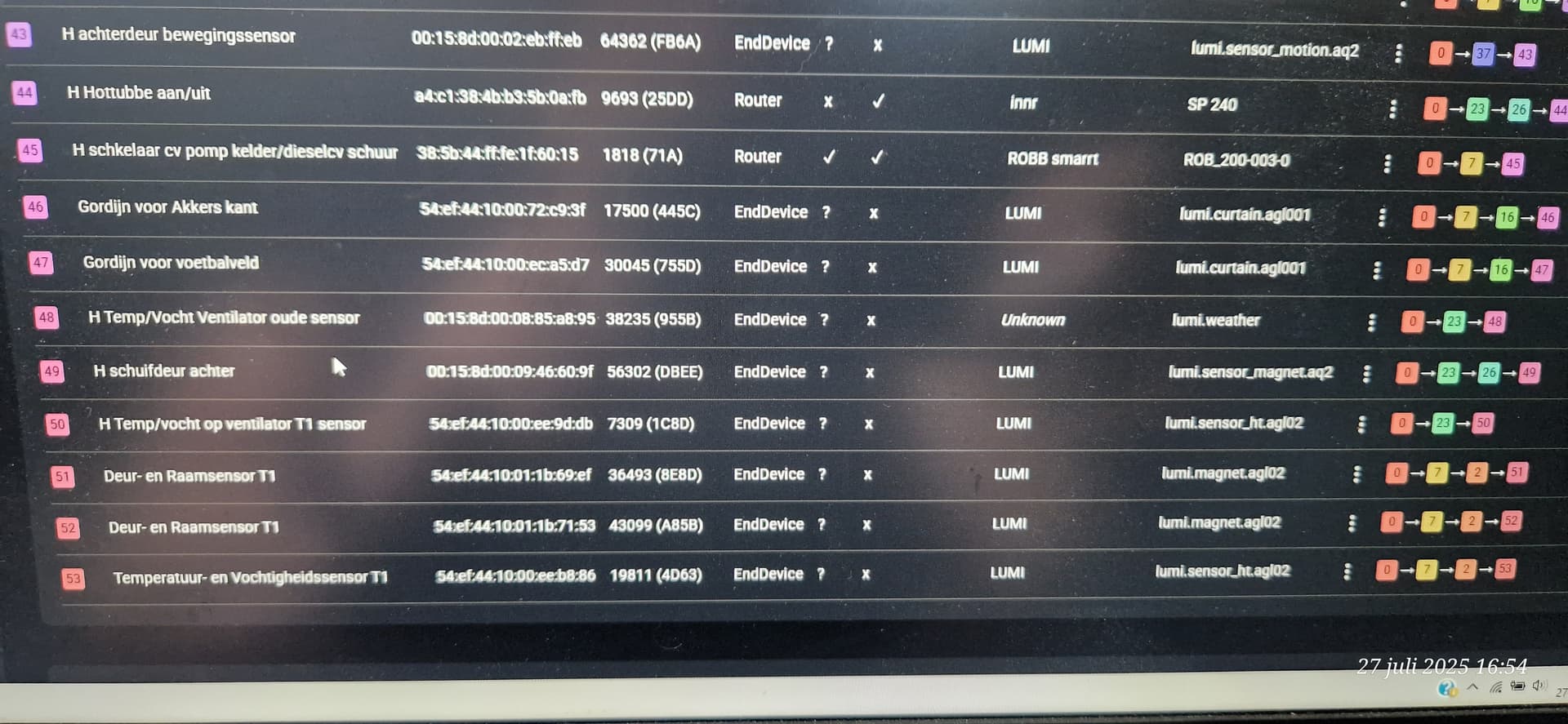
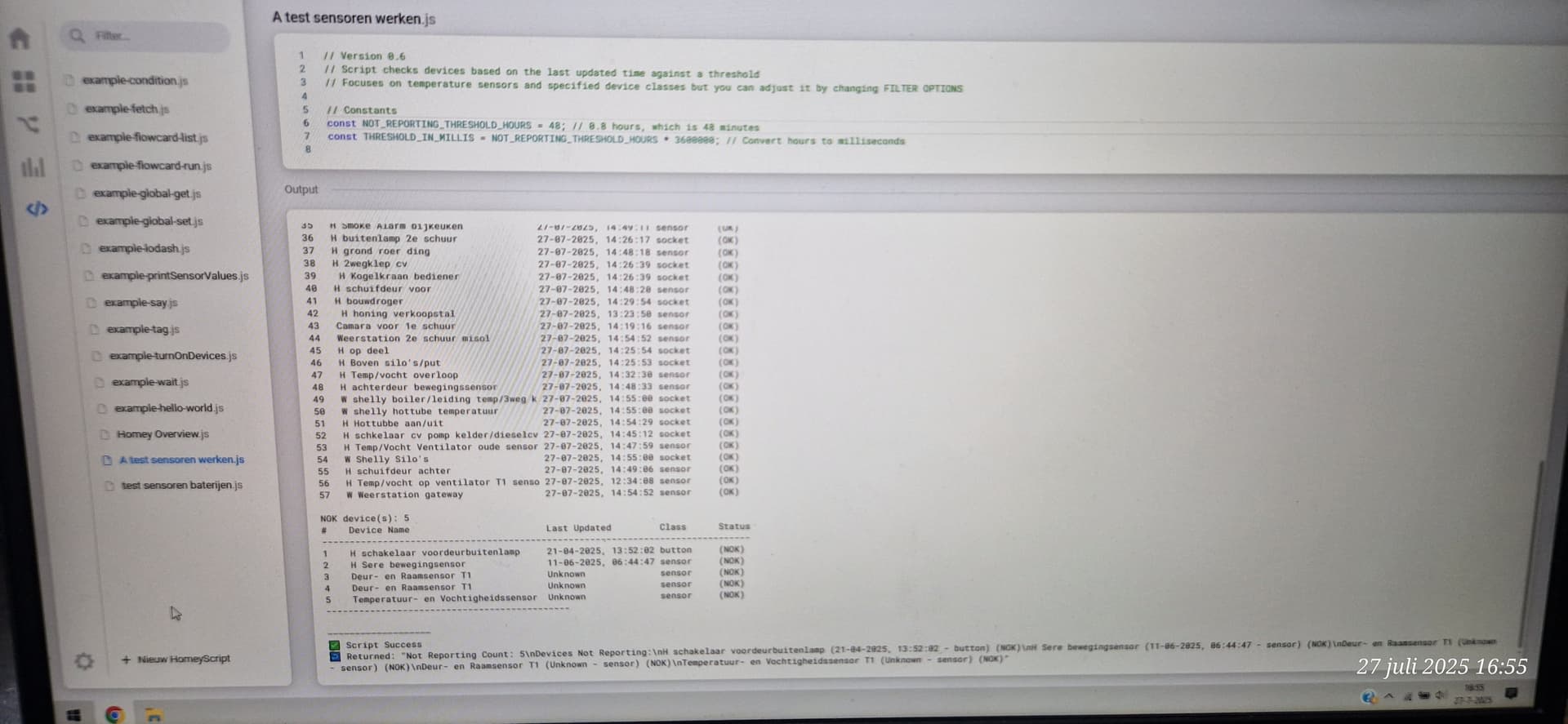
as you can see on the pictures below they do have a connect route
and they also show up on the list when you do the script check i fount on the forum somewhere.
the just don’t send the information they gather trough.

Hello,
I’m using the aqara p1 Motion sensors for a while on my homey pro 2023. Few weeks ago I bought 3 new ones. Somehow all 3 new aqara p1 Motion sensors are not able to connect with homey. According to the webshop I bought the sensors this is because there is a bug going on.
Is there more information about this? Or should everything work perfectly?
If it’s not possible to connect the new P1 sensors at all, then restart your Homey Pro (early 2023), wait some minutes and try it again.
If the devices are recognized as “unknown” Zigbee devices, please do the following.
Please check the product ID of the new P1 sensors and compare it with the product ID of the old P1 sensor. If these differ, then the new P1 sensors are (probably) not yet supported by the Homey Aqara app.
- How to check the product ID: Long press on the device tile →
 → Advanced setting → Zigbee device information
It happens from time to time that device manufacturers change the product ID, e.g. because slightly different hardware has been installed, but the name of the device is not changed.
