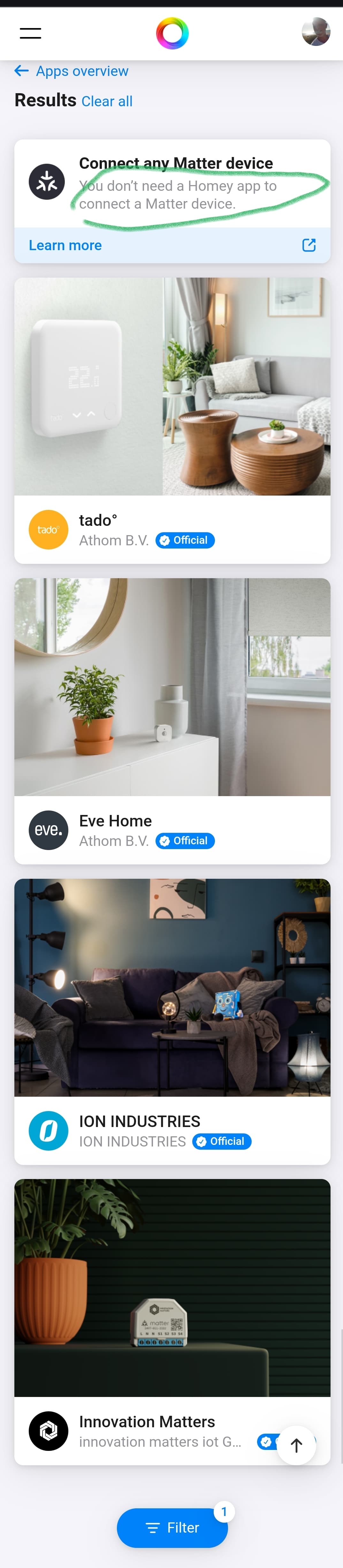
Not quite correct. Apps can implement Matter devices, but their main function is to make the device discoverable via the Homey App Store. For example, the Eve App for Homey only includes Matter devices, and its purpose is to ensure everything is easily accessible for the end user.
However, an app doesn’t need to support the device via Matter for it to work with Homey. You can simply select “Matter” when adding a new device to Homey.
Abe,
Thanks for elaborating; this is new to me, and I really think this crucial detailed info needs to be added to the app store and knowledge base.
Up 'till now I thought I’ve read somewhere a Matter device doesn’t need an app, only if the developer wants to implement custom capabilities (if that’s true at all).
When I search for Matter apps, it shows 4 apps, but it also mentions you don’t need an app? Very confusing for many users imho.
So apps cannot implement device support, they can only add metadata. If Homey’s Matter implementation is missing features, an app cannot implement them, like they can with Zigbee or Z-Wave.
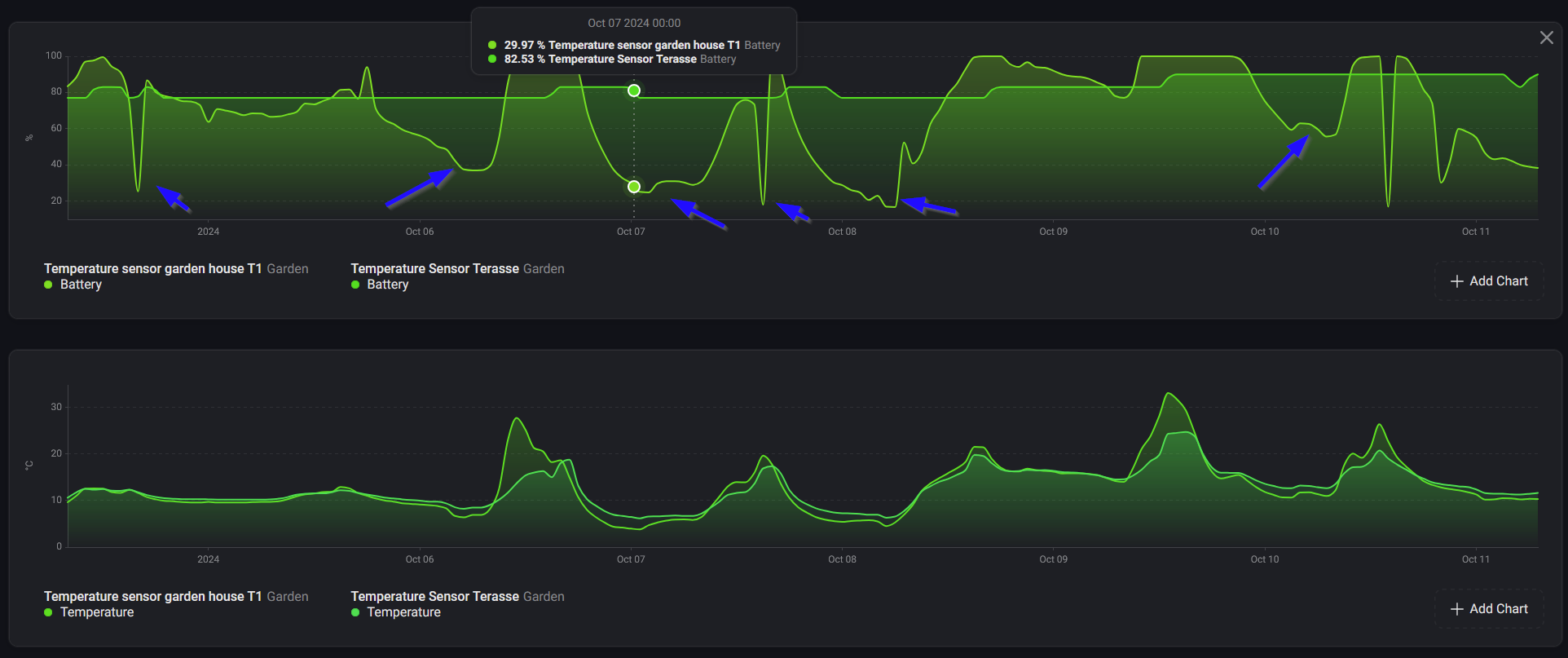
would it be possible to adjust battery level monitoring for lumi.sensor_ht.agl02 ?
Seems it’s way too much dependent on outside temperature, eg. compared to lumi.weather (on graph placed on same location) and I’m getting false battery warning and it’s also not possible to adjust battery warning level for those sensors.
Hello, I recently bought a cube t1 pro and a lightsensor t1. Both have problems connecting to homey pro. Sometimes the cube gets connected but does not give any response in Homey. I want to use these devices in the livingroom where 11 Ikea zigbee lights en two Hue lights are connected to Homey as zigbee routers. The latest versions of the Aqara app and Homey pro are installed. Has someone an idea what I am doing wrong or I am missing?
Hi @TedTolboom. I’ve noticed a few issues with the Smart Radiator Thermostat E1:
When I set the thermostat in the app to ‘Off,’ after some time it changes to ‘away’ mode with 5°C; when I set directly on the thermostat on ‘Off’, it shows ‘manual’ mode with 5°C temperature in the app.
The maximum temperature setting in the app is 35°C, but on the thermostat itself, the maximum is 30°C.
Sometimes, I’ve noticed synchronization issues between the thermostat and the app. For example, I changed the temperature / turned off in the app, but the thermostat still showed the old value, and vice versa. Is there any retry mechanism or timeout set for this action?
some of my lights and fans got switched off when my app was auto updated… is this normal? Nice to see some of my devices suddenly working again after the recent updates though. Also good to see the H1 triple (non-neutral) supported now. Fingers crossed for the H1 triple (neutral) to be supported next
I’m absolutely lost here. I’ve been trying to fix the connection with my Aqara devices for weeks now with no results. I’ve been reading through this thread for days. I’m simply unable to connect all of the devices (listed in the screenshot above) using the traditional adding process. The strange thing is that I’ve successfully added these devices in the past. The only device that I was able to reconnect is the P1 sensor.
Today, I purchased a new Homey Pro, hoping it would fix the problem. But the issue remains. Even the devices that were connected to my old Homey are now unable to connect. These worked until today, but now I am unable to restore the connection.
Can someone guide me on where to start to debug this issue? Are there some quick checks I can run to determine where to look for the problem? The devices that are unable to connect are:
Motion Sensor (8x)
Wireless Mini Switch (5x)
Wireless Remote Switch Single (2018) (1x)
Xiaomi Honeywell rookmelder (2x)
Door and Window sensor (2x)
All the above devices have once been successfully connected to the Homey in the past.
Did you restore a backup from your previous Homey? If so, you probably want to do a full Zigbee network reset on your new Homey (here: Homey Developer Tools).
Yes, I restored a backup of the old homey. Just tried to reset the Zigbee network. After that I was able to connect two devices (1x Motion Sensor + 1x Wireless Mini Switch). But it seems like I’m unable to connect more of them.
Also, all your devices you mentioned seem to be end devices. You really want to have router devices in a Zigbee network, about 1 router device on 5 end devices.
And also assume that Zigbee’s range is at most about 5 meters, which is another reason why you want router devices (so you can increase the range of your network).
Thanks for your reply! I’m not sure why the devices aren’t able to connect. It start the adding flow, the device blinks tree times and nothing happens for a while. No errors. I’m very close to the Homey at that moment. Could it be that are too many end devices present that that this will overload the connect process?
Adding a Zigbee router seems like a good idea. Can I use an Aqara hub? I read some use the old one from IKEA. Which hub works good with the Aqara app that you know of?
You’re pairing one device at a time, so that shouldn’t be an issue. Try moving the device a bit away from Homey, like 50 to 100cm.
An Aqara hub isn’t a router, it’s a controller (like Homey is), that’s something very different. Zigbee routers are usually devices that are permanently powered, like smart plugs or lights.
I got everything working again after reinstalling some IKEA Tradfri lights around the house. The lack of routers that you’ve addressed seemed to be the issue. I’m very happy everything is working again. Many thanks for your help!



 what else to do ?