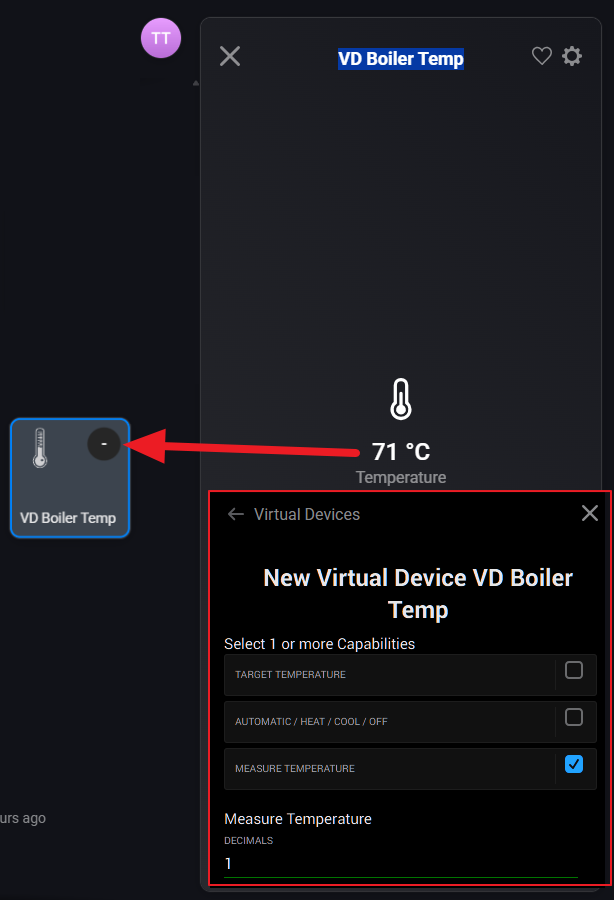
During setup I deselected the Target Temperature property as I only wanted it to measure the temperature and not take any action according to a defined target temperature (see inside lower red frames below).
This works well, as the temperature value is assigned to the virtual device. However I would also like it to display the temperature in the Device Icon’s upper right corner instead of the current, non-informative dash. How can I do that?
I tried that. The Virtual Device / VD Boiler Temp / Settings / Status Indicator’s dropdown list is unfortunately empty. Should I have done that when I created the device, or am I missing something else..?
Standard thermostat devices, virtual or not, only show the target temperature by default as status indicator. This is “as designed” by Athom.
However, in the web app, it can show the measured temperature on the “big tile” view.