It is a C310, connected directly on the electricity and also by an ethernet cable connected to the router/internet.
Like mentioned ; it must be possible ‘somewhere’ to change the local ip address to the access of the noip . It is done like that in the ‘virtual ip camera’… but I don’t find where to change this….
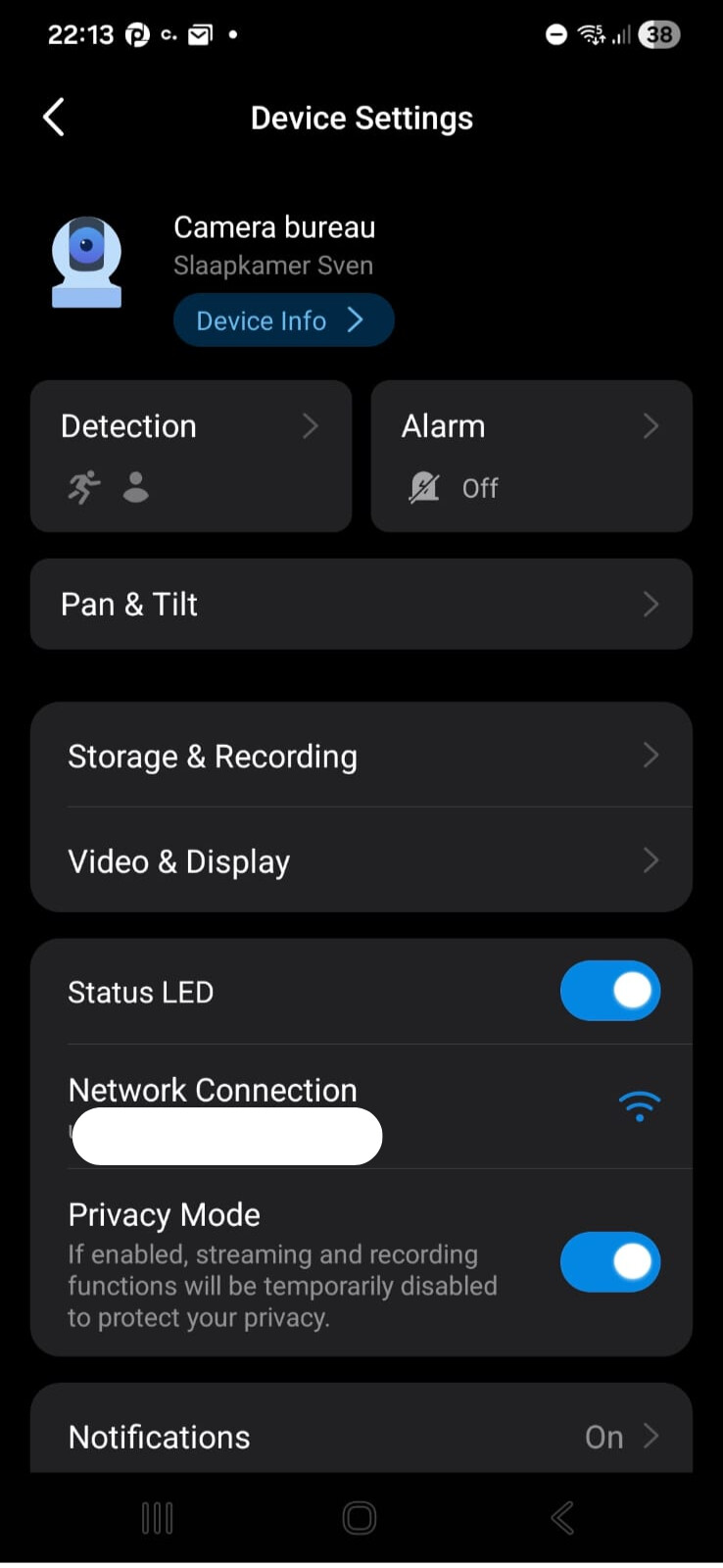
Click the settings icon
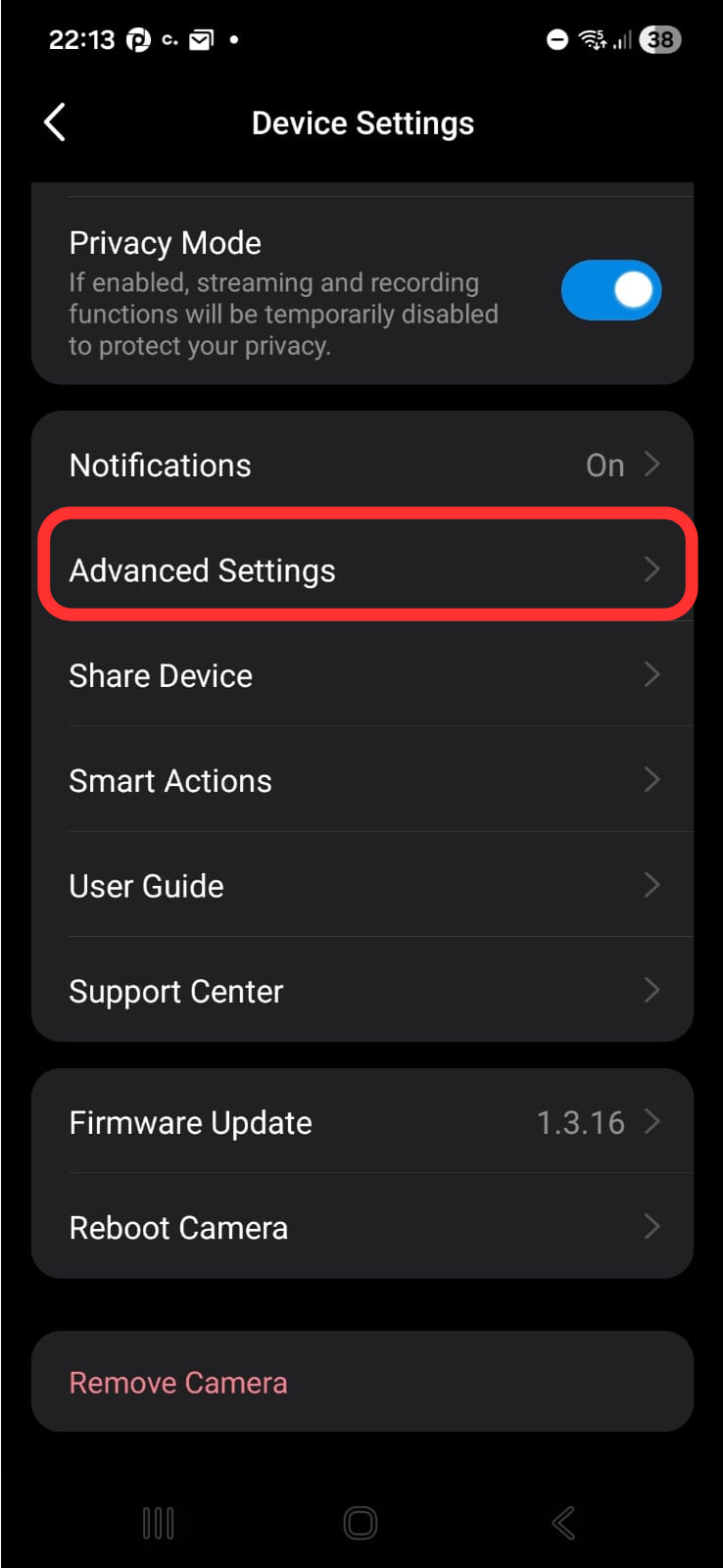
Scroll down here
Click “Advanced Settings“
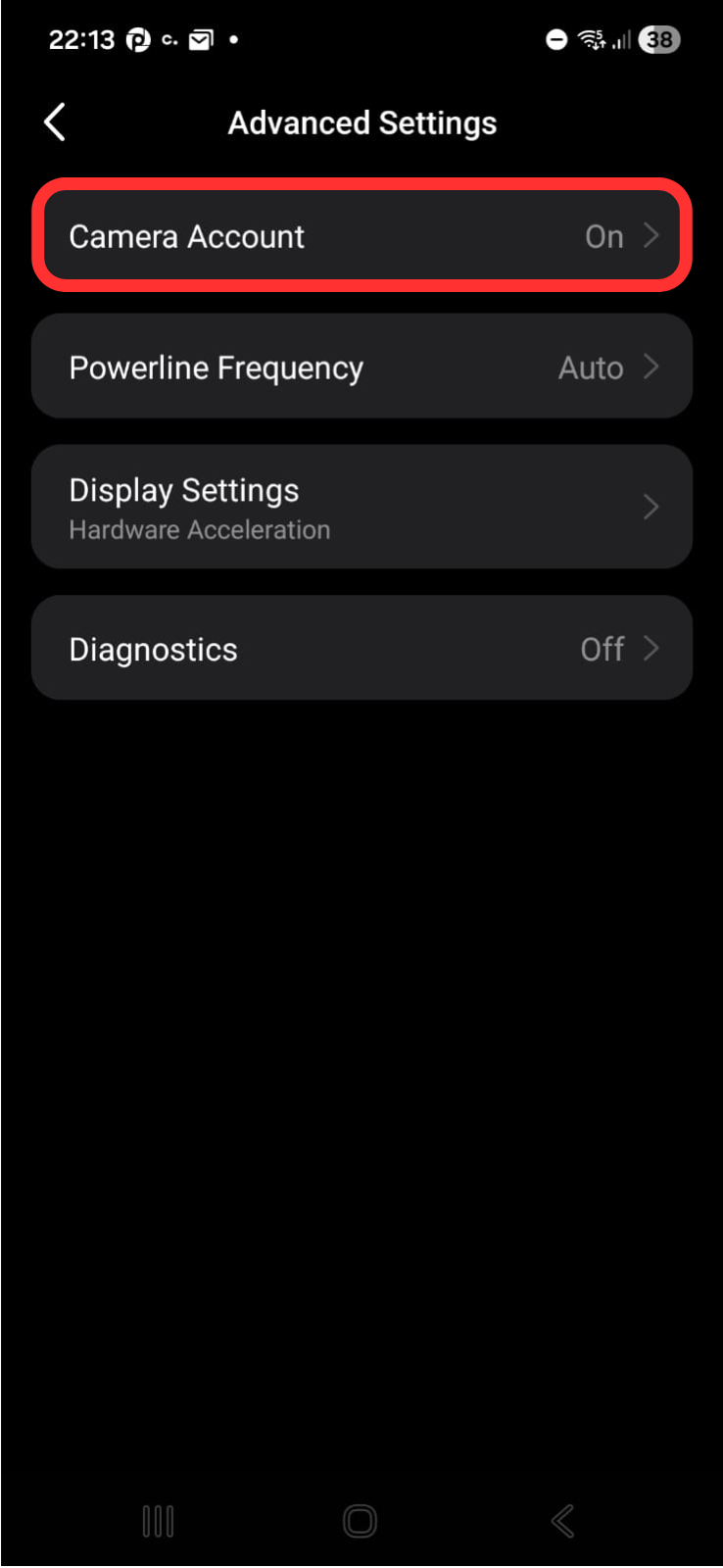
Click Camera Account
Click Account Information. In this page it’s possible to create an RTSP account
As an virtual ip camera it is working, but than I cannot use the ‘cards’, which of course are the best use of this…
At least it works for someone (:
I get a “video stopped” message on C211 and C260. It doesn’t matter whether I use Virtual IP Camera or the Tapo app.
Otherwise, the stream works in Home Assistant and VLC.
My stream also works in VLC and when I am on the same wifi network ‘everything’ works… But off course the goal is to get this working even when you are not on the same network… It simply needs to be accessed ‘on distance’… Unfortunately, I am not able to change the adress of this stream in Homey…
Sorry guys, im dumb. I tried the Homey with hyper-v without gpu… Changed it to the Vmware, the stream works good.
Can the camera work on the external network? As I tested it, the camera stream is only available on the internal network(if not use vpn).
The RTSP stream is only available on LAN
I realised that! But if a local ip number can be programmed, than an external ip number (with port forwarding) should also be possible… If you know how off course 
I wouldn’t recommend port forwarding your camera, if there is a vulnerability in the RTSP implementation then the thousands of IP scanners will discover it and access it.
It works fine for me, as long as I’m on the same WiFi network.. It’s a really nice feature to have a live stream widget on the dashboard. But it would be much better to get it to work on external networks as well 
Does anyone get the motion sensor to enable through the Tapo-app? It works fine in ONVIF-app (see attached picture) but not in the Tapo-app.
You can use VPN if your router supports it, this way you can securely access your home network remotely.
Ok thanks, but why is this needed in Homey? I can access my cameras all over the world through the original Tapo Android-app.
Because Homey loads the RTSP stream from a local IP address. The Tapo mobile app uses P2P to get the stream, which Homey doesn’t support.
What is good is that the detection sensor is working in Homey… Meaning, if something is detected, you can put on the lights… or something…
Does motion detection work for you guys in Homey? My three Tapo cameras doesnt, despite that Motion detection is ON in the Tapo app (I receive motion notifications from Tapo).
It looks like this in Homey (it says “56 years ago”…)
The motion detector works with me.. I can use it in a flow (if motion is detected than flash the lights) this is working. For my 4 L530 lights… 2 of them work very well, 2 of them does not work at all… So, my next lights will not be Tapo, probably Hue because they always work…
Hi,
I have three cameras, one C500 and two C200. For the C500 and one of the C200 I have added the camera accounts though the TAPO phone app since those two are the ones I intend to use in flows for now. For the Second C200 I have not added the camera account and it looks exactly like yours with 56 years since the last motion detection event.
What are the steps you went through to add the cameras?