With Matter devices you don’t need an app to pair it with Homey.
Is this the exact error message?
I’m curious what the role of Apple home is regarding pairing a Matter device with Homey?
(Apple-free user here, I just don’t see the why in this case)
With Matter devices you don’t need an app to pair it with Homey.
Is this the exact error message?
I’m curious what the role of Apple home is regarding pairing a Matter device with Homey?
(Apple-free user here, I just don’t see the why in this case)
I found the solution: my Homey is connected by ethernet to a server VLAN with subnet 192.168.12.0/24. But my iPhone is connected by WiFi to my family VLAN with subnet 192.168.11.0/24. And yes, I enabled bridging MDNS and ICMP/IGMP between this VLANs, but it won’t help. Now I reconnected the Homey Pro to my family VLAN and now it is working fine: last step in connecting a matter device succeeded (searching and connecting to the device).
Anyone else got issues with connecting via Matter to Homey with Tado X Thermostat (Yes, the Wireless temp sensor)? I have tried this 15x already (even switched wifi networks) it works fine in the Tado app, but will not connect over matter to homey. I also restarted Homey, it does not work.
Installed Tado plugin in Homey, tried it that way, same result. Im getting tired of this 
If you have already installed the device to the tado app on your phone (and to the tado-x-bridge), you have to make a new qr-code to install it to a different border router.
Found the solution: the Tado devices need to be on the same VLAN (Subnet) as the Homey. Now it works 
Came across here searching for how to connect Tado-X Valves to Homey (new Tado User and new Homey User) and had no success with any of the suggested methods. Contacted the Homey Support and was able to connect Tado-X valves easily with their help.
The missing piece was the Homey “Tado” app that needs to be installed first.
Afterwards keep the Tado-X valves close to the Homey Pro for setup as it needs to connect via Bluetooth for the first time setup. Then use “Add Device → Tado → Select the proper device type” in the Homey app. Should work like a charm. It did for me. No need to go via iOS or the Tado app at all. No Tado bridge required too.
And how do you propose to turn the boiler on with Homey flows?
The valves only control each individual radiator.
You don’t need a bridge, but you do need the Tado X controller and that can only be added to the Tado app, not Homey.
Why is the Tado X Controller needed?
Is the Tado X controller a different device than the Tado X bridge?
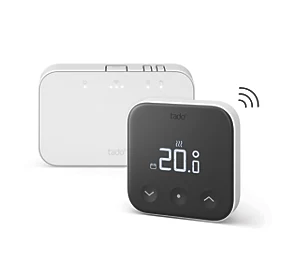
This white box is your gateway to wifi (internet) AND controls the boiler via opentherm or on/off protocol.
Any of your TRV’s OR your thermostaat can fire up the boiler via this white box. TRV’s are connected to this box via thread protocol.
Only using the Tado X thermostat at the moment. Doing so connected via a cable to the boiler. So, I do not have such a wifi connection module. When implementing TRV’s in the near future, I understand those communicate with the boiler via the thermostat… so, no Tado wifi model required. Correct?
Hi there,
I have one special narrow situation with a heater valve and did find out, that a Tado Mart Radioator Thermostat X would physically fit perfect.
As it has Matter, I thought I should be able to connect to Homey (2026 Pro).
Turns out: problem.
Reading the threat, I am even more confused.
Some posting seem to state: you can connect the X thermostat directly to Homey.
Other state, that you need the Tado App for Homey. Which says: I need a additional Tado Bridge (now way..).
Anyone ever made a Tado Smart Thermostat X directly work with Homey Pro?
Or any up2date final statement?
Thanks,
Ralf
Tado x Radiator Thermostat works perfectly with Homey through matter. I have several of them, and I am controlling them with only Homey. I am not using any of the Tado cloud services or subscription.
After your statement, my Tado X did integrate via Matter with no trouble any more.
Beforehand, no luck.
I guess, he does read here as well.
Thx.
Still struggling with these valves. Out of the 6 i have i can only ever pair 1 of them.
Tado are not interested in helping and say they dont support homey- despite supporting Matter.
Ive reset the valves and tried it all!
Tado support is the absolute worst I’ve encountered in a while
They literally just ignored multiple emails from me, requesting to submit a complaint
Is your Tado The preferred TBR?
If not use HA to merge all Thread networks together.
Factory reset all devices and remove them from “matter” menu in ios. Then star again.
This is what ive had to do and its been rock solid since. Too many TBR fighting for primacy, now i have just one.
Tado thread is very locked down so merge others into this network
The Tado X bridge does not support Matter Multi-Admin, so I can’t ask it to join my HA thread network
I have absolutely no interest in making the Tado bridge my TBR; that is not very future proof.
I agree, id rather move to another network.. But this is tado and in my experience it just fails with other thread networks.