Hi, I´m trying to figure out a smoother way to use my Google Assistant to start units and flows in Homey. For now I need to say Hey Google, start flow “name of flow”, but what I really want is to say Hey Google, vacuum kitchen (wich is the name of the flow).
Tried adding virtual devices in Homey and a button for each room that starts the vacuuming in the selected room, but Google Home won´t import those buttons.
Anyone who figured out a good workaround for this?
Add ‘Start’ to the flow name:
Hey google start vacuum kitchen
.
Google is picky for some reason:
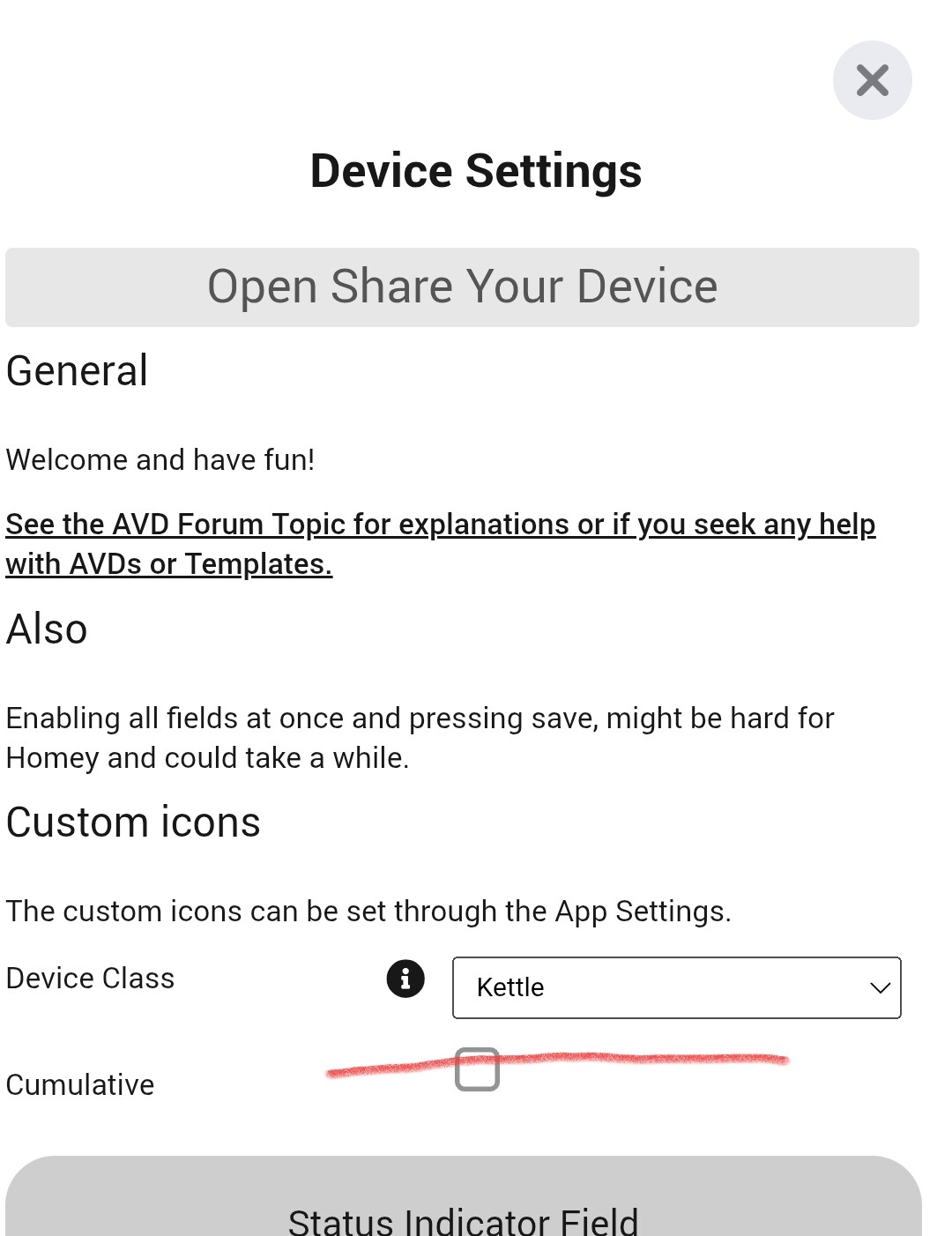
This is possible with the Virtual Devices app
and with the Advanced Virtual Device of the Device Capabilities app
You can do this with Automations in Google Home. Create a new automation and tap the 3 dots in the top right corner and choose “Previous household editor”. Then, choose “When I say to Google Assistant” as the starter with “Vacuum kitchen”. Then, choose “Control Home devices” as the action and scroll down to “Set scene”. Here you can select your Flow
Hi, will try the solution with adding “Start” to the flow name. Hope it works.
Tried the solution with virtual device as Kettle. But it only worked with a on/off button. I want a button thats just been pressed. I could off course add a “then” card to the flow turning off the button after it has been pressed. But I don’t think thats quite a solution I want, as I want the buttons to be visible in a dashboard for everyone to push on. It doesn’t look quite nice if the button changes to on, and then off seconds after you press it.
Thanks for the tips. I managed to find the flows, but it only showed one of my flows.
Couldn’t find out why just this flow showed up, and not all the rest. Are there any limitations here?
Have you marked the Flows as favorite? In order for them to show up in Google, the Flows need to be marked as favorite.
Yeah thats the thing. I have one flow marked as favourite and it was the same that showed up in Google.
As far as I know that’s not possible directly, but:
I create such a button with a Homey flow:
when I turn on the virtual kettle, it turns the virtual kettle off after a second.
Hello,
The first thing is to make the flows in Homey Favorite. Then they will show up in the Google Home App.
Then in the Google Home app, you can define your own text for the command, and point it to the flow you want to start.
I have more than 60 flows that can be started with Google Home…
Works perfectly.
Thank you for all the help here. It worked perfect with smarthomesven’s solution after I marked the flows with a favourite. So now I have one flow for each room, but also one button for starting the vacuuming from the Homey-app/dashboard.