Oh, I didn’t mean moving them physically, I meant between the Ring locations. I’m curious to know if that makes a difference.
Hi, just wanted to give feedback, I have it up and running with pulling new snapshots every 10 minutes since mid of April, and it works just fine. So there does not seem to be a tight limitation…
Trying to add my Contact Sensors into Homey, but it keeps timing out when “adding new device”. I have the latest version of the app, tried uninstalling, authenticating again and same thing, just times out. Feel like I’m missing something obvious.
Hi Koa,
Do you have any other devices connected?
Could you please stop the app, restart it. After waiting a bit, please try to add your contact sensor. After it fails, send me a Diagnostics Report please.
@DaneedeKruyff — first, thank you for this great app. There is so much more possible with your app than with the Ring app Athom made available.
Is there any chance you will add the option to trigger in ‘person detection’? This is an option which works quite well over general movement triggering.
Thank you so much for considering this.

Hey! Thanks for the app 
However I am bumping on a problem where I cannot add my devices. I get a timeout after a while:
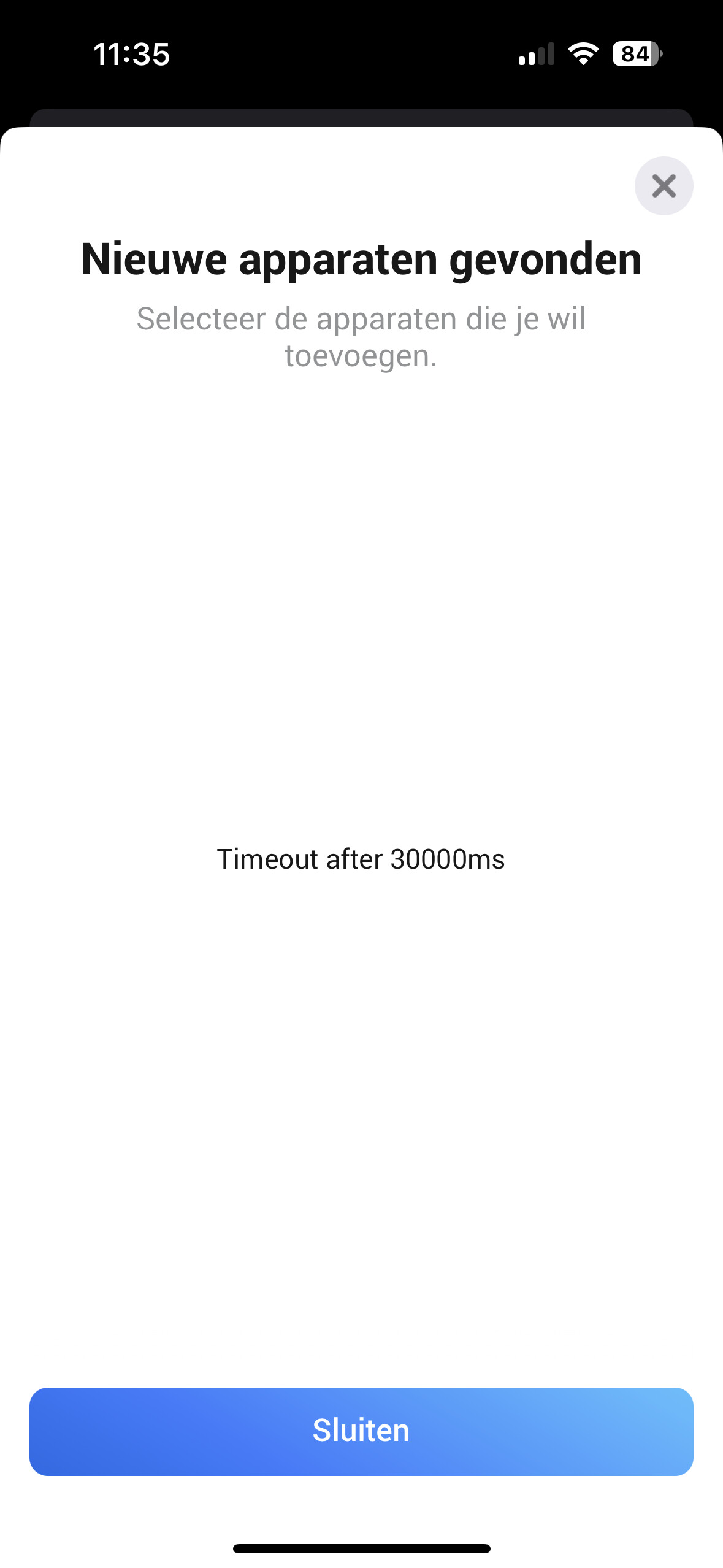
This is the first device I am trying to install with your app.
I am using a Homey Pro (2018)
Thank you in advance!
Kind Regards,
Bram
EDIT: sorry I did not see the previous post about this issue. I’ve restarted the app multiple times but with the same outcome.
I’ve made a diagnostic report: 1846432b-f055-4e36-9d4d-bb4d9b390665
It seems Ring doesn’t retun ny device information.
Which devices do you have and are you trying to add?
Hi thanks for the fast reply!
My devices are:
- Doorbell
- Outdoor camera
- Keypad (v2)
- chime
- intercom
I am trying to add the keypad.
You can only add the keypad with this app when you also have the Ring Alarm system.
If you just want to add the keypad as a stand alone device (for example to use with Heimdall) you will need to use the Ring Security app.
I’m missing a card or a way to ping whether or not my Ring Doorbell is online.
I just found out my Doorbell has been offline for 4 days, without me noticing.
So I was hoping to set up a flow that checked every 4 hours or the likes, if the camera was accessible online or not. I tried the Logic card “Is Battery bigger than 5” when the battery was pulled out (camera offline), Homey still replied “True”. So that didn’t do me any good…
Would it be possible to create such a flow card? Or am I missing an already present feature?
There is no option to ‘ping’ a device. What you could try is periodically run a flow to Grab current screenshot and check if a screenshot is received. I have no idea if this is possible with a device running on a battery as all my devices are mains powered.
HI, the Ring App has been working perfect before and all of a sudden it started to be problem. I have used the Ring App in Homey for different flows to active the Home or Away mode when i go to sleep or leave home. I just tried delete the app and also made a new simple flow to see if it works but it will not. Any ideas?

I understand that an actual “ping” probably is not possible. But for instance on the Ring web page, after logging in, there’s a “Device health” which have the property “Network Status = Online”. I don’t know how you communicate with the Ring devices, but if you are able to grab that info off the Ring API? As you mention this is a battery device, so a solution where we just “read data off the cloud” would be preferable to asking the device to take snapshots.
Hi Thanks for your reply, first my skills seems not to be enough here to understand all. Which device i should check the Device Health? I have several Ring products including Base Station (in Base station i couldent find any Device Health) All my Ring products seems to work fine in my app or Ring Web page. All is onine thought my Deco Mesh system. Where i could find this Ring API?
@Krister73 I didn’t reply to your question, so you can disregard that information as my reply was aimed at the developer

Hi @Krister73,
Could you please stop the app, start it again, wait a bit and then run your flow?
After that, send me a Diagnostics Report and I’ll see if any useful information about the error is logged.
Hi!
I have done that now snd sent a diagnosticrapport
74804633-a0d0-4996-8314-ad3c3540b27b
I’ve looked into the report, here’s what’s important:
    body: {
      error: 999005,
      errors: [Array],
      msg: 'Not allowed to use this api to change mode'
    }
So the api says it’s not allowed to change the mode. I have never seen this error before and have no idea why you’re not allowed. (The 5 as the last digit indicates to me it’s an access denied, but that just my old stool dos experience kicking in  )
)
When you change the mode in your Ring app, is that visible in Homey?
(You can see this with a flow that’s triggered with the flow card The mode for … changed)

This is very strange because sometimes it works fine, but later the same day it just stops working again. It has never been like this before, so I’m not sure what the problem is. At the moment it’s working, and that flow card you showed is working fine.
